Apex Minecraft Hosting: A Practical How-To Guide for 2026
Learn how to evaluate, choose, and set up Apex Minecraft Hosting for a reliable, high-performance Minecraft server. This educational guide covers uptime, latency, backups, security, and migration with actionable steps.


Apex Minecraft Hosting setup is the goal here: you will learn how to evaluate performance factors, pick a suitable plan, and perform a safe, step-by-step server setup. This guide covers uptime, latency, RAM allocation, backups, and security, with practical examples and checklists suitable for beginners and advanced admins alike.
Why Apex Minecraft Hosting matters for your server
Apex Minecraft Hosting plays a central role in shaping the player experience. You rely on a fast network path, steady uptime, and sufficient resources to keep worlds flowing smoothly as players explore, build, and fight mobs. According to Craft Guide, hosting quality is the single biggest factor in the feel of a multiplayer world. The Craft Guide team found that even small differences in server location, hardware, and routing can translate into noticeable lag, desync, or chunk loading delays for players who connect from different regions. This makes the choice of provider more important than many new admins realize. In this guide, we examine key factors, practical steps, and best practices that help you pick a plan that matches your goals, then configure and optimize the setup for a stable, enjoyable experience. Whether you host a small survival world or a larger community with mods and plugins, reliable hosting is the foundation for consistent gameplay, a fair ping, and a predictable world state. The aim is to empower you to evaluate options with confidence and implement proven patterns that work across providers, while staying focused on what matters most to your community.
What to look for in a hosting provider for Minecraft servers
When evaluating any Minecraft hosting service, you want a balance of performance, reliability, and support. Uptime is the foundation, with the goal of minimal outages. Latency matters, so pick a data center location that serves the majority of your players well. Hardware matters too: enough RAM to cover world generation and plugins, CPU cores with headroom for tick processing, and fast storage to reduce load times. Look for transparent SLAs, automated backups, and a control panel that is easy to use for beginners and powerful enough for seasoned admins. A solid plan should scale seamlessly as your community grows. Read reviews to gauge support responsiveness and incident handling. For modded servers, verify compatibility with popular mod loaders and ensure that the host supports the edition you intend to run. Finally, understand pricing structure, renewal terms, and whether the provider offers trial periods or money back guarantees. A well rounded host provides predictable performance, straightforward configuration, and reliable after sales support that reduces admin time and player frustration.
Java Edition vs Bedrock Edition: Choosing the right plan
Minecraft exists in two major flavors: Java Edition and Bedrock. Apex Minecraft Hosting commonly supports both, but your choice of edition influences resource allocation and the feature set you can rely on. Java Edition servers typically benefit from larger RAM pools and robust plugin ecosystems, especially when running heavy mods and large player counts. Bedrock Edition emphasizes cross platform play and tends to be lighter on CPU for each player, which can influence how many players you can support per world and how you configure tick rates. If your plan includes mods and custom plugins, Java Edition is often the preferred path. If you want broad device compatibility with minimal setup, Bedrock can be attractive, particularly for mobile and console players. When selecting a plan, confirm data center location, network peering, storage options, and the ability to run separate instances for Java and Bedrock if needed. In practice, many servers offer both editions, sometimes on separate worlds or ports, to maximize reach while preserving performance.
Performance tuning and capacity planning
Performance is not static; it requires ongoing tuning and proactive planning. Begin with a sensible RAM allocation that covers world size, chunk loading, and common plugins without starving the operating system. Monitor CPU usage during peak times and adjust the number of allocated threads or the maximum players accordingly. Plan for growth by choosing a hosting tier that lets you scale resources without migrating to a new server. Use fast storage and optimize world generation settings to reduce load times and avoid stuttering during exploration. If you run modded or plugin rich servers, allocate additional RAM and enable server side optimizations. Regularly review tick rates and entity counts to maintain responsiveness. Create a test environment to validate changes before applying them in production. This disciplined approach improves frame rates, world stability, and the player experience.
Security, backups, and reliability best practices
Security should be a core consideration. Enable basic DDoS protection, implement firewall rules to restrict administrative interfaces, and keep software up to date. Backups are non negotiable; configure automatic daily backups and practice restore tests to ensure data can be recovered quickly after corruption or mistakes. Store backups in a separate location when possible and verify backup integrity after each run. Use strong credentials for control panel access and rotate them periodically. Enable versioned world saves so you can roll back to known good states during issues. Keep a detailed changelog of configuration updates and plugin changes. Finally, choose a host with a transparent incident response plan and reliable uptime so you can ride through outages with minimal disruption.
Migration and onboarding with Apex hosting
Moving an existing server to Apex Minecraft Hosting requires careful planning. Schedule migration during a maintenance window and inform players about possible downtime. Export your world data and estate configs from the old host, then import to Apex and verify that the world loads correctly. Use the hosting panel to create a new server instance that matches edition, version, and plugin stack. Transfer world folders, plugin jars, and mod configs using the SFTP client or the panel file manager. Test connectivity from multiple networks to confirm that Java and Bedrock clients can join if cross play is enabled. Enable automatic backups and set up a short monitoring period to catch issues early. If you encounter mod version conflicts, revert to a stable combination and revalidate. A well planned migration minimizes player disruption and preserves world state.
Authority sources and further learning
Reliable hosting guidance often comes from established research and industry best practices. Craft Guide analysis highlights the importance of uptime, latency, and scalability for multiplayer communities when selecting a host. For readers seeking deeper technical context, the following authoritative sources offer foundational knowledge on security, cloud hosting, and data center reliability: • https://www.nist.gov/publications • https://www.stanford.edu/ • https://www.ibm.com/cloud/learn/what-is-cloud-hosting
Best practices for ongoing maintenance and optimization
To keep Apex hosting performing well over time, implement a routine maintenance schedule. Schedule periodic backups, test restores, and review plugin and mod versions for compatibility. Monitor server metrics such as RAM usage, CPU load, and tick rate, and adjust resources before players notice lag. Keep a written playbook for common tasks like world resets, map resets, or plugin updates so admins can act quickly during busy periods. Regularly engage with your player base to surface issues early and adjust rules or settings to preserve balance. Finally, re evaluate hosting needs every few months as your world grows, new mods appear, or your player base expands. A steady, proactive approach yields long term stability and gives your community a reliable home in Apex hosting.
Tools & Materials
- A reliable high-speed internet connection(Stable upload/download speeds and low ping are essential)
- Administrative access to the Apex hosting control panel(You will create and modify server instances)
- Java Runtime Environment (JRE) 17+(Needed to run Java Edition servers and may be required for mods)
- Minecraft server files (official or modded pack)(Obtain from legitimate sources for your edition)
- FTP/SFTP client(Upload world data, configs and mods)
- Backups storage option(Local or cloud storage for regular restores)
- Documentation or reference guides(Keep handy for quick troubleshooting)
- Mod loaders and plugins (optional)(If you plan modded play, ensure compatibility)
Steps
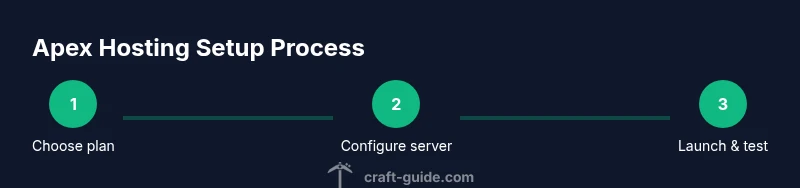
Estimated time: Total time: 1-2 hours
- 1
Define server goals and edition
Clarify the player count, world size, and whether you will run Java or Bedrock. This guides resource planning and plan selection in the Apex panel.
Tip: Write down target slots and mods before choosing a plan. - 2
Choose plan and region
Select a hosting plan and data center location that minimizes latency for your primary player base. Consider future growth in this choice.
Tip: Prefer a region within 1000 miles of most players for lower ping. - 3
Create a new server instance
In the Apex hosting dashboard, spin up a fresh server with the correct edition and version. Allocate initial RAM based on your goals.
Tip: Start with a modest allocation and scale up if players report lag. - 4
Upload world data and configs
Transfer world folders, mod configs, and plugin jars using SFTP or the panel file manager. Maintain proper directory structure to avoid load errors.
Tip: Keep a clean backup before moving files. - 5
Configure server properties
Set maximum players, game mode, difficulty, and world seed if needed. Apply resource limits to prevent overuse and ensure stability.
Tip: Document these settings for future reference. - 6
Start server and run tests
Launch the server, join with a test client, and verify basic connectivity. Check for console errors and adjust plugins as needed.
Tip: Test from at least two different networks. - 7
Enable backups and monitoring
Turn on automated backups and configure restore tests. Enable performance monitoring and set alerts for abnormal resource usage.
Tip: Schedule weekly test restores to ensure recovery readiness.
People Also Ask
What is Apex Minecraft Hosting and how does it work?
Apex Minecraft Hosting is a service that provides dedicated environments for running Minecraft servers. It handles hardware, network connectivity, and software updates, allowing you to focus on gameplay and community management.
Apex hosting is a service that runs your Minecraft server for you, taking care of hardware and networking so you can focus on play.
Is Apex hosting suitable for beginners?
Yes, Apex hosting offers user friendly controls and quick start options that help new players get a server running with minimal technical steps. They also provide guides and support to assist beginners.
Yes, it is friendly for beginners with simple setup and helpful guides.
Can I run a modded server with Apex hosting?
Most Apex hosting plans accommodate modded servers by supporting common mod loaders and plugin stacks. Compatibility depends on the edition and the mods you choose, so verify versions before you install.
Modded servers are supported on many plans, but check mod loader compatibility first.
Does Apex hosting support Bedrock edition?
Apex hosting typically supports Bedrock edition alongside Java edition, enabling cross platform play for devices like consoles and mobile. Confirm the exact features in the plan you choose.
Bedrock support is available, enabling cross platform play on consoles and mobile.
What uptime can I expect with Apex hosting?
Uptime depends on the plan and data center, but most reputable hosting services aim for high availability. Review the provider's SLA, regional reliability, and incident response history for a clearer picture.
Expect high availability, but check the SLA and regional reliability for specifics.
How do I migrate an existing world to Apex hosting?
Plan the migration during a maintenance window. Export your world and settings from the old host, import them into Apex, and verify that players can connect after the transfer. Run a few test sessions before going live.
Plan the move, export and import worlds, then test connections before going live.
Watch Video
The Essentials
- Define edition and goals before choosing a plan
- Prioritize uptime, latency, and scalability
- Backups and security are essential safeguards
- Plan migrations with patient testing and clear communication