What Minecraft Add-Ons Are Free: A Practical Guide
Explore free Minecraft add-ons for Bedrock and Java, learn how to find, evaluate, and safely install them, with practical tips and a data-driven overview for 2026.


What Minecraft add-ons are free? Free add-ons include Bedrock behavior packs, Bedrock resource packs, and Java edition mods from community creators, with many options available at CurseForge and Planet Minecraft. This guide helps you identify safe, high-quality free add-ons and explains how to install them on both Bedrock and Java editions in 2026.
Understanding free add-ons across Minecraft editions
The term add-on in Minecraft can be a bit confusing because it means different things on different editions. On Bedrock, add-ons typically come as behavior packs and resource packs that modify how mobs behave or how textures look. On Java Edition, what players usually call add-ons are mods, which modify gameplay through external loaders like Forge or Fabric. For players searching for a quick path to enhancing worlds without a price tag, the core question is the same: what Minecraft add-ons are free, and how can you safely use them to improve your builds or survival experiences? According to Craft Guide, the landscape includes a wide range of free options from community creators and official sources, so you can experiment with confidence while staying within your preferred edition. The key is to distinguish between free options that are truly open and those that carry hidden costs or restrictions. In practice, you’ll encounter texture and behavior packs that are freely downloadable and installable with a few clicks, as well as mods that are distributed as free downloads but may require careful setup, especially on Java.
Where to find reliable, free add-ons
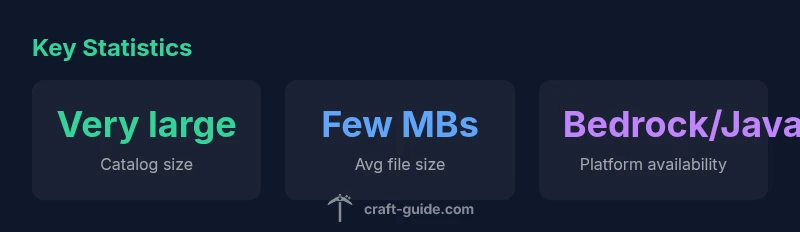
Finding high-quality, free add-ons starts with trusted repositories and official marketplaces. For Bedrock players, the official Minecraft Marketplace offers many free content drops, including maps and texture packs, though some items may be behind a paywall or require subscriptions. Community hubs like CurseForge and Planet Minecraft host thousands of free add-ons and user-created packs. Java players should look to CurseForge, Modrinth, and other community sites for freely distributed mods. The strongest approach is to filter by user feedback, version compatibility, and recent updates. Craft Guide’s analysis highlights that a robust free add-on catalog exists across both platforms, with the best discoveries often coming from well-vetted authors and actively maintained projects. Always verify the source, read the licenses, and check for any bundled installers that might request unnecessary permissions.
How to assess quality and safety of free add-ons
Before you click download, scan the add-on page for credibility signals. Look for clear author information, a detailed changelog, and alignment with your game version. Reviews and comments can reveal common issues like performance drops or incompatible files. Avoid files asking for external permissions beyond what is needed for installation, and beware any bundles that install adware or unnecessary software. A good practice is to download from the official repository and scan the archive with a reputable antivirus tool before extracting. Craft Guide emphasizes relying on long-standing projects with consistent update history, since rapid-fire, unverified uploads are more likely to cause problems or introduce security risks. In short, free add-ons can be excellent but require due diligence.
Compatibility and versioning: what to know
Minecraft versions evolve, and add-ons often lag a version behind the current game. Bedrock add-ons typically specify the compatible Bedrock Edition release, while Java mods must match the specific Java version and loader (Forge or Fabric). When selecting a file, confirm the exact game version you’re running and the loader you’ve installed. If you’re switching between multiple saves or realms, version drift can introduce errors or crashes. Craft Guide analysis notes that the safest path is to restrict yourself to add-ons with explicit version compatibility and a recent update history; this reduces the risk of world corruption or crashes when the game updates. Always back up your world before trying new add-ons, especially after major Minecraft updates.
Installing add-ons: Bedrock vs Java, step-by-step
Bedrock Edition installation is typically straightforward: you download the .mcpack or .behavior_pack/.resource_pack bundle, then import it in the game’s add-ons menu and enable it for your world. Java Edition requires placing mod files in the appropriate folder, often via a loader like Forge or Fabric, and launching the game with the corresponding profile. The exact steps can vary by platform (Windows, macOS, consoles) and edition, but the general pattern is similar: obtain the add-on, ensure compatibility, install through the correct loader or resource pack route, and enable in your world settings. Craft Guide’s practical guidance is to start with a single add-on, test in a new world, and keep a clean mod list to avoid conflicts during later updates or when enabling other addons.
Free add-ons by category: what you’ll typically see
In Bedrock, you’ll find behavior packs that alter AI behavior and society dynamics, resource packs that refresh textures or sounds, and experiment packs for unique visuals. In Java, free add-ons are mostly mods changing combat, automation, or world generation. Expect a mix of cosmetics, gameplay tweaks, and quality-of-life improvements. A practical approach is to categorize your goals (survival realism, redstone automation, or aesthetic overhaul) and filter search results accordingly. Free add-ons are plentiful, but the best fits usually address a specific need you have in your build or playstyle.
Performance and optimization tips for free add-ons
Free add-ons can be lightweight and unobtrusive or heavy and demanding on hardware. Start by testing one add-on at a time to assess its impact on FPS and RAM, and watch for lag spikes during world generation or entity spawning. If you notice performance degradation, disable or remove the offender and revisit your addon stack. Keep your game and add-ons updated to reduce compatibility issues. For players on lower-end machines, prioritize optimized packs with lower texture resolutions and streamlined scripting. Craft Guide’s experience suggests layering enhancements gradually and always monitoring performance after each addition.
Licensing, attribution, and community etiquette
Many free add-ons come with permissive licenses that allow redistribution and modification, but some require attribution or prohibit commercial use. Always check the license file inside the download and respect the author’s terms. If you adapt or redistribute someone else’s work, provide proper credit and link back to the original project. This not only supports the creator community but also helps players distinguish between genuinely free content and items that are free in name only. Craft Guide emphasizes honoring authors’ work with fair attribution and abiding by the stated license.
Getting the most from free add-ons: practical tips and caveats
To maximize your experience, organize add-ons by edition, version compatibility, and playstyle goals. Keep a clean backup routine before trying new content, and use a dedicated profile for testing to avoid upsetting your main worlds. The Minecraft community rewards responsible modding and sharing practices; always provide constructive feedback, report bugs, and share compatibility notes. In the end, the most valuable free add-ons are the ones that integrate smoothly with your existing setups, deliver reproducible improvements, and offer ongoing updates to stay aligned with new game releases.
Examples of add-on types by platform
| Add-on Type | Platform | Typical Files | Notes |
|---|---|---|---|
| Behavior pack | Bedrock Edition | .behavior_pack/.mcpack | Alters gameplay rules and AI |
| Resource pack | Bedrock Edition | .mcpack | Textures, sounds, cosmetics |
| Mod (Java) | Java Edition | .jar | Gameplay changes via Forge/Fabric |
| Texture pack (non-behavior) | Bedrock/Java | .zip/.mcpack for Bedrock | Visual overhaul only |
People Also Ask
What counts as a free add-on in Minecraft?
A free add-on is any Bedrock or Java modification, pack, or tool that does not require payment to download or use. Distinguish between truly free content and items that offer paid upgrades or microtransactions. Always verify licensing terms before use.
Free add-ons are mods or packs you can download and use without paying. Check licenses and avoid paid upgrades disguised as free content.
Are Bedrock add-ons and Java mods interchangeable?
Bedrock add-ons (behavior/resource packs) are designed for Bedrock Edition and usually cannot run as Java mods. Java mods require a loader like Forge or Fabric and are specific to Java Edition. Always download content labeled for the correct edition.
Bedrock add-ons don’t run on Java, and Java mods usually won’t work on Bedrock. Pick edition-specific content.
Where can I safely download free add-ons?
Safe sources include established repositories like CurseForge and Planet Minecraft, plus official marketplaces for Bedrock. Read author notes, reviews, and version compatibility, and avoid unknown executables or installers that ask for extra permissions.
Stick to CurseForge, Planet Minecraft, or the official Bedrock Marketplace. Read reviews and check permissions before downloading.
Do free add-ons always work with the latest Minecraft update?
Not always. Add-ons must be compatible with your current game version and loader. When a major update lands, expect some add-ons to break until authors publish updated versions. Always backup and test in a new world after updating.
They might break after updates until authors patch them; back up first and test new versions.
Will installing add-ons affect performance?
Yes, some add-ons can increase memory use or reduce frame rates, especially texture-heavy packs or AI-heavy behavior packs. Start with lighter options and monitor FPS. Disable any add-ons that cause persistent lag.
Some add-ons can slow things down; start light and monitor performance, disabling items that cause lag.
Do I need Forge or Fabric for Java mods?
Most Java mods require a loader such as Forge or Fabric. Check the mod’s installation instructions to determine the correct loader and version. Do not mix loaders or use incompatible mod versions.
Java mods usually need Forge or Fabric. Follow the mod's install guide and match the loader version.
“"Free add-ons can unlock huge creative potential, but safety and compatibility matter as much as popularity."”
The Essentials
- Identify the platform and add-on type before downloading
- Prioritize trusted sources and recent updates
- Check compatibility with your game version
- Back up worlds before installing any add-ons
- Respect licensing and attribution for free add-ons