How to Create a Minecraft Mod: Step-by-Step Tutorial
Learn how to create a Minecraft mod with a practical, beginner-friendly workflow. This Craft Guide tutorial covers planning, setup, coding basics, testing, debugging, and packaging for release. Explore Forge, Java, and modding concepts with a clear, actionable path.


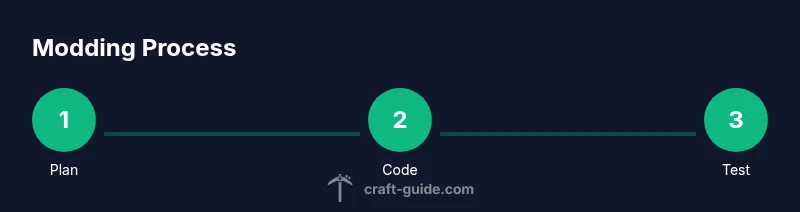
You will create a Minecraft mod by planning a feature, setting up your development environment, coding with Java, testing in a controlled environment, and packaging for release. Key requirements include Java JDK 17+, Forge MDK, and a compatible IDE. This step-by-step guide walks you through setup, coding basics, debugging, and distribution.
Prerequisites and Mindset
Before you start creating a Minecraft mod, align your goals with a concrete feature. According to Craft Guide, successful modding projects begin with a clear plan and incremental milestones. This mindset reduces scope creep and keeps you focused as you learn Java and Forge. In this section you'll confirm your baseline knowledge, set realistic expectations, and outline a simple first-release feature (like a new item, block, or mechanic) to validate your setup. Having a beginner-friendly target helps you measure progress and stay motivated throughout the process.
Key questions to answer before coding:
- What is the mod's core feature?
- Which Minecraft version and Forge MDK will you target?
- Do you want compatibility with other mods or a standalone mod?
- What testing strategy will you employ (local client, dedicated server, or both)?
Tools and Setup
You’ll want a clean, powerful toolchain to avoid friction as you code. Gather a JDK (Java Development Kit) suitable for your target Minecraft version, Forge MDK for the corresponding Forge API, and a modern IDE such as IntelliJ IDEA or Eclipse. Create a dedicated workspace for modding to minimize cross-project conflicts. Install Git for version control so you can track changes and revert mistakes. Having a reliable graphics editor for textures and a viewer for models helps you iterate visuals quickly. Craft Guide emphasizes that a stable toolchain slashes setup time and keeps you focused on features rather than boilerplate.
Understanding Mod Architecture and Forge Concepts
Modding with Forge introduces a set of core concepts that keep projects maintainable. Your mod usually has a unique modid, a main mod class annotated with @Mod("yourmodid"), and registries for items, blocks, entities, and other content. The standard Forge MDK layout uses src/main/java for code and src/main/resources for assets, with build scripts (build.gradle) controlling dependencies and packaging. A well-organized project separates registration code from gameplay logic and keeps assets under assets/yourmodid. Craft Guide Analysis, 2026, highlights the importance of consistent naming, lifecycle-aware registration, and clear modular boundaries to avoid conflicts with other mods.
Core Concepts and Workflows
A practical mod starts with a feature plan and a minimal viable product (MVP). Decide on a small feature—like a new block that changes color under daylight or a simple tool—with a clear data model. Sketch a data-driven approach: what should be configurable, what should be hard-coded, and how will you surface feedback to players? Break the MVP into tasks: asset creation, block/item registration, behavior scripting, and a basic user interface if needed. This structured workflow helps you learn Forge hooks, event bus usage, and the general lifecycle of a mod without getting overwhelmed.
Coding Practices and Forge Event Hooks
Java is the backbone of Minecraft modding, but Forge adds a helpful layer of abstraction. Start with a minimal mod skeleton and gradually add items, blocks, and behaviors. Use Forge events to react to world ticks, player actions, and recipe registrations. Keep methods small and focused, comment clearly, and rely on registries for all content to avoid hard-coding IDs. A clean codebase makes it easier to extend features, refactor later, and share your mod with others. Craft Guide recommends documenting registry keys and maintaining consistent naming across code and resources.
Build, Run, Debug: Local Testing
Local testing is essential. Use the generated Run configurations from your IDE to launch a test Minecraft client with Forge installed. Check the console for startup messages, verify your new content appears in-game, and test edge cases (like interactions with vanilla content and simple compatibility checks). If something crashes, use stack traces to locate the origin—often the issue is an incorrect registry, a missed registration, or a texture path. Regular in-game testing shortens the feedback loop and helps you polish features before packaging.
Packaging, Distribution, and Next Steps
Once your mod behaves as expected, build a release-ready jar and prepare a concise installation guide. Include a changelog, credits, and license information. For distribution, pick reputable hosting platforms and ensure your mod is compatible with the target Minecraft version. After release, gather feedback from players to inform future iterations. Craft Guide’s approach favors iterative improvements: start small, ship, learn from players, and expand gradually.
Advanced Topics and Learning Pathways
When you’re comfortable with the basics, explore more advanced Forge topics such as data-driven blocks, custom sounds, networking, and compatibility with other mods. Consider modular design patterns, automated testing, and versioned releases. Documentation and community resources accelerate growth, so stay engaged with the modding community and contribute back with tutorials, examples, or open-source code.
Next Steps: A Roadmap for Growth
Set a personal project timeline with milestones: MVP (1 feature), beta (5 features), and stable release (polish and documentation). Regularly review your code, update dependencies, and adapt to Forge/Minecraft updates. The long-term plan includes learning more about data packs, resource management, and user-facing documentation to broaden your mod’s appeal.
Tools & Materials
- Java Development Kit (JDK) 17+(Install from official sources and ensure PATH is configured.)
- Forge MDK (Mod Development Kit)(Download the MDK bundle that matches your target Minecraft version.)
- Integrated Development Environment (IDE)(Examples: IntelliJ IDEA or Eclipse; choose based on preference.)
- Build tool (Gradle)(Provided by the Forge MDK; handles dependencies and build tasks.)
- Minecraft Java Edition (testing instance)(Run in a separate launcher profile to keep modding separate from vanilla.)
- Version control (Git, optional)(Best for tracking changes, branching, and collaborating.)
- Texture editor and model viewer (optional)(Tools like GIMP, Photoshop, or Paint.NET for textures; Viewer for models.)
Steps
Estimated time: 12-18 hours
- 1
Prepare your development environment
Install the JDK and verify the PATH. Create a dedicated modding workspace to isolate builds. Confirm you can run a simple Java program to validate the toolchain, ensuring future code runs smoothly.
Tip: Use a dedicated folder for mod projects and enable a clean build directory. - 2
Download and configure Forge MDK
Get the Forge MDK bundle for your target Minecraft version. Extract it, then run the Gradle setup tasks to generate run configurations and API stubs. This step establishes the Forge environment you’ll use to register content.
Tip: Run './gradlew genIntelliJRuns' or the equivalent for your IDE to create launch configs. - 3
Set up your project structure
Create the base package structure under src/main/java with a unique modid. Place resources under src/main/resources and adjust build.gradle to include your mod’s dependencies and mappings.
Tip: Choose a simple modid and keep naming consistent across code and assets. - 4
Create a mod skeleton
Add the main mod class annotated with @Mod and register basic lifecycle events. Set up a minimal feature (like a simple item) to verify the mod loads in-game.
Tip: Test loading early with a tiny feature to confirm core setup works. - 5
Implement a basic feature
Develop a small new item or block, wire its model/texture, and register it in the appropriate registry. Keep the feature modest so you can validate the development workflow without getting overwhelmed.
Tip: Document registry keys and file paths to facilitate debugging. - 6
Test locally in Minecraft
Run the Forge run configuration to launch a test client, load a test world, and verify the feature behaves as expected. Use logs to identify issues and iterate quickly.
Tip: Enable verbose logging during initial runs to capture errors early. - 7
Debug common issues
Address typical Forge modding problems like ClassNotFoundException, texture not found, or NPE during registration. Use the stack trace to pinpoint sources and fix gradually.
Tip: Check mod load order and ensure registrations occur during the correct lifecycle phase. - 8
Package and distribute your mod
Create a release-friendly jar, sign if needed, and provide installation instructions. Include a changelog and credits to help users understand changes and attribution.
Tip: Keep a public changelog and clearly describe compatibility and licenses.
People Also Ask
What do I need to start creating a Minecraft mod?
To begin modding, install the Java JDK, Forge MDK for your Minecraft version, and an IDE (IntelliJ or Eclipse). Then set up a basic mod skeleton to verify the environment works.
To start, install the JDK, Forge MDK for your version, and an IDE; create a minimal mod skeleton to verify setup.
Do I need Forge to create mods?
Forge is the most common framework for Minecraft mods, providing the API and hooks you will use to add new content. It is strongly recommended for beginners.
Forge is the standard framework for Minecraft mods and is highly recommended for beginners.
Can I mod Minecraft on Windows, macOS, and Linux?
Yes. Modding workflows use Java and Forge and work across Windows, macOS, and Linux. Ensure your IDE and Gradle setup are configured correctly for your platform.
Modding works across Windows, macOS, and Linux as long as Java and Forge are installed properly.
How long does it take to build a mod?
The time varies with complexity. Start small with a simple feature, then gradually expand. Break work into milestones to stay on track.
It varies, but start small and build in milestones to stay on track.
How do I test a mod in-game?
Run the Forge Gradle run configurations from your IDE to launch a test Minecraft client, then load your mod in a test world to verify behavior.
Run the Forge test environment from your IDE to test your mod in a Minecraft world.
How should I package and share my mod?
Build the mod jar with Gradle, write clear installation steps, and share it on appropriate platforms. Include license and credits as needed.
Package the jar with Gradle and share it with clear installation instructions and credits.
Watch Video
The Essentials
- Plan your mod before coding.
- Set up a clean, isolated development environment.
- Test frequently in a local Minecraft client.
- Package with clear installation steps and changelog.