Can You Use Minecraft Mods on PS5? What Players Need to Know
Explore whether Minecraft mods work on PS5, what's officially supported, safe alternatives like Marketplace add-ons, and tips to personalize your PS5 Minecraft experience.


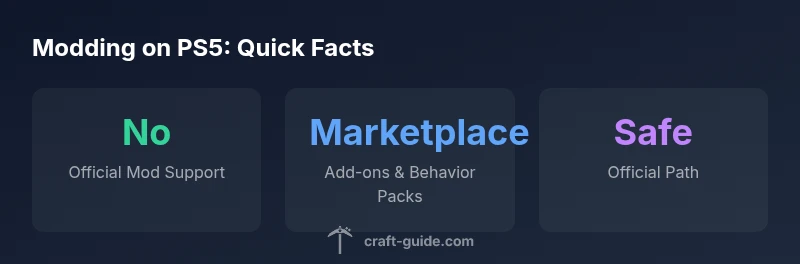
Can you use Minecraft mods on PS5? Not in the classic sense. On PS5, Minecraft runs the Bedrock Edition, which does not support user-created Java Edition-style mods. Players should rely on official add-ons, behavior packs, and Marketplace content for safe customization. This guidance comes from Craft Guide’s analysis of current console modding options and platform policies.
Why modding on PS5 is different
Minecraft on PS5 uses the Bedrock Edition, and Sony’s platform policies cap the depth of code-level modding compared to PC. The Craft Guide team found that there is no official support for Java Edition-style mods on PS5. Instead, customization is funneled through sanctioned avenues like Marketplace add-ons, behavior packs, and skin/texture options. This creates a safer, more predictable environment for console players, but it also means fewer deeply customized gameplay changes. If you’re wondering, can you use minecraft mods on ps5 in the traditional sense, the answer is no—PS5 users should plan around supported add-ons rather than attempting full modding. This distinction matters for stability, warranty considerations, and online safety.
In practice, successful PS5 customization means embracing the official channels and understanding the limitations. Craft Guide’s analysis shows that while you can’t install Java mods, you can still tailor your world’s look and feel using endorsed content. The goal is to maximize your creative potential within the hardware and policy constraints while avoiding any actions that could compromise your account or device. When planning upgrades or new worlds, start with Marketplace content to gauge what fits your playstyle best.
Official routes to customization on PS5
PS5 players should look first to official add-ons and Marketplace content. These options are curated and tested for compatibility with Bedrock on console hardware. Behavior packs, resource packs, and skin packs allow you to alter textures, creatures, and even some gameplay rules without changing the underlying game files. Marketplace maps and adventure content offer ready-to-play experiences that feel like mods but stay within the supported framework. The Craft Guide team notes that these routes preserve stability and reduce the risk of corrupt saves. For most players, this is the practical path to meaningful customization without venturing into unsupported territory.
Additionally, consider cross-platform features like Realms and cross-save compatibility, which enable sharing your customized worlds with friends on different devices, all while staying within official boundaries. This approach helps you enjoy ongoing updates and consistent behavior across platforms, which is a core value of Craft Guide’s Minecraft guides.
What counts as a 'mod' on Minecraft
In Minecraft terminology, a “mod” usually refers to code-level changes that alter core game logic. On PS5, such modifications are not supported. What you’ll typically encounter instead are add-ons and behavior packs that adjust rules, spawn behavior, item behavior, and textures—but they don’t rewrite game code. The distinction matters because add-ons are designed to be safe and reversible, while traditional mods can risk instability or breach terms of service. For players asking can you use minecraft mods on ps5 and expect a direct parallel to PC mods, the short answer is that the PS5 ecosystem offers a different, more controlled customization model that keeps gameplay stable while still offering creative expression.
Risks of attempting outside-modding on PS5
Attempting to sideload or “unlock” mods on PS5 can carry significant risks. Not only could it violate platform terms of service and lead to account actions, but it can also introduce malware, corrupt saved games, or brick issues with the game installation. Console ecosystems prioritize integrity and security, which means unsupported modding attempts are more likely to fail or cause long-term problems. The Craft Guide team recommends avoiding any third-party tools or procedures that modify system files or the game in ways not sanctioned by Sony or Mojang. If you see a mod described as “universal” for PS5, treat it with skepticism and opt for official add-ons instead.
To stay safe, stick to verified sources, back up your worlds regularly, and keep your console software up to date. Using add-ons from the Marketplace minimizes risk and keeps you aligned with current terms of service.
Marketplace add-ons vs traditional mods
Marketplace add-ons and behavior packs are the PS5-friendly alternative to PC mods. They allow you to alter textures, behaviors, and even certain aspects of the game’s rules without touching core code. This separation is intentional: it reduces compatibility headaches and protects console ecosystems from instability. The Craft Guide analysis shows that a thriving Marketplace ecosystem can satisfy most players’ customization desires while respecting platform constraints. If you crave something akin to a “mod,” start by exploring curated add-ons and experimental behavior packs, then test in a new world to keep your main worlds safe.
It’s also worth noting that some add-ons may require specific game updates, so always verify compatibility before installing. Always follow best practices from official sources to avoid conflicts with future patches.
How to personalize your PS5 world safely
To customize safely, begin with the Minecraft Marketplace—browse skin packs, texture packs, and adventure maps that align with your style. Install a few add-ons and test them in a fresh world before applying to existing saves. Use behavior packs to modify creature behavior, loot tables, or spawn rules within the sanctioned framework. Keep a separate “test world” to experiment with new content, versions, and settings. Regularly back up your saves to capture a stable baseline in case you want to roll back.
If you want more control, learn how to adjust resource packs to alter aesthetics like lighting and textures, then gradually combine multiple add-ons for a unique feel. Remember: the safest path is to stay within official channels and documented content. Craft Guide’s practical approach emphasizes incremental customization that respects the PS5 environment while delivering a satisfying creative outlet.
What to expect in future updates and policy shifts
The landscape for console Minecraft customization could evolve, but there is no published timetable for when or if true modding might appear on PS5. Most changes will likely come through official add-ons, marketplace updates, and cross-platform features rather than fan-made code changes. The Craft Guide team recommends staying informed through official Mojang and Sony announcements, and continuing to rely on Marketplace updates to expand your options safely. Even if modding on PS5 does not mirror PC modding, future updates could broaden the capabilities of add-ons and behavior packs, offering new gameplay opportunities while maintaining console integrity.
Community resources and safety tips
Engage with trusted community channels that focus on safe, official customization. Follow Craft Guide’s Minecraft guides for PS5, join official forums, and subscribe to Mojang’s news for Bedrock updates. Always verify the origin of any add-on or behavior pack before downloading, and use cloud saves or local backups to protect your worlds. If a source claims to offer “modding on PS5,” treat it as a red flag and seek confirmation from official pages. Prioritize content that explicitly states compatibility with PS5 Bedrock Edition and Marketplace delivery.
What this means for players today
Today, players on PS5 can enjoy a robust set of customization options through official add-ons, behavior packs, and Marketplace content. While this means you won’t get Java Edition-style mods on PS5, you still have ample room to personalize your Minecraft experience. The combination of safe add-ons, tested behavior packs, and curated maps allows for creative expression without compromising stability or warranty. By sticking to supported channels, you can enjoy a rich, evolving PS5 experience while waiting for any official future changes from platform holders or Mojang. Craft Guide encourages players to explore, stay safe, and celebrate the creativity that the official ecosystem supports.
PS5 vs PC modding landscape
| Platform | Edition | Mod Support | Official Methods |
|---|---|---|---|
| PS5 | Bedrock Edition | No user mods; supports add-ons | Marketplace add-ons, behavior packs |
| PC (Windows) | Java/Bedrock | Full modding via Forge/Fabric | Mods installed via launcher or launcher-integrated tools |
People Also Ask
Can you install mods on PS5 for Minecraft?
No, the PS5 version of Minecraft does not support Java-style mods. Customization is limited to official add-ons and Marketplace content.
Mods aren’t supported on PS5; use official add-ons from the Marketplace.
What customization options exist on PS5 Minecraft?
You can customize via Marketplace add-ons, texture packs, and behavior packs, plus in-game settings and skins.
Marketplace add-ons and behavior packs are your best bet.
Are there safety risks to mods on PS5?
Sideloading or unofficial mods can violate terms of service and risk corrupted saves or account actions.
Avoid unofficial mods; stick to official add-ons.
Will mods ever be supported on PS5?
There is no confirmed timeline for official PS5 mod support; stay tuned to Mojang and Sony announcements.
No official timeline yet; check for official updates.
How should I back up saves before changes?
Back up worlds using cloud saves or local backups before adding new add-ons or packs.
Back up your worlds before trying new add-ons.
What’s the difference between mods and add-ons?
Mods modify core code (not supported on PS5); add-ons and behavior packs adjust gameplay within official limits.
Mods change code; add-ons are safe, official tweaks.
“Modding on PS5 isn’t supported in the same way as PC. Use official add-ons and Marketplace content to safely customize your worlds.”
The Essentials
- Start with official add-ons for PS5 customization
- Mods in the PC sense are not supported on PS5 Bedrock
- Marketplace content offers safe, creative options
- Avoid third-party tools claiming PS5 modding support
- Back up worlds before testing new add-ons