What Minecraft Version Is Bedrock On? A Practical Guide
Discover what Minecraft version Bedrock runs on, how it differs from Java, and how to verify the exact build across devices. Craft Guide analyzes cross‑platform updates and parity for smoother Bedrock play in 2026.


Bedrock Edition does not run on a single universal 'version' like Java Edition. It uses its own platform‑specific version numbers that update independently across Windows, consoles, and mobile. The exact build you see depends on the device and store you use; there isn’t a single definitive Bedrock version for all platforms. This means players should check their device’s store or launcher to confirm the exact Bedrock build before joining a session.
Overview of Bedrock versioning
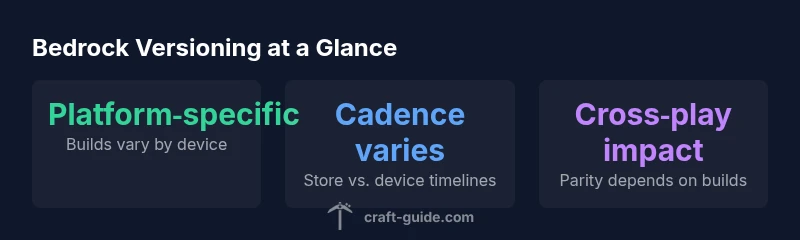
Bedrock Edition does not operate under a single global version number like Java Edition. Instead, it uses platform‑specific builds that update on different schedules depending on the device and storefront. This structure aims to optimize performance and feature parity for each device family while preserving cross‑play capabilities. According to Craft Guide, understanding this framework helps players avoid confusion when they notice different numbers on Windows PCs, Xbox consoles, Nintendo Switch, and mobile devices. In practice, you should expect to see distinct Bedrock version identifiers on each platform, and these identifiers may not sync perfectly across devices.
- Platform‑specific builds
- Store‑dependent cadences
- Cross‑play considerations
Bedrock vs Java Edition: Versioning differences
The most significant distinction is that Java Edition uses a single, centralized version stream, while Bedrock Edition distributes updates through separate version lines per platform. This discrepancy means that a Java player may be on 1.19 while a Bedrock player on a console could be on a different 1.x build. The implication for players is not just a number mismatch; it affects world compatibility, server rules, and available features like add‑ons, realms, and some UI changes. Craft Guide’s analysis highlights that parity is often achieved through coordinated release notes across stores rather than a single universal build.
- Centralized vs. platform‑specific updates
- Feature parity managed through coordinated notes
- Parity is a goal, not a guarantee
How to check your Bedrock version on each platform
To verify the Bedrock version, open the game on your device and navigate to the About or Settings area where the build identifier is displayed. On Windows, you might find it in the launcher or the game’s main menu; on consoles, check the game info page in your library; on mobile, view the app details in the store. Always compare your build to the version shown by your counterpart on other platforms before jumping into cross‑play sessions. Craft Guide emphasizes checking the exact store listing for the precise build you’re running.
- Windows: launcher or game info
- Console: game details page
- Mobile: store app details
Understanding version numbers and builds in Bedrock
Bedrock version numbers often appear as 1.x.y or similar patterns, but exact digits vary by platform and storefront. These numbers reflect major, minor, and patch updates that a device has installed or is available to install. Unlike Java, you won’t have a single, universal 1.20 across all devices; some platforms may be on 1.20.1 while others stay at 1.19.x for a period. The key is to know that the number you see is tied to the device and store rather than a global release cycle. Craft Guide guidance suggests always validating the build on the device you’ll use for play.
Cross‑platform play and version parity
Cross‑platform play depends on both the Bedrock build parity and the server settings. Players should ensure their devices are on compatible builds when joining friends across Windows, consoles, or mobile. If one party runs a newer patch than another, some features may be limited or unavailable. Parity is pursued through documented release notes and platform‑specific patches rather than a single, universal update. Stakeholders should keep track of each platform’s cadence and plan sessions accordingly.
- Check build parity before sessions
- Expect occasional feature drift between devices
- Use official release notes as a guide
How updates propagate across devices
Update cadence is not synchronized across all platforms. Windows may receive updates sooner, while consoles and mobile builds often follow store cadences or certification timelines. This leads to temporary mismatches that affect mod support, texture packs, or world sharing. The Craft Guide team recommends setting expectations for cross‑play windows and coordinating with friends based on the slowest platform in the party. Keeping automatic updates enabled can help, but you should still confirm the active Bedrock build in use by all participants before playing together.
- Automatic updates help, but aren’t enough
- Plan multiplayer windows around the slowest device
- Always verify the active build before joining
Practical guidance for players and admins
When planning large multiplayer events or realms, document the target Bedrock builds you’ll support and communicate them clearly to players. Admins should encourage participants to check their devices and keep backups of important worlds in case version mismatches require workarounds. Texture packs, resource packs, and add‑ons may behave differently across builds, so test environments beforehand. Craft Guide’s practical tips emphasize proactive version checks and explicit session rules to minimize confusion and downtime.
Common misconceptions about Bedrock versioning
A frequent misunderstanding is that Bedrock has a single, universal version identical for everyone. In reality, platform‑specific builds and store cadences mean that the exact build depends on your hardware and storefront. Another myth is that all Bedrock platforms update simultaneously. In truth, updates often arrive at different times depending on the platform, region, and verification processes. These nuances matter for cross‑play and content compatibility, so always verify the build before joining a session.
Practical tips for players and admins (summary)
- Always verify the exact Bedrock build on each device before playing cross‑platform sessions.
- Document the target builds for events and realms to avoid compatibility issues.
- Keep automatic updates on, but manually confirm builds before group play.
- Test mods and texture packs on each platform to confirm compatibility.
- Use official release notes to guide cross‑play planning and server rules.
Versioning landscape for Bedrock Edition
| Aspect | Bedrock Versioning | Notes |
|---|---|---|
| Versioning model | Platform-specific builds | Different on Windows, consoles, and mobile. |
| Update cadence | Platform dependent | Windows: regular; consoles/mobile vary. |
| Cross-platform play | Parity varies by build | Ensure same or compatible builds for cross-play. |
| Store discovery | Store-driven identifiers | Check device's store for the exact version. |
People Also Ask
Is Bedrock on the same version across all platforms?
No. Bedrock uses platform-specific builds, so Windows, consoles, and mobile can show different version numbers even when playing together. Always verify the active build on each device before joining cross‑platform sessions.
Bedrock builds vary by platform, so check each device before you play cross‑platform.
How often are Bedrock updates released?
Updates arrive on a cadence that depends on the platform, with Windows often leading specific patches while consoles and mobile follow their own certification and store schedules. Always refer to official release notes for the exact timing on your platform.
Platform cadences differ; check official notes for timing on your device.
Can Bedrock worlds transfer between platforms if builds differ?
World transfers depend on the builds and the server settings. If parity isn’t met, some features or world data may not transfer smoothly. Plan ahead and confirm parity before moving worlds between devices.
It depends on build parity; verify before moving worlds.
How do I check my Bedrock version on Windows, Xbox, or mobile?
Open the game and look for the build/patch identifier in the About or Settings section. On stores, check the app listing for the active Bedrock version. Craft Guide recommends always verifying the exact build from the device’s store entry before multiplayer.
Open the game settings or store listing to see your Bedrock build.
Do Bedrock version numbers affect mods and resource packs?
Yes. Bedrock uses a different mod/content system than Java, and build parity influences compatibility for mods and resource packs. Always test on the exact builds you’ll use in multiplayer.
Build parity matters for mods and resource packs; test on the exact builds.
Is there a single Bedrock version I should aim for to simplify play?
Not really. Since Bedrock versioning is platform‑specific, the goal is to coordinate builds among players and servers rather than achieving one universal number. Keep lines of communication open about builds and use release notes to stay aligned.
There isn’t one universal Bedrock version; coordinate builds with friends.
“Bedrock Edition uses platform-specific version numbers, so players should always check their device's store for the exact build. This matters for cross‑platform play and content parity.”
The Essentials
- Master that Bedrock uses platform-specific builds, not a single global version.
- Always verify the exact build on your device before cross‑platform play.
- Update cadences vary by platform; plan sessions with parity in mind.
- Check store listings for the current Bedrock build on each device.
- Test content compatibility (mods, resource packs) across devices before large events.