Which Minecraft on Nintendo Switch: Bedrock Edition Guide
Explore which Minecraft version runs on Nintendo Switch, how Bedrock Edition works with cross‑play, Realms, and the Marketplace, plus practical tips for getting started and troubleshooting on Switch.


Which Minecraft runs on Nintendo Switch
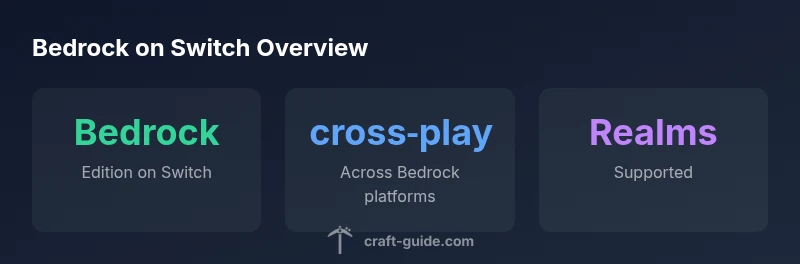
If you’re asking which minecraft nintendo switch edition runs on your console, the answer is Bedrock Edition. This is the version designed to work across multiple platforms, including Nintendo Switch, Windows 10/11, Xbox, iOS, and Android. Bedrock on Switch delivers the core Minecraft experience with access to the Marketplace for add-ons and skins, and it supports Realms for hosted multiplayer worlds. It is important to note that Java Edition—famously popular on PC—does not run on the Switch. This distinction matters for players who want to transfer worlds or join friends who are playing the Java version on desktop. Craft Guide’s analysis in 2026 shows that most cross‑platform play on Switch is achievable through Bedrock, emphasizing compatibility over platform allegiance.
Cross‑platform capabilities and limitations
Bedrock Edition on Nintendo Switch is built for cross‑play, but the scope of this cross‑play depends on the other devices running Bedrock. Players can join friends on Windows, Xbox, iOS, and Android via Microsoft accounts and Realms, or jump into community servers that support Bedrock. One limitation to keep in mind is that you won’t be able to play Java‑only worlds or servers unless they are ported to Bedrock. This means some custom maps or mods created for Java may not be directly playable on Switch. The Craft Guide team notes that the Bedrock ecosystem prioritizes interoperability, but it also means you’ll experience differences in map behavior, redstone mechanics, and launcher content compared to Java.
Performance and controls on Nintendo Switch
Switch hardware is optimized to run Bedrock Edition smoothly, especially in standard terrain and vanilla worlds. The portable nature of the Switch means you might notice frame pacing differences or long render distances when exploring expansive builds or highly detailed resource packs. Joy-Cons and the Pro Controller are both supported, with the touchscreen offering quick navigation for handheld play. While performance is generally solid, large redstone contraptions or servers with many players can impact framerate and latency. Adjusting render distance and limiting concurrent players can help maintain a stable experience on Switch hardware.
Realms, marketplace, and add‑ons on Switch
Realms provides a straightforward way to host a private multiplayer world on Bedrock Edition without managing a server. This is ideal for families or small groups who want predictable access. The Marketplace adds skins, texture packs, and mashups that are compatible with Bedrock on Switch, though some content may be optimized for other platforms. It’s worth noting that add-ons purchased or downloaded on other devices generally sync via your Microsoft account, enabling a consistent experience across platforms. Craft Guide highlights the importance of verifying compatibility of any add‑ons before purchase to avoid performance or stability issues on Switch.
Getting started on Nintendo Switch: step‑by‑step
To begin playing Minecraft on Nintendo Switch, start by ensuring you have Bedrock Edition installed from the Nintendo eShop or via the Minecraft launcher when available. Create or sign in with a Microsoft account to enable cross‑play, Realms, and access to the Marketplace. From the main menu, pick a world or join a friend’s game by entering their Realm or server address. If you’re moving from another platform, make sure your progress is synced to Bedrock through your Microsoft account before attempting cross‑play. Craft Guide recommends enabling cloud saves if offered in your region to safeguard your worlds.
How Switch Bedrock compares to PC and console Bedrock
Bedrock Edition on Nintendo Switch is part of a broader ecosystem that includes PC, Xbox, and mobile versions. While feature sets are largely aligned, performance, input methods, and content availability can differ by platform. Compared with Windows or Xbox, Switch may have slightly slower load times for large builds and some texture packs that are heavy on GPU resources. However, the convenience of handheld play and the ability to join friends across platforms make Switch a compelling option for Bedrock players who value mobility. The overarching principle is that Bedrock is the common denominator; Java remains separate.
Common issues and troubleshooting on Switch
Some common issues on Switch include difficulty signing in to a Microsoft account, connection problems when joining Realms, or performance hiccups in large, crowded worlds. Basic solutions include verifying network stability, ensuring the game is updated to the latest Bedrock version, and checking that your Microsoft account is correctly linked. If cross‑play fails, confirm that your friends are also on Bedrock and that you are not attempting to join a Java‑only world. For content issues from the Marketplace, try reloading purchases or reinstalling the game. Craft Guide suggests keeping salt‑and‑pepper backups of your worlds, especially before major updates or server changes.
Future-proofing and best practices for Switch players
To stay ahead, Switch players should monitor Bedrock Edition updates and shop for Marketplace content that is compatible with both handheld and docked modes. Keeping a stable online connection and using Realms for consistent multiplayer sessions reduces the friction of cross‑platform play. Consider creating a local backup plan for your worlds and using cloud saves when available. By focusing on Bedrock’s cross‑platform strengths, Switch players can enjoy a broader Minecraft experience without sacrificing portability. Craft Guide anticipates ongoing improvements to Bedrock on Nintendo platforms, including better performance optimizations and expanded Marketplace content, which will further blur platform boundaries.