Water Breathing Potion Guide for Underwater Adventures
Learn how to brew Water Breathing potions in Minecraft, extend their duration, and use them for underwater exploration. This guide covers ingredients, brewing steps, advantages, and tips for both Java and Bedrock editions.


With this guide you will brew Water Breathing potions in Minecraft to explore underwater environments longer. Gather water bottles, Nether Wart, a Brewing Stand, Blaze Powder, and Pufferfish. Brew an Awkward Potion, convert it to Water Breathing, and learn how to extend duration or combine with Night Vision for submerged adventures.
What water breathing does in Minecraft
Water Breathing is a potion effect that allows players to stay submerged for longer periods without drowning, which is invaluable for exploring underwater caves, shipwrecks, and ocean monuments. By using Water Breathing, you can complete underwater builds, collect sponges, or locate hidden chests without rushing to surface for air. According to Craft Guide, underwater exploration benefits significantly when players plan their dives with potions in mind, especially during long expeditions. The effect works in all standard game modes and applies to the player and any mobs you ride or control, provided they are within range of the potion’s effect. This makes Water Breathing a staple for players who want to map underwater biomes, gather resources like coral and kelp, or simply enjoy architectural builds beneath the waves. The practical value extends to both creative builds and survival runs, where time saved underwater translates into more efficient resource gathering and base development.
What water breathing does in Minecraft
Water Breathing is a potion effect that allows players to stay submerged for longer periods without drowning, which is invaluable for exploring underwater caves, shipwrecks, and ocean monuments. By using Water Breathing, you can complete underwater builds, collect sponges, or locate hidden chests without rushing to surface for air. According to Craft Guide, underwater exploration benefits significantly when players plan their dives with potions in mind, especially during long expeditions. The effect works in all standard game modes and applies to the player and any mobs you ride or control, provided they are within range of the potion’s effect. This makes Water Breathing a staple for players who want to map underwater biomes, gather resources like coral and kelp, or simply enjoy architectural builds beneath the waves. The practical value extends to both creative builds and survival runs, where time saved underwater translates into more efficient resource gathering and base development.
Tools & Materials
- Water bottles(Three filled glass bottles to begin with a single batch.)
- Nether Wart(Used to craft Awkward Potion as the base.)
- Pufferfish(Brews Water Breathing when added to Awkward Potion.)
- Brewing Stand(Essential brewing station to process potions.)
- Blaze Powder(Fuel for the brewing process.)
- Redstone Dust(Extends potion duration.)
- Glowstone Dust(Increases potion potency (sometimes yields higher levels).)
- Gunpowder(Turns into a Splash Potion if you want throwable water breathing.)
- Glass Bottles(Craft water bottles from glass; used to hold water.)
Steps
Estimated time: 15-25 minutes
- 1
Prepare brewing setup
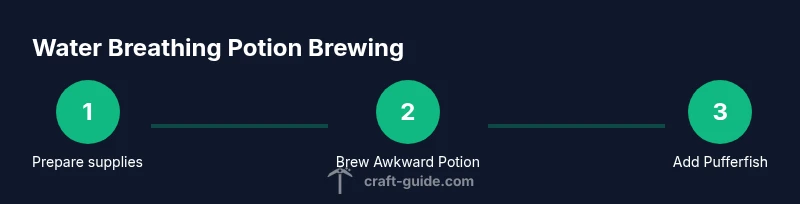
Place the Brewing Stand on a solid surface and stock it with Blaze Powder as fuel. Arrange three water bottles in the bottom slots, ensuring you have Nether Wart in the top slot to begin the process. This establishes the base for Awkward Potions, which are required before Water Breathing can be brewed.
Tip: Keep your brewing station organized; a neat layout reduces misclicks and saves time during a long underwater expedition. - 2
Brew Awkward Potion
Add Nether Wart to the water bottles to create Awkward Potions. This is the universal base for most positive effects, including Water Breathing. Do not remove items until the brewing cycle finishes; moving mid-brew can waste resources.
Tip: Crafting in batches speeds up sessions—prepare multiple bottles at once if you plan several potions. - 3
Add Pufferfish for Water Breathing
Once you have Awkward Potions, place one Pufferfish into the Brewing Stand to convert the Awkward Potion into Water Breathing. This grants underwater breathing for a set duration, enabling longer dives and safer exploration.
Tip: If you want multiple bottles ready, repeat the process with fresh Awkward Potions to maximize efficiency. - 4
Extend duration (optional)
To stretch the effect, add Redstone Dust to the Water Breathing potions. This generally increases how long the potion lasts, allowing you to stay submerged longer before needing an air break.
Tip: Experiment with small batches first; some builds prefer longer duration, others prefer shorter, more frequent rebreaths. - 5
Increase potency (optional)
If you want a stronger effect, add Glowstone Dust. This can enhance the potion’s effectiveness or enable higher-level versions where applicable in your version of Minecraft.
Tip: For splash variants, prepare a separate batch with Gunpowder added to the bottle after creating Water Breathing. - 6
Prepare throwable variants (optional)
If you need to throw Water Breathing at targets or teammates, convert the finished bottles into Splash Potions by adding Gunpowder. These are useful for group underwater operations or safe rescues.
Tip: Label your potions to avoid accidental consumption; store splash bottles separately if you’re on a timed dive. - 7
Test and inventory
Test a sample potion in a safe area before heading underwater. Check the duration and potency, then stash the bottles in your inventory for quick access during dives.
Tip: Carry a few spares on longer underwater expeditions in case you lose the supply or need rapid rebreathing.
People Also Ask
What is the water breathing potion used for in Minecraft?
Water Breathing allows you to stay underwater longer without risk of drowning, which is ideal for exploring underwater structures, collecting resources like kelp, coral, and sponges, and building submerged bases.
Water Breathing lets you stay underwater longer, making exploration and underwater builds easier.
What are the main ingredients needed to brew Water Breathing?
You need Water Bottles, Nether Wart to start, and Pufferfish to grant the Water Breathing effect. A Brewing Stand and Blaze Powder are required to perform the brewing. Optional Redstone Dust extends duration, Glowstone Dust increases potency, and Gunpowder can create a splash potion.
The core items are water bottles, Nether Wart, Pufferfish, and a brewing setup; add Redstone or Glowstone for adjustments.
How can I extend the duration of Water Breathing?
To extend how long Water Breathing lasts, add Redstone Dust to the finished potion. This makes the effect last longer, reducing the number of refills you need during extended underwater tasks.
Add Redstone Dust to stretch the duration of the Water Breathing effect.
Are Water Breathing potions different between Java and Bedrock editions?
In both Java and Bedrock editions, Water Breathing is brewed from a Water Bottle base with Nether Wart and Pufferfish. There may be slight differences in duration or interactions with other potions between editions, so check your version-specific brewing rules.
Both editions use Nether Wart and Pufferfish, but specifics can vary by version.
Can Water Breathing be used as a Splash Potion?
Yes, Water Breathing can be turned into a Splash Potion by adding Gunpowder after brewing. Splash potions are throwable and useful for sharing the effect with teammates during underwater expeditions.
You can throw Water Breathing as a splash potion with Gunpowder.
What are common mistakes when brewing Water Breathing?
Common mistakes include skipping Nether Wart in the base, misplacing ingredients, or assuming potions last forever. Always prepare supplies in advance and test potions on a safe surface before real underwater dives.
Don’t skip Nether Wart and test your potions before long dives.
Watch Video
The Essentials
- Prepare the brewing setup and base potions before diving.
- Water Breathing enables longer underwater exploration and safer resource gathering.
- Extend duration with Redstone and adjust potency with Glowstone as needed.
- Splash variants help with team-based underwater activities.