Store in Minecraft: A Practical Storage Guide
Learn practical, scalable storage strategies for Minecraft. From chests and shulker boxes to automated systems, this guide covers layout, labeling, and safety for beginners and veterans.


You will learn to store items in Minecraft efficiently using chests, barrels, shulker boxes, and Ender Chests. We'll cover layout design, item sorting, portable storage, and basic automation to reduce clutter and speed resource gathering. This quick answer outlines key requirements and how to get started quickly so you can build your first scalable storage room by the end of your next session.
Why proper storage design matters in Minecraft
Effective storage design is the quiet engine behind smooth gameplay. When you store in minecraft with a clear system, you spend less time hunting through stacks and more time building, exploring, and crafting. A well-organized storage layout reduces duplication mistakes, helps you track rare resources, and makes shared bases friendlier for teammates. Craft Guide’s approach emphasizes modularity, labeling, and scalability so your storage can grow with your world. In practice, plan zones for ore, blocks, tools, and consumables, then connect them with intuitive paths and minimal walking. A small, well-ordered starter room can be expanded as you gather more materials, ensuring you never lose what you mine or craft.
wordCountCheck?: true
Tools & Materials
- Chest (regular)(Use multiple to create modular bays)
- Barrels(Good for floor-level storage in rustic builds)
- Shulker Boxes(Portable storage for travel or inventory consolidation)
- Ender Chest(Portable storage across dimensions; requires access to ender pearls)
- Item Frames(Label bays or show icons for quick recognition)
- Signs(Label bays or item categories)
- Hoppers(Basic automation for moving items between containers)
- Redstone Dust & Comparators(For simple automation in storage corridors)
Steps
Estimated time: 90-120 minutes
- 1
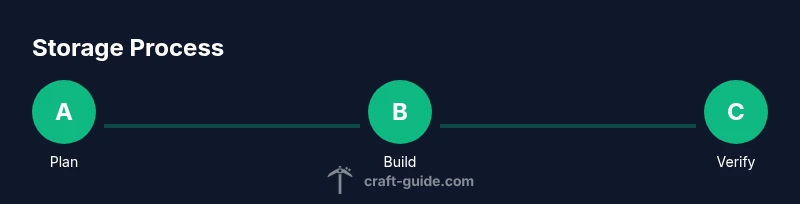
Plan your storage layout
Sketch a floor plan that groups items by category and usage. Decide where main bays, backups, and travel storage will live. Consider a central hub with doors to each category to minimize wandering during a grind. This upfront plan prevents future rework and keeps your base neat as it grows.
Tip: Use graph paper or a simple grid in-game to visualize bay dimensions before building. - 2
Gather materials and craft basic storage structures
Collect sufficient chests, barrels, and signs. Craft basic storage bays in a modular layout, so you can expand by adding more bays later. Arrange bays in rows or a grid to keep pathways clear and access frequent items first.
Tip: Batch craft in advance; having a stock of chests and signs on hand speeds up early setup. - 3
Build the base storage bays
Construct dedicated sections for different item groups (ores, blocks, weapons, food, building materials). Use uniform heights and spacing to create a clean visual rhythm. Leave room for future additions and ensure each bay is labeled clearly.
Tip: Keep a consistent color or material scheme so similar bays look cohesive. - 4
Label and categorize items
Label each bay with signs or item frames indicating its category. Place frequently used items in easily accessible bays. Create sub-bays for subcategories if needed (e.g., ores by type). Regularly audit categories to reflect changes in your play style.
Tip: Iconography via item frames speeds recognition while browsing inventory. - 5
Introduce sorting and automation
Add simple automation by routing items with hoppers into designated bays. Use basic redstone logic to funnel items from a central chest into the correct bay. Start with a single automated line and expand as you master the mechanism.
Tip: Test with a small sample of items first to avoid misrouting loot. - 6
Test your system with a full inventory
Simulate a full mining haul or long build session to verify that items flow correctly and bays stay organized. Note any chokepoints or misrouted items. Adjust bay widths and hopper paths as needed to smooth the flow.
Tip: Keep a backup stash during testing to prevent accidental losses. - 7
Expand and maintain
Plan for future growth by adding new bays and relocating flexible storage zones as your inventory evolves. Regularly perform quick audits to remove duplicates and outdated items. Schedule periodic reorganization to keep the system efficient.
Tip: Set a recurring reminder to review storage every few in-game weeks.
People Also Ask
What is the best starter storage setup in Minecraft?
A simple chest wall with categorized bays and signs works well for beginners. Expand with barrels and Ender Chests as you grow. Start simple, then scale up as your inventory expands.
A basic chest wall with signs is a great starting point. Expand to barrels and Ender Chests as you grow.
How can I organize items efficiently without overcomplicating things?
Group items by category and use clear labels. Keep frequently used items near the entrance and place bulk storage in a far bay. Reassess categories after major gameplay changes.
Group by category and label clearly. Put frequent items near the entrance and re-evaluate after big changes.
Should I use shulker boxes or regular chests for portable storage?
Shulker boxes are ideal for portable storage during travel and gatherings, while chests build lasting, stationary storage. Use both: keep travel kits in shulker boxes and permanent bays in chests.
Use shulker boxes for portable storage and chests for long-term, stationary storage.
Can I automate storage with redstone in vanilla Minecraft?
Yes. Basic automation uses hoppers to move items into the correct bays and comparators to detect full lines. Start small and expand once you confirm reliable item routing.
You can automate storage with hoppers and comparators; begin with a single aisle and grow from there.
Are Ender Chests portable across dimensions in vanilla Minecraft?
Ender Chests function as portable storage across dimensions, allowing access to items from anywhere with a chest gem. They are convenient for travel and quick access.
Ender Chests provide portable storage across dimensions, great for traveling.
How do I protect storage in a multiplayer world?
Use server protections or plugins to secure bases, and organize valuables in more secure zones or private areas. Coordinate with teammates to establish shared, clearly labeled sections.
Coordinate protection with server rules and label shared spaces clearly.
Watch Video
The Essentials
- Plan your storage layout before building.
- Label and categorize items for quick access.
- Start manual sorting, then add automation gradually.
- Regularly back up and audit your storage.