Backpack in Minecraft: A Practical Guide
Learn how to manage inventory effectively in Minecraft with vanilla methods like Shulker Boxes and Ender Chests, plus modded backpacks. This educational guide from Craft Guide shows you how to craft, use, and optimize backpack storage for survival and builds in 2026.


In vanilla Minecraft there is no built-in backpack item; you must rely on alternative storage. This guide covers vanilla options like Shulker Boxes and Ender Chests, plus modded backpacks when you install a backpack mod. By the end, you’ll know how to organize inventory for long mining trips and big builds. According to Craft Guide, planning storage boosts efficiency and reduces wasted time.
Why a Backpack Changes Your Minecraft Workflow
In the world of Minecraft, inventory management is not just a convenience — it shapes how you explore, mine, and build. A backpack in minecraft is not a standard item in vanilla gameplay, but carrying more items without trips to a chest is a game-changer. This guide explains how to achieve backpack-like storage using vanilla options like Shulker Boxes and Ender Chests, or by installing a backpack mod. According to Craft Guide, planning your storage ahead of time reduces back-and-forth trips, speeds up exploration, and frees mental space for more complex builds. Whether you’re a careful explorer or a rapid builder, understanding portable storage sets you up for fewer interruptions and more continuous play. The techniques discussed here apply to players from beginners to seasoned crafters.
From the first raid on a cave system to the final sky-scraping tower, a portable storage solution helps you stay organized across biomes and dimensions. In practice, this means fewer inventory shuffles, quicker access to essential tools, and more time for the actual crafting and combat moments that define Minecraft. By the end of this section, you’ll see why a backpack mindset matters for every adventure.
Vanilla Storage: Expanding Without Mods
Vanilla Minecraft provides two major ways to expand inventory reach without installing any mods: Shulker Boxes and Ender Chests. Shulker Boxes give you portable storage that preserves content when you pick them up, letting you transport an entire mini-inventory across any distance. Ender Chests offer a shared, cross-dimension storage space that remains constant across worlds, a lifesaver on long journeys that cross the Overworld, Nether, and End. A careful player will also leverage bundles (if available in their version) to consolidate small items in handier ways. These tools are not backpacks in the strict sense, but they deliver the same upside: staying organized while you move between projects and biomes. By combining these vanilla features, you can approximate backpack functionality with reliable, accessible means.
Modded Backpacks: When to Use a Backpack Mod
If you want a true backpack that acts as an extended inventory you can equip and access at any time, a backpack mod is the most straightforward path. Backpack mods usually add a wearable item that expands your carrying capacity and sometimes offers features like auto-sorting, additional pockets, or even separate storage tiers. Use a backpack mod when you crave a dedicated portable storage solution that behaves like a real-world backpack: you can carry it on your back, open it without opening your main inventory, and customize where you store items. This section will explore how to choose a mod, what to expect in terms of compatibility with Forge or Fabric loaders, and how to adapt your playstyle to a modular storage setup. The Craft Guide team notes that mods can dramatically improve efficiency, especially during large-scale builds or extended survival runs.
Understanding Vanilla Limits: Why Shulker Boxes Aren’t Arcane
Shulker Boxes already feel magical, but they come with limits. They rely on the player’s dedicated inventory space for transporting boxes, and each box still requires one physical box to access inside your base. Ender Chests solve dimension sharing problems but add a dependency on your location of the Ender Pearl’s supply and the chest’s location in your base. Bundles offer a possible alternative if your version supports them; they do not require a portal, but their capacity and usage can vary. The key takeaway is that vanilla methods provide reliable, no-fuss portability, but they require organization discipline and a bit of planning: you’ll need to carry a few boxes, label them, and keep a logical color-coding system so you don’t waste time searching.
Quick Setup: Getting Ready for Backpack Use
Before you add a backpack into the mix, gather a few supplies and set up basic storage structures in your base. It’s helpful to craft several Shulker Boxes in different colors for quick identification and to prepare an Ender Chest in a central location so you can access essential items from anywhere. Labeling, sorting, and establishing a consistent color scheme will pay off when you’re deep into a mining session or a major building spree. Craft Guide’s practical advice for builders and explorers is to start with a simple, scalable layout that you can upgrade with more pockets or an upgraded mod later.
Choosing the Right Path for Your Playstyle
There isn’t a one-size-fits-all answer when deciding between vanilla storage and a backpack mod. If you prefer a clean, no-mod setup with stable performance, vanilla methods are reliable and well-supported across versions. If you crave a dedicated wearable backpack with expanded slots and optional sorting features, a modded backpack is worth the investment in time to install and configure. This section will outline decision criteria: how much inventory you need, whether you switch between dimensions often, and how much you value ease of access over complexity. Craft Guide’s analysis suggests that most players start with vanilla tools and then escalate to a backpack mod as their projects scale.
Inventory Organization Best Practices
Good organization is a force multiplier. Use color-coding for Shulker Boxes, store common tools together, and designate a “gear box” for consumables like torches, food, and building blocks. If you’re using an Ender Chest, separate critical items into easily reachable categories and keep a small “emergency” kit for quick respawns. When you adopt a backpack, assign it to a main pocket for frequently used tools and reserve secondary pockets for niche items. This systematic approach minimizes time spent searching and maximizes your effective exploration radius. Craft Guide’s recommendations emphasize a structured, predictable system so you can perform complex tasks without repeatedly pausing to reorganize.
Real-World Scenarios: Mining, Building, and Exploration
During a long mining expedition, a backpack can be a game changer: you’ll keep a dedicated pickaxe loop, a spare set of torches, and a small stock of food within arm’s reach. In build sessions, a backpack helps you carry extra blocks, scaffolding, and decorative items without trampling your inventory. For exploration, an Ender Chest or a few color-coded Shulker Boxes streamline how you stash loot and ship home, reducing the number of trips needed to gather materials from distant biomes. The practical upshot is obvious: better inventory control leads to longer, uninterrupted play sessions and more efficient progress across adventures.
Common Pitfalls and How to Avoid Them
The biggest mistakes revolve around underestimating space needs and overcomplicating your setup. Start with a modest system and upgrade gradually as you learn your typical routes and item flow. Make sure to label boxes clearly, avoid mixing wildly different item types in the same box, and maintain consistent color-coding and naming conventions. Another pitfall is assuming that a backpack automatically solves all storage needs; in reality, you still need a thoughtful layout and periodic audits to prevent clutter. Craft Guide’s approach to beginner-to-advanced storage planning emphasizes deliberate, incremental improvements rather than a single grand redesign.
Looking Ahead: Evolving Your Storage Strategy in 2026
As Minecraft updates continue, new storage-related features may appear, including more robust inventory management options or new portable storage devices via mods. A forward-looking storage strategy combines vanilla reliability with modular upgrades: start with Shulker Boxes and Ender Chests for native durability, and explore a backpack mod to unlock higher capacity and new features when appropriate. Craft Guide’s mission remains to help you build scalable storage that grows with your world, so you can tackle bigger projects without being slowed by inventory hurdles.
Tools & Materials
- Shulker Boxes (various colors)(Portable vanilla storage; preserves contents when moved.)
- Ender Chest(Access items across dimensions; place in base for fast return trips.)
- Chests(Baseline storage at your base; stack and organize by category.)
- Backpack Mod (optional)(Adds wearable backpack with expanded pockets; check mod compatibility with your version.)
- Forge/Fabric Mod Loader (optional)(Required for most backpack mods; ensure version compatibility with Minecraft.)
- Crafting Table(Essential for crafting boxes and many early storage enhancements.)
- Labeling Materials (dyes, signs, item frames)(Helps with quick identification of container contents.)
Steps
Estimated time: 60-120 minutes
- 1
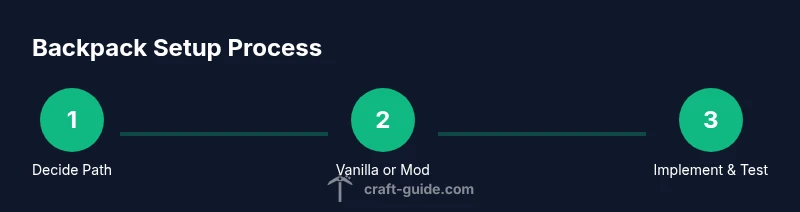
Decide your path
Choose between vanilla storage powerhouse and a modded backpack for extended carry capacity. This decision shapes the rest of your setup and the equipment you’ll need. If you’re new, start with vanilla options to learn fundamentals before introducing mods.
Tip: Write down a quick inventory profile for your typical trips to guide your choice. - 2
Gather core vanilla items
Collect Shulker Boxes, a set of chests, and Ender Chest if you plan cross-dimension access. Obtain shulker shells and dye through exploration to complete initial storage basics. Inventory your items in color-coded boxes for rapid access.
Tip: Color-coding helps avoid misplacing valuable items in the wrong box. - 3
Set up a basic base storage hub
Create a central storage area with labeled chests and a few Shulker Boxes on shelves. Position an Ender Chest or linked alt storage for quick retrieval during remote expeditions. Establish a clear path from workstations to storage.
Tip: Place frequently used items in the closest chest to your crafting area. - 4
Experiment with Shulker Box organization
Design a color and category scheme (e.g., blue for ores, red for food). Practice quick moves from your hotbar to the box and back. If you’re using bundles, store small items in a compact, nested way.
Tip: Keep a minimal number of colors to avoid confusion; you can expand later. - 5
Incorporate an Ender Chest for travels
Place an Ender Chest near your mining or exploration entrance to ship loot quickly between base and field. Remember that its contents are unique to you and don’t rely on others unless you share the world settings.
Tip: Use a compact sorting routine so you don’t overfill external inventories. - 6
Assess modded backpack needs
If you opt for a backpack mod, review your Minecraft version, Forge/Fabric support, and mod compatibility. Confirm the mod’s crafting recipe and any unique features like multiple pockets or auto-sorting.
Tip: Back up your world before installing mods to prevent data loss. - 7
Install a backpack mod (if chosen)
Install the chosen backpack mod according to its instructions and ensure it loads with your launcher. Test in a new world first to verify stability and inventory changes without risking your main save.
Tip: Keep the mod version aligned with your Minecraft version for best results. - 8
Craft and equip the backpack
Use the mod’s recipe to craft the backpack. Equip it and open its interface to understand how pockets align with your hotbar access. Adjust color or pocket assignments if the mod supports customization.
Tip: Start with a small backpack to learn how it integrates with your flow. - 9
Create a pocket strategy
Assign pockets to tool types (tools, blocks, consumables) and reserve a dedicated pocket for a quick-access tool belt. Keep important items in the top pockets for faster retrieval during activities.
Tip: Consistency is key: a predictable pattern saves time during high-pressure moments. - 10
Test in different activities
Use your system during mining, building, and exploring. Notice any bottlenecks and adjust pockets, colors, or the mod’s settings. This iterative testing helps refine efficiency.
Tip: Document changes so you can revert easily if something doesn’t work. - 11
Scale your storage as you grow
Plan for expansion: add another Shulker Box row, introduce a larger backpack, or expand Ender Chest use as your base grows. Scaling gradually prevents overwhelming changes to your current workflow.
Tip: Don’t overbuild storage prematurely; add capacity as needed for current projects. - 12
Maintain and audit regularly
Schedule periodic audits of your inventory, re-label boxes, and re-balance pockets if your playstyle shifts. A well-maintained system stays effective across updates and new worlds.
Tip: Set a short monthly check-in to keep things tidy.
People Also Ask
Does vanilla Minecraft have a backpack?
No, vanilla Minecraft does not include a backpack item. Players rely on portable storage like Shulker Boxes and a shared Ender Chest to carry items. This is usually enough for standard gameplay, but adding a backpack mod can provide a wearable inventory option.
No, vanilla Minecraft doesn’t have a backpack. You use Shulker Boxes and Ender Chests, or you can install a backpack mod for wearable storage.
What is the best approach for a new player?
Start with vanilla storage to learn organization fundamentals, then upgrade to a backpack mod if you frequently run out of space during longer expeditions or larger builds.
If you’re new, begin with vanilla storage, then consider a backpack mod once you’re comfortable with organizing.
Can I use Ender Chests with a backpack mod?
Yes, in most setups you can use Ender Chests alongside backpacks. Ender Chests provide dimension-spanning access, while backpacks give portable storage. Compatibility depends on the mod and launcher configuration.
Most setups support Ender Chests with backpacks, but check your mod’s documentation for specifics.
How do I choose between vanilla and modded storage?
Consider your playstyle, world size, and how often you travel between biomes or dimensions. If you value simplicity and stability, start with vanilla options; if you regularly carry heavy loads, a backpack mod may be worth it.
Think about your playstyle: vanilla is simple and stable; a backpack mod adds capacity for heavy play.
Are backpacks compatible with multiplayer realms?
Backpack use in multiplayer depends on server rules and mod availability. If the server runs a modded environment, backpacks can work; otherwise, rely on vanilla storage. Always consult the server admin before installing mods.
Check server rules and mod support before using backpacks on a multiplayer realm.
How should I organize backpack pockets for speed?
Assign pockets by frequency of use: top pockets for tools and food, middle pockets for blocks, and bottom for rare items. Consistent layout saves time during frantic moments in caves or builds.
Put your most-used items in easy-to-reach pockets and keep a consistent layout.
Watch Video
The Essentials
- Plan your storage before building to save time later
- Vanilla options work reliably; mods add capacity and convenience
- Color-code, label, and audit inventory regularly
- Test changes in a safe world before applying to your main save