Minecraft with Car: Build and Drive Vehicles
Learn to design, build, and drive vehicles in Minecraft, from vanilla car-inspired builds to mod-enabled engines. A practical, beginner-friendly guide by Craft Guide.


This guide shows you how to approach vehicle builds in minecraft with car, from vanilla car-inspired designs to mod-enabled engines. You’ll learn how to plan, construct, and test movable vehicles, plus tips for aesthetics and safety in your world. Core tools include blocks for the chassis, a minecart or powered rails for movement, and optional mods for true driving mechanics.
Why Vehicles Matter in Minecraft
Vehicles unlock new ways to explore, conquer distances, and design showpieces in your world. A well-placed car-inspired build can turn a simple road into a playground for redstone experiments, roleplay scenarios, and inventive transportation routes. According to Craft Guide, vehicles in Minecraft extend both playability and creativity by offering tangible goals—design, test, refine. The Craft Guide team found that players who prototype a few basic chassis ideas tend to level up their builds faster and enjoy more cohesive world design. In this article, you’ll learn how to translate ideas into functional or visually striking craft projects, all centered on the concept of minecraft with car.
Vanilla vs Modded: What’s Possible
When you start with vanilla Minecraft, your vehicle options lean toward simple, aesthetic builds or rail-based movement. A car-style construct can be rendered with blocks shaped into a chassis, but actual driving requires a Minecart on Rails or a clever redstone setup to simulate motion. Modded Minecraft dramatically expands possibilities, introducing working engine blocks, steering systems, and more realistic dynamics. If you’re new to Minecraft vehicle design, begin with vanilla first to learn the fundamentals of scale, symmetry, and rail placement. Then, as you grow more confident, experiment with mods that add engines, wheels, and more advanced control schemes. Craft Guide recommends starting small and gradually layering complexity to avoid overcomplication.
Basic Car Concepts: Wheels, Chassis, and Drive
A successful minecraft with car build balances form and function. The chassis is the visual backbone, usually constructed from planks, slabs, and blocks that define the car’s silhouette. Wheels are suggested using circular shapes with stairs, slabs, and black concrete or coal blocks for contrast. Movement is typically achieved via minecarts on rails, with powered rails providing propulsion. Interiors can feature seats (carpet or wool blocks) and a windshield (glass panes) for realism. If you’re using mods, engines and transmission systems will replace the need for rails to move, but the vanilla approach remains an excellent learning foundation. Remember to keep proportions consistent with your world’s scale so the vehicle fits your roads and parking areas.
Notation for Key Components and Aesthetic Choices
Think about the car’s role: is it a passenger vehicle, a racecar, or a transport wagon? This informs the material palette and detailing. For a classic look, build with oak or dark oak blocks and smooth stone accents. For a sporty vibe, use quartz or concrete in bright colors and add a spoiler with slabs. Car interiors can be simulated with colored wool or carpets as seats and a row of glass panes for the windshield. Add headlights using glowstone or lanterns, but be mindful of lighting if you’re playing in survival mode to avoid mob spawns at night. Keep your build modular so you can expand into longer vehicles or add trains and trailers later.
Building a Simple Vanilla Car: A Step-by-Step Concept
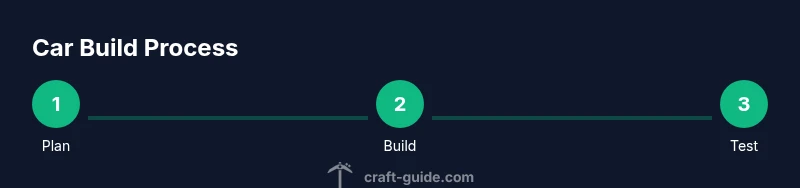
In vanilla Minecraft, the car’s movement comes from a Minecart on rails, while the body remains purely aesthetic. Build a compact chassis inside a rectangular block frame, place a Minecart beneath the driver’s seat, and create a winding track that reflects road curves. Use powered rails to provide forward momentum and leverage redstone to create an on-off switch. The chassis should sit comfortably on rails, with an overhead roof and transparent front to resemble a windshield. This section lays the groundwork for more advanced designs and teaches you how to loop movement on flat terrain before tackling slopes and turns.
Redstone and Movement: Getting Wheels Turning
Redstone wiring is the heart of movement in vanilla builds. A simple start includes a lever or button to start the Minecart, with one or two powered rails spaced along a straight path. For more dynamic control, you can cascade a basic on/off circuit to auto-accelerate on a short stretch, then brake to stop. If you’re pursuing a modded route, you’ll swap these principles for real engine blocks and steering logic, but the vanilla approach is a practical stepping stone. Always test on a flat, unobstructed track to tune acceleration and top speed before adding curves or elevation changes.
Aesthetic and Interior Customization
The look of your car matters as much as its function. Color selection and block texture deliver personality; use a consistent palette across the body, interior, and wheels. Seats can be represented with carpets or wool blocks in contrasting colors, while the windshield can be created with glass panes or tinted glass. For realism, add small details such as side mirrors with black concrete or fence posts, and a hood ornament using a unique block. Consider creating multiple variants—city car, off-road buggy, and sports coupe—to practice different shapes, scales, and alignment with roads in your world.
Common Pitfalls and Troubleshooting
Movement glitches are common when you’re first building cars. If your Minecart won’t move, check that the rail is powered and aligned, and ensure the cart is properly on the track with enough clearance. If the car appears unbalanced or wobbly, re-check block alignment to keep the chassis parallel to the rails. Lighting problems can affect visibility; place light sources away from the driver’s seat to avoid glare. For larger vehicle projects, break the build into modules: chassis, power, steering, and aesthetics. This reduces complexity and makes it easier to spot misalignments.
Modded Options: Engines, Steering, and Realism
Mods dramatically expand what’s possible, letting you implement engine-like systems, wheels that rotate, and even simulated transmissions. If you’re aiming for a true driving experience, explore car mods that introduce motor blocks, fuel mechanics, and wheel physics. Always check compatibility with your Minecraft version and server rules. For educational builds, combining vanilla scaffolding with a few modest mods can illustrate core engineering concepts without overwhelming beginners. Craft Guide encourages experimenting with both vanilla constraints and mod-enabled features to craft diverse, playable vehicles.
Extending Your Car Builds: From Cars to Trains and Boats
Once you’ve got a basic car concept working, you can extend it into a family of vehicles. Build trailers to create caravans, or design trains with linked cars using minecarts and rails. Boats can inspire water-bound transport where the vehicle meets natural terrain. In creative worlds, you can push scale to the extreme—giant monster trucks, race cars, and even futuristic hovercraft—using consistent proportions and material storytelling. The key is to stay modular in your design so you can reuse components across vehicle types, maintain coherence with your road network, and keep building enjoyable.
Tools & Materials
- Minecart(Standard Minecart or variant suitable for your world)
- Rails(Long straight sections to outline the road and guide movement)
- Powered Rails(Provide propulsion; connect to a redstone source)
- Detector Rails (optional)(Trigger redstone signals for automation)
- Blocks for chassis (e.g., oak planks)(Forms the car body and silhouette)
- Slabs and Stairs(Shape wheel wells and aero features)
- Glass Panes(Windshield and windows)
- Wool or Carpet(Seat color and interior accents)
- Redstone Dust(Optional for simple on/off systems)
- Lever or Button(Starting control for movement)
- Dye (optional)(Color customization for blocks)
- Scaffolding (optional)(Assists higher builds)
Steps
Estimated time: 60-90 minutes
- 1
Choose your vehicle type and scale
Decide between a compact city car, a sports coupe, or a rugged off-road build. Plan overall dimensions to match your existing roads, and sketch a simple side profile.
Tip: Draft a quick blueprint on paper or in your mind to maintain proportion. - 2
Lay the chassis frame
Place blocks to form a rectangular body as the base. Keep the frame low to the ground for a believable car silhouette.
Tip: Check that the wheel wells align with where you’ll place wheels or rail guides. - 3
Add wheels and suspension hints
Use stairs/slabs to hint at wheel arches and place wheels beneath the chassis with blocks shading the tires.
Tip: Keep wheels evenly spaced and ensure clearance for track movement. - 4
Install movement mechanism
Set up a Minecart on rails under the driver seat or route a powered rail line to push the cart forward.
Tip: Test with a quick one-block test track before extending. - 5
Create the driver’s area and interior
Place seats with wool blocks, add a windshield, and optionally install a small dashboard with levers or buttons.
Tip: Use consistent color accents to unify the look. - 6
Test and tune
Run the car along your track, adjust rail placement, and refine aesthetics. Ensure smooth travel and no collisions.
Tip: Document tweaks to replicate on future builds. - 7
Decorate and finalize the exterior
Add lighting, side mirrors, and color variations. Consider different variants for day/night aesthetics.
Tip: Keep lighting subtle to avoid mob spawns in survival. - 8
Expand with mods or additional vehicles
If you’re using mods, explore engine blocks and steering modules to increase functionality. Else, replicate the process for a trailer or bus.
Tip: Mod compatibility matters; work in a test world first.
People Also Ask
Can you drive a car in vanilla Minecraft?
Vanilla Minecraft does not include a true driving mechanic. You can simulate movement with minecarts on rails or use redstone to mimic basic propulsion. For actual driving dynamics, mods are typically required.
In vanilla Minecraft, there’s no real driving. You can simulate motion with minecarts on rails, and mods can give you a true driving experience.
What’s the easiest way to build a car-looking vehicle?
Start with a compact chassis, add a simple wheel silhouette, and place a Minecart for movement. Layer in a windshield and seats to finish the look.
Begin with a small chassis, add wheels, and include a minecart for movement, then deck it out with a windshield and seats.
Do I need mods for engine-like features?
For functional engines and realistic controls, mods are commonly used. Vanilla builds can simulate movement but lack actual engine dynamics. Command blocks can offer additional automation in some cases.
Yes, mods are usually needed for engine-like features; vanilla can simulate movement but not real engines.
Which version is best for car builds?
Java Edition is commonly favored for mods and large builds, while Bedrock supports cross-platform play. Both can support car-themed projects with the right tools.
Java Edition is often best for mods and complex builds, though Bedrock covers cross-platform play.
Are there safety warnings when building complex redstone cars?
Extensive redstone work can cause lag on some servers or devices. Build incremental circuits and test on small scales to avoid performance issues.
Be mindful that big redstone setups can lag; test gradually to keep things smooth.
Where can I see car build examples?
Explore Craft Guide’s tutorials and featured builds for car-inspired projects, plus community showcases across Minecraft forums and video channels.
Check Craft Guide tutorials and community videos for car build ideas.
Watch Video
The Essentials
- Plan vehicle scale before laying blocks.
- Use rails and powered rails to move vanilla carts.
- Color and interior details elevate the look.
- Mods unlock realistic engines; vanilla teaches fundamentals.