Minecraft Birthdays: A Practical In-Game Party Guide
Learn how to plan and host a memorable minecraft birthdays celebration inside the game. Create themed worlds, run mini-games, manage invites, and keep players safe with practical steps from Craft Guide.


This guide shows you how to host a memorable minecraft birthdays celebration inside the game. You’ll plan a themed party world, design mini-games, and celebrate with in-game cake and gifts. Choose a suitable server setup, set clear rules, and invite players safely so everyone can join with confidence. Craft Guide shares practical, beginner-friendly steps you can follow today.
Why Minecraft Birthdays Matter
Minecraft birthdays provide a creative, collaborative space where friends and family can celebrate in a low-pressure, highly customizable environment. By turning a real-world celebration into an in-game event, players experience teamwork, problem solving, and shared storytelling. For minecraft birthdays, you can tailor themes, builds, and activities to the birthday person’s interests, making the party feel personal and memorable. Craft Guide analyses show that themed worlds and simple, well-paced activities keep players engaged without overwhelming new participants. When you design an in-game party with clear rules and expectations, everyone—from beginners to seasoned builders—can participate and have fun. This guide centers on practical, actionable steps you can implement, whether you are planning with a small group or a larger community.
Planning Your Birthday Theme
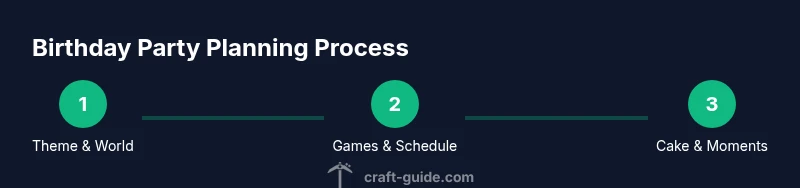
A strong theme sets the tone for a minecraft birthdays celebration. Start by listing the birthday person’s favorite things—favorite biomes, mobs, or building styles—and pick a cohesive theme (pirate adventure, space station, enchanted forest, or creeper carnival). Translate that theme into three to five key builds and activities so players know what to expect. Create a simple map or seed that highlights the theme, and outline a loose schedule that balances exploration, games, and cake moments. If you’re coordinating with friends, assign roles (builder, game host, event organizer) to ensure tasks are shared and the event runs smoothly. Throughout, keep a flexible plan; birthdays in Minecraft thrive when there’s room for spontaneous creativity.
Choosing the Right Server Setup
The server choice strongly influences how smoothly minecraft birthdays unfold. For small groups, a local world shared on LAN or a private Realm can be ideal, offering low latency and easy access for players on different devices. For larger gatherings, a dedicated server with moderated access keeps things organized and reduces the chance of griefing. If you’re new to hosting, start with a simple, protected world and a clear invite process. Set up basic rules in-world and in chat, such as no griefing, no stealing builds, and a designated time window for activities. Craft Guide analysis suggests that keeping the play area organized and gated behind permissions improves everyone’s experience on birthdays in Minecraft.
Designing a Birthday World
A birthday world should feel festive and easy to navigate. Start with a central party plaza featuring a cake monument, banners, and a signboard listing the event schedule. Build a cake tower as a visual centerpiece and design small zones for games, parkour runs, and scavenger hunts. Use color-coded signs or stained glass to mark each activity area and provide brief in-game instructions. Consider adding an “achievement wall” where players can log completed tasks or collect birthday badges. Use resource packs or simple texture edits to customize blocks for the theme while keeping performance in mind. A well-organized, visually cohesive world makes minecraft birthdays unforgettable.
In-Game Games and Activities
Engaging activities are the heart of any minecraft birthdays party. Plan a mix of cooperative and competitive games, such as a parkour challenge, a timed build-off, treasure hunts, and a creative scavenger hunt around themed landmarks. Include a cooperative build zone where players contribute to a large project—like a birthday cake village or a themed statue. Keep rounds short (10–15 minutes) to maintain momentum and enthusiasm. Prepare simple rules and clear victory conditions, plus small, easy-to-distribute prizes like in-game hats, banners, or custom titles. A well-paced schedule ensures everyone remains involved and excited.
Food, Cake, and Treats in Minecraft
Celebrating with cake is a natural fit for minecraft birthdays. Place a cake stand at the central plaza, and offer accompanying treats in chests or bakeries built into the world. Consider themed edible in-game items, such as cookie platters, pumpkin pies, or cake slices that players can place and share. If you’re running a real-world party alongside the in-game event, coordinate a snack break and a cake-cutting moment, then sync photos to share in a group chat or stream. Small, themed décor like banners, lanterns, and colored wool accents can reinforce the party mood without overloading performance.
Invitations and Party Etiquette
Effective invitations help players arrive prepared. Share your minecraft birthdays plan through a simple invitation that includes the server/realm name, date, time, and rules. Provide a quick one-page guide for newcomers covering how to join, where to go for activities, and what to bring in-game (like armor or a tool kit). Encourage respectful in-game behavior and emphasize inclusive language so players of all ages feel welcome. Establish a clear start time and a soft end time, and communicate any changes promptly to all guests.
Safety and Moderation for Kids' Parties
Safety is essential for kid-friendly minecraft birthdays. Use moderated servers or realms with built-in permissions, and enable chat reports for inappropriate behavior. Establish a simple set of chat rules, and consider turning off private messages if the group is large. Assign trusted co-hosts to help monitor activities and address conflicts quickly. Before the event, run a quick safety briefing and show players how to report issues. Keeping a calm, friendly tone and a clear escalation path helps maintain a positive experience for every participant.
Budget and Time Management
Plan the event with a realistic budget and timeline. Block out a date and schedule a rehearsal day to test game modes, maps, and invitations. If you’re using paid resources or paid server hosting, compare pricing across providers and choose a plan that scales with your expected attendance. Create a simple checklist of pre-event tasks: world backup, map checks, game setup, invites sent, and a test run. A practical plan helps you deliver a smooth minecraft birthdays experience without last-minute stress.
Tools & Materials
- Minecraft game (Java Edition or Bedrock)(Ensure all players can join with the chosen edition)
- Server or Realm access(Private, moderated access preferred for birthdays)
- Birthday-themed world seed or pre-built map(Theme coherence helps player immersion)
- Basic resource packs or texture edits(Optional for visual flair; keep performance in mind)
- Voice chat app (e.g., Discord)(Coordinate games and announcements)
- Backup tools or manual backups(Restore world if something goes wrong)
Steps
Estimated time: 2-4 hours
- 1
Choose Theme and Prepare the World
Decide on a memorable theme based on the birthday person’s interests and set up a world that reflects it. Create a central hub, landmarks, and a few themed zones before inviting players. This upfront planning makes navigation intuitive during the event.
Tip: Assign a builder to craft the theme in advance and keep a simple map with waypoints. - 2
Create a Birthday Cake Structure
Build a prominent cake centerpiece with stacked layers and candles. Use banners or colored wool to add decorations matching the theme. Include a cake-slice reward mechanic for participants who reach a milestone in a game.
Tip: Place a lantern halo around the cake so it’s visible from all corners of the world. - 3
Set Up Party Games
Plan at least three games: a short parkour course, a scavenger hunt, and a build-off. Explain the rules at the start and assign hosts to run each game. Use timers and a scoreboard to keep rounds fair and exciting.
Tip: Keep rounds under 15 minutes to maintain energy; rotate players often. - 4
Prepare Invitations and Scheduling
Draft simple invitations with server details, time, and rules. Share the link to join and a brief guide for newcomers. Confirm attendance beforehand to adjust the scale of the event and ensure a smooth flow.
Tip: Provide a short map or waypoint directions to key zones to reduce confusion. - 5
Host Safely and Moderate
Activate permissions and moderation features; set chat rules; designate co-hosts to help manage behavior. Have a plan for addressing disputes and a quick way to pause the event if needed.
Tip: Test safety settings with a small test group before the main event. - 6
Wrap Up and Archive Moments
Finish with a celebratory screen and a group photo in-game. Prompt players to log off or stay for a final Q&A. Save a copy of the world and share highlights in a recap post or video.
Tip: Create a short highlight reel from screenshots and clips to share with attendees.
People Also Ask
What is the best way to plan a Minecraft birthday party?
Start with a clear theme, choose a suitable server, design a few short games, and schedule a mini-cake moment. Keep the group size manageable and communicate rules upfront.
Begin with a simple theme, pick a safe server, plan short games, and finish with a cake moment. Communicate rules so everyone knows what to expect.
How do I ensure younger players can join safely?
Use a moderated server or Realm with restricted access, set clear chat rules, and designate a couple of co-hosts to monitor. Provide a brief onboarding for new players.
Host on a moderated server, set simple rules, and have a couple of helpers to monitor. Give new players a quick onboarding.
Can I host a Minecraft birthdays party on a shared server or Realm?
Yes, but ensure permissions and moderation are enabled. Keep events to a specific time window and have backups in case the server is busy.
Yes, with proper permissions and a clear schedule. Have a backup plan if the server gets crowded.
What are some example game ideas for the party?
Try parkour challenges, scavenger hunts for themed items, a build-off, and a team obstacle course. Provide simple objectives and short rounds to keep momentum.
Parkour, scavenger hunts, build-offs, and short team challenges keep the party lively.
How long should the minecraft birthdays event last?
Aim for 60 to 120 minutes of activities, with a 10–15 minute cake moment and a short wrap-up. Shorter sessions reduce fatigue and keep energy high.
Plan for about one to two hours, with cake time included.
Do I need to download mods or resource packs?
Mods are optional; focus on simple texture edits or resource packs to enhance visuals without introducing compatibility issues. If you use mods, test them in advance.
Mods aren’t required. Simple packs can help visuals; test beforehand.
Watch Video
The Essentials
- Plan themed worlds and simple activities.
- Choose an appropriate server setup for your group size.
- Prioritize safety and moderation to protect players.
- Capture moments and share a recap after the event.