Minecraft Birthday Cake: Crafting and Creative Builds
Learn to craft the Minecraft birthday cake item and design a festive cake centerpiece in your world with practical steps, recipe details, and decorating ideas for a party-ready build.


With this guide, you’ll learn how to craft the in-game Minecraft birthday cake and build a festive cake centerpiece in your world. You’ll cover the cake recipe, ingredient gathering (milk, eggs, sugar, wheat), placement tips, and decorative hacks to make a party-ready display. Whether you’re new or seasoned, follow the steps to a satisfying cake moment.
What makes a Minecraft birthday cake special
In Minecraft, a birthday cake is more than a simple snack. It’s a focal point for celebrations, a fun way to mark an in-game milestone, and a flexible design element you can tailor to any theme. The cake item itself is functional: it restores hunger in stages when eaten, but its real charm lies in how it looks in your world. A well-planned cake can become a memorable centerpiece for a village party, a creative build, or a streaming backdrop. In this guide we’ll cover both the vanilla recipe you can craft in survival and a decorative cake build that elevates your aesthetic builds.
According to Craft Guide, planning your cake layout before you start saves time and reduces block misplacements. We’ll start by outlining the official recipe and the resource gathering you’ll need, then move into step-by-step building and decorating ideas that suit beginners and seasoned builders alike. The approach here is practical and actionable: you’ll have concrete steps, concrete materials, and clear visuals so you can finish with a cake that looks as good as it tastes in-game. Whether you’re playing on Java or Bedrock, the same design principles apply. A festive motif can be implemented with simple color choices and measured layering, so you can surprise friends during a multiplayer session or in a solo creative world. This article will keep the process approachable for newcomers while offering tips that experienced builders will appreciate.
Craft Guide’s introduction to cake design emphasizes planning and palette selection. If you want a striking centerpiece, start with a simple silhouette and a limited color palette; this helps readability from any vantage point and makes it easier to adapt for different parties. The cake is not just food—it’s a canvas for celebration, storytelling, and shared play. By treating it as both functional item and decorative sculpture, you’ll master how to balance practicality with aesthetics in your Minecraft world.
In-game cake recipe and farming basics
The in-game cake recipe is a classic example of combining farmed resources with a little bit of planning. To craft a cake in Minecraft, you need 3 milk buckets, 2 sugar, 1 egg, and 3 wheat. Arrange these on a 3x3 crafting grid as follows: top row three milk buckets; middle row sugar, egg, sugar; bottom row three wheat. When you craft it, you’ll obtain one cake item that can be placed on a surface. Milk buckets are obtained by right clicking cows with empty containers, eggs come from chickens, sugar from sugar cane, and wheat from a village farm or your own fields. In survival mode, this recipe emphasizes farming and animal husbandry as a prerequisite to a celebratory cake.
In practice, the cake is eaten in slices; each bite restores a portion of hunger, but not all at once. That means you can place a centerpiece cake and let players take turns slicing, which can add social drama to a party scene. In creative mode you can place a decorative cake instantly, and you can customize frosting colors and toppings by surrounding the cake with color blocks or banners. Craft Guide analysis shows that players who plan a frosting palette first spend less time adjusting after the build begins. Think of the cake as both a practical food source and a canvas for your party aesthetic.
The cake’s edible function makes it a great social prop for parties in Minecraft: you can stage celebrations for guests and friends, or use it as a focal point in a village festival build. If you’re aiming for a specific party vibe, match frosting tones to your theme—white for classic elegance, pink for whimsical sweetness, or a pastel trio for a softer festival look. For players who want to test layouts quickly, the Creative mode recipe-editing option lets you prototype frosting shapes and plate setups without gathering resources.
Designing and placing a cake build
A successful Minecraft birthday cake build starts with a clear silhouette. Start with a base footprint that matches your scene—common choices are a 5x3 or 7x3 rectangle—then stack blocks to suggest layers and height. For the frosting, use contrasting colors for the top and sides: white for the body and pink or pastel accents for the frosting rim. The frosting edge can be simulated with white concrete, white wool, or glazed terracotta, while the cake’s interior tones can be created with lighter browns or cream blocks to mimic sponge layers. When placing the build, choose a flat, well-lit area so the details are visible from different angles. If you’re building outdoors in a village or hub, consider surrounding the cake with trees or banners to imply a party atmosphere.
The design process benefits from a simple rule: plan before you block. Sketch the layout on paper or in your favorite planning tool, then translate that plan into Minecraft coordinates. For a birthday cake centerpiece, a three-tier look is often striking without being overly complex. You can layer up using slabs to form gentle, rounded edges, or keep it boxy for a retro style. If your world uses survival constraints, you can reclaim resources by reusing blocks from duplicated sections and testing different frosting colors in Creative to see how they read in daylight and torches. The key is to keep the scale manageable and the color palette cohesive with the surrounding build.
In this phase, consider how the cake will sit in the scene: will it be the main focal point or part of a larger celebration area? Think about sightlines—ensure guests can approach it from multiple directions. If you’re coordinating with friends, assign roles for planning, block placement, and lighting so the build progresses smoothly, even if one person is away for a while. Craft Guide’s insights suggest that dividing tasks in collaborative worlds speeds up completion and yields a more polished final product.
Decorating and presentation ideas
Decoration is where the cake truly earns its party vibe. Candles are a classic touch, but you can simulate candles with glow blocks or torches placed on the cake’s top row. For a celebratory theme, add banners with pixel art to spell out HBD or the guest’s name. Use color to convey a mood: pale pink frosting implies a friendly, whimsical vibe; bright blue or yellow accents can feel festive and energetic. Surround the cake with small plate-like blocks (slabs) to create a table setting, and add item frames holding tiny banners or cakes to create a sense of scale. Lighting matters too: place lanterns or end rods around the cake so it remains visible at night. If you want to push the design further, craft a party backdrop using stairs and slabs to frame the cake and make it feel like a stage.
For color coordination, pick two to three tones and apply them consistently across the cake, plates, and surrounding décor. If you’re playing with friends, assign roles: one person manages the cake’s base, another handles frosting details, and a third designs the table setting. This coordination is especially helpful in multiplayer builds where the cake is part of a larger event space. Craft Guide analysis supports collaborative builds as a way to accelerate progress and improve the final visual impact.
If you want extra flair, consider adding festive lighting around the perimeter with a subtle glow that doesn’t overpower the cake but guides the eye toward the centerpiece. A well-lit cake read from far distances, making it a natural magnet for photos and in-game party moments. The overall impression should be inviting, cohesive, and clearly themed around celebration.
Variations for different themes and difficulty levels
Not every cake needs to be pink and white. If you’re building for a robust village festival, go with stacked layers and bold contrast using white concrete with magenta or purple frosting. For a minimalist party, a single-layer cake with a simple border may be enough to convey the idea without overcomplicating the build. In Creative, you can prototype several themes quickly, then commit to one that matches the world’s architecture. If you’re working in Survival, keep inventory limits in mind and reuse blocks across multiple cake builds. You can even hide a small cake under a table for a surprise moment during a celebration in a server or a single-player world. The design language you choose should reflect the party’s tone and the world’s style.
For candle accents, use jukeboxes and redstone-powered lights to simulate the flicker of candles when the event occurs in-game. If you’d like an edible look, consider placing edible food blocks like cake slices around the main centerpiece to imply a dessert buffet. This flexibility means your Minecraft birthday cake can be as simple or as elaborate as your schedule allows, while still delivering a satisfying visual and practical experience.
Carefully chosen color schemes, balanced decorations, and smart lighting will ensure your cake remains readable from afar and fits the atmosphere you want to create. Craft Guide’s overall guidance emphasizes keeping designs legible and scalable so you can reuse the same cake motif across a variety of worlds and events.
Quick-start templates and common pitfalls
Starting quickly? Here are two templates you can follow: a compact centerpiece with a 5x3 base and a subtle frosting edge, and a dramatic display with a 7x5 base and three-high frosting. If you’re stuck, take a break and return with fresh eyes; small changes in frosting color or block type can dramatically alter readability. Common mistakes include misplacing the frosting edge, using too many neutral colors that flatten the cake’s depth, and ignoring lighting that reduces visibility at night. A simple lighting plan with lanterns or glowstone placed around the cake improves readability and adds a party mood. Finally, in Survival you may want to reuse the same cake layout in multiple areas of your world to create a cohesive event environment. Craft Guide recommends testing your cake at different times of day to ensure it reads clearly in daylight and at night.
Tools & Materials
- Crafting Table(Needed to craft cake and decorative blocks)
- Milk Bucket(Collect 3 by right-clicking cows with empty buckets)
- Egg(Dropped by chickens; 1 needed)
- Sugar(Craft from sugar cane or found in chests)
- Wheat(Harvest 3 to craft cake base)
- White Concrete(For a clean cake body look)
- Pink Concrete(Frosting accents)
- White Wool(Alternative frosting material)
- Scaffolding(Helpful for building at height)
- Lanterns or Glowstone(Lighting for display)
Steps
Estimated time: 60-120 minutes
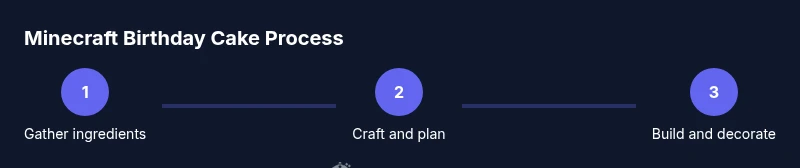
- 1
Gather ingredients and plan
Collect 3 milk buckets, 2 sugar, 1 egg, and 3 wheat. Plan the footprint of your cake on the chosen surface and decide your color palette before placing blocks.
Tip: Label the build area with temporary blocks to avoid misplacements. - 2
Craft the cake
Open a crafting table and place the milk, sugar, egg, and wheat in the official pattern to produce one cake. In Bedrock/Java the recipe is the same; controls differ by platform.
Tip: Double-check the grid layout before crafting to prevent mistakes. - 3
Plan the layout
Sketch the footprint on paper or in-game; set corner markers to guide layer placement and frosting edge.
Tip: Keep the base simple to improve readability from a distance. - 4
Build the base and tiers
Place blocks to form the base footprint, then stack additional layers to suggest height. Use slabs for rounded edges if desired.
Tip: Test from eye level to ensure proportions read clearly. - 5
Add frosting and decorations
Apply white blocks for frosting and pink accents on the rim. Add candles with glow blocks or torches for a party vibe.
Tip: Limit your frosting colors to two or three for readability. - 6
Place and light the cake
Position the cake on a simple table or pedestal; surround with lighting to keep it visible at night.
Tip: Use lanterns to frame the cake without over-illumination. - 7
Evaluate and adjust
View the cake from multiple angles in daylight and night; tweak colors or spacing as needed.
Tip: Take a quick screenshot to compare variations.
People Also Ask
What is the basic recipe for the in-game cake?
The recipe uses 3 milk buckets, 2 sugar, 1 egg, and 3 wheat arranged in a 3x3 grid. After crafting you get one cake item that can be placed.
The cake recipe uses milk, sugar, egg, and wheat in a 3x3 pattern.
How can I make a cake build look festive?
Choose a cohesive color palette (white with pink or pastel accents), place decorative blocks along the frosting edge, and add candles or banners.
Use white and pink blocks, add candles and banners to finish the cake build.
What are quick tips for beginners?
Start with a simple 5x3 base, then add frosting using a single color; use Creative mode to experiment.
Begin with a small 5x3 cake, then try frosting colors in Creative.
Can I make multiple cakes for a party?
Yes, you can replicate the layout and scale for a small dessert display or create different flavors using color blocks to differentiate frosting.
Yes, you can duplicate the cake design for multiple stations.
Does the cake function differently in Bedrock vs Java?
The cake recipe is the same in both editions; placement and cake eating behavior are version-agnostic.
The cake works the same in Bedrock and Java.
Watch Video
The Essentials
- Plan color palette before building.
- Keep the base footprint simple for readability.
- Decorate with consistent lighting for day and night.
- Test from multiple angles to ensure the cake reads well.