Is Minecraft for Apple? A Practical Mac & iOS Guide
Explore whether Minecraft runs on Apple devices, focusing on Mac and iPhone/iPad. This analytical guide explains edition differences, cross‑play limits, installation steps, and optimization tips for Apple hardware.


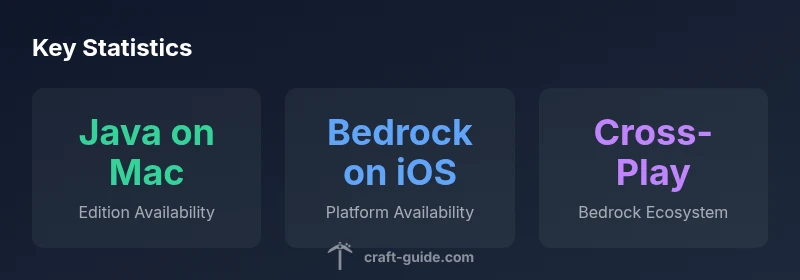
Is Minecraft available for Apple devices? Yes, but not as a single Apple edition. On Mac, Minecraft runs Java Edition, while iPhone and iPad use Bedrock Edition from the App Store. Bedrock isn’t officially supported on macOS, and you cannot cross‑play between Mac Java and Bedrock devices. If you want friends on iOS, they’ll join via Bedrock on mobile; Mac players join with Java Edition.
Is Minecraft on Apple? An Overview
Minecraft runs on Apple devices, but the path depends on your hardware. For desktop Macs, the preferred edition is Java Edition, designed for macOS and traditional PC hardware. For iPhones and iPads, Minecraft Bedrock Edition is the mobile version available on the App Store. This split means that Apple users aren’t tied to a single, universal Apple release; rather, you choose the edition that matches your device. According to Craft Guide, understanding this division upfront saves time during setup and avoids compatibility frustrations when playing with friends. The Craft Guide team analyzed platform support across Apple devices and found that most players on Mac report steady performance with Java Edition, while iOS players report smooth, consistent Bedrock gameplay on recent devices. This is especially important if you want to join friends on other platforms, because cross‑play support is edition‑dependent.
Editions and devices: Java on Mac vs Bedrock on iOS
The two main Apple pathways split along device category. On macOS, Minecraft Java Edition remains the standard choice, with full PC‑oriented features. It supports deeper world editing, mods, and custom resource packs, but runs on a Java launcher rather than the Bedrock engine. On mobile devices, iOS and iPadOS run Minecraft Bedrock Edition, a cross‑platform engine designed to work across Windows, consoles, and mobile devices via the same Bedrock codebase. This arrangement enables broad multiplayer with friends on different devices, albeit within the Bedrock ecosystem. Craft Guide’s analysis for 2026 confirms that Bedrock on iOS provides reliable performance and a smoother store‑driven experience (Marketplace content), while Java on Mac excels for players who want mods and computer‑style customization. Importantly, there is no official Bedrock edition on macOS, which means Mac players cannot natively join Bedrock sessions with iOS or Windows players unless they’re using Bedrock on a supported device.
How to install Minecraft on Apple devices
Installing Minecraft on Apple hardware is straightforward, but the steps differ by edition. Mac users should visit Minecraft’s official site, download the Java Edition launcher, and install it on macOS. After launching, sign in with a Microsoft account to access your purchases, then select the version to play. Because Java Edition relies on the Java runtime, keep your Java installation updated for the best stability. iPhone and iPad players go to the App Store, download Minecraft Bedrock Edition, and sign in with the same or a Microsoft account to access cross‑device progress. For new players, consider starting with the free demo (if offered) or a one‑time purchase, then explore in‑game settings to optimize performance on your device. Craft Guide notes that Mac users often appreciate the granular control of Java Edition, while iOS users benefit from the streamlined Bedrock experience via the App Store.
Performance considerations on Apple hardware
Apple devices bring strong performance to Minecraft, but results depend on device class. On Macs, hardware power, RAM, and graphics capability determine how smoothly large worlds load, especially with complex redstone builds or heavy resource packs. The M‑series Macs deliver solid frame rates in standard worlds and can support larger render distances when memory and thermal headroom allow. On iOS devices, newer iPhones and iPads run Bedrock Edition with consistent frame times, especially in cooperative multiplayer. There are always trade‑offs: mods and high‑end texture packs may tax older Macs or mobile GPUs, leading to stutters. Practical tips include reducing render distance, lowering graphics settings, and closing background apps on Mac, or enabling resource‑friendly settings on iOS devices. Craft Guide’s data suggests performance improvements across Apple devices as hardware evolves, emphasizing that edition choice has a meaningful impact on frame rates and stability.
Cross‑play realities and multiplayer on Apple devices
If your goal is to play with friends across devices, Bedrock Edition is the key, since it’s designed for cross‑platform play among Windows, consoles, and mobile. However, cross‑play between Mac Java Edition and Bedrock devices isn’t supported, which means a Mac player can’t join a Bedrock session hosted on iOS or Windows using the Bedrock engine. This is a crucial consideration for groups that want to play together online; you’ll need to coordinate within the Bedrock ecosystem or have players use Java Edition exclusively on Mac. Craft Guide’s analysis highlights that cross‑platform groups are most practical when everyone is on Bedrock, or when the Mac player switches to a Windows PC to access Bedrock cross‑play. For dedicated modders, note that Bedrock supports limited mods through the Marketplace, while Java Edition accommodates extensive community mods, so expectations differ.
Licensing, updates, and keeping everything in sync on Apple devices
To keep Minecraft legal and up‑to‑date, purchase the appropriate edition from the official sources and maintain a current account. On Mac, Java Edition updates come through the launcher and typically follow Minecraft’s release cadence; on iOS, Bedrock updates pop up in the App Store as part of standard device software updates. It’s important to stay on compatible versions if you want to play with friends; major Bedrock platform updates can temporarily break cross‑play with older Java Edition sessions. Also, watch for platform store rules on in‑game purchases and Marketplace content, which can differ by device. Craft Guide’s guidance emphasizes checking edition compatibility with your friends before buying, to avoid mismatch issues when joining multiplayer worlds.
Practical recommendations for Apple players
- Determine your device first: Mac owners should plan around Java Edition for customization and mods; iOS players should enjoy Bedrock’s cross‑platform multiplayer.
- If you want to play with a mixed group, pick Bedrock and have all players use Bedrock on compatible devices.
- For Mod‑heavy play, stick to Java Edition on macOS, and be mindful of resource demands.
- Keep both the Edition and the launcher up‑to‑date, and check server compatibility before joining a world.
- If you’re new to Minecraft on Apple devices, start with solo play to get a feel for the controls before joining friends. This approach minimizes troubleshooting when you transition to cross‑device play. The Craft Guide team recommends documenting your device type and chosen edition at the outset to prevent confusion during multiplayer sessions.
Apple platform edition mapping
| Platform | Edition | Notes |
|---|---|---|
| Mac | Java Edition | Desktop-only; Bedrock not officially supported on macOS |
| iPhone/iPad | Bedrock Edition | Mobile devices; cross-platform with Windows, Xbox, Android |
People Also Ask
Which edition should I install on a Mac?
On a Mac, opt for Java Edition if you want mods, custom maps, and a PC-like workflow. Install from the official site and sign in with your Microsoft account. Bedrock on macOS is not officially supported, so cross‑play with Bedrock devices isn’t possible on a Mac.
Mac users should choose Java Edition for mods and customization; Bedrock isn’t officially supported on Mac.
Can I play Bedrock on a Mac?
Bedrock Edition is not officially supported on macOS. If you need cross‑platform play with Bedrock devices, you’ll need a Bedrock‑capable device such as iOS, Windows, or a console.
Bedrock on Mac isn’t supported; use Bedrock on a compatible device instead.
Is Minecraft free on Apple devices?
Minecraft is not free on Apple devices. Prices vary by edition and region, and you’ll typically make a one‑time purchase to access the full game or the Bedrock edition on mobile.
No, Minecraft isn’t free on Apple devices; you pay once for the edition you choose.
Can I transfer worlds between Java and Bedrock editions on Apple devices?
Worlds created in Java Edition cannot be transferred to Bedrock Edition or vice versa. They use different world formats, so you’ll start a new world if you switch editions.
Java worlds don’t transfer to Bedrock and vice versa.
Does Apple Silicon affect performance?
Apple Silicon Macs generally offer strong performance for Minecraft, especially with Java Edition on newer models. On iOS devices, Bedrock runs smoothly on recent iPhones and iPads, though settings may need adjustment for larger worlds.
New Macs with Apple Silicon run Minecraft smoothly; adjust settings on iPhone/iPad for best results.
“The practical path is to pick the edition that matches your device and your multiplayer goals; the two-edition reality on Apple devices shapes how you play and who you can play with.”
The Essentials
- Identify your device to choose the correct edition.
- Mac runs Java Edition, while iOS runs Bedrock Edition.
- Choose Bedrock for cross‑device play with friends on iOS/Windows.
- Craft Guide's verdict: Align your edition with your device before purchasing.