How to Minecraft Free Download: Legal Paths and Free Trials
Discover safe, legal ways to try Minecraft for free, including official demos, browser-based Minecraft Classic, and Education Edition eligibility. This guide outlines steps, tools, and tips to start without risking piracy or scams.


There is no legal, official free download of the full Minecraft game. You must purchase a license, but you can explore legitimate free options such as the official Minecraft Demo (limited playtime) on the Java Edition launcher, Minecraft Classic (browser-based, with limited features), or educational editions if you qualify. For new players, trying a trial helps decide whether to buy and support the continued development.
The reality: there is no legal free full download
If you're asking how to minecraft free download, the honest answer is that there isn't an official, legal way to obtain the full game at zero cost. Minecraft is a commercial product with a paid license, and public distribution of the full game for free would violate terms of service and copyright. This frustration is common among new players, but there is a safe path forward. According to Craft Guide, players can explore legitimate, free routes to experience Minecraft before purchasing, and those routes protect your device from malware and scams. The goal of this guide is to lay out those options clearly, explain what each option includes, and help you avoid shady sites. In practice, the safest method is to stick to official channels and well-supported trial versions. Craft Guide analysis shows that choosing a legal, trial-based approach reduces risk while still giving you a meaningful sense of the game's core mechanics and potential builds. By understanding the landscape, you can make an informed decision without compromising your device or your account.
The reality: there is no legal free full download
If you're asking how to minecraft free download, the honest answer is that there isn't an official, legal way to obtain the full game at zero cost. Minecraft is a commercial product with a paid license, and public distribution of the full game for free would violate terms of service and copyright. This frustration is common among new players, but there is a safe path forward. According to Craft Guide, players can explore legitimate, free routes to experience Minecraft before purchasing, and those routes protect your device from malware and scams. The goal of this guide is to lay out those options clearly, explain what each option includes, and help you avoid shady sites. In practice, the safest method is to stick to official channels and well-supported trial versions. Craft Guide analysis shows that choosing a legal, trial-based approach reduces risk while still giving you a meaningful sense of the game's core mechanics and potential builds. By understanding the landscape, you can make an informed decision without compromising your device or your account.
Tools & Materials
- Official Minecraft Launcher(Download from the official Minecraft site to access the Java Edition demo and launcher features.)
- Device with internet access(PC, Mac, or compatible mobile device; ensure your device meets minimum specs for the edition you try.)
- Microsoft account(Needed to sign in for official demos or to manage a free trial account.)
- Web browser(Required for Minecraft Classic browser access and to download the launcher on some platforms.)
- Education Edition access (optional)(Available only to eligible schools or institutions; individuals typically do not have direct access.)
Steps
Estimated time: 2-3 hours
- 1
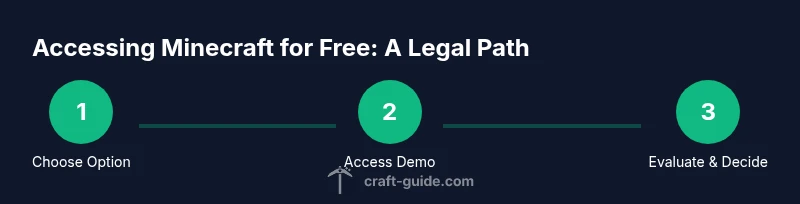
Check eligibility and choose a free option
Review the official free options (Demo, Classic browser version, and Education Edition if eligible) and decide which aligns with your device and goals. This helps you avoid illegal downloads and saves time.
Tip: Start with the Java Edition Demo if you want a structured, supported experience. - 2
Download the official launcher
Visit the official Minecraft site and download the launcher for your operating system. Install it and sign in with your Microsoft account if prompted.
Tip: Verify you downloaded from the official site to prevent malware. - 3
Launch the Demo or trial mode
Open the launcher and select the Demo or trial option. Run through the initial setup prompts and start a new world to experience core gameplay.
Tip: Treat the demo as a learning tool to gauge performance on your device. - 4
Explore Minecraft Classic in a browser
If you want a completely no-install option, open the browser-based Minecraft Classic and experiment with the basic mechanics and building in a nostalgic mode.
Tip: Note that Classic has far fewer features than modern editions. - 5
Check Education Edition eligibility
If you are part of a school or educational program, explore Education Edition through your institution. Individual access is typically not available.
Tip: Education Edition offers classroom-oriented features; contact your educator for access details. - 6
Decide whether to purchase
After trying the official options, evaluate whether Minecraft fits your interests and budget. A purchase unlocks the full game with ongoing support and updates.
Tip: If you enjoyed the trial, purchasing directly from the official site ensures you receive updates and fair licensing. - 7
Create and manage your account
If you proceed with a purchase, set up your Minecraft account carefully and keep credentials secure. Link your Microsoft account to simplify future logins.
Tip: Use a strong, unique password and enable two-factor authentication where available. - 8
Install and start your adventure
Once purchased, reinstall or launch the game from the launcher and begin your first world. Explore tutorials, seed ideas, or community builds to accelerate learning.
Tip: Mark your progress in a journal or save locations to track your learning curve.
People Also Ask
Is there an official free download for the full Minecraft game?
No. The full game requires a paid license. You can access official demos, browser-based Minecraft Classic, and Education Edition if eligible, but none offer a full, unrestricted free download.
There isn't a free full version; you can use official demos and browser options to try before you buy.
What is Minecraft Demo and how long does it last?
Minecraft Demo is a restricted access mode available through the official launcher. It lets you explore core mechanics for a limited time per session, without purchasing. It’s designed to help you decide if you want to buy.
The demo offers limited playtime as a trial, not a full game experience.
Is Minecraft Classic still functional?
Yes. Minecraft Classic is available in a browser and offers a nostalgic, simplified experience. It does not include modern features or updates found in the main editions.
It's a browser-based version with limited features, not a stand-in for the current game.
Who can access Education Edition for free?
Education Edition is designed for schools and institutions. Individual players typically cannot access it for free, but educators may arrange classroom access through their school.
Education Edition is primarily for classroom use.
Are there safe free alternatives to Minecraft?
There are other sandbox games and free demos, but there is no official free equivalent to Minecraft. You can explore safe, legitimate demos or try similar games if you want to compare gameplay.
There isn’t a guaranteed safe free substitute for the full Minecraft experience.
What are the risks of downloading Minecraft from unofficial sites?
Unofficial downloads can contain malware or be counterfeit copies. They may also violate copyright and compromise your account security. Stick to the official launcher and verified demos.
Unofficial downloads are risky and often illegal.
Watch Video
The Essentials
- There is no legitimate free full download for Minecraft.
- Use official demos and browser-based options to explore safely.
- Education Edition exists for institutions; individual access is limited.
- Always prioritize official sources to protect your device and account.