How to Dye Leather Armor in Minecraft
Learn how to dye leather armor in Minecraft using crafting or cauldrons. This guide covers colors, materials, and practical tips for colorful gear and smarter survival looks.


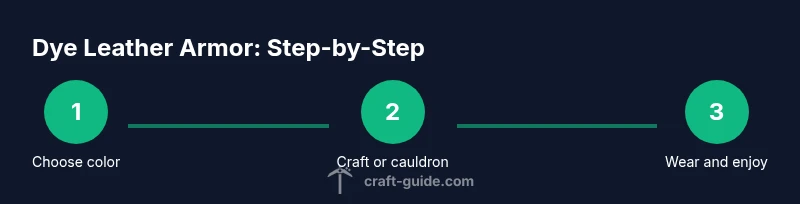
To dye leather armor in Minecraft, choose your method: craft the color into the armor on a crafting table, or use a cauldron filled with water and dye to recolor. Both methods work on all leather pieces (helmet, chestplate, leggings, boots) and result in a vibrant, personalized set. This quick guide walks you through the options and color choices.
Leather armor color mechanics in Minecraft
If you’re asking how to dye leather armor in minecraft, you’re tapping into one of the game’s most satisfying personalization features. Leather armor is unique among gear because its color can be changed to practically any hue available in the dye system. The color you end up with is determined by the dye you select, and the method you choose—crafting table or cauldron—does not change the final color; it only changes the process. This section will explain the fundamentals, so you can plan palettes that match your builds, your server’s theme, or your own roleplay character. Whether you’re crafting for visibility in combat, or for a stylish look on a tranquil custom map, the color system is flexible enough to support both practical and creative goals.
Two primary methods to dye leather armor
In Minecraft, there are two mainstream ways to color leather armor: (1) Crafting table color application, and (2) Cauldron-based dyeing. The crafting method is straightforward: place one dye and one leather armor piece on the 3x3 crafting grid to produce a dyed version of that piece. The cauldron method is a more utilitarian approach that involves filling a cauldron with water, adding dye to color the water, and then dyeing the armor by interacting with the cauldron. Each method yields the same final result—a dyed leather item—but may suit different play styles: crafting is fast and repeatable, while cauldrons offer a more fluid, immersive dyeing experience for builders and roleplayers.
The crafting grid method: quick and reliable
On a crafting table, you can dye a leather armor piece in a simple one-to-one interaction: add dye in any slot and the corresponding armor piece to the crafting grid, collect the output, and you’re done. This method works consistently across all leather armor pieces (helmet, chestplate, leggings, boots) and is ideal when you want to dye multiple items quickly or set up a color palette you can reproduce. The color shown on the output matches the dye color you used, so planning ahead is especially useful for themed builds. Remember: each armor piece requires its own crafting action and dye.
The cauldron method: immersive but slightly slower
If you prefer an immersive dyeing process or are building a display setup, the cauldron method can be appealing. Fill a cauldron with water, add the dye color to tint the water, and then right-click or interact with the leather armor piece placed in or above the cauldron to apply the color. This method is great for large projects or server builds where you want to dye multiple items with a consistent shade. It also allows for rapid re-coloring by adjusting the dye color and re-dyeing the armor as needed.
Color outcomes and color matching
Dye colors range across a spectrum that includes whites, grays, and vivid primaries, up to rich, dark hues. The resulting color on leather armor is a faithful representation of the dye color you choose, though lighting and biome can slightly affect perceived tone in-game. If you’re aiming for specific color schemes (for example, a red faction set or a blue explorer set), plan your palette with primary hues and consider adding accents with dye layers in subsequent steps. You can also mix shades by dyeing a piece a base color, then recoloring with a second dye if you’re aiming for an undertone or highlight.
Practical color palettes for common themes
- Explorer palette: deep blue chestplate, teal leggings, white boots for high-contrast visibility.
- Fire faction: vivid red helmet, orange chestplate, brown leggings for a warm, dynamic look.
- Forest ranger: emerald green chestplate, olive leggings, brown boots for a camouflaged vibe.
- Stealth operator: charcoal gray chestplate and boots with a black helmet for a muted silhouette.
Tip: start with bright colors for quick identification, then tone down with neutral accents to fit your base builds.
How to keep dyed armor organized
Store dyed armor pieces in labeled chests, ideally with color swatches to avoid cross-color mix-ups. If you’re playing in a multiplayer environment, consider separating armor by color sets on dedicated armor stands or in a color-coded storage area. Keeping your dyes, armor pieces, and crafting resources organized saves time and helps you maintain consistency across your builds.
Common questions addressed in this guide
- Can I dye all leather armor pieces? Yes, helmets, chestplates, leggings, and boots can all be dyed using either method.
- Do dye colors affect durability? No; dyeing leather armor only changes color, not durability or protection values.
- Is there a limit to how many colors exist? There are 16 dye colors in Minecraft, offering a wide range of shades for customization.
Getting the color you want: a quick color planning checklist
- Decide your color family (bright primaries vs. muted neutrals).
- Choose a base color that matches your build’s theme.
- Consider accent colors for trim or outlines.
- Decide on a dye method (crafting grid for speed, cauldrons for immersion).
- Prepare a small palette of 3-4 colors for starters and expand later as needed.
Tools & Materials
- Leather helmet(One of the four leather armor pieces to dye.)
- Leather chestplate(Core piece for color coordination.)
- Leather leggings(Optional for full set; dye to match or create a set.)
- Leather boots(Complete the color theme.)
- Dye (any color)(One dye per armor piece; you can mix and match colors as needed.)
- Crafting table(Used for the color-by-crafting method.)
- Cauldron(Optional if you prefer the cauldron dyeing method.)
- Water source(Needed to fill cauldrons for dyeing, if using the cauldron method.)
Steps
Estimated time: 15-30 minutes
- 1
Plan your color palette
Decide which color or set of colors you want for your leather armor. Consider how the color will appear under the lighting in your world and how it complements other gear or builds. This planning stage avoids accidental color clashes and saves time later.
Tip: Sketch a palette on paper or in your in-game notes before starting. - 2
Gather dyes and armor pieces
Collect the dye colors you’ll use and select the leather armor pieces you want to color. For full sets, you’ll repeat the process for each piece.
Tip: Having a few spare armor pieces helps you test colors without reworking your main pieces. - 3
Crafting grid method – place dye and armor
Open a crafting table, place the dye color in any slot, and add one leather armor piece in any adjacent slot. Collect the output—the dyed armor piece.
Tip: Different grid positions don’t change the color; you just need one dye and one armor per piece. - 4
Crafting grid method – repeat for others
Repeat the same process for the remaining armor pieces to complete your set in the chosen colors.
Tip: Organize your results in a color-coded chest to prevent mix-ups. - 5
Optional: cauldron dyeing setup
If you prefer immersion, fill a cauldron with water and add dye to tint the water. Then, interact with each leather piece to apply the color.
Tip: Calibrate lighting in your build space to ensure you see true color while dyeing. - 6
Cauldron dyeing – apply color
Right-click the leather armor piece with the dyed cauldron water to apply color. The result mirrors the dye color you used.
Tip: Work in small batches to keep color consistency across pieces. - 7
Compare methods and finalize
Compare the final colors from crafting vs. cauldrons. Pick the method that fits your project scope and aesthetic preference.
Tip: If you’re doing a themed build, pick a color scheme and stick with it for all pieces. - 8
Equip and test in-world
Equip the dyed armor and walk around your build to see how the colors read in different lighting. Make adjustments if needed.
Tip: Take notes on color appearance in sunlight vs. shade for consistency. - 9
Store extra dyed pieces
Keep extra dyed armor in a labeled chest or on armor stands, so you can reuse them or adjust palettes for future projects.
Tip: Label colors and keep swatches nearby for quick reference.
People Also Ask
Can all leather armor pieces be dyed?
Yes. Leather helmet, chestplate, leggings, and boots can all be dyed using either the crafting grid method or the cauldron method.
Yes, you can dye all leather armor pieces using either method.
Can I dye multiple armor pieces at once?
In the crafting grid, you dye one piece at a time, then repeat for each piece. The cauldron method can dye several pieces if you repeat the action for each item.
You dye pieces one by one; repeat the process for each piece.
Do dye colors affect armor durability or protection?
No. Dyeing leather armor only changes color and does not impact durability or protection values.
No, dyeing doesn’t change durability or protection.
Is there a limit to the dye colors available?
There are 16 standard dye colors in Minecraft, offering a broad palette for customization.
There are 16 dye colors to choose from.
How do I remove dye from leather armor?
There isn’t a built-in removal tool for leather armor in vanilla Minecraft. To reset colors, you typically need to craft a fresh piece or recolor with a different dye.
There isn't a direct erase option; recolor with a new dye or craft a new piece.
Watch Video
The Essentials
- Plan your color palette before dyeing.
- Choose between crafting grid or cauldron methods based on your build style.
- Dyeing colors leather armor without affecting durability.
- Organize dyed armor for quick access and consistency.