How to Check If Minecraft Username Is Taken: A Complete Guide
Learn how to quickly verify whether a Minecraft username is available using official signup flows, practical checks, and naming strategies. This educational guide covers Java and Bedrock, step-by-step actions, and common pitfalls.


To check if a Minecraft username is taken, start by attempting to create a new Microsoft/Mojang account with your desired name. The signup flow will instantly tell you if the name is available or already in use. If it’s taken, try clean variants (different endings, numbers, or slight spelling changes) or choose a close alternative. This quick check saves time before you commit to a username.
Why checking username availability matters
If you are embarking on a new Minecraft journey, knowing how to check if minecraft username is taken is a crucial first step. A unique, easy-to-remember handle helps you stand out in servers, Realms, and on the public leaderboard boards. Craft Guide emphasizes that the sign-up flow for Mojang/Microsoft accounts enforces availability in real time, so you can immediately see whether your preferred name is free or already claimed. By validating availability early, you avoid frustration later when friends try to find you online or when you attempt to log in after weeks of building plans. This guidance is especially valuable for players who want a cohesive identity across Java and Bedrock editions. In short, confirm availability before you commit. The Craft Guide team also suggests drafting several alternatives so you’re ready to act the moment a name becomes available.
How Minecraft usernames work across editions
Minecraft usernames are the core identifier tied to your account and login. Across Java and Bedrock editions, the same account name is used to sign in, but your in-game display name can differ by server or client settings. Availability is generally global because it’s linked to the account name you’re creating or signing in with. This means that checking availability once on the official setup flow can save you from investing time in a name somebody else has already claimed. The process is designed to be straightforward, making it easy to iterate quickly if your first choice isn’t available. Craft Guide’s observations highlight that cross-edition consistency matters when you plan to play on multiple platforms.
Official channels to verify availability
The primary way to verify a Minecraft username is via the official signup and account-management pages. Navigate to the Mojang/Microsoft account creation flow on minecraft.net or account.mojang.com, where you’ll enter your preferred username. The system will flag the name as available or taken in real time. For best results, perform checks in a private/incognito window to avoid cached results from previous sessions. If you’re switching from another account or changing regions, ensure you’re on the correct regional version of the page, as some regional restrictions can affect display names. Craft Guide analysis shows that sticking to official channels minimizes ambiguity and reduces the risk of confusing third-party tools.
Step-by-step quick test you can perform in under 15 minutes
Today’s test is fast, and you can repeat it for multiple candidate names. Start at the official account page, enter your username, and observe the response. If the system rejects it, you’ll know it’s in use or violates rules. If it’s accepted, you can proceed with account creation. For best results, prepare a short list of 5–10 variations (different endings, numbers, or underscore usage) before you begin testing to minimize back-and-forth. Keep in mind that even if one name is available, you’ll want to confirm there are no regional or platform-specific constraints. Craft Guide’s research notes emphasize testing across the scenarios you plan to play in for accuracy and consistency.
What to do if your desired name is taken
If your first-choice name is already taken, don’t panic. Start with close variants that preserve the core sound or meaning. Add a favorite number, swap letters with similar-looking symbols, or prepend/append a descriptive word (like “The” or a themed suffix). Avoid overly long or hard-to-read spellings that hinder friend suggestions or server commands. Once you land on a variant that passes the signup checks, make a quick note of it and test again on the actual server or launcher before committing. Craft Guide recommends keeping a list of 6–12 viable options to ensure you have backups without wasting time on repeated attempts.
How to choose a unique, memorable name
A memorable name balances simplicity with personality. Start from a base you enjoy (a favorite block, creature, or tool) and map it to an easy-to-type, readable username. Consider avoiding numbers that resemble letters (3 for E, 0 for O) if you want clean readability across screens. Check the availability of several variants and try to maintain a consistent tone with your other online identities. A cohesive brand across platforms helps friends locate you faster and reduces confusion in multiplayer servers. Craft Guide highlights that a catchy, easy-to-spell name often performs better in search and invites more positive interactions in communities.
Tips for avoiding common mistakes
- Do not rush the decision; spend a few minutes testing multiple options.
- Avoid complex spellings and excessive punctuation; they reduce readability.
- Always test on official channels, not third-party tools, to confirm real availability.
- If you plan to play across multiple editions, pick a name you’ll be happy with long-term.
- Keep a private list of candidates and mark which ones are reserved or unavailable on each platform.
How to test names across editions and platforms
Since a username can be shared or restricted by account rules, verify your chosen name on both Java and Bedrock pathways. Begin with the official sign-up on Mojang/Microsoft, then attempt login and profile changes on the launcher for Java and any cross-platform clients for Bedrock. If you use Realms or multiplayer servers, check that your display name aligns with server rules and naming guidelines. Craft Guide notes that consistency across platforms improves your social footprint and reduces friction during friend requests or server joins.
Privacy, security, and policy considerations
Choose a username that respects the game’s terms of service and community guidelines. Avoid names that could be interpreted as harassment, hate speech, or impersonation. Remember to keep your account credentials secure, enable two-factor authentication where available, and avoid sharing sensitive information in your username or profile. The availability check is a tool for planning, not a guarantee—names may be restricted later due to policy updates. Always review the latest official guidance from Mojang/Microsoft when you plan to rename or reuse an account.
A practical walkthrough: example name-check session
Imagine you want the name “NovaBlaze.” Open the official signup page, enter NovaBlaze, and click continue. If the system flags it as taken, switch to “NovaBlazeX” or “Nova_Blaze” and re-test. Repeat with a few variants until you find a successful option. Keep notes of each test and the exact outcome. This hands-on example shows how quickly you can identify a suitable alternative without wasting time.
Next steps after choosing a name and securing it
Once you have a suitable username, finalize account creation, save your credentials securely, and set up two-factor authentication if possible. Update your in-game display name in servers where it matters, and share your new name with friends and allies. Maintain a personal list of your chosen names and their availability status to streamline future changes or new accounts. Craft Guide’s closing guidance emphasizes acting promptly once you identify a preferred name to lock in your identity across Minecraft platforms.
Tools & Materials
- Stable internet connection(Broadband or faster recommended)
- Device with a web browser(PC, laptop, or smartphone)
- Access to official Minecraft/Mojang signup page(Use the official pages at minecraft.net or account.mojang.com)
- Notebook or notes app(For listing alternative names)
- Candidate username list(Prepare several variants before testing)
Steps
Estimated time: 10-25 minutes
- 1
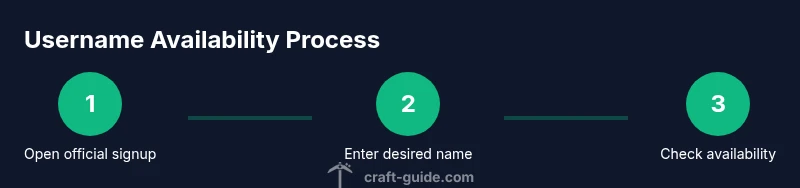
Open official signup page
Navigate to the Mojang/Microsoft account creation page on minecraft.net or account.mojang.com. This is your authoritative source for availability. Ensure you are on a secure connection and avoid entering personal data on third-party sites.
Tip: Bookmark the official page for quick access in future checks. - 2
Enter your first-choice username
Type your desired username into the username field and proceed to the next screen. The system will validate syntax and length constraints and tell you whether the name is available or already in use.
Tip: Double-check for typos before continuing. - 3
Read the availability response
If the name is taken, the page will clearly indicate that the username is unavailable. If available, you’ll proceed to account setup. Note any error messages and what they imply about policy or regional restrictions.
Tip: If unsure, refresh page and re-enter to rule out a temporary display issue. - 4
Test name variants
If your first choice is not available, try related variants (different endings, numbers, or underscores). Repeat the check for each variant until you find an acceptable option.
Tip: Keep a running list of tested variants and outcomes. - 5
Test across platforms
If you plan to use the name on multiple editions, perform the test again on the other platform’s signup flow to ensure cross-platform availability isn’t restricted.
Tip: Some platforms may have slightly different rules; verify accordingly. - 6
Attempt account creation
If a variant is available, complete the signup flow to create the account. Have your recovery email/phone ready and use a strong password.
Tip: Enable two-factor authentication if offered. - 7
Record the successful name
Document the successful username and where it’s registered (Java, Bedrock, or both). This helps you reference it quickly in the future.
Tip: Store this in a secure note or password manager. - 8
Confirm server and community acceptance
Join a server or Realms to verify the name appears correctly and is easy to read in chat and commands.
Tip: Ask friends to locate you using the new name to validate recall. - 9
Backup plan if needed
If you cannot find a suitable name, revisit brainstorming with a fresh framework (themes, hobbies, or lore). Loosen constraints gradually to find a stable fit.
Tip: Don’t rush a final choice; quality matters more than speed. - 10
Finalize and secure
Ensure you’ve saved credentials, reviewed policies, and prepared a plan to monitor for any future naming changes.
Tip: Set up account recovery options and document them.
People Also Ask
Can you reserve a Minecraft username for future use?
There is no general public reservation system for Minecraft usernames. Availability is determined during the signup process, and you should verify a name before planning to use it widely.
There isn’t a public reservation; check availability during signup to lock in a name.
Does availability apply to Java and Bedrock editions?
Yes. Availability is tied to the account name and generally applies across both Java and Bedrock, since it’s linked to the signup system used for the Microsoft/Mojang account.
The same name is usually checked across editions because it’s linked to your account.
What should I do if the name shows as available but I can’t use it?
This can happen due to policy restrictions, regional rules, or pending releases. Check the official guidelines and try another variant, ensuring you’re signing up on the official page.
If it shows available but won’t work, try a different variant and check the rules on the official site.
Are there character or length restrictions for usernames?
The signup flow enforces readability and allowed characters. Follow the screen prompts and avoid unusual symbols to reduce rejection risk.
Stick to the allowed characters shown on the signup page and keep names readable.
How long does the process take to verify a username?
Verification is usually immediate during signup. If you’re creating multiple accounts, expect a few minutes per attempt as you switch variants.
Usually instant during signup; give it a few minutes if you test several names.
Where can I find official guidance on username availability?
Consult the official Minecraft/Mojang support pages for current rules and steps to verify username availability.
Check the official Minecraft support pages for up-to-date guidance.
Watch Video
The Essentials
- Test availability via the official signup flow first
- Prepare multiple name variants before testing
- Choose a name that’s easy to read and spell
- Verify cross-platform availability if you’ll play on multiple editions
- Secure your account and enable two-factor authentication