Best Way to Play Minecraft: A Practical Guide for All Players
Discover the best approach to playing Minecraft, from edition choices and performance tuning to playstyle alignment and community learning. A practical, step-by-step guide for beginners to advanced players.


To play Minecraft in the best way, start by defining your goal—survival, creativity, or competition—and match your setup, controls, and mods to that aim. Prioritize performance, learn the basics quickly, and join communities for knowledge and feedback. This guide helps you pick modes, optimize settings, and build a practice routine that scales from beginners to seasoned players.
Defining your playstyle: why it matters
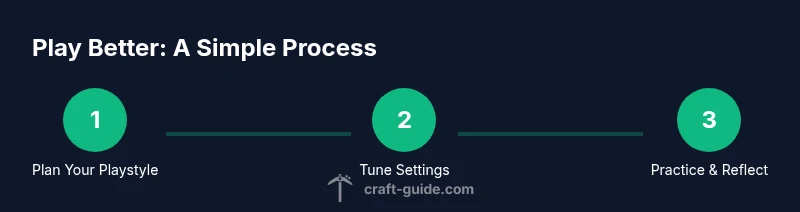
The first question every player should answer is what they want from Minecraft. Do you crave challenging survival, unlimited creativity, or fast-paced competition? Your goal shapes every choice—from world design and resource gathering to how you practice skills and measure progress. When you align your playstyle with your in-game routines, you stay motivated, avoid burnout, and pick the right settings, seeds, and communities. Craft Guide recommends writing a clear playstyle statement and revisiting it after a few sessions to ensure your actions stay aligned with your goals. Think of your playstyle as a north star for decisions about difficulty, exploration pace, and what you consider progress. If you’re collaborating with friends, agree on a shared objective early, so everyone contributes toward the same outcomes. Finally, be ready to adjust as you grow; your preferences will evolve with experience and new updates.
Platform, edition, and setup considerations
Minecraft editions differ in features, mod support, and cross-play. Java Edition offers deeper customization and a robust modding scene, while Bedrock Edition prioritizes cross‑platform multiplayer and smoother performance on a wide range of devices. Before you dive in, confirm which edition you and your friends will use, as it affects servers, resource packs, and compatibility. Check your device: a gaming PC or modern console benefits from 8-16 GB RAM and a solid SSD or fast HDD; if you play on mobile, optimize settings to preserve battery life and frame rate. Creative worlds may run fine on modest hardware, while large survival servers demand better storage and CPU. Craft Guide analysis shows that starting with the edition your usual group uses reduces setup friction and frustration, helping you focus on gameplay rather than compatibility issues.
Performance and graphics: getting smooth gameplay
Performance is about consistency, not just peak framerate. Start by setting render distance to balance visuals with FPS, and disable heavy effects like fancy graphics and clouds if you’re hardware-limited. Turn off particles for large builds to reduce micro-stutter, and consider using a performance-focused pack or OptiFine where allowed. In Java Edition, allocate RAM carefully via the launcher—too little limits you, too much can hurt system stability. On Bedrock, toggle settings like fancy graphics and render distance for a cleaner experience on consoles and low-end PCs. For multiplayer, ensure your network is stable and consider using wired connections whenever possible. Craft Guide analysis notes that many players underestimate the impact of simple tweaks on long sessions; small changes add up to a noticeably smoother, more enjoyable experience.
Modes and play patterns: survival, creative, and beyond
Minecraft supports many playstyles beyond the core modes. Survival challenges you to manage hunger, health, and resource scarcity while defending against mobs. Creative provides unlimited resources to design, build, and test ideas without threats. Adventure mode, spectator, and custom maps broaden ways to play with friends and communities. The best approach is to try at least two modes to understand what you enjoy most, then establish a routine that mixes exploration, building, and learning. Consider starting a small project—like a starter house or a basic redstone farm—to anchor your progression. Finally, explore community maps and servers to see practical implementations of design patterns you admire and to gather feedback.
Essential controls and UI tips for beginners
Learning the basics fast helps you feel confident sooner. Master hotbar shortcuts (1-9), inventory management (E opens the inventory), chat (T), and quick access to tools (F for full-screen, F1 to hide UI). Customize your keybinds if needed to fit your hands and your style of play. Use the pause menu to review your controls and adjust sensitivity, brightness, and audio levels for comfort during long sessions. Enable subtitles for easier following of dialogues on servers, and consider enabling auto-jump off to maintain deliberate movement. Craft Guide recommends practicing these basics in a clean, distraction-free world during your first sessions.
Building a solid foundation: world design and progression
Your world design influences how you learn and grow. Start with a safe starter area—flat space with a nearby resource vein, a water source, and a basic shelter. Create a simple progression loop: gather basic materials, secure food, establish a beacon of safety (beds, torches, fences), and start a permanent base. Keep a notepad or in-game journal to track discoveries, seeds, and useful resources. As you expand, design your base with modular rooms and clear pathways, so future builds are easier to add. Progression should feel visible: milestones like first diamond, redstone basic, or a full automatic farm should be documented and celebrated.
Expanding with communities, servers, and mods
Multiplayer can accelerate learning and spark creativity. Try public servers or Realms to experience different rulesets, economies, and communities. If you enjoy modding, research reputable mod lists and ensure compatibility with your edition and version. When joining communities, read the rules, respect building etiquette, and participate in collaborative projects. Keep backups before joining new servers or installing mods, and ask for feedback to improve your builds and strategies. Craft Guide notes that collaboration often yields the most rapid growth, as you gain exposure to diverse approaches and techniques.
Safety, backups, and troubleshooting
Protect your worlds with regular backups and careful version management. Use separate storage for backups and annotate changes so you can revert if something breaks. For troubleshooting, start with common issues: connectivity, crashes, and texture pack conflicts. Always verify game files if you suspect corruption, and consult server or mod documentation for compatibility questions. If you run into a problem you can’t solve alone, seek help from trusted community channels and document the steps you took to reproduce the issue.
Best practices for long-term growth
To sustain momentum, establish a regular play cadence—short, focused sessions with clear objectives; long sessions for ambitious builds. Maintain a learning log of skills, seeds, and techniques; update it when you try new strategies. Invest time in small, repeatable projects that unlock new mechanics, then revisit older builds to improve efficiency. Finally, keep an open mind about new features, patches, and community innovations; adaptability is the core skill that separates casual players from seasoned builders. Craft Guide encourages readers to view Minecraft as a journey, not a destination, and to celebrate incremental progress.
Tools & Materials
- Computer or console with Minecraft installed(Ensure your device meets minimum requirements for smooth gameplay)
- Stable internet connection(For online play, updates, and server access)
- Input devices (mouse & keyboard or controller)(Comfortable setup for long sessions)
- Minecraft account and edition confirmation(Choose Java or Bedrock based on play goals)
- Backup strategy (external drive or cloud)(Regular world backups are essential)
- Optional: performance tweaks/mods (e.g., OptiFine)(Use reputable sources and ensure compatibility)
- Headphones with mic for VOIP (optional)(Clear communication with teammates)
- External storage for world saves(Plan for growing worlds)
Steps
Estimated time: 2-3 hours
- 1
Define your playstyle
Decide whether you want survival, creative, or competitive play. This choice guides settings, world design, and progression goals. Establish a clear objective you can revisit regularly.
Tip: Write down your main goal and keep it visible as you play. - 2
Choose edition and platform
Select Java or Bedrock based on features, mod support, and who you play with. Verify server compatibility and friends' edition before committing.
Tip: If playing with friends on multiple devices, Bedrock may be the easiest entry point. - 3
Tune performance settings
Adjust render distance, graphics, and lighting to balance visuals and FPS. Consider OptiFine or performance-focused packs if allowed on your version.
Tip: Test changes in a small world and measure stability before diving into long sessions. - 4
Set up a starter world
Create a safe base area with basic resources, food, torches, and a secure shelter. Establish a simple progression loop to anchor learning.
Tip: Choose a seed with nearby resources to reduce early grind. - 5
Learn core mechanics
Practice movement, mining, crafting, farming, and combat in a controlled environment. Use a single area to drill fundamentals before expanding.
Tip: Limit distractions and focus on one mechanic per session until fluent. - 6
Join a community and iterate
Find a server or group to learn from others, share builds, and get feedback. Iterate on designs based on real-world play.
Tip: Take notes of tips you apply and track improvements over time.
People Also Ask
Which edition is best for beginners?
Bedrock offers broad cross-platform play and easier access, while Java provides deeper customization and modding. Choose based on who you’ll play with and which features you value most.
Bedrock is great for cross‑platform play; Java is best for modding and customization.
Should I use mods or resource packs?
Mods add new features and can boost performance, but require careful version matching. Resource packs change visuals without modifying core gameplay. Always backup first and use reputable sources.
Mods and resource packs can enhance gameplay, but back up and use trusted sources.
How long does it take to learn the basics?
It varies by player, but consistent practice helps. Start with core mechanics and simple goals, then expand as you gain confidence.
It varies by player; regular practice speeds up progress.
Is multiplayer necessary to enjoy Minecraft?
No. You can enjoy Minecraft solo, but multiplayer often accelerates learning and expands creative opportunities.
Multiplayer isn't required, but it can speed up learning and add variety.
What’s the easiest way to practice core mechanics?
Create a dedicated practice world or area and set small, repeatable goals for mining, farming, and building until fluency improves.
Practice in a dedicated area with small, repeatable goals.
How can I backup worlds effectively?
Set a regular backup schedule and store copies off-device if possible. Label backups clearly and test restoration.
Back up regularly and test restores.
Watch Video
The Essentials
- Define your playstyle to guide decisions.
- Choose edition with your group to reduce setup friction.
- Tune performance for smooth, long sessions.
- Start with a solid starter world and core mechanics.
- Engage with communities to accelerate learning.