Minecraft Building: A Practical Guide to Crafting Cohesive Structures
Learn practical, beginner-friendly techniques for planning and building cohesive Minecraft structures with style, texture, and scale. This guide covers aesthetics, materials, proportions, and finishing touches for durable, visually appealing builds.


By the end, you'll be able to plan a cohesive Minecraft building project, choose an architectural style, map out a scalable frame, select appropriate materials, and implement finishing details that look polished in-game. The steps cover from concept to completion, with practical tips suitable for beginners and advanced builders alike, plus quick checks for proportion and lighting.
Minecraft Building Foundations
In any great Minecraft building project, foundations are more than a quick base. They define proportions, sightlines, and how your structure sits within the world. Start by deciding the build's purpose: a compact house, a sprawling villa, or a fortress. Then pick a grid size that matches your style—8×8, 12×12, or larger—so every room and facade can align cleanly. A disciplined grid helps you avoid awkward overhangs and wonky angles. As you plan, sketch rough silhouettes and label key dimensions, even if you never place the blocks on the first pass. Craft Guide’s guidance emphasizes deliberate planning as the best path from idea to finished build, especially for beginners seeking cohesion. This foundation mindset mirrors real-world architecture and helps you translate imagination into playable, visually pleasing results.
According to Craft Guide, starting with a clear foundation reduces rework and keeps your build coherent as you expand.
Planning Your Build: Style, Scale, and Palette
Choosing a style sets tone for your Minecraft building project. Do you want medieval timber framing, modern glass and stone, or rustic hilltop cottages? After selecting a style, decide on scale relative to your world and road network. A common approach is to plan in modules or rooms that repeat with variations, so extending the build later remains coherent. Create a small palette of blocks that express the style—three to five primary materials and a few accent blocks for details. Keep contrast respectful: pair light and dark tones but avoid jarring color clashes. Craft Guide’s team recommends building a visual palette before touching the first block, which reduces on-the-fly block hunting and keeps the project focused. Document your choices in a simple reference so future additions stay aligned with the original vision.
Block Palette and Materials: Choosing Realistic Sets
Block choice defines texture and mood as much as shape. Start with foundational blocks—stone, brick, or concrete—that establish the base rhythm. Then layer with secondary materials like wood, glass, and slabs to create depth without clutter. A well-chosen palette will look cohesive from different angles and lighting conditions. While experimenting in Creative, build a few micro-models of facades to compare how different combinations read at a distance. Remember to test both day and night lighting to see where shadows fall and where glare occurs. According to Craft Guide analysis, disciplined palettes outperform ad‑hoc mixes, delivering more polished builds that feel intentional rather than improvised.
Structural Framework: Grids, Skeletons, and Modular Design
Think of your build as a skeleton with a core grid. Use modular sections—rooms, towers, wings—that can be replicated and rearranged without structural incompatibilities. Establish doorways and window openings on consistent alignments to guide the eye and improve navigability. Craft techniques like offset corners, setbacks, and layered facades to avoid flat, boxy shapes. In practice, lay down a basic frame with a few key blocks, then test proportions from eye level and from nearby terrain. A modular approach makes it easier to expand later, whether you’re adding a second floor or an entire wing. The Craft Guide team notes that modularity helps builders scale projects gracefully while maintaining proportion and rhythm.
Lighting and Mood: Atmosphere Without Performance Loss
Light is a sculpting tool as much as a safety feature. Plan lighting early to shape mood, define rooms, and guide players through spaces. Use a mix of light sources—soft glow for living areas, brighter fixtures for hallways, and warm hues for cozy nooks. Place lights at integer block intervals or along architectural lines to avoid hot spots and dark corners. In Minecraft, performance can suffer with excessive lighting, so aim for strategic placement and efficient sources like lanterns or glowstone tucked behind decor. Craft Guide’s practical advice emphasizes lighting as a design element, not just illumination, helping you create ambiance without slowing down gameplay.
Textures and Finishes: Concrete, Wood, and Stone Techniques
Texture is how a structure speaks to the eye. Combine materials in layers: a stone or brick base, wood accents, and glass for transparency. Use varying block variants to create subtle color shifts—for instance, oak and spruce interplay or basalt and slate mixes. Break up flat walls with recesses, ledges, and vertical lines to catch light and break repetition. Playing with texture requires restraint; too much variety makes a facade noisy. Practice micro-textures on test panels before committing to a full wall. Recent builds show that thoughtful texturing can transform a simple block box into a visually compelling landmark. This attention to detail is a hallmark of modern Minecraft building.
Landscaping and Surroundings: Plots, Terrains, and Context
Buildings live in a landscape, so plan surroundings that enhance the main structure without overpowering it. Design pathways, stairs, gardens, and terrain adjustments that connect to roads or river mouths. Consider the scale of nearby hills, forests, or water features to ensure the build sits naturally in its biome. Subtle changes in terrain—the slope of a foundation, a stepped terrace, or a raised deck—add interest and realism. Include context-minded details like fences, planters, and integrated lighting to safely guide players at night. Craft Guide analysis highlights that environments amplify the impact of the core design, making your build feel intentional rather than isolated.
Common Pitfalls and How to Fix Them
New builders often struggle with proportions, palette clashes, and missing context. If a facade looks bulky, double-check the width-to-height ratio and remove unnecessary blocks; try a lighter texture or a smaller overhang. When colors clash, simplify the palette to a select few tones and emphasize contrast with textures rather than color. If a build feels disconnected from its surroundings, rework the base or add contextual features like landscaping and approach routes. Recording a quick before/after of changes helps you see improvement and facilitates iteration. Remember: small refinements over time compound into a polished result that reads well from multiple angles.
Showcase and Iteration: How to Critique and Improve
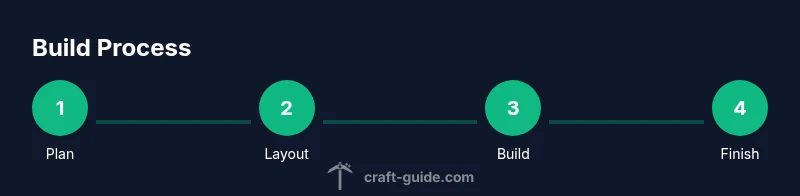
A great build is rarely perfect on the first attempt. Set a timer for a structured critique session and walk around the model at different heights. Note what reads clearly from a distance and what looks cluttered up close. Take screenshots, annotate decisions, and compare against your original goals. Invite trusted friends or guildmates to provide feedback, then adjust your palette, proportions, or landscaping accordingly. The iterative mindset—plan, build, review, revise—is the engine behind evolving skills in minecraft building. Craft Guide’s approach champions patient refinement and practical experimentation.
Collaboration and World-Building with Friends
Team projects add energy and scale but require clear coordination. Assign roles (palette planner, layout designer, and builder) and establish a shared reference document so decisions stay aligned. Use a modular build approach so teammates can contribute disjoint sections that fit together later. Schedule periodic reviews to align on style and progress, and practice version control by saving variant builds or using separate worlds for experiments. Collaboration teaches you to communicate design intent, handle constructive feedback, and coordinate complex aesthetics across multiple players.
Practice Exercises: Progressive Builds
Develop your skills with a series of escalating exercises. Start with a small two-room house, progress to a village row of five homes, then attempt a two-story public building with an interior plan. Each exercise should have a defined palette, a set proportion guideline, and a lighting plan. After finishing each project, compare against your earlier results and note improvements in proportion, texture, and layout. This incremental approach helps you build muscle memory for planning and block placement while reinforcing the habits of thoughtful Minecraft building.
From Idea to Finished Build: A Quick Rehearsal Checklist
Before you declare victory, run through a concise checklist: confirm the base grid is consistent, verify the palette remains cohesive across all sections, test navigation and lighting, and ensure landscaping complements the structure. Do a quick export or take screenshots to share with friends for feedback. Finally, reflect on what you learned and plan your next project using the same modular approach. With a disciplined workflow, your Minecraft building projects become dependable, scalable, and enjoyable.
Tools & Materials
- Minecraft game (Java or Bedrock) in Creative or with build permissions(Ensure you are in Creative mode or have build permissions to access all blocks and fly for layout planning)
- Grid planning tools (graph paper or planning app)(8x8 grid recommended; helps maintain proportions and alignment)
- Block palette reference sheet (wood, stone, glass, concrete)(Preselect a cohesive palette to speed up decision-making during build)
- In-game test plots (small build snippets)(Optional practice zones to compare texture and lighting combinations)
- In-game lighting blocks (lanterns, glowstone, sea lanterns)(Test mood and visibility without overloading the scene)
Steps
Estimated time: 4-6 hours
- 1
Define your build goal
State the purpose, style, and scale of the project in a single sentence. This becomes your north star as you make design choices.
Tip: Write the goal on a sticky note and place it near your screen in Creative mode. - 2
Create a rough silhouette
Sketch a basic outline or block model of the structure’s footprint. Focus on overall shape rather than details at this stage.
Tip: Use a simple 2D grid to map walls and openings before placing any blocks. - 3
Build the core frame
Lay the primary walls and structural beams using a modular approach. Ensure alignment with the grid and scale.
Tip: Keep a spare section as a template for future wings. - 4
Test the block palette
Assemble short facades with your chosen materials to compare read at distance and under different light.
Tip: Take a distant screenshot to evaluate contrast and rhythm. - 5
Refine proportions and openings
Adjust doorways, windows, and wall thickness to improve balance and readability from multiple angles.
Tip: Install windows at consistent heights for a cleaner look. - 6
Add lighting and landscaping
Place lighting strategically to shape mood and guide movement; sketch surrounding terrain, paths, and greenery.
Tip: Use warm lighting for cozy areas and cooler tones for modern sections.
People Also Ask
What is the first step to start a Minecraft building project?
Begin with a clear goal and style, then sketch a rough layout to anchor decisions. This reduces backtracking and keeps the build cohesive.
Start with a clear goal and rough layout to anchor your decisions and keep the build cohesive.
How should I choose a block palette for a cohesive build?
Select a small set of primary materials and a few accents. Test reads at distance and in different lighting, then commit to the palette.
Choose a small primary palette and test it under light to ensure cohesion.
How can I ensure my build scales well when expanding?
Use modular rooms with standardized dimensions and connect them with a unified grid. This lets you extend without breaking proportions.
Build in modular rooms that fit your grid, so you can extend later without breaking the look.
What are tips for efficient lighting that doesn't hurt performance?
Place lights strategically to shape mood and guide movement; use efficient sources like lanterns and stone-based lighting where possible.
Light areas strategically with efficient sources to keep performance smooth.
What are common beginner mistakes in Minecraft building?
Proportions, palette clashes, and neglecting surroundings are frequent issues. Fix by revisiting the grid, simplifying textures, and landscaping thoughtfully.
Many beginners struggle with proportions and surroundings; simplify and iterate.
How can I share and get feedback on my builds?
Export the map or take screenshots, publish to a world download, or use a server to gather feedback. Peer input accelerates improvement.
Share screenshots or maps to get feedback and improve faster.
Watch Video
The Essentials
- Plan before placing blocks to guide design.
- Use a limited, cohesive palette for cohesion and readability.
- Design with modular sections for scalable builds.
- Prioritize lighting as mood and navigation, not just utility.
- Iterate through testing and feedback to refine the build.