Crafty Minecraft: Practical Builds for Creative Players
Learn practical, step-by-step crafty minecraft builds with clear instructions, tips, and visuals from Craft Guide. Perfect for beginners to advanced players seeking efficient, modular craft techniques.


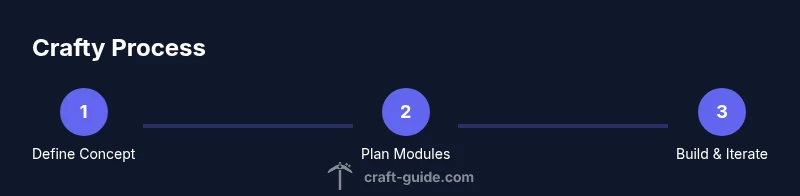
Crafty minecraft guides you through planning, building, and refining modular, visually appealing Minecraft projects. This tutorial-style approach emphasizes practical steps, repeatable methods, and common materials you can adapt to any theme. By following the steps, you’ll learn to break big ideas into manageable modules you can test, iterate, and showcase with confidence.
What crafty minecraft means and why it matters
In Craft Guide's view, crafty minecraft is about turning simple resources into purposeful, aesthetically pleasing builds that are both fun to create and practical to use in-game. The approach emphasizes modular design, readable textures, and iterative testing. For players from beginners to advanced, the idea is to blend clever crafting with solid build fundamentals to make projects that endure. According to Craft Guide, this mindset helps you translate everyday ideas into compact, repeatable building blocks that scale from a small desk-sized statue to a full fortress.
Crafty minecraft also invites you to consider how a design will function in survival mode, where resources are finite and placement matters. By thinking about efficiency, durability, and readability, builders learn to plan for both immediate visuals and long-term playability. This mindset is especially helpful when teaching others or sharing blueprints since repeatable modules simplify replication.
Core principles of crafty builds
Crafty builds hinge on a few core ideas: modularity, symmetry, texture, and light. Modularity means designing sections that can be swapped or scaled without breaking the whole; symmetry provides balance, while texture gives variety using different block types. Lighting matters for mood and readability, especially at in-game distance. Color theory helps create contrast and cohesion across materials. In practice, start with a simple module, test it in-situ, then replicate or adapt. Craft Guide believes that consistent rules outperform last-minute improvisation, so keep a palette and a layout template you can reuse across projects.
Applying these principles means detailing patience: you don't need to finish every corner in one session. Instead, build a small, repeatable unit, then mirror or adapt it to other areas. This approach helps you scale from a single statue to a themed village by keeping the core elements intact while expanding with new modules.
Planning your crafty project: concept to execution
Begin with a clear concept: what is the build’s purpose, environment, and scale? Sketch a rough layout on paper or in your preferred planning tool, outlining modules such as base, detailing, and lighting. Define constraints like available space, biome, and texture palette. Break the concept into repeatable units, then draft a simple grid plan to map positions. Before placing any block, list the required materials and a rough timeline. The goal is to move from idea to a testable draft quickly, then iterate.
A good plan includes a visual cue for color and texture at each module, so you can spot clashes early. Keep a running checklist of blocks needed and keep a backup stash for tweaks. When you have a draft that aligns with your concept, you’re ready to build with confidence.
Selecting resources and tools for crafty minecraft
Gather core materials in the right quantities and choose blocks that read well in-game. Focus on a balanced palette: primary blocks for structure, secondary blocks for texture, and accent blocks for highlights. Use scaffolding or ladders to reach elevated areas safely during construction. Keep a crafting table and a furnace handy to craft on-site when adjusting designs. Optional tools like a light source, a color palette chart, and a simple notebook for planning speed up decisions. Remember to collect extra blocks to allow for on-the-fly tweaks.
Organizing your inventory before you start saves time and prevents mid-build backtracking. Consider keeping a dedicated crafting area and a quick-reference palette on a nearby wall so you can compare blocks at a glance. If you're working with friends, define shared modules to keep styles cohesive across the project.
Building techniques: blocks, texture, and mods
Great crafty builds rely on deliberate texture transitions and clean lines. Use a combination of block types to create subtle shading—smooth stone, stone bricks, and polished diorite, for example. Mix light sources to enhance depth and readability at night. If you use mods or resource packs, pick compatible options that maintain the palette and avoid clutter. Practice symmetry with reflective surfaces or mirrored modules, and employ repeating patterns to create rhythm. Finally, document your process as you go; it makes it easier to recreate or teach others.
Experiment with small variations in texture within modules to keep the design readable from a distance. With time, you'll learn which patterns read best in different biomes and lighting conditions.
Troubleshooting common craft-related issues
Even well-planned builds hit snags. Misaligned modules appear when corners aren’t measured; recheck grid coordinates and use temporary markers to keep sections aligned. Color clashes happen when palettes lack contrast; test swatches under different lighting and adjust hues. Performance problems may arise on large, voxel-heavy designs; optimize by reducing block variety in distant areas or loading smaller chunks of your world. If you see jagged edges on curved shapes, switch to more blocks with slight offsets to smooth the curve.
When you face a persistent problem, step back and redraw the module on graph paper or in a planning tool. This practice helps you spot the root cause and prevents recursive mistakes.
Showcasing and iterating on your crafty minecraft creations
Once your build reads well up close, step back to judge scale and cohesion. Take screenshots from multiple angles and invite feedback from friends or the community. Use the feedback to plan small iterations rather than large rewrites; modular tweaks are faster and less risky. Finally, create a simple guide or blueprint within your world so others can replicate your technique. The Craft Guide team emphasizes sharing progress to inspire others and to refine your methods through practice.
Tools & Materials
- Crafting table(Essential for all crafting; ensure you have a crafting bench accessible in your workspace.)
- Furnace(Useful for on-site resource processing during planning and tweaks.)
- Blocks for base structure(Choose stone, wood, or your theme’s materials with enough variety for texture.)
- Color blocks (wool/concrete/terracotta)(Keep a cohesive palette; pick a primary color and 2-3 accents.)
- Scaffolding or ladders(To reach elevated areas safely during construction.)
- Shears(Optional for quick texture changes or cleanup.)
- Notebook or design tool(Record palette, coordinates, and modifications.)
Steps
Estimated time: 90-120 minutes
- 1
Define concept and constraints
Set a clear objective for the build, including environment, scale, and palette. Write down the constraints so you can make consistent decisions as you build.
Tip: Start with a one-line concept and list the three non-negotiable constraints. - 2
Gather resources and map layout
Collect the core materials and sketch a rough grid plan that outlines base, detailing, and lighting zones.
Tip: Create a quick map of footprints to avoid layout conflicts later. - 3
Build skeleton and grid
Lay out the basic framework with simple blocks to establish proportions and space usage before adding detail.
Tip: Keep the skeleton modular so you can swap parts without rebuilding. - 4
Add texture and color accents
Introduce texture by mixing block types and apply color accents to guide the eye and establish depth.
Tip: Test color palettes in different lighting to ensure readability. - 5
Integrate lighting and depth
Place light sources thoughtfully to emphasize features and avoid flat appearances.
Tip: Use layering of blocks to simulate shadows and highlights. - 6
Test scale and adjust
Step back and compare with your planning map; adjust proportions if parts feel oversized or undersized.
Tip: Make small, iterative changes rather than large rewrites. - 7
Document progress and iterate
Record progress with notes and screenshots; plan subsequent iterations based on feedback.
Tip: Create a simple blueprint so others can learn your approach.
People Also Ask
What is crafty minecraft?
Crafty minecraft is an approach focused on practical, aesthetically pleasing builds created through modular design, clear planning, and iterative testing. It emphasizes using common materials and repeatable methods to make projects that are both functional and visually engaging.
Crafty minecraft is about building practical, pretty Minecraft projects through modular planning and guided steps.
Do I need mods to do crafty builds?
No—crafty builds can be done in vanilla Minecraft. Mods or resource packs can enhance visuals or efficiency, but they are not required to create solid crafty designs.
Mods aren’t required; you can achieve crafty builds with vanilla Minecraft, though mods can help with visuals if you want.
Is this guide suitable for beginners?
Yes. The steps are concrete and modular, so beginners can start with small projects and gradually expand their builds as confidence grows.
Absolutely. Start small and build up as you gain experience.
What materials are best for color variety?
Wool, concrete, and terracotta offer strong color variety. Choose a cohesive palette and reserve bold colors for accents to keep the design readable.
Wool, concrete or terracotta are great for color variety; use a cohesive palette with bold accents.
How can I improve performance while building?
Durable crafting sessions vary; work in a focused world or in smaller, staged builds to avoid overloading the system. Keep chunk loading manageable and limit block variety in distant areas.
Build in smaller stages and limit block variety in distant zones to keep performance steady.
Watch Video
The Essentials
- Plan modular builds before placement.
- Choose a cohesive color palette and stick to it.
- Use lighting to add depth and mood.
- Iterate in small steps and document progress.