How to Make Your Minecraft Base Look Better
Step-by-step tactics to improve your Minecraft base aesthetics with layout, palette, lighting, and details. Learn practical, beginner-friendly methods from Craft Guide.


You will learn how to make your Minecraft base look better by aligning layout, materials, lighting, and details. Start with a clear plan and a cohesive palette, then layer texture and depth with careful detailing. Essential tools are basic building blocks, scalable blocks for height variation, and a lighting strategy that emphasizes atmosphere.
Why a well-designed base matters
A strong first impression in Minecraft often comes from how your base sits in its landscape. A cohesive exterior signals intent, makes your world feel intentional, and helps you stay organized during long building sessions. When bases look purposeful, you’re more motivated to expand, test new ideas, and invite friends to explore. Beyond aesthetics, thoughtful design reduces wasted space, speeds up navigation, and clarifies your base’s function.
According to Craft Guide, consistency in scale and silhouette matters as much as flashy blocks. A simple, recognizable outline is easier to imagine and easier to extend later. This doesn't mean every wall must be perfect, but a shared rhythm across walls, towers, and entrances creates a cohesive vibe that reads well at a distance. Finally, a well-lit base feels alive even at night, guiding you toward key features and discouraging stray mobs. In short, aesthetics aren’t frivolous; they support exploration, creativity, and efficient progression.
Core design principles for aesthetics
Aesthetics in Minecraft balance function and beauty. Aim for rhythm, contrast, and unity rather than random swaps of color. Uniform window sizes or repeated roof angles create a visual cadence that the eye can follow. Use a limited color palette and then introduce one or two accent blocks to draw attention to doors, balconies, or banners.
Craft Guide analysis highlights the value of deliberate texture variety. Instead of stacking the same block, alternate textures at different heights to mimic real-world surfaces. This technique adds depth without overwhelming the scene. Maintain unity by letting materials repeat in predictable ways—wood for trim, stone for foundations, glass for accents—so the base feels connected rather than chaotic.
In practice, think of your base as a scene in a story: start with a strong frame, layer details gradually, and leave room for future chapters. Small steps taken consistently produce big results over time.
Start with a solid layout plan
Before placing the first block, sketch a rough layout on paper or in a world editor. Decide where paths will lead, where doors open onto courtyards, and how you’ll handle verticality. A clear plan saves time and minimizes backtracking during construction. For starters, establish a central hub or main entrance, with secondary wings extending toward resource farms, storage, and farms. Mark elevations and sightlines so you know where to add towers, balconies, or overhangs for silhouette variety.
From a gameplay perspective, a thoughtful layout reduces wandering and makes your base feel intentional. It’s easier to maintain with a grid system or a modular approach: build repeating room types that fit a core footprint, which you can expand as your world grows. Once the plan is set, choose materials that will serve as the backbone of the build—stone, brick, or wood—and reserve those blocks for major surfaces first.
Material palettes: match biome and mood
Your material palette sets the tone for the entire base. A dark oak house in a snowy biome feels different from a brick villa near a desert temple. Start by selecting one or two dominant blocks for walls and one or two accent blocks for trim. Then test how these blocks interact with light: some materials shift color dramatically with shading, while others stay flat. Use slabs and stairs to create subtle curves and prevent flat facades from appearing boxy.
If you’re unsure, pick a limited palette and lean into texture rather than hue. For example, combine smooth stone, cobblestone, and mossy variants to simulate age and weathering. Remember to keep your palette consistent across building façades so the base reads as a single unit rather than a random collection of parts.
Depth and texture: layering blocks for dimension
Texture is more than color—it’s how blocks meet air, shadow, and light. Layer walls by staggering blocks, adding recessed windows, or inserting balconies rather than flat surfaces. Use varying roof heights and protruding elements to break long axial lines. Small features like window sills, ledges, and corbels catch light in different ways and add micro-shadows that read at a distance.
Consider integrating natural textures from your biome: driftwood near beaches, dark prismarine in oceanlands, or mossy cobblestone in forests. These cues help your base feel integrated with its world. Don’t overdo it; a few well-placed layers create depth without clutter.
Lighting and ambiance: mood plus safety
Lighting shapes perception as much as block choice. Place lamps at eye level along paths, use underhang lighting to emphasize entrances, and mix light sources to avoid flat illumination. Lanterns, glowstone, sea lanterns, and tiled lighting can all contribute, but balance their warmth to avoid garish glow. Consider color temperature: warmer lights create cozy vibes; cooler lights feel modern and airy.
Layer lighting with shading: a lamp alone lights only nearby spaces; add recessed lights to reveal texture on walls and sidewalks. At night, well-lit exterior areas help players read the base’s silhouette and guide exploration. Keep safety in mind: light dark corners to prevent spawns around the main paths.
Details that elevate: paths, doors, signs, and decor
Details are where a base becomes memorable. Add stone or brick paths to connect entrances and resource hubs. Use doors with matching frames and place signs that describe rooms or projects to give your base a sense of story. Small decor items—potted plants, banners, carpets, or hanging lanterns—add color and life without overpowering the main architecture. Use symmetry or deliberate asymmetry to create interest, but ensure key features align with your overall grid.
Seasonal touches can be added without major changes: a banner for a festival, a garden of flowers in spring, or a winter planter. The aim is to create a lived-in feel that invites exploration and repeated visits rather than a cold, modular look.
Exterior landscaping and approach
Your base’s exterior surroundings frame the build and influence first impressions. Create a gentle approach with a curved path framed by hedges or low walls. Add natural elements like rocks, trees, and small water features to soften edges and integrate the base with its biome. If you’re in a canyon or mountain biome, use terraced levels to echo the terrain while still allowing access. Remember that landscaping is not decoration alone—it guides players, reveals hidden doors, and makes outdoor builds feel intentional.
Consistency matters: repeat a few plant types, stone textures, and path materials across the perimeter. A well-kept approach reduces stray paths and guides visitors to the main entrance, storage, and farms. Seasonal changes and small garden accents can keep the exterior feeling fresh over time.
A practical makeover blueprint you can follow
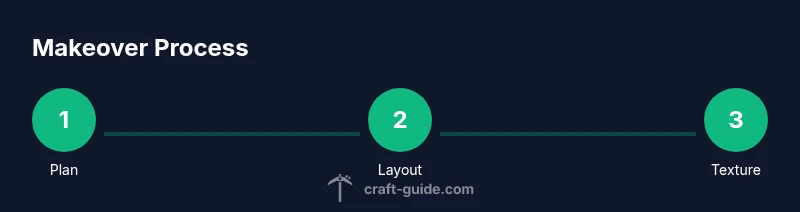
Plan first, then build in stages. Start with the main entrance and foundation walls to establish payoff quickly. Next, add a central hub and two wings with simple room types to practice rhythm. Finally, apply texture layers and lighting details to bring everything to life. Throughout, take screenshots from distance to judge overall balance and iterate accordingly. Craft Guide recommends small, iterative steps—you’ll see improvements sooner and stay motivated to continue.
Tools & Materials
- Assorted building blocks (stone, wood, brick)(Choose materials that match your biome and palette)
- Scaffolding or temporary blocks(For safe height work)
- Dyes or subtle color variations(Optional for color accents)
- Axe or shovel for quick terrain changes(Useful for terrain shaping)
- Lighting blocks (lanterns, glowstone, sea lanterns)(Ambience and visibility)
- Measuring tools: map, compass, or grid layout(Plan layout and symmetry)
- Texture packs or shader (optional)(For enhanced visuals (non-critical))
Steps
Estimated time: 60-120 minutes
- 1
Plan your base layout
Draft a rough layout with a central hub, entrances, and wings. Decide where paths lead and how vertical elements will frame the silhouette. A clear map reduces rework during construction and keeps the project cohesive.
Tip: Sketch on paper or in-game map to keep proportions consistent - 2
Choose a cohesive palette
Pick 1–2 dominant wall blocks and 1–2 accent blocks. Test how colors interact with light and ensure the palette feels unified across facades and roofs.
Tip: Limit to a core palette and add depth with textures rather than new colors - 3
Build foundational structure
Lay the main walls, foundations, and doors. Establish scale and rhythm by repeating window sizes and roof angles for a recognizable silhouette.
Tip: Use repeating modules to simplify expansion later - 4
Add texture through layering
Introduce depth with staggered blocks, recessed features, and varied rooflines. Texture adds realism without clutter.
Tip: Add small ledges or corbels to catch light and cast shadows - 5
Install lighting strategically
Place lights along paths, entrances, and near textures to reveal surface detail at night. Mix warm and cool sources for atmosphere.
Tip: Test lighting at night to see how it reads from a distance - 6
Incorporate decorative details
Add paths, doors with matching frames, banners, and small decor items. Details tell a story and invite exploration.
Tip: Keep decor proportional to the scale of your base - 7
Polish with paths and landscaping
Connect entrances with smooth paths and frame the base with native landscaping. Landscaping softens edges and anchors the build.
Tip: Use a consistent edge material to tie exterior to interior - 8
Review, iterate, and document
Take distance screenshots, compare iterations, and refine textures or lighting based on overall balance.
Tip: Document changes to track what works over time
People Also Ask
What is the first step to improve a base’s appearance?
Start with a simple plan that defines the main entrance, central hub, and two wings. A clear layout helps you keep proportions consistent and reduces backtracking during construction.
Begin with a clear plan that marks the main entrance and central hub; this keeps proportions consistent and makes future expansion easier.
Which blocks are best for exterior texture?
Use a small set of blocks that complement each other. Combine smooth stone, cobblestone, and mossy variants for texture, while reserving a couple of accent blocks for trim and focal points.
Choose a small, complementary set of blocks and mix textures for depth; save accents for focal points.
How can I light without making it too bright?
Layer lights along paths and entrances, use a mix of warm and cool sources, and place some lighting at mid-height to avoid flat glare. Test at night for real-world feel.
Layer lighting and mix warm and cool sources; test at night to ensure the glow feels right.
How long does a makeover take?
A focused 60–120 minute session can yield a noticeable upgrade, with longer iterations improving details and cohesion.
Usually an hour or two for a noticeable upgrade, with more time for polishing details.
How do I balance creativity with practicality?
Start with a plan that supports future expansion and uses repeatable modules. Let creativity drive accents, but keep core shapes and rhythms intact for cohesion.
Plan around expandability and repeatable modules; let creativity drive accents but keep core rhythm.
Should I use shaders or texture packs?
Shaders and texture packs can enhance depth and mood, but they’re optional. Start with basic blocks and lighting, then add shaders if performance allows.
Shaders can boost mood, but start simple and only add them if your game runs smoothly.
Watch Video
The Essentials
- Plan layout and palette before building.
- Layer texture to add depth without clutter.
- Light thoughtfully for mood and safety.
- Details and landscapes elevate the overall look.
- Iterate with distance checks for balance.