Is Minecraft Hard to Run on PC? A Practical Optimization Guide
Explore Minecraft performance on PC with data-driven optimization tips. Learn how hardware, Java settings, and shaders impact FPS and how to get smoother gameplay across setups.


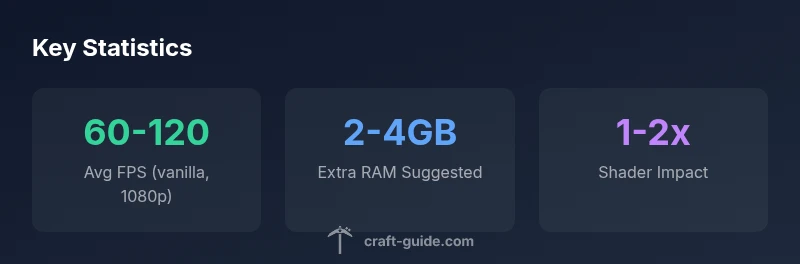
Is minecraft hard to run on pc? For most modern PCs, Minecraft runs smoothly with default settings, but performance can dip on lower-end machines or when using heavy mods. The key factors are CPU, RAM, GPU, and Java version. With proper optimization and allocating 2-4 GB RAM beyond baseline, most players get stable frame rates.
Is Minecraft hard to run on PC? Understanding the headline question
When players ask is minecraft hard to run on pc, they are really asking about the relationship between game requirements, their hardware, and the settings they choose. Minecraft is designed to be accessible, but the Java Edition engine places certain demands on CPU and memory that can surprise newcomers. According to Craft Guide, most mid-range desktops and many laptops from the last five years can achieve smooth vanilla play at 1080p with default settings, while more ambitious setups with shaders or large modpacks push hardware needs higher. This article breaks down the factors, explains why performance varies, and outlines practical, data-driven steps you can take to improve frames per second without sacrificing the experience.
A practical takeaway is that performance is a function of three core elements: the engine (Java), the memory model (RAM and garbage collection), and the rendering pipeline (GPU settings and shader complexity). Craft Guide analysis shows that even on modest PCs, well-chosen settings can deliver playable frame rates for typical play styles. The rest of this guide provides actionable tweaks and simple benchmarks to gauge improvement.
To set expectations: is minecraft hard to run on pc is not a fixed verdict. It depends on your hardware baseline, your world’s size, and whether you use vanilla or modded content. By focusing on the three pillars—CPU/cores, memory headroom, and graphics load—you can often unlock substantial gains without purchasing new hardware.
Performance factors for Minecraft on PC
| Factor | Impact on performance | Recommended action |
|---|---|---|
| CPU | Medium-High | Ensure a modern multi-core CPU; close unnecessary background processes |
| RAM | Medium | Allocate 2-4 GB more RAM than baseline for Java Edition in general use |
| GPU/Graphics | Low to Medium (depends on shaders) | Disable heavy shader packs; stick to balanced visuals for higher FPS |
| Java Version | Medium | Use the recommended Java version for your edition; keep it updated |
People Also Ask
What is the most impactful setting to change for FPS?
In most cases, render distance and framerate caps have the biggest effect. Lower the render distance, reduce graphics settings, and avoid high-detail shader packs if you want a quick FPS boost without sacrificing core gameplay.
Lower render distance and avoid heavy shaders for a quick FPS boost.
Do shader packs hurt performance on low-end PCs?
Yes. Shader packs add significant workload to the GPU and memory. If you’re on a budget PC, start with a mild shader or keep vanilla visuals, then test incremental changes to find a stable balance.
Shaders can slow things down; using lighter shader options helps.
Is Minecraft Bedrock easier to run on PC than Java?
Bedrock Edition generally runs more efficiently on Windows machines, but it has a different feature set and modding ecosystem. If raw performance is the priority, Bedrock can feel smoother on some hardware.
Bedrock often runs smoother than Java on the same PC, depending on your needs.
Should I upgrade RAM to improve performance?
RAM upgrades can help, especially with large worlds or many mods. Typical guidance suggests adding 4–8 GB above your baseline for smoother operation, but results vary by world size and other software.
RAM helps, especially with big worlds or many mods.
What laptop settings improve performance?
Use High Performance power mode, keep drivers updated, and close background apps. If battery life is a concern, work on plug-in usage while gaming and adjust in-game settings to balance visuals and FPS.
Use high performance mode and trim background apps.
How can I measure FPS improvements reliably?
Record FPS with in-game counters, repeat tests with identical worlds and settings, and compare before/after results. Use a stable scene (same area, same time of day) to reduce variance.
Test in the same scene and settings to see real gains.
“Minecraft performance is a balance between hardware and software configuration; with careful tuning, most PC players can enjoy smooth gameplay across settings.”
The Essentials
- Optimize settings before upgrading hardware
- Allocate RAM conservatively and monitor usage
- Vanilla runs smoother than modded setups on the same hardware
- Shader packs dramatically impact FPS; choose lighter options when needed