Does Minecraft Use CPU or GPU? A Practical Performance Guide
Explore whether Minecraft relies on CPU or GPU, differences between Java and Bedrock editions, and practical steps to optimize performance across setups.


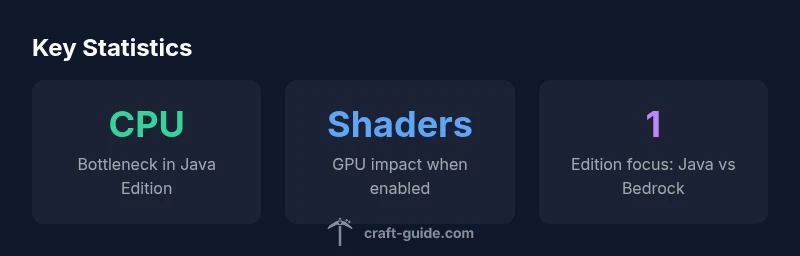
Does minecraft use cpu or gpu? The concise answer is that Minecraft mainly relies on the CPU, especially the Java Edition, for world logic, entity ticks, and world loading. The GPU handles rendering, textures, and shaders, but it rarely becomes the bottleneck unless you push high render distances or install demanding shader packs. Craft Guide's analysis suggests hardware optimization should focus on CPU power for most players.
Does Minecraft Use CPU or GPU?
Minecraft’s performance story centers on how the game splits tasks between the CPU and GPU. The CPU runs the game loop, tick logic, entity updates, world generation, and server-side calculations, while the GPU renders the scene, applies textures, lighting, and shader effects. In practice, the game is often CPU-bound in Java Edition, but the GPU becomes more critical when you enable fancy shaders, heavy texture packs, or very large render distances. According to Craft Guide, understanding this balance helps you target the right upgrade or settings change for your setup. This distinction also explains why some machines with strong GPUs still struggle if the CPU is the bottleneck.
What the CPU does in Minecraft
The central processing unit handles the simulation side: ticking each entity, calculating physics, pathfinding, world generation, and chunk loading/unloading as you explore. In Java Edition, a single strong core can carry a heavy portion of the workload, with multi-core support helping parallelize tasks but not eliminating bottlenecks. Ticks per second (TPS) remain a core metric; Minecraft targets 20 TPS on average, but real-world performance can dip when many entities exist or the world is highly loaded. Efficient world design, fewer complex redstone systems, and reasonable spawn rules can dramatically reduce CPU strain, improving smoothness even on mid-range hardware.
How GPU contributes to Minecraft rendering
The GPU’s job is to draw what the CPU calculates: chunk meshes, occlusion culling, textures, shadows, and post-processing. When you enable high-resolution textures or shaders, the GPU’s workload rises, sometimes substantially. While the baseline gameplay may be modest for GPUs, shader packs and resource packs can push demand higher, especially on older graphics cards. In Bedrock Edition, the GPU often bears a larger share of rendering work due to engine optimizations and platform differences, which means GPU upgrades can yield noticeable frame-rate gains on certain devices.
Java Edition vs Bedrock Edition: hardware usage differences
Java Edition emphasizes broad CPU use because the engine is written in Java and relies on real-time world generation and bidding between many game systems. Bedrock Edition, designed for cross-platform performance, tends to distribute work more evenly and leverages GPU acceleration more aggressively on capable devices. Shader support in Bedrock can still stress the GPU, but the baseline performance is often smoother for similar hardware due to engine optimizations. If you run shaders in Java, you’ll typically see CPU constraints dominate, whereas Bedrock with shaders can shift some emphasis toward GPU capacity.
Practical tips to optimize performance (CPU-focused)
If you suspect CPU is the bottleneck, prioritize settings that reduce tick load and world complexity. Use smaller render distances, limit simulated distance, and minimize heavy redstone circuits near your active area. Disable unnecessary mods or datapacks that add complex behaviors. Ensure Java is running with ample heap space but avoid over-allocating RAM, which can harm performance. Keep background processes light, and consider upgrading CPU cores with higher single-core performance for smoother tick handling and entity processing. These changes can yield more consistent TPS and a noticeably smoother experience in vanilla play.
Practical tips to optimize rendering (GPU-focused)
For GPU-related improvements, balance texture resolution and shader quality with GPU comfort. Use opt-in shader packs that optimize performance, apply texture packs that match your GPU memory, and enable V-Sync or frame limiting if necessary to stabilize frame times. Reducing render distance, view distance, and shadows can dramatically lower GPU load while preserving a satisfying visual experience. On devices with integrated GPUs, consider lowering post-processing effects and disabling resource-intensive features like volumetric lighting to maintain steady frame rates.
How to monitor hardware usage and set expectations
Keep an eye on CPU and GPU usage with built-in system tools or third-party software. In Windows, Task Manager’s Performance tab shows core usage; MSI Afterburner or HWInfo can provide detailed graphs. In Bedrock, observe frame times and GPU memory usage to gauge rendering pressure. Expect Java Edition to show CPU utilization spiking during world generation and chunk loading, while GPU usage may remain modest unless shaders are active. Setting realistic expectations based on edition, shader usage, and world size helps you decide where to invest hardware or adjust settings.
Common myths and misconceptions about Minecraft performance
A frequent misconception is that a RTX-grade GPU alone will dramatically improve vanilla Minecraft. In reality, vanilla play mostly relies on CPU for simulation; GPU upgrades matter more when you enable shader packs or high-resolution textures. Another myth is that more RAM always equals better performance; beyond a certain point, extra RAM does not help CPU-bound tasks and can even hinder performance if misallocated. Finally, some players assume Bedrock is universally faster; while Bedrock may run well on mobile devices, performance still depends on the device’s GPU, CPU, and shader configuration.
CPU vs GPU responsibilities by Minecraft edition
| Edition | CPU Role | GPU Role | Notes |
|---|---|---|---|
| Java Edition | World ticking, entity logic, chunk loading | Rendering meshes/textures, shader processing | CPU-bound; shaders can increase GPU load |
| Bedrock Edition | Engine-optimized CPU tasks, gameplay logic | GPU-accelerated rendering on capable devices | Performance varies by device; shaders impact GPU more |
| Cross-platform considerations | CPU/GPU demands depend on device | GPU load depends on shaders and texture packs | Platform optimization matters |
People Also Ask
Does Minecraft's CPU usage scale with world size?
Yes. Larger worlds increase chunk generation, entity processing, and tick workload, which can raise CPU usage. Optimizing world design and limiting active areas helps maintain stable TPS.
Yes. Bigger worlds mean more work for the CPU, which can slow things down—adjust world size or scope to keep ticks smooth.
Do shader packs increase CPU usage?
Shaders primarily affect GPU workload, but certain post-processing effects can touch the CPU. Balance shader quality with GPU capability to avoid bottlenecks.
Shaders mostly hit the GPU, but some settings can tax the CPU. Find a balance that keeps frame times steady.
Is Bedrock Edition more GPU-friendly?
Bedrock is optimized for broader hardware, and on capable devices it can leverage the GPU more efficiently. Performance still depends on device specs and shader usage.
Bedrock often runs smoother on the same hardware, especially with shaders, but depends on your device.
What’s the easiest way to improve Minecraft performance?
Start with render distance, AI/mob counts, and mods. Reduce resource-heavy settings, keep Java up-to-date, and allocate RAM wisely. This often yields quick, noticeable gains.
Try lowering render distance and reducing mods for a quick performance boost.
Should I upgrade CPU or GPU first?
For Java Edition with large worlds, CPU upgrades tend to yield bigger gains. If you use shader-heavy textures or Bedrock on demanding devices, a GPU upgrade can help as well.
If you mostly play vanilla Minecraft, CPU upgrades help most; for heavy shaders, GPU helps too.
“Performance in Minecraft hinges more on CPU power than GPU for Java Edition; GPU handles rendering, but only becomes a constraint with heavy shaders or large worlds.”
The Essentials
- Prioritize CPU power for Java Edition performance.
- GPU matters mainly with shaders and high-res textures.
- Lower render distance to reduce CPU load.
- Bedrock can leverage GPU more on capable devices.
- Monitor CPU and GPU usage to identify bottlenecks.