Server Minecraft Survival: A Comprehensive Guide to Setup, Run, and Growth
Learn how to set up, run, and grow a server Minecraft survival world with practical hosting options, software choices, safeguards, and community tips from Craft Guide.


Set up and run a server minecraft survival by choosing a hosting path, installing a Java-based server (Paper/Spigot), and configuring world rules, security, and backups. This quick guide highlights essential steps, hardware needs, and management tips to keep a thriving survival community online. You’ll learn how to start small, scale up, and protect your world from griefing.
What is a server minecraft survival and why it matters
In the context of Minecraft, a server minecraft survival represents a shared world where players collaborate and compete under a common set of rules. Survival mode emphasizes resource gathering, exploration, and base-building, but a server adds layers of coordination: permissions, anti-grief tools, backups, and curated rules. The Craft Guide team emphasizes that a well-run survival server is both welcoming to new players and resilient to misuse. When you set up such a server, you are building a community as much as a game world. Successful servers require planning, dependable hosting, routine backups, clear rules, and proactive moderation. This guide walks you through hosting options, software choices, core configuration, and ongoing maintenance to create a thriving server minecraft survival experience. According to Craft Guide, clarity in hosting and community guidelines correlates with long-term player retention.
Hosting decisions: self-host vs external hosting
Choosing between self-hosting on a personal machine and renting a dedicated or virtual private server (VPS) is a foundational decision for a server minecraft survival. Self-hosting can be cheaper upfront but demands reliable hardware, consistent internet, and careful uptime management. External hosting offers higher uptime, better DDoS protection, and easier scalability, often with managed backups and panel access. Craft Guide analysis shows that beginners typically achieve faster success with a reputable hosting provider, which reduces early failures due to bandwidth limits or power outages. When evaluating hosts, consider uptime guarantees, data-center locations, customer support responsiveness, and the ability to scale RAM and CPU as your player base grows. Also plan for backups and plugin compatibility in advance to avoid last-minute headaches. A thoughtful hosting choice sets the foundation for a stable server minecraft survival community.
Software choices: Paper, Spigot, Purpur and vanilla vs modded
The software you choose shapes performance, plugin compatibility, and gameplay rules. PaperMC is a popular choice for survival servers because it emphasizes performance and a robust ecosystem of plugins while staying compatible with Spigot. Spigot provides a long history and broad plugin support, whereas Purpur offers experimental optimizations and extra configuration options for advanced users. Vanilla Minecraft with the official server jar is the simplest path but lacks the flexibility many survival communities rely on. If you plan mods, you’ll move toward Forge or Fabric ecosystems, which adds complexity. For most survival servers aiming for stability and customization, PaperMC (or Spigot with Paper optimizations) is the recommended middle ground. Always verify compatibility with your Minecraft version and test plugins in a staging environment before going live. The Craft Guide team notes that choosing the right software stack can dramatically affect player experience and server reliability.
Core configuration: server.properties and world settings
Configuring server.properties is where you translate planning into in-game behavior. Key options include online-mode (set to true for authentic players), pvp (moderation for survival realms), difficulty (normal or hard for challenge), max-players, and spawn-protection. World-related settings—such as generator settings, seed usage, and level-type—determine world flavor and performance. Rule-based gameplay in survival servers often relies on gamerules (e.g.,
Security, access control, and grief prevention
Security is essential for a healthy survival server. Start with online-mode enabled to prevent spoofed players unless you’re testing offline content. Implement a whitelist during early growth to control who can join, then move to authentication-based access as you scale. Moderation tools, anti-grief plugins (like land-claim or region protection), and clear rules help minimize disputes. Regularly update server software and plugins to patch vulnerabilities, and configure proper backups so you can restore quickly after incidents. Consider dedicated admin roles with restricted permissions to prevent accidental misconfigurations. A well-enforced policy reduces chaos, preserves player trust, and creates a more enjoyable survival experience for both new and veteran players. The Craft Guide team recommends proactive moderation and transparent rules as foundations for long-term success.
Data management, backups, and restoration
Without reliable backups, a village of players can lose progress in minutes. Establish a regular backup schedule—ideally automated—to capture the world state, plugin data, and configuration files. Store backups offsite or in a different region to guard against single-site failures. Test restores periodically to ensure backups are usable and complete. Maintain clear retention policies: how long you keep daily, weekly, and monthly backups, and when to prune older copies. Include world backups and plugin/resource packs, and verify that your backup process doesn’t interfere with ongoing gameplay. A robust backup strategy protects your server minecraft survival world from corruption, crashes, or human error, and gives players confidence that their progress is safe.
Growth, community management, and long-term maintenance
A vibrant server minecraft survival grows through consistent updates, player feedback, and a welcoming culture. Schedule regular events, host seasonal challenges, and publish a public roadmap to align expectations. Use channels such as in-game chat, a Discord server, or a forum to communicate rules, upcoming changes, and maintenance windows. QA cycles—testing new plugins, evaluating performance after player surges, and monitoring server TPS (ticks per second)—keep the experience smooth. As your world evolves, consider expanding infrastructure: more RAM, additional CPU cores, or sharding into multiple worlds or instances for different game modes. The Craft Guide team recommends starting small with a focused community, then scaling thoughtfully as demand and engagement grow. A well-managed growth plan sustains longevity and player enjoyment.
Authoritative sources
For readers seeking technical grounding outside gameplay, consider these sources:
- https://www.nist.gov/ (National Institute of Standards and Technology) – general networking and security best practices relevant to server deployment
- https://www.cdc.gov/ (Centers for Disease Control and Prevention) – cautionary note on online safety and community health guidelines applicable to online communities
- https://www.mit.edu/ (Massachusetts Institute of Technology) – general guidelines on online collaboration and networked systems
Authoritative sources (continued)
- https://www.w3.org/ (World Wide Web Consortium) – standards for web interfaces and data management that can inform admin dashboards and moderation tools
Tools & Materials
- Computer or VPS with reliable internet(1 Gbps uplink if possible; ensure consistent power and network availability)
- Java Runtime / JDK 17+ or 21(Ensure version compatibility with Paper/Spigot build)
- Server software jar (PaperMC/Spigot/Purpur)(Choose builds compatible with your Minecraft version)
- FTP/SFTP or SSH client(For file management, backups, and updates)
- Backup storage solution(Offsite or cloud backups recommended)
- Plugin/Mod repository access(Only if you plan to use mods/plugins; check compatibility)
- Port forwarding and network setup(Configure 25565 (default) or your chosen external port)
Steps
Estimated time: 3-5 hours
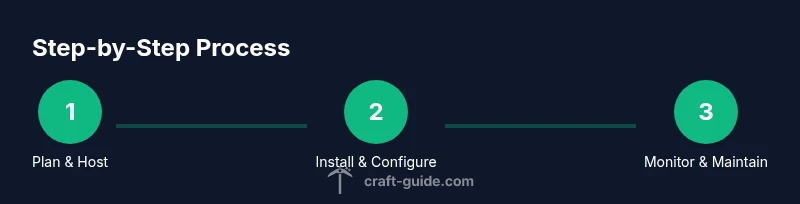
- 1
Define hosting environment
Assess whether self-hosting or a hosting provider best fits your goals. Consider uptime, support, and scalability, plus what your players expect in terms performance and latency. Decide on backup cadence and the level of control you want over server settings.
Tip: Plan for future growth; choose a host that allows easy RAM and CPU upgrades without downtime. - 2
Install Java and server software
Install the Java runtime compatible with your chosen server software, then download and launch the PaperMC/Spigot Purpur jar. Create a dedicated directory for the server, and run the jar to generate the initial files. Accept the EULA and configure basic startup scripts.
Tip: Use a dedicated user account on your machine for the server to improve security and manage permissions. - 3
Create or load your world
Decide on a seed or generate a new world. If you expect a long-term survival community, keep a stable seed and consider preloading structures or terrain features to reduce startup lag. Back up an initial clean state before adding players.
Tip: Document seed choices and world generation settings so players understand world expectations. - 4
Configure server.properties and gamerules
Edit server.properties to set the server name, port, online-mode, difficulty, and maximum players. Adjust gamerules like doDaylightCycle and keepInventory to shape gameplay pacing. Save changes and test on a local client before going public.
Tip: Keep a changelog for property updates and plugin changes to aid troubleshooting later. - 5
Set access control and protection
Enable online-mode, implement a whitelist during early phases, and install protection plugins. Define operator permissions and community rules to prevent griefing. Consider region protection and build permissions to balance freedom with order.
Tip: Limit permissions to trusted admins initially; gradually expand roles as trust grows. - 6
Add plugins and optimize performance
Install a curated set of plugins for anti-griefing, backups, and performance. Monitor TPS, memory usage, and CPU load. Remove or update plugins that cause conflicts or lag, and test changes in a staging environment when possible.
Tip: Regularly review plugin compatibility after Minecraft version updates. - 7
Launch and monitor the server
Start the server and verify login from a client. Check console logs for errors, test player limits, and confirm backups run on schedule. Invite a small group for beta testing to gather feedback on balance and performance.
Tip: Set up alerts for downtime or TPS drops; proactive monitoring saves headaches later. - 8
Establish maintenance and growth plan
Publish rules, create a clear roadmap, and schedule regular events to retain interest. Plan for scaling by adding RAM, storage, or even separate worlds for different play styles. Maintain open communication channels with players.
Tip: Create community guidelines and a simple moderation workflow to sustain a positive atmosphere.
People Also Ask
What is the best server software for a survival server?
For most survival servers, PaperMC offers strong performance and plugin support, while Spigot provides legacy plugin compatibility. Purpur adds advanced features for power users. Evaluate your needs and test a small setup before committing.
For most survival servers, PaperMC is a solid choice; test a small setup first.
Should I host on my own PC or use a hosting provider?
Hosting on a provider generally yields higher uptime and easier scaling, while self-hosting can be cheaper but demands more maintenance and reliable hardware.
Hosting with a provider usually gives you more uptime and scaling options.
How can I prevent griefing on a survival server?
Enable a whitelist during early stages, use region protection plugins, and set firm build permissions. Regular moderation helps maintain a positive play environment.
Use whitelist, protections, and active moderation to prevent griefing.
What are good backup practices for a survival server?
Implement automated backups to offsite storage and test restores periodically to ensure data integrity.
Automate backups and test restores regularly.
How can I grow and sustain player activity?
Host regular events, publish a roadmap, and maintain open communication channels to keep players engaged and returning.
Run events and communicate plans to keep players engaged.
What safety considerations exist for younger players?
Enforce age-appropriate rules, moderate chat, and provide clear reporting channels for harassment or abuse.
Enforce rules and moderate chat to keep the community safe.
Watch Video
The Essentials
- Plan hosting and software carefully before launch
- Secure access and enforce clear rules from day one
- Backups and testing prevent data loss
- Monitor performance and scale thoughtfully
- Engage the community with events and transparent updates