Does Minecraft Have Split Screen? A Practical Local Co-Op Guide
Explore whether Minecraft supports split screen, including Bedrock vs Java differences, setup steps for couch co-op, and platform limitations. Learn practical local multiplayer tips with Craft Guide.


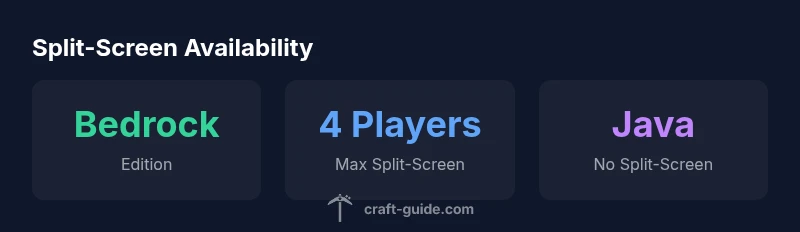
Split screen in Minecraft is available on Bedrock Edition for couch co-op on consoles and Windows 10/11, supporting up to four players with additional controllers. Java Edition does not offer built-in local split-screen on PC. For local play, Bedrock is the practical choice if you want multiple players sharing one screen; Java players will rely on LAN or online multiplayer. According to Craft Guide, edition and platform determine local co-op feasibility.
Does Minecraft Have Split Screen? Couch co-op on a single screen has long been a request by players who enjoy sharing adventures on a single TV or monitor. The exact availability depends on edition and platform. In practice, you’ll find that split-screen is commonly supported in Bedrock Edition on consoles and on Windows 10/11, while the Java Edition remains a PC-only experience without built-in local co-op. This distinction matters for households with different devices or a mix of players who want to play together in the same room. Does minecraft have split screen? The answer depends on edition, platform, and game mode. Craft Guide's analysis in 2026 shows that understanding edition differences is the quickest path to a practical local multiplayer plan. If you’re deciding whether to pick up a new device or to keep your current setup, knowing which edition supports split-screen helps you avoid buying the wrong version.
Bedrock vs Java: Edition differences
Bedrock Edition supports split-screen on consoles (PS, Xbox, Switch) and Windows 10/11, allowing up to four players to play locally on a single screen with multiple controllers. Java Edition, which runs on PC, does not include built-in local split-screen functionality. This means two households with diverging hardware often need to choose a common edition or rely on online multiplayer or LAN to play together. Additionally, cross-play between Bedrock and Java is not supported, so players must agree on one edition for local sessions. Craft Guide's 2026 findings emphasize that the edition you pick determines both the setup steps and the multiplayer options you’ll enjoy.
How to set up split-screen on Bedrock (console and Windows 10/11)
To enable split-screen in Bedrock, ensure you’re using the Bedrock Edition on a supported platform, then connect up to four controllers. Sign in with a Microsoft account on consoles or Windows, launch Minecraft, and load a world. Have each additional player press the designated join button on their controller to add their character to the screen. On Windows 10/11, all players must be on the same local network, and you may need to enable LAN discovery in-game. After setup, you can pause the game and manage player roles or swap who is actively playing as needed.
Limits and best practices for couch co-op
Remember that the main limit is four players on most Bedrock split-screen setups. A larger television with good viewing angles helps everyone enjoy the session. Use reasonable render distances and comfortable controller mappings to avoid controller conflicts. To maintain smooth performance, close background apps on Windows 10/11 and ensure the console has adequate ventilation. Prepare a short plan for each player’s role (builder, explorer, redstone, resource gathering) to keep the session engaging and efficient.
Mobile and older devices: where split-screen doesn’t apply
Split-screen on Minecraft is not commonly available on mobile devices and older hardware; most mobile builds rely on single-player or online multiplayer. If your family or group plans local play, switching to Bedrock on console or Windows 10/11 provides the simplest path. For truly local co-op, ensure you’re using devices that support Bedrock’s couch co-op features.
Alternatives for Java Edition players
Java Edition players can’t use built-in split-screen on a single computer. To play together locally, you can use LAN with two or more PCs connected to the same network, or join online servers where players from different locations participate in the same world. If your goal is cross-platform local play, Bedrock is the better fit, since it supports local co-op on consoles and Windows while Java remains PC-only for multiplayer.
Troubleshooting common issues
If a second player can’t join, ensure your world is a Bedrock world and that you’re on the correct edition. Check controller connections, Microsoft account sign-ins, and network settings for Windows 10/11. If the game shows a join prompt but fails to launch, restart Minecraft and rejoin from the main menu. Ensure the game is updated to the latest patch on all devices in the session.
Practical tips for a smooth session
Designate a primary host device and keep all participants within the same local network. Keep the world size reasonable to minimize lag, particularly on older consoles or PCs. Use a larger HDMI display whenever possible and arrange seating to minimize glare and screen fatigue. Finally, communicate roles clearly and rotate players to keep the session fresh.
Split-screen availability by edition
| Edition | Split-screen support | Max players |
|---|---|---|
| Bedrock (Console/Win10/11) | Yes | 4 |
| Java Edition (PC) | No | N/A |
| Bedrock on Mobile | No | N/A |
People Also Ask
Can Java Edition support split-screen?
Java Edition does not support local split-screen on PC. Players can still play together via LAN or online servers.
Java Edition does not support local split-screen. Use LAN or online servers to play together.
Can I play split-screen on Windows 10/11?
Yes, on Bedrock Edition you can play split-screen locally with up to four players on Windows 10/11.
Yes, Bedrock on Windows 10/11 supports up to four players in split-screen.
How many players can join on Nintendo Switch?
The Switch version (Bedrock) supports local split-screen for up to four players.
Up to four players can play split-screen on Switch with Bedrock.
Do I need Xbox Live to split-screen?
Split-screen does not require ongoing online profiles; you simply need a Bedrock console edition and controllers connected locally.
No need for active online accounts for local split-screen; just connect controllers.
How do I set up split-screen on consoles?
Power on the console, sign in, load a Bedrock world, and have each player press Start to join. Repeat for up to four players.
Power on, sign in, load a world, then each player presses Start to join.
Is split-screen still supported in the latest updates?
Split-screen remains supported on Bedrock editions for couch co-op on supported devices, while Java Edition continues without built-in local split-screen.
Bedrock still supports couch co-op on many devices; Java does not.
“Split-screen remains a Bedrock feature for couch co-op, while Java players should embrace online multiplayer for true cross-platform play.”
The Essentials
- Bedrock supports couch co-op on consoles and Windows 10/11 with up to four players.
- Java Edition does not offer built-in local split-screen on PC.
- For Java players, LAN or online multiplayer are the practical options.
- Cross-edition play is not supported; choose one edition for local co-op.
- If you want true local co-op, Bedrock is the practical path.