Can Minecraft Java Play with Bedrock? A 2026 Cross-Version Guide
A practical guide to can minecraft java play with bedrock, covering official stance, bridging options, setup steps, and tips for smooth multiplayer in 2026.


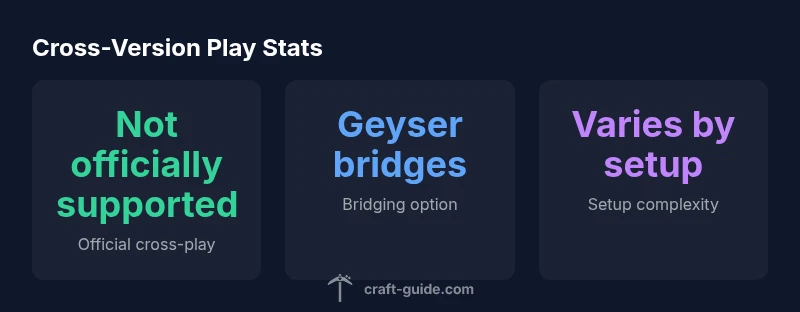
Officially, can minecraft java play with bedrock? Not natively; Java Edition and Bedrock Edition do not support cross-play in vanilla Minecraft. However, players can connect Bedrock clients to Java servers using third-party proxies like Geyser, with caveats. For most players, cross-version multiplayer requires choosing one edition or using workarounds.
Cross-Version Compatibility Overview
If you’re asking can minecraft java play with bedrock, you’re not alone. In 2026, the short answer remains: not in vanilla, native form. The Java Edition Java and Bedrock Edition Bedrock are built on different codebases and ecosystems, with separate multiplayer protocols and engine optimizations. This separation means players on Java and Bedrock typically cannot join the same world or servers using the official game client, a reality that can affect how friends decide which edition to buy or how a group organizes a long term multiplayer session. According to Craft Guide, the official stance is clear: cross version play is not supported out of the box, and the community must rely on third party tools or choose one edition to ensure seamless play. Craft Guide team notes that while bridging solutions exist, they are not guaranteed to work with every mod, plugin, or map, and they can introduce technical glitches, performance variability, and potential safety concerns. The remainder of this article outlines what bridging options exist, what to expect in terms of latency and feature parity, and how to evaluate whether bridging or unified edition play is the right path for your crew.
Official Stance and What It Means for Players
In official terms there is no native cross play between Java Edition and Bedrock Edition. Minecraft developers have aimed to keep the ecosystems separate to preserve game balance, modding ecosystems, and platform specific features. For many players this means choosing one edition as a baseline for multiplayer, then inviting friends who own that edition to join. Craft Guide notes that even within Bedrock s broad cross platform footprint across Windows consoles and mobile, the Java edition remains a distinct multiplayer environment with its own world formats, ranking systems, and command syntax. The lack of native cross play has driven the community to look for bridging options, but those options come with warnings: compatibility is not guaranteed across maps or mods, and a bridge may introduce security and stability concerns. Ultimately the official stance remains clear: if you want a seamless multiplayer session, unify on one edition or rely on third party tools with careful testing.
How Bridging Works Geyser and Other Proxies
Bridging in Minecraft means using a bridge layer that translates Bedrock protocol to Java protocol so a Bedrock client can interact with a Java server. GeyserMC is the most well known project for this, and it operates as a proxy that sits between Bedrock clients and a Java based server such as Spigot or Paper. It is community supported, not official, and it requires careful configuration and compatible server software. When a Bridged setup works, Bedrock players can join a Java server world and see basic blocks, entities and chat. However many mods and plugins are not compatible, and there can be subtle discrepancies in behavior, inventory, and commands. Performance depends on your hardware and network and may vary from one map to another. Before committing to bridging, consider testing with a small group and documenting how features translate across editions.
Step by Step Setup for a Bridged Server
Start by choosing a Java server platform such as Spigot or Paper and preparing a dedicated host. Install the Geyser plugin or mod on the server and configure it to listen for Bedrock connections on a chosen port. Make sure Bedrock clients can reach the host through your local network or a forwarded port if you are outdoors. Verify version compatibility between the Java server and the Geyser version you are using. Keep a baseline map and a few simple plugins to test inventory handling, chat, and basic commands. Once the bridge is visible to Bedrock players, run a few test sessions with a trusted friend group to validate performance and edge cases. Document any issues, then adjust server settings, such as tick rate and memory allocation, to improve stability. Finally, share clear expectations with players about mods, resource packs, and server rules to avoid confusion during play.
Practical Considerations Performance Mods and Safety
Bridged play can reveal performance latency based on network quality and proximity to the server. Bedrock clients and Java servers may transport data differently, which can manifest as slight desynchronizations or item duplication concerns in rare cases. Modded worlds on Java are often not compatible with Geyser bridges, so communities should err on the side of vanilla or lightly modded worlds when bridging. Always review server safety practices and use trusted proxies from reputable sources. Consider backup strategies and regular world backups to protect against data corruption. Finally, encourage clear communication among players to avoid confusion when commands or mechanics behave differently across editions.
Alternatives Choosing Bedrock or Java for Your Group
If your goal is to play together with friends who own different devices, consider Bedrock Edition for your group because it supports cross platform play across Windows PC consoles and mobile devices. If your group values mods, intense command based gameplay, or a large library of community maps, Java Edition may be a better baseline despite the lack of native cross play. Some groups decide to standardize on one edition to keep features, maps, and plugins consistent. Others lean into bridging as a semi permanent solution while being aware of limitations. In sum, the best path depends on your players devices, preferred mods, and tolerance for setup complexity. Craft Guide recommends a careful evaluation and small scale testing before committing to a long term cross edition strategy.
Quick Start Checklist for Getting Started
- Decide on one edition for your group or plan to bridge with Geyser and test extensively
- Set up a dedicated server with the chosen path, including version alignment
- If bridging, install and configure Geyser on a compatible Java server
- Test with a small group of players from each edition and document issues
- Establish clear rules about mods, resource packs, and world formats
- Plan for backups and security to mitigate data loss or exploits
- Communicate expectations and map out what features translate across editions
Common Pitfalls and Troubleshooting
Most common issues come from version mismatches, network restrictions, or unsupported mods. If Bedrock players cannot connect, verify the port is open, the server is reachable, and the bridging proxy is properly configured. For latency spikes, test from different geographic locations and consider a dedicated host with higher bandwidth. If you notice desyncs or inventory issues, simplify to vanilla worlds and minimize cross edition features until stability is confirmed. Always keep backups before making major changes and consult the user communities for Geyser or your chosen proxy for guidance on specific versions or plugin compatibility notes.
Cross edition compatibility overview
| Edition | Cross-Play Support | Official Status | Bridging Options | Notes |
|---|---|---|---|---|
| Java Edition | No native cross-play | Not officially supported | Geyser bridging via Java servers | Requires server setup and may not support mods |
| Bedrock Edition | Cross-play across platforms | Official cross-play supported within Bedrock ecosystem | Bridge optional, not required for Bedrock; bridging to Java is possible | Group with Bedrock friends; Java bridging is experimental |
People Also Ask
Can Java and Bedrock players play together natively?
No. They are separate editions with different codebases and multiplayer protocols. Cross-play is not supported in vanilla Minecraft.
No, they cannot play together natively.
What is Geyser and how does it enable cross-play?
Geyser is a third party proxy that lets Bedrock clients join Java servers. It requires compatible server software and careful configuration.
Geyser lets Bedrock players join Java servers with setup.
Is cross-play possible on official Realms?
Realms supports Bedrock cross-play across platforms, but not Java. Java players cannot join Realms with Bedrock clients.
Realms are Bedrock only for cross-play.
What are the limitations when bridging?
Mods and certain Java features may not work; inventory, commands, and chat can behave differently. Bridging also adds setup and performance considerations.
Bridging can limit mods and behave differently.
Do I need a special server type to use Geyser?
You typically need a Java server (Spigot/Paper) with the Geyser plugin installed.
Usually a Java server with Geyser is required.
Are there safer or easier alternatives to bridging?
If possible, pick Bedrock or Java for everyone to avoid cross edition complexity. Use one edition for simple groups.
Choose one edition if you can to avoid complications.
“Cross-version play is not officially supported in vanilla Minecraft, so planning and testing with bridging tools is essential for any shared game sessions.”
The Essentials
- Verify official cross-play status before starting a session.
- Consider third-party proxies, but expect caveats.
- Match server and client versions to reduce issues.
- Plan edition choice for multiplayer groups.