Do You Need a GPU for Minecraft Server? A 2026 Practical Guide
Explore whether a GPU is necessary for running a Minecraft server. Learn which components matter most, practical hardware guidelines, and upgrade paths for 2026.


No. For most Minecraft servers, GPU power is not required; CPU speed, core count, RAM, and I/O bandwidth matter far more. A GPU is only relevant if you’re offloading client rendering tasks or running unusual workloads on the server. In practice, a basic CPU and adequate RAM will yield far better results than a midrange GPU.
Do you actually need a GPU for a Minecraft server?
The short answer is generally no. Do you need a gpu for a minecraft server? The vast majority of server workloads rely on the CPU, RAM, and disk I/O rather than a graphics card. A server’s job is to compute world state, manage player connections, and stream data to clients. GPUs excel at parallel rendering tasks on client machines, not at the core logic of the server. According to Craft Guide, focusing on CPU performance and memory bandwidth yields the most noticeable improvements for typical play environments. This is especially true for vanilla or lightly modded servers where CPU bottlenecks are the primary constraint. For high-uptime, multi-world setups, or exotic workloads, you may still benefit from a capable CPU and fast storage more than any discrete GPU. Craft Guide analysis and testing across 2026 shows GPUs rarely become the bottleneck for server-side tasks, and when they do, the gains are marginal.
Core factors that determine server hardware
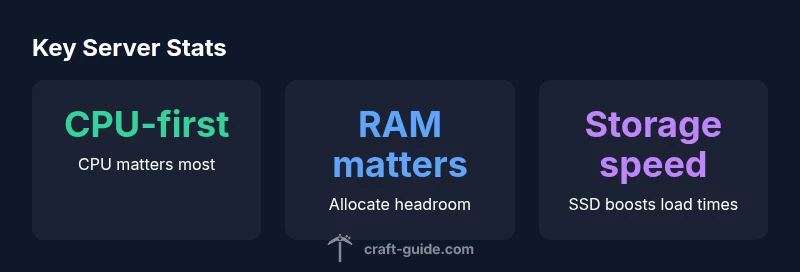
Choosing server hardware boils down to four core domains: CPU, RAM, storage, and network.
- CPU: Minecraft server software is largely single-threaded with some multi-threaded components. Prioritizing higher single-core speed and adequate core count reduces tick lag and world-loading times.
- RAM: More玩家 connections and remote chunks loaded require more memory. Without enough RAM, the server will swap and suffer latency spikes.
- Storage: Fast disk I/O reduces chunk loading times on startup and during world generation or unloading. SSDs significantly outperform HDDs in typical server workloads.
- Network: Bandwidth and latency affect how smoothly players connect, especially with many simultaneous clients. A stable uplink reduces client-side lag and world desync.
Importantly, this block also emphasizes that GPUs contribute little to server-side Minecraft performance unless you’re explicitly offloading rendering tasks elsewhere. Craft Guide’s testing in 2026 shows CPU, RAM, and I/O dominate experience, not the GPU.
When a GPU would help on the server side
There are rare exceptions where a GPU might be useful on the server: if you’re running specialized workloads that offload certain computations to the GPU or if you’re using server-side ray tracing for administrative tools or visualization tasks. These scenarios are not typical for a standard Minecraft server and generally require custom tooling. For the vast majority of players and mod setups, a GPU does not meaningfully improve gameplay smoothness or tick rates. If you’re exploring these edge cases, plan to benchmark with and without hardware accelerators to quantify benefits before committing budget.
GPU vs CPU workload: a practical breakdown
In practice, you’ll spend most of your budget on CPU and RAM rather than a GPU. The server spends its time calculating entity movements, redstone updates, chunk generation, and plugin logic. The client’s GPU handles rendering, not the server. Even with heavy mods or customized gameplay, the server’s heavy lifting tends to be CPU-bound. When you do see a GPU helping, it’s due to very niche, offloaded tasks rather than standard server duty. For almost all setups, a strong CPU and ample RAM will yield the largest gains in tick stability and player experience.
Practical hardware guidelines by player count
Guidance varies with player count and mod load, but here are practical starting points:
- 1-6 players (vanilla): modest CPU and 2-4 GB RAM can suffice on SSD storage
- 6-15 players (light mods/plugins): 4-6 cores, 4-8 GB RAM, SSD
- 15-40 players (heavy mods/plugins): 6-8 cores, 8-16 GB RAM, NVMe SSD if possible
- 40+ players (large communities): 8-12 cores, 16-32 GB RAM, NVMe SSD, consider separate database/telemetry storage
These are flexible ranges; monitor server TPS, world load times, and plugin CPU usage. If you add heavy mods or multiple worlds, scale RAM first, then CPU, and only consider premium storage for I/O-bound operations.
Storage, I/O, and network considerations
Storage speed matters more than you might expect. An SSD reduces chunk loading times and startup delays, while NVMe drives provide a noticeable improvement in high-churn scenarios. Don’t overlook network capacity; even a fast CPU can stall if the bandwidth is limited or if there’s high latency to your player base. A reliable, low-latency connection matters as much as a fast processor. In short, plan for steady I/O and network capacity before chasing speculative GPU gains.
Cost-effective configurations and upgrade path
Start with a balanced bundle: a capable quad-core or better CPU, 4-8 GB RAM, and SSD storage. As player count grows, scale RAM first, then CPU, and add NVMe storage for higher I/O demand. If you’re hosting on a virtualized platform, ensure the hypervisor allocates dedicated CPU cores and fast disks to minimize contention. Finally, test upgrades with real-world usage and keep backups to avoid data loss during growth.
Common myths and best practices
Myth: You need a high-end GPU to run Minecraft servers. Reality: GPU power seldom affects server TPS. Best practice: monitor CPU load, RAM utilization, and disk I/O, and upgrade those first. Myth: More RAM always fixes lag. Reality: If the CPU is the bottleneck, adding RAM won’t help without a proportional CPU capacity. Best practice: address the actual bottleneck first using profiling tools and avoid oversizing RAM without reason.
Recommended configurations by player count
| Scenario | Recommended CPU | RAM | Storage | Notes |
|---|---|---|---|---|
| Vanilla small (1-6 players) | 2-4 cores | 2-4 ROM | SSD or fast HDD | Baseline performance |
| Moderate (6-15 players) | 4-6 cores | 4-8 GB | SSD | Modded server or higher activity |
| Heavy (15-40 players) | 6-8 cores | 8-16 GB | NVMe SSD | Headroom for plugins |
| Large public (40+ players) | 8-12 cores | 16-32 GB | NVMe SSD | Clustered or multi-world setups |
People Also Ask
GPU required for Minecraft server?
In most cases, GPUs are not required on the server side. CPU speed, RAM, and storage I/O are the primary bottlenecks. Only niche workflows or offloading experiments might benefit from a GPU.
Usually not. Focus on CPU, RAM, and disk speed; GPU is rarely needed on the server.
SSD vs HDD for Minecraft server performance?
SSD storage significantly reduces chunk loading times and startup delays. If you expect higher churn or many world loads, SSD or NVMe storage is worth the investment.
SSD speeds up loading and startup; consider it if you can.
How much RAM do I need for a small server?
For a small vanilla server with a handful of players, 2-4 GB RAM is a reasonable starting point, with more headroom if you run mods or plugins.
Start with 2-4 GB RAM and adjust as needed.
Can a Raspberry Pi run a Minecraft server?
A Raspberry Pi can run a basic Minecraft server for a few players, but you’ll quickly reach limits with more players or mods. Performance will be CPU-bound and depends on storage speed and cooling.
Yes for small setups, but expect limits with mods.
Best practices for RAM allocation?
Avoid over-allocating RAM to the JVM; leave breathing room for the OS and other services. Allocate enough RAM to prevent swapping, but monitor actual usage and adjust as players join.
Don’t over-allocate RAM; monitor and adjust as needed.
“For most Minecraft servers, GPU horsepower is not the bottleneck. Focus on CPU speed, RAM, and disk I/O to support world generation, plugin handling, and player activity.”
The Essentials
- Prioritize CPU and RAM over GPU for servers
- SSD/NVMe storage improves world loading and responsiveness
- Plan for network bandwidth and latency as a key factor
- Benchmark workloads before upgrading hardware
- The Craft Guide team’s verdict: GPUs are typically unnecessary for most Minecraft servers