Minecraft Spears: A Practical Modded Combat Guide
Explore Minecraft spears via mods with practical crafting ideas, combat tactics, safety tips, and build ideas for players from beginner to advanced.


Goal: learn how to use spears in Minecraft through mods, including installation, crafting concepts, and combat tactics. You’ll understand vanilla limitations, pick a compatible mod loader, and explore build ideas. This guide also covers safe modding practices and how to test spears without risking your main worlds.
What are Minecraft spears?
In the context of Minecraft, spears are typically weapons added by third-party mods that extend the vanilla arsenal. A spear usually offers extended reach compared with a standard sword but often trades faster attack speed for higher damage on thrusts or pikes. Some mods separate stabbing versus slashing attacks, with right-click thrusts delivering longer reach but consuming durability faster. It’s important to read the mod’s documentation because different authors implement spears with different mechanics—some simulate polearms, others emphasize spear throw or spear-throw combos. When evaluating a spear, consider range, damage, durability, and whether the weapon supports quick-dash or shield-breaking interactions. For aspiring builders, spears can be integrated into themed builds—medieval towns, castle defenses, or hunter camps—where the visual of a long polearm adds to the authenticity. The Craft Guide team has analyzed several spear implementations across popular mods and found that most balance reach with durability, so you can plan battles without fear of an overpowered swing.
Why use spears in Minecraft?
Spear weapons shine in crowd control and platforming scenarios where reach matters but you don’t want to stack heavy armor-slowing weapons. A well-placed spear thrust can hit multiple targets across a line, giving you lane control in mobs and players-in-survival modes. In multiplayer, modded spears can offer unique combos, encouraging teamwork: one player stuns with a jab while others finish with a melee swing. They also support creative builds by introducing period-specific kits, banners, and quivers. However, spears vary widely by mod: some deliver high damage per hit but are slower, others emphasize utility like spear throwing or anti-armor thrusts. As you experiment, balance is key—choose a mod whose balance aligns with your playstyle and world rules. The Craft Guide team notes that planning loadouts and backup weapons reduces risk in unexpected combat situations. Always carry a shield for close-quarters defense and practice timing to maximize reach without leaving you vulnerable.
Modding the game to add spears
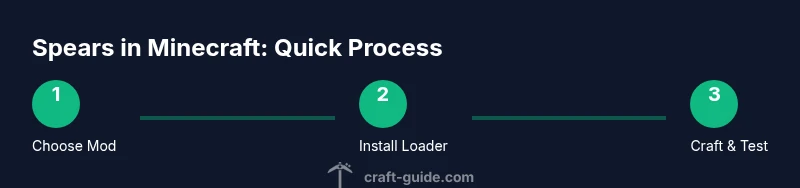
To bring spears into Minecraft, you typically install a mod loader such as Forge or Fabric, then drop a spear mod into the mods folder. Start with a clean profile and a test world to avoid affecting your main realms. Check compatibility with your Minecraft version and with any server-side mods you use. You’ll want to review the mod’s dependencies, recommended settings, and any conflict notes. Some spear mods also add materials and crafting components, so you may need to gather resources like iron, wood, or specialty alloys before you craft. After installation, launch Minecraft, enable the mod, and verify that the spear tool appears in your inventory. If it doesn’t, recheck the mod order, ensure you are in the correct game mode, and consult the mod’s FAQs. The aim is to create a predictable, stable experience that respects the server rules you play on.
Crafting and acquiring spears in mods
Most spear mods provide craft recipes that combine a pole or haft with a blade and binding. Common patterns include placing a blade in the top slot, a haft in the bottom, and a binding or grip in the middle, but every mod varies. You’ll often gain access to a basic spear early in your progression, then unlock variants with better damage, longer reach, or special effects like knockback or elemental damage. Materials may include iron, steel, or fantasy alloys; some mods introduce tempered or enchanted options. If you play on a server, coordinate with admins to ensure your weapon is permitted in combat, and avoid giving yourself an unfair advantage. Crafting components might require smelted metals or advanced forgery, which fits medieval or RPG-style builds while remaining feasible within the mod’s balance.
Combat tips and best practices
Treat spears as precision tools rather than brute-force weapons. Use thrusts to hit from a safe distance and create gaps in hostile lines, then switch to a rapid melee swing or shield block as needed. Learn to sidestep mobs to maintain your line and exploit the spear’s reach—don’t chase enemies into tight corridors. In group play, coordinate with teammates: one player keeps enemies at bay with thrusts while others close in. Maintain durability by using enchantments or repair kits if your mod supports them, and carry a secondary weapon for emergencies. Practice in a safe arena to master timing, range, and stutter-step movements that keep you out of range of retaliations. The Craft Guide team recommends keeping flighty thrown-spears under control with a dedicated cooldown or ammo limit to prevent imbalance.
Maintenance and troubleshooting for spear mods
Modding can be finicky; if spears disappear after an update, reinstall the mod and verify dependencies. Always back up worlds before adding or updating mods. If you encounter crashes, check the crash reports, confirm Forge/Fabric versions, and test in a clean profile to isolate the issue. Server admins should ensure the same mod version is present on both client and server, or players may be kicked for mismatched content. Use reputable mod repositories and scan downloads for malware. Keep your game Java version compatible with the mod requirements. If a spear behaves oddly (stuck in a block, teleporting, or not equipping properly), consult the mod’s documentation and user forums for troubleshooting steps.
Alternatives and vanilla options
In vanilla Minecraft, there is no native spear; you can approximate a spear’s feel with a trident for ranged use or with swords for close combat. Modders enrich the toolbox with polearms, halberds, and spear-shaped weapons that extend reach and add new effects. For historical or fantasy builds, consider integrating shields, banners, and armor sets to complement spear play. If you’re exploring mods, start with ones that are well-supported, active in development, and compatible with your world type. Remember to test on a local world before switching your main realm, and keep your settings optimized so the game runs smoothly while you enjoy new combat dynamics.
Tools & Materials
- Mod loader (Forge or Fabric)(Install the recommended version for your spear mod)
- Spear mod(Download from reputable mod repository; check compatibility)
- Minecraft world backup(Backup before modding to prevent data loss)
- Minecraft launcher(Optional for managing profiles)
- Java Edition compatibility(Spear mods often require Java Edition)
Steps
Estimated time: Estimated total time: 60-90 minutes
- 1
Choose your mod and prepare environment
Identify a spear mod that fits your Minecraft version and play style. Prepare a clean test world to avoid affecting your main worlds. Read the mod’s documentation for any special requirements.
Tip: Check version compatibility before download. - 2
Install the mod loader
Install Forge or Fabric following the official guides. Run Minecraft once to ensure the loader is recognized and functioning.
Tip: Use a fresh profile to prevent conflicts. - 3
Install the spear mod
Place the mod .jar file in the mods folder and launch the game with the correct profile. Confirm the mod appears in the mod list on the main menu.
Tip: Verify checksum if provided by the mod author. - 4
Create a test world
Create a dedicated test world or use an existing world with a backup. This keeps your main realm safe from potential issues.
Tip: Backups save time during troubleshooting. - 5
Test spear functionality
Equip the spear and test basic actions: melee thrusts, possible throw actions, and any special moves. Observe accuracy, range, and durability.
Tip: Practice in a controlled arena to gauge reach. - 6
Balance and adjust
Adjust settings or enchantments if the mod supports them. Aim for balance with your playgroup and avoid overpowering mechanics.
Tip: Record your findings to share with teammates. - 7
Integrate into gameplay
Add spears to your loadout in survival or adventure maps. Pair with shields and positioning to maximize effectiveness.
Tip: Practice combos in real games for best results.
People Also Ask
Are spears a vanilla Minecraft item?
No. Spear weapons are not part of vanilla Minecraft and are usually added by mods. You may use tridents as a vanilla alternative for ranged attacks.
No—spears aren’t vanilla; you’ll need mods.
Which mods add spears for Minecraft?
Several weapon mods introduce spears; search trusted mod repositories and check compatibility with your Minecraft version.
There are multiple spear mods; check compatibility before installing.
Can spears be used in multiplayer?
Used in multiplayer only if the server and client have the same spear mod version installed. Admins may restrict certain mods.
Multiplayer depends on server mod setup.
How do I craft a spear in a mod?
Crafting recipes vary by mod. Refer to the mod documentation, which often describes blade, haft, and binding arrangements.
Recipes differ by mod; check the guide.
Are there vanilla alternatives to spears?
Vanilla options include swords, bows, and tridents. Spear-like behavior arises from mods or custom datapacks.
Vanilla has swords and tridents; spears come from mods.
Watch Video
The Essentials
- Learn how mods introduce spears and what they change in combat.
- Always back up worlds before modding to prevent data loss.
- Test in a safe environment before using spears in survival.
- Coordinate with server admins when playing multiplayer with spear mods.