Hello Kitty Minecraft: A Practical Build Guide
Learn to build a Hello Kitty-inspired Minecraft figure using vanilla blocks or mods. This educational guide covers planning, color palettes, proportions, and practical tips for beginners to advanced builders alike.


By following this guide you will learn how to recreate a Hello Kitty-inspired character in Minecraft using accessible blocks, with practical steps that work in vanilla or modded setups. You’ll plan color palettes, craft the head and bow, and refine facial details for a charming, pixel-friendly result. hello kitty minecraft serves as a friendly, repeatable framework for creative building.
Concept Overview: Hello Kitty Minecraft Project
The Hello Kitty Minecraft project blends kawaii character design with blocky pixel aesthetics. In this guide you will learn how to translate the soft curves and iconic bow into cube-based builds, using colors that read well at typical Minecraft scales. The Craft Guide team emphasizes clarity, practicality, and step-by-step execution so players of all skill levels can achieve a charming result. Throughout this article, the focus is on accessibility: you can start with vanilla blocks and gradually introduce mods or texture packs if you want more polish. The goal is not a perfect replica of a licensed character, but a recognizable homage that captures the spirit of Hello Kitty within the Minecraft world. By thinking in silhouette, color, and proportion, you’ll create a little figure that feels friendly and approachable, even on small plots or in tight builds. hello kitty minecraft is the guiding thread that ties all the steps together, helping you stay oriented as you assemble parts.
Color Palette and Block Choices
Choosing the right palette is essential for a recognizable Hello Kitty Minecraft build. Start with white for the head and ears, soft pink for the cheeks and bow, black for the eyes and whiskers, and a touch of yellow or cream for highlights. In vanilla Minecraft you can approximate these tones with wool, concrete, glazed terracotta, or terracotta variants. If you opt for texture packs or mods, you gain more precise color matching and smoother shading. Plan your palette on a small reference grid before placing blocks, and keep backup colors handy in case you need to adjust shading or lighting. Test your color choices from 8–12 blocks away to ensure readability of the silhouette. hello kitty minecraft visuals rely on clean edges and consistent color blocks, so document your chosen palette for future builds or sharing screenshots with the community.
Proportions, Scale, and Silhouette
A successful Hello Kitty Minecraft sculpture hinges on correct proportions. Start with a head that is slightly larger than the torso, then add ears that rise about a quarter of the head height. The bow should sit to the left and be visually balanced with a small highlight to imply depth. Use a simple block-count grid to map the silhouette, and fill in details layer by layer. Keep curves gentle by alternating colors in small steps rather than broad planes. In practice, you’ll translate rounded forms into stepped geometry, which is part of Minecraft’s charm. If you’re building for display, consider a light source behind the figure to create soft shadows that emphasize the silhouette. hello kitty minecraft is about readable shapes first, tiny details second.
Vanilla Build vs. Modded Enhancements
Vanilla Minecraft challenges you to approximate curves with stepped geometry, which makes a charming retro look. Modded options—such as texture packs, resource packs, or model editors—allow tighter color matching and smoother transitions, but require extra setup. If you’re new to Minecraft, start vanilla, then gradually introduce a modded workflow as you gain confidence. For example, a texture pack can align pink hues across blocks, while a model tool can help export a precise Hello Kitty head to your world. When discussing performance, remember that simple builds tend to be more robust across devices. hello kitty minecraft remains accessible regardless of whether you choose vanilla or mods, as long as you plan your steps and test frequently.
Build Plan and Layout
A methodical build plan keeps the project manageable. Start with a clear base on a flat platform, then lay out a simple 3D grid that represents the torso, head, and ears. Plan the head as a 6x6x6 cube, attach two 2x2 ears, and position a bow toward the left side. Break the build into layers: base, mid, and top, and work row by row to keep symmetry. Use reference images or a side-by-side grid to compare the Hello Kitty silhouette with your Minecraft version. If space is limited, scale the head down slightly and compensate with larger ears to preserve recognizability. hello kitty minecraft thrives on consistent geometry and tidy edges, so check alignment at multiple stages.
Details: Face, Bow, and Accessories
The face is the focal point, so place the eyes as two compact black blocks centered on the head, then add a small pink nose. Whiskers can be represented by thin fence blocks or strings if your world supports them; in vanilla you’ll mimic with black blocks placed at slight angles. The bow is a signature feature; use a bright pink block with a darker outline to imply depth and add a small white highlight on one corner. For accessories, consider a tiny dress or a surrounding pedestal to display the figure. Lighting matters: place glowstone or lanterns behind the head to create a gentle halo effect. hello kitty minecraft builds benefit from careful, patient placement rather than rushing the details, especially at small scales.
Extending the Scene: Base, Environment, and Variations
To present your Hello Kitty Minecraft creation, craft a simple base that integrates with a diorama or garden setting. A pale pink path, a white picket fence, and a few flowers can frame the figure without overpowering it. For variations, try different outfits or accessories—like a bow in a secondary color, a friend character, or a small banner featuring a tiny heart. If you share your build, include a short guide about scale and palette so others can replicate it faithfully. hello kitty minecraft is a friendly, creative project that invites experimentation, so don’t be afraid to adapt concepts to your world’s theme and space.
Tools & Materials
- White wool or white concrete(Head, ears, and light highlights)
- Pink wool/concrete/terracotta(Cheeks, bow, accents)
- Black wool/concrete(Eyes, whiskers, outlines)
- Yellow or cream blocks(Highlights and accents)
- Scaffolding(For positioning and symmetry checks)
- Dye and color-matching items(If you’re using banners or shulker boxes for planning)
- Glowstone or lanterns(Front lighting for display)
- Texture pack (optional)(Better color fidelity)
- Model editor or viewer (optional)(Preview and adjust proportions)
Steps
Estimated time: 2-4 hours
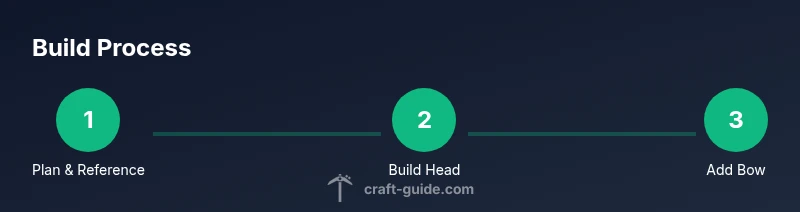
- 1
Plan and reference
Gather reference images and sketch a simple grid to map major features (head, ears, bow). Decide on vanilla or modded tools before placing blocks. This initial planning stage saves time later and helps preserve proportions.
Tip: Create a quick checklist of colors and block types to minimize mid-build changes. - 2
Build the head block
Lay a solid 6x6x6 white block cube for the head. Double-check symmetry by mirroring left and right sides as you go. Keep the top aligned with facial features to ensure a cohesive silhouette.
Tip: Measure from a fixed origin using counting blocks to avoid drift. - 3
Add ears and outline
Attach two 2x2 ears on top corners of the head, rising about a quarter of head height. Use black blocks to outline the ears lightly to help define their shape at distance.
Tip: Place ears one block at a time and compare silhouette from a distance. - 4
Form the torso and neck
Create a 4x4 torso block beneath the head with a short neck between head and body for readability. Keep proportions slightly compressed to fit within your build space.
Tip: Test different neck heights to find the most readable silhouette. - 5
Craft the bow
Place a prominent pink bow on the left side of the head using a small cross-shape of blocks. Add a tiny light-colored highlight to imply depth.
Tip: A two-tone bow reads more three-dimensional at small scales. - 6
Detail the face
Set two black eyes and a small nose in a tight cluster on the front of the head. Add whiskers with slim blocks or strings extending outward, keeping spacing consistent.
Tip: Keep facial features centered to preserve character identity. - 7
Finish with lighting
Place soft lighting behind the head or beneath the figure to create a halo effect. This helps the white blocks pop and reduces flat appearance in dim rooms.
Tip: Use ambient light sources sparingly to avoid harsh shadows. - 8
Add the base and variations
Create a simple base or diorama frame and experiment with alternative outfits or a second character for companionship. Document palette and scale for sharing.
Tip: Save a screenshot set from multiple angles for reference.
People Also Ask
What is the best approach to start a Hello Kitty Minecraft build?
Begin with a simple plan and a grid. Build the head first, then add ears, a bow, and basic facial features. Validate proportions by viewing from several distances as you proceed.
Start with a clear plan and build the head first. Check the silhouette from multiple distances as you add ears and the bow.
Can I achieve this in vanilla Minecraft without mods?
Yes. Vanilla Minecraft supports a faithful Hello Kitty Minecraft build by using colored blocks to simulate curves and shading. Refer to a planned palette and layer-by-layer construction to preserve proportions.
You can do it in vanilla by planning your colors and building in layers for smooth silhouettes.
How do I improve color accuracy without texture packs?
Mix and match natural block colors (wool, concrete, terracotta) to approximate pinks and whites. Test combinations on a small patch and compare to your reference image before scaling up.
Try different pink and white blocks on a test patch to match the reference colors.
What are common mistakes to avoid when building Hello Kitty Minecraft?
Overly complex shading, misaligned proportions, and placing features too close to each other can ruin the silhouette. Build in stages and pause to compare with reference images.
Avoid overcomplicating shading and keep proportions consistent.
Are there post-build refinements that help with presentation?
Add a simple base, soft lighting, and minimal landscaping to frame the figure. Capturing screenshots from multiple angles helps showcase the build.
Give it a small base, light it well, and take photos from several angles.
Can I create variations of this build for a gallery?
Yes. Create alternate outfits or companion characters in matching palettes, keeping the same silhouette for recognizability. Document color codes and block choices for consistency.
Yes—make variations that keep the same silhouette, and note color codes.
Watch Video
The Essentials
- Plan carefully before placing blocks.
- Maintain a consistent color palette for readability.
- Test silhouette from distance to keep recognition high.
- Vanilla and modded options both work with proper planning.