Minecraft Hello Kitty: A Beginner-Friendly Build Guide
Learn to craft a charming minecraft hello kitty-inspired build with step-by-step guidance, thoughtful color palettes, solid block choices, and practical tips for beginners and seasoned builders.


This article explains how to recreate minecraft hello kitty-inspired visuals in Minecraft, focusing on a kid-friendly pixel-art build, color palettes, and block-by-block techniques. You’ll learn essential design principles, spacing, and practical tips to avoid common mistakes. By following these steps, you’ll be able to craft a charming Hello Kitty-themed scene perfect for screenshots and sharing.
Minecraft Hello Kitty: Core Concept
In Minecraft, Hello Kitty-inspired builds translate smooth curves and recognizable shapes into blocks. The goal is to capture the iconic bow, rounded cheeks, and cute silhouette within a grid. According to Craft Guide, starting with a clean plan on a grid helps beginners reproduce the character with consistent proportions. Choose a scale that fits your build area, then map out a simple sprite on graph paper or a Minecraft map. The approach blends pixel-perfect accuracy with playful charm, ensuring the result reads clearly at typical Minecraft viewing distances. Use a limited palette of pinks, whites, and black for outlines to keep the build cohesive and easy to replicate across different worlds. As you design, think about how the character will look from the front and in isometric views, which are common in in-game screenshots and mini-maps.
Color Palettes and Block Choices
Colors are the heart of a Hello Kitty build. For the face, use white or pale gray blocks to capture light areas; pinks for cheeks and bow; black for eyes and outline. Concrete, wool, or terracotta all work; concrete tends to be crisper, wool is softer, and terracotta offers more texture. Keep your palette to 4-6 colors to avoid palette chaos. If you want more depth, introduce soft shading with lighter and darker pink blocks. For outlines, use a dark gray or black concrete to ensure contrast against light sections. Pro tip: always test color combos on a separate wall before committing to your main build. Crafting a cohesive palette is essential for readability in photos and videos of your build.
Building Scale and Proportions
A successful pixel-art Hello Kitty relies on consistent proportions. Decide on a grid (e.g., 16x16 or 24x24) and stick to it; adjust the head-to-body ratio to preserve recognizability. Use symmetry as a guiding principle but allow slight asymmetry for a more natural look. When scaling, start with the head as a square block and add the ears, bow, and body in a mirrored layout. If you place blocks on a flat plane, ensure your base is level and plan around a front-facing orientation for clear silhouette. Craft Guide analysis shows that maintaining clean edges and aligned axes dramatically improves legibility in block art.
Step-by-Step Pixel-Art Plan
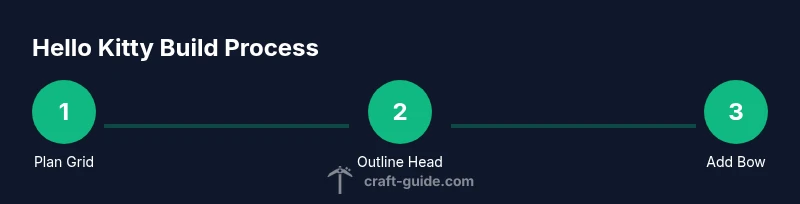
Plan a grid and lay out the major shapes before filling in colors. Build the head first, using a central axis to guide symmetry. Add the ears and the signature bow, ensuring the bow sits slightly above the eyes. Place eyes and a small nose with dark blocks, then fill in white areas to define the face. Once the face is established, extend down to suggest the body and shoulders without overloading the grid with details that won’t read at a distance. Keep any shading subtle to maintain the cute, flat sprite aesthetic that reads well in Minecraft’s blocky style. This planning phase reduces rework and keeps your build efficient.
Top Build Variations and Scenes
Experiment with a front-facing kitty for a classic pixel-art look, then try a three-quarter view to showcase depth. Create variations by swapping out the bow color, adding a tiny gradient behind the character, or placing the figure on a small platform with a pastel background. A tiny, friendly scene—such as a park bench, cherry blossoms, or a simple sign—can elevate your display without overpowering the main figure. Remember to maintain balance so the Hello Kitty silhouette remains the focal point and reads clearly at thumbnail sizes.
Common Mistakes and How to Fix
Common mistakes include overusing colors, misaligned edges, and uneven scaling. Fix misalignment by counting blocks along each axis and keeping a central spine to guide symmetry. When color choices clash, simplify the palette and test contrast against a neutral backdrop. If the bow looks off, adjust its size in relation to the head until it visually centers the face. Finally, avoid tiny blocks that can disappear at small in-game view distances; upsize features or use solid colors to preserve legibility.
Lighting, Presentation, and Screenshots
Lighting dramatically affects how your Hello Kitty build appears in screenshots. Place the model in bright, even light or use in-game lanterns with soft shadows to avoid harsh contrasts. Frame the shot with a simple background and an uncluttered foreground so the character remains the focal point. For thumbnails, shoot from a straight-on angle at eye level and include a bit of your scene to convey context. In communities where sharing builds is common, consistent framing helps your work stand alongside other pixel-art projects. Craft Guide suggests saving multiple angles to showcase different perspectives.
Craft Guide's Verdict and Toolkit
Craft Guide emphasizes starting with a grid-based plan, limiting your color palette, and testing block choices before committing. Their practical approach also encourages documenting variations and sharing step-by-step progress so fellow players can learn from your process. In short, a successful minecraft hello kitty build combines clarity, color discipline, and iterative refinement. The Craft Guide team recommends practicing on a grid, experimenting with small changes, and saving iterations for easy updates. This mindset helps you build confidently and scale your technique to other character sprites.
Tools & Materials
- Creative mode world(to freely place blocks and experiment without survival dangers)
- Pink concrete blocks(for bright pink color; optional: pink wool or pink terracotta)
- White concrete blocks(for face and body)
- Black concrete blocks(for eyes and outline)
- Light gray concrete blocks(for shading highlights)
- Graph paper or grid map(to plan the pixel layout)
- Scaffolding or dirt blocks(to reach higher sections)
- Camera/Screen capture tool(for sharing finished builds)
Steps
Estimated time: 2-3 hours
- 1
Plan the grid
Establish a grid size (e.g., 16x16 or 24x24) and sketch the overall silhouette on graph paper or a blueprinted map. Define the head, ears, bow, and body as separate blocks before committing to colors. This upfront planning reduces rework and helps maintain symmetry.
Tip: Draft on a separate grid and verify both width and height match your target display area. - 2
Lay out the head
Begin with a central square for the head, then extend blocks outward to form rounded corners. Keep the top edge slightly curved to mimic the character’s soft silhouette. Ensure the head aligns with the grid’s vertical axis for clean symmetry.
Tip: Count blocks along the midline to keep features centered. - 3
Add ears and bow
Place the ears at the top corners of the head, mirrored on both sides. Position the bow slightly off-center to add personality while maintaining balance. Use black blocks to define the outer edges for sharp readability.
Tip: Test different bow sizes on a separate layer before finalizing. - 4
Place facial features
Insert eyes as two dark pixels or small blocks, with highlights if desired. Add a tiny nose and a subtle mouth placement. Keep facial features proportional to the head to preserve recognizability at a distance.
Tip: Keep facial features clear and not too large; readability is key. - 5
Fill base colors
Fill large areas with white blocks for the face and lighter tones for shading. Add pink for cheeks and bow, using a limited color palette to preserve clarity. Avoid color spill by keeping outlines in a contrasting tone.
Tip: Limit yourself to 4-6 colors for a crisp sprite look. - 6
Apply shading and depth
Introduce subtle shading along the lower edges and near the bow to simulate light. Use lighter pinks or grays to create a gentle gradient without breaking the flat sprite aesthetic. Consistent shading improves depth while preserving the iconic blocky style.
Tip: Shade in small clusters rather than broad areas to stay pixel-accurate. - 7
Build background and presentation
Construct a simple backdrop that complements the character without overpowering it. Consider a pastel scene, a themed platform, or a chalkboard-like grid sign. Clear presentation helps your build shine in screenshots and timelapse videos.
Tip: Keep the background at least one block away from the character’s edge to prevent occlusion. - 8
Save, capture, and iterate
Take multiple screenshots from different angles and save versions as you iterate. Review from a distance to ensure the silhouette reads correctly. Use these captures to inform future improvements or variations.
Tip: Always save at least two alternative iterations for comparison.
People Also Ask
What makes a Hello Kitty Minecraft build readable at a distance?
Focus on a clean silhouette, strong color contrasts, and minimal interior detail. Place darker outlines around major shapes and keep facial features large enough to read from several blocks away.
To read it from far away, keep the outline bold and the silhouette simple with a few distinct blocks for the eyes and bow.
What color palette works best for pink Hello Kitty builds?
A restricted palette of white, pink, black, and a neutral shade for shading keeps the design cohesive. Pink tones can range from light to medium pink for shading without introducing too many hues.
Stick to white, pink, black, and a light gray for shading to keep it clean and readable.
Can I recreate this in Survival mode or should I use Creative mode?
This task is much easier in Creative mode due to the number of blocks and precision required. If you must use Survival, plan the build in stages and consider temporary scaffolding blocks and resource-efficient methods.
Creative mode is recommended for accuracy, but you can do it in Survival with careful resource planning and scaffolding.
How do I ensure perfect symmetry in the build?
Work on a central axis and build mirrored halves step by step. Regularly check from multiple angles and use counting to maintain equal block counts on both sides.
Build one half, then mirror it on the other side, checking from the front often.
What are good presentation ideas to showcase a Hello Kitty build?
Showcase the build on a pastel-themed stage with a simple background. Add static props like a sign or a tiny tree and capture both close-ups and wide shots for variety.
Create a cozy backdrop and take multiple angles to highlight the sprite.
How can I create variations of this character quickly?
Save a copy of the base grid and swap color blocks to create alternate bows or facial expressions. Document each variant with a simple caption for easy sharing.
Copy the base layout and swap a few colors to make new looks.
Watch Video
The Essentials
- Plan your grid first to ensure symmetry.
- Limit colors for readable pixel art.
- Prioritize silhouette clarity over tiny details.
- Test at multiple distances to verify readability.
- Document variations for sharing and learning.