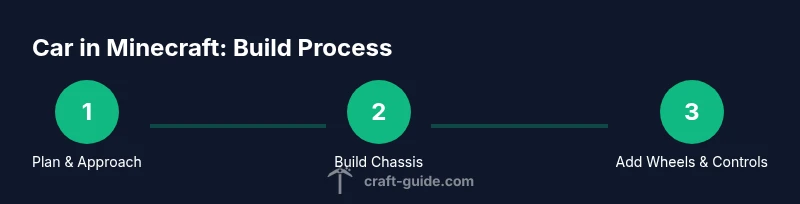
Car in Minecraft: Build, Drive, and Explore
Learn to create a drivable car in Minecraft using vanilla methods or mods. This step-by-step guide covers chassis, wheels, engines, controls, and styling for beginners to advanced players.


In Minecraft, you can create a road-ready vehicle using blocks, redstone, and, optionally, mods. This guide shows vanilla and modded options to build a drivable car, plus controls, wheels, and propulsion. You'll need space, basic materials, and a plan. By following these steps, you'll have a working car that you can decorate and drive.
Vanilla car concepts in Minecraft
Vanilla car projects in Minecraft rely on what the game already provides: blocks, rails, redstone, and maybe minecarts. The simplest working approach is to treat a car as a rolling minecart on a custom road. Lay down a track network, sprinkle powered rails to accelerate, and connect a switch or button to start the cart. This creates a convincing on-road vehicle that players can push or ride along. According to Craft Guide, the value of experimenting with a road-driven car lies in the design process: you learn about momentum, slope management, and how to create convincing visuals with just a few blocks. Another vanilla method uses decorative blocks to simulate a body around a working mechanism, while keeping all movement on rails for reliability. This teaches the core ideas of a car: a chassis, a drive system, and a visible exterior that mirrors your design goals. When starting vanilla, keep the route simple and test on flat terrain.
Modded options to enhance drivability
Mods dramatically expand what is possible in Minecraft vehicles. By adding wheels, advanced engines, and sometimes even fully drivable vehicles, mods reduce the gap between imagination and in-game mechanics. When choosing mods, ensure you use a loader compatible with your Minecraft version (Forge or Fabric) and back up worlds before installation. In practice, you might pick a mod that adds wheels that actually rotate, another that supplies an engine block that can push your car along, and a control system that maps keyboard inputs to vehicle movement. Craft Guide analysis shows that players who rely on mods often achieve a smoother driving experience with fewer redstone glitches and more realistic acceleration and steering. If you enjoy race-track designs or off-road testing, mods are especially valuable because they unlock features that are hard to reproduce in vanilla. Start by selecting 1–2 mods and integrate them into a clear chassis design to keep complexity manageable.
Core components: chassis and frame
The chassis is the backbone of any car project, providing structural support and a place to mount wheels or rails. In Minecraft, a basic chassis can be built from a grid of solid blocks arranged to form a stable rectangle or rounded shape. The goal is to create a frame that looks proportional to a real car and can hold the other systems without wobbling. Use symmetry to your advantage so both sides behave predictably during testing. For a more polished look, wrap the chassis in a thinner layer of blocks to imply sheet metal, while leaving interior space for seats and controls. When selecting materials, choose contrasting colors for body panels and the chassis to emphasize depth and style. A well-planned chassis reduces wobble and makes it easier to attach wheels or a rail-based drive system later. Always test the balance early on by pressing the weight distribution with a few blocks before building the full exterior.
Wheels and mobility strategies
Vanilla wheels come from minecarts on rails or by simulating wheel movement with piston-based assemblies, while mods provide actual rotating wheels. The simplest method is to lay a straight path of rails along your car’s footprint, then place a minecart on the track. Powered rails can help you accelerate, while detector rails or levers allow you to start or stop movement. For a more stylistic, non-rail approach, you can hide a minecart inside the chassis and connect it to a lever that propels the vehicle along rails placed beneath the surface. When using wheels, ensure each wheel is aligned with the vehicle body so the car visually reads as a single unit. If you opt for mods, look for wheels that rotate in place and join them with the chassis using compatible adapters. This section highlights why wheels are both a visual and mechanical anchor for any car build.
Engines and propulsion methods
In vanilla, propulsion usually relies on rail power: a train-like system that pushes a minecart along the rails. You can also simulate an engine using redstone clocks and pistons to mimic engine sounds and motion, but this is decorative rather than truly mechanical. Modded builds give more authentic propulsion options: engine blocks or motor components that push a vehicle without rails, automatic throttle control, and sometimes fuel systems. When deciding, think about how you want acceleration to feel and how quickly you want to reach your cruising speed. Keep the engine model simple at first—an On/Off switch, a few pistons, and a follower rail can simulate a steady move. As you gain confidence, you can upgrade to more complex systems that support niceties like drag and hill climbing. The goal is a believable propulsion feel without overcomplicating your build.
Controls: steering, throttling, and braking
Steering in vanilla is challenging since there is no native steering wheel. A common approach is to rely on a guided track with a straight path and some turns you pre-program with detectors and powered rails to steer the cart. For a more interactive experience, mods often offer keyboard-to-vehicle mappings, enabling real steering and better control. Throttling can be simulated by adjusting the power of powered rails or by using a lever to regulate engine output in mods. Braking can be implemented with detector rails and a quick stop mechanism, or with a piston-based brake that pins the cart in place. The key is to ensure that the driver’s input translates to predictable changes in speed and direction. Always test cornering on gentle curves before tackling tight turns.
Interior design and aesthetics
Once the mechanical systems are in place, focus on the interior and exterior styling. Seats, dashboards, and steering visuals bring the build to life. Use contrasting colors to create a sense of depth on the body panels, and consider light sources to simulate headlights or taillights. Exterior detailing—grill textures, window panes, and wheel arches—adds realism without changing the underlying mechanics. For functionality, ensure that interior blocks do not interfere with redstone wiring or minecart rails. You can add signs as instrument panels or place item frames with icons to indicate speed or gear. A polished interior helps players feel like they’re in a real car rather than a floating block arrangement.
Wiring, automation, and safety
Redstone wiring under the hood of a Minecraft car can power lights, sounds, or automated starts. Plan a simple circuit first: a toggle switch to start the engine, a throttle control that ramps speed, and a brake that stops motion. Use repeaters and comparators to manage timing, and consider using a detector rail at the end of the track to halt the vehicle automatically. If you’re using mods, you’ll have access to more sophisticated automation tools that map keys directly to movement and can simulate gear changes. Always back up your world before testing heavy redstone or new mods to avoid loss from glitches. If the system is lagging, simplify the circuit or reduce tick-based blocks to maintain smooth performance.
Building tips for realism and performance
Scale matters: decide whether 1 block equals 1 foot or 1 meter, then stay consistent throughout the build. Use consistent wheel sizing and a realistic front-to-back ratio for the vehicle silhouette. When wiring, keep lines tidy and label components so you can debug quickly. Keep paths clear so future updates or changes don’t break the drive system. If you test on a flat surface, you can focus on balance and aesthetics before encountering hills or uneven terrain. Craft Guide suggests starting with a simple, small car and expanding as you learn the mechanics of steering, propulsion, and control.
Troubleshooting and common pitfalls
Misaligned wheels or rails often cause wobble or stuck carts. Double-check that wheels are evenly spaced and that powered rails deliver consistent power. A common pitfall is attempting to fuse too many systems into a single module; this causes lag and confusing behavior. If you’re using mods, ensure the version and loader are compatible with your Minecraft build and that the mod’s dependencies are installed. Back up your world before testing major changes, and test incrementally instead of changing everything at once. If you see rubber-banding or jitter, simplify the throttle logic and verify that your controls map correctly to movement.
Inspiration and next steps
Take cues from real-world car design: proportions, wheel placement, and aerodynamic shapes inspire how you shape blocks. Sketch your plan on paper or a graph grid before translating it into Minecraft blocks. As you add lights, doors, and interior details, your car will feel more alive and inviting to drive. If you want a deeper dive, explore related guides on vehicle automation and redstone-driven machines. Craft Guide encourages experimentation: start small, iterate often, and celebrate the moment you first drive your Minecraft car across a custom road.
Tools & Materials
- Minecraft Java Edition(Version should support chosen approach (vanilla vs. mods).)
- Creative world on flat terrain(Start with a blank canvas to plan proportions.)
- Blocks for chassis and body(Choose contrasting colors to emphasize edges.)
- Minecart(s)(Essential for vanilla drive concepts.)
- Powered rails(Enable acceleration and braking in vanilla mode.)
- Redstone components (levers, repeaters, pistons)(For basic control circuits and effects.)
- Mod loader (Forge or Fabric)(Only if you plan to use vehicle mods.)
- Vehicle mods (optional)(Check compatibility with your Minecraft version.)
- Backup tools (world backup)(Always back up before major changes.)
Steps
Estimated time: 2-4 hours
- 1
Decide vanilla or modded approach
Choose whether you will build a vanilla road-driven car or a mod-enabled drivable vehicle. Consider your familiarity with redstone and mods, and set a clear goal for realism versus simplicity. This decision will drive your chassis design and materials.
Tip: Clarify your scope before gathering materials to avoid scope creep. - 2
Plan the chassis footprint
Draft a rough footprint on the ground that matches your vehicle’s intended length and width. A balanced chassis helps prevent tipping and keeps wheel alignment predictable. Mark anchor points for wheels or rails.
Tip: Use graph paper to keep measurements consistent. - 3
Build the chassis frame
Assemble a sturdy frame using solid blocks. Keep edges clean and symmetrical to simplify later attachment of wheels or motors. Leave interior space for seating and wiring.
Tip: Start with a small test section to verify stability before expanding. - 4
Install wheels and drive system
For vanilla, place minecarts on rails aligned with the chassis and connect powered rails for drive. For mods, attach rotating wheels and configure adapters to the chassis.
Tip: Verify wheel alignment by pushing gently and watching for wobble. - 5
Add propulsion mechanics
Vanilla propulsion uses rails and power; mods provide engine blocks or motors. Start with a simple on/off mechanism and test ramping speed.
Tip: Keep the propulsion system modular to facilitate upgrades. - 6
Integrate controls and testing
Map a basic input method to movement: a lever for throttle or a keyboard control in mods. Run test drives on a straight path first to calibrate speed and handling.
Tip: Test in small increments to catch setup mistakes early. - 7
Add interior and exterior details
Install seats, dashboards, and headlights. Exterior details like grills and windows enhance realism without altering mechanics.
Tip: Signage and frames can serve as dashboards without extra wiring. - 8
Wire lighting and safety features
Add lights and a simple brake signal. Use detectors to stop automatically at the end of a test track if needed.
Tip: Keep wiring tidy to simplify future updates. - 9
Test drive and refine
Take the car for a longer run, note handling quirks, and re-balance weight distribution. Iterate on wheel placement, suspension, and throttle feel.
Tip: Document changes so you can revert if needed.
People Also Ask
Can I drive a car in vanilla Minecraft without mods?
Yes, you can simulate driving a car on rails using minecarts, powered rails, and redstone switches. It’s not true steering, but it creates a convincing road vehicle. You can expand the idea with decorative body work and controlled test tracks.
You can drive a pretend car on rails in vanilla Minecraft; it’s a good starting point if you don’t want mods.
Do I need mods to have functional wheels in Minecraft?
Mods provide rotating wheels and more realistic propulsion, steering, and engine behavior. They require a compatible loader and version, plus backups. If you like a more authentic feel, mods are worth it.
Yes, mods often give you functional wheels and engines with real driving controls.
What Minecraft versions work best for car builds?
Builds work across many versions, but modded builds need compatible Forge or Fabric versions. Vanilla builds work on all recent editions with rails and redstone tools.
Any recent version works, but check mod compatibility for the best results.
How long does a typical car build take?
A basic vanilla car can take a couple of hours, while a polished modded build may take several hours depending on features. Plan time for testing and refinement.
Most players finish a simple vanilla car in a few hours, mods take longer.
Can I add headlights and doors to a Minecraft car?
Yes. You can simulate headlights with light sources and create doors with trapdoors or piston actions. Both add realism without changing core drive mechanics.
Headlights and doors are doable with signaled lights and simple pistons.
What’s the easiest starting point for a car build?
Start with a small, simple chassis and a single wheel or minecart system. Expand later with styling and optional mods once you’re comfortable with the mechanics.
Begin small, then grow your design as you learn.
Watch Video
The Essentials
- Plan your approach before building.
- Use a modular design for easy upgrades.
- Test incrementally to catch issues early.
- Choose vanilla or modded paths based on your goals.