Seed World Minecraft: A Practical Seed Guide for 2026
Explore seed world minecraft basics, how seeds shape terrain, edition differences, and practical tips to locate, test, and share seeds for builds and survival in 2026.


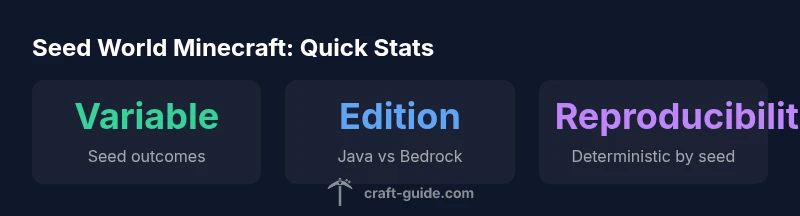
In Minecraft, a seed is a numeric code that seeds world generation, yielding a reproducible terrain layout, biomes, and structures. Seeds are edition-specific (Java vs Bedrock), so a seed works differently between versions. You can view or share your seed from the pause menu or by using the /seed command. This quick definition helps set expectations for seed-based play before you dive into testing and exploration.
Understanding seeds and world generation
When you start a new world in Minecraft, the game uses a seed to initialize the terrain generation algorithm. The seed acts like a blueprint, guiding how mountains, rivers, caves, villages, temples, and structures appear. In seed world minecraft, the exact landscape you see is reproducible if you use the same seed and the same game version. This determinism is powerful for builders who want to recreate a specific world or for players who want predictable survival challenges. According to Craft Guide, seeds underpin efficient planning and consistent testing because you can recreate the same conditions for builds or farm experiments. Keep in mind that seeds are edition-specific; a Java seed won’t produce the same world on Bedrock Edition due to differences in chunk generation and biome placement. For quick reference during a session, you can view your seed in the pause menu or with the /seed command. This baseline understanding sets the stage for practical seed hunting and world-building strategies.
How seeds influence terrain and biomes
Seeds influence more than just the location of trees or water. They determine biome placement, terrain height variation, ore distribution, and the overall biome mosaic within a world. In seed world minecraft, you may encounter plains next to deserts, jungles hugging coastlines, or impossible mountain ranges depending on the seed’s hash and the version’s generation rules. The Craft Guide Team notes that biome boundaries can shift between Java and Bedrock even when seeds are numerically identical, so players should test seeds in their target edition. If your goal is resource farming or pixel-perfect builds, you’ll want to study seed maps and run multiple test worlds to compare biome density, village proximity, and dungeon spread. The process rewards patience and systematic testing rather than luck alone.
Finding and choosing seeds for different playstyles
Different playstyles demand different seed profiles. For survival-focused games, choose seeds that place a coastline near your starting point with nearby trees, animals, and ore-rich caves. For builders, look for seeds that position large flat plains, favorable mountain silhouettes, or interesting river systems near spawn. For explorers and speedrunners, seeds with quick access to varied biomes and multiple structures can shave minutes off route planning. The seed world minecraft concept means your approach should consider what you want near your spawn area, plus the accessibility of resources and the potential for long-term exploration. Craft Guide suggests documenting your findings and ranking seeds by your criteria to build a personal seed catalog.
Practical steps: testing seeds and documenting results
A rigorous testing workflow helps you evaluate seeds objectively. Start by generating multiple test worlds using the same seed across several game versions or snapshots. Note spawn location, initial biome mix, proximity to lava pools or water, and the first 5–10 biomes you encounter. Record parameters such as spawn height, tree density, and village proximity. Use seed charts or simple note-taking templates to compare seeds side by side. After testing, seed cataloging becomes a powerful reference for future builds or challenge runs. Maintain a versioned log so you can reproduce favorable worlds later or adjust criteria for new seeds you want to try. The Craft Guide methodology emphasizes repeatable testing and clear documentation for best results.
Seed worlds across editions: Java vs Bedrock and porting seeds
Java and Bedrock editions share the seed concept but diverge in generation rules. In seed world minecraft, a seed that works well in Java may yield a very different landscape in Bedrock. Conversely, some seeds translate surprisingly well but still show edition-specific quirks, such as temple placements or cave systems. If you plan to port a seed across editions, expect adaptation rather than direct equivalence. When experimenting with seed portability, run side-by-side tests to observe biome distribution and structure availability. Craft Guide recommends keeping edition-specific notes and using seeds primarily for reproducible experiments rather than assuming cross-edition parity.
Common misconceptions and pitfalls
A frequent misconception is that seeds guarantee specific structures like temples or villages. In reality, seeds influence probabilities and layouts but do not guarantee exact features. Another pitfall is assuming seeds are universally better; some seeds may yield great resources but harsh early environments. Remember that the seed is only part of the world-generation equation; seed world minecraft outcomes depend on game version, world type, and settings such as biome size or terrain height. Always verify seed results in your target edition and avoid overgeneralizing from a single seed test. Craft Guide recommends a disciplined approach to seed testing rather than chasing rare, luck-driven outcomes.
Seed behavior by edition
| Aspect | Java Edition Seed Behavior | Bedrock Edition Seed Behavior |
|---|---|---|
| Terrain generation | Biomes and terrain patterns vary by seed | Biome placement and landscape features differ by seed |
| Structures | Villages/dungeons spawn according to seed rules | Structure spawning can differ in distance and timing |
| Biome boundaries | Often distinct per seed, version-dependent | Boundaries can shift compared to Java |
| Cross-edition portability | Seeds are not directly interchangeable | Porting seeds requires adaptation and testing |
People Also Ask
What defines a seed in Minecraft?
A seed is a numeric code that initializes world generation, determining terrain, biomes, and structure distribution. It makes a world reproducible when used with the same game version. Different editions interpret seeds differently, so always test seeds in your target version.
A seed is a number that starts the world generator and shapes the terrain and biomes. It makes worlds reproducible in the same version; always test seeds for your edition.
Can I reuse a seed to reproduce a world in the same version?
Yes. Using the same seed with identical game settings and version will recreate the same terrain and biome layout. If you alter the version or seed settings, the world may differ. Always confirm the version when reusing seeds.
Yes, reusing the same seed with the same version reproduces the world exactly.
Are seeds identical across Java and Bedrock editions?
No. Java and Bedrock use different generation rules, so the same seed often yields different landscapes, biomes, and structures. If you want a comparable experience, test seeds in each edition separately.
No—seeds behave differently between Java and Bedrock, so test seeds in each edition.
How can I test a seed’s quality for survival builds?
Generate multiple worlds from the seed, observe spawn quality, resource density, and access to critical biomes. Record outcomes over early gameplay and verify whether a seed supports your survival goals. The goal is consistency across attempts rather than a single lucky run.
Generate several worlds from the seed and compare spawn quality and resources to see if it supports your survival plan.
Where do I find the seed in different game versions?
In Java Edition, press Esc and click World; the seed is shown in the world options or use /seed command in-game. In Bedrock Edition, pause the game and look for seed information in the world options. Seed visibility may vary by launcher and version.
In Java, use /seed or check World settings; in Bedrock, check world options for the seed.
“Seed worlds are the backbone of reproducible Minecraft exploration; understanding seeds unlocks consistent survival layouts and creative planning.”
The Essentials
- Choose seeds with clear goals for your playstyle
- Test seeds across game versions to understand differences
- Document results to build a reusable seed catalog
- Java and Bedrock seeds are not interchangeable
- Seed testing improves survival and build planning