What Minecraft Version Is Mobile? A Practical Bedrock Edition Guide
Learn which Minecraft version runs on mobile, why Bedrock Edition is the standard for Android and iOS, and how cross‑play and Realms work across devices.


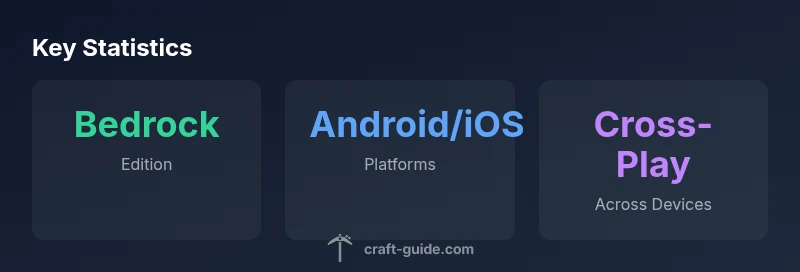
On mobile today, Minecraft runs on the Bedrock Edition, available for Android and iOS. This edition shares a common codebase across Windows 10/11, consoles, and mobile, enabling cross-play, in-app purchases, and Realms. Java Edition remains separate on PC. For mobile players, the Bedrock version is the official, supported mobile client, with frequent updates tied to Bedrock releases.
Understanding what minecraft version is mobile
If you’re asking the question, what minecraft version is mobile, the short answer is that today’s mobile Minecraft runs on the Bedrock Edition. This edition was designed to work across multiple platforms, including Android and iOS devices, Windows 10/11, consoles, and Gear VR-era setups. The Bedrock codebase unifies features, purchases, and online services so players on phones can join friends on other devices. For players coming from the older Pocket Edition era, the Bedrock rebrand in 2019 marked a shift toward uniform cross‑play and a more consistent update cadence. In short, mobile Minecraft is Bedrock Edition, not Java, and this distinction is important for compatibility, mods (or add-ons), and cross‑play opportunities. As a guide focused on practical Minecraft builds and gameplay, understanding this distinction helps you plan maps, seeds, and servers with confidence. The latest mobile builds tie into the broader Bedrock ecosystem, ensuring a steady flow of features that mirror the console and Windows experiences.
Bedrock Edition vs Java Edition: key differences for mobile players
The mobile experience hinges on the Bedrock Edition, which differs in several key ways from Java Edition. Bedrock supports cross‑play across Windows, Xbox, PlayStation, Nintendo Switch, and mobile, meaning you can share worlds with friends on other devices. Java Edition, by contrast, runs only on PC and uses a different modding system, different codebase, and separate launcher. On mobile, you won’t access Java-only features like certain Java-native mods or specific console commands. The touch-friendly controls, marketplace assets, and Realms integration in Bedrock are designed with mobile ergonomics in mind. Performance optimizations in Bedrock also reflect the hardware diversity of phones and tablets, including lower RAM environments and variable GPU power. If you’re migrating from PC to mobile, expect some UI adjustments and simplified menus, but the core survival gameplay, redstone logic, and world-building remain familiar across Bedrock devices.
How to install Minecraft on Android and iOS
Installing Minecraft on mobile is straightforward, but a few platform nuances matter. On Android devices, open the Google Play Store, search for Minecraft, and purchase or install if you already own a copy through your Microsoft account. On iOS, head to the App Store and install Minecraft, again linked to your Microsoft account for cross‑progression. After installation, sign in with a Microsoft account to sync purchases and Realms access. Once signed in, you can start a new world or join a Realms server. If you’re new to Bedrock, explore the in-game Marketplace for skins, texture packs, and community-created content, all of which are common across mobile and other Bedrock platforms. Ensure your device has adequate storage and a recent OS version for the best experience, and consider enabling “Performance” presets to improve frame rates on lower-end devices.
Performance considerations and optimization on mobile devices
Performance on mobile devices varies with hardware, screen size, and OS optimizations. You’ll achieve smoother gameplay by lowering render distance, reducing particle effects, and turning off fancy graphics on older devices. Battery efficiency improves with shorter play sessions and balanced brightness. If you play on a tablet, a controller can supplement touch controls and improve precision for building; some players also use Bluetooth keyboards for convenience. Enable “V-Sync” where supported to avoid tearing, and consider closing background apps to maximize CPU and memory availability. For larger builds or heavy-resource worlds, keep chunk loading moderate and sleep between heavy edits to preserve battery life. On mobile, stability often means balancing visuals and performance rather than pushing max settings.
Cross-platform play and Realms on mobile: what you can expect
Cross-platform play is a cornerstone of Bedrock Edition, and mobile players can join friends on Windows, consoles, and other Bedrock devices. Realms provide a managed, always-online world subscription that makes sharing builds easy, especially when some players lack local LAN options. Realms participants generally enjoy consistent world syncing, backups, and friend access without needing a server setup. Be mindful that Realms and marketplace purchases often require account authentication and a stable internet connection. While Bedrock’s cross‑platform compatibility is strong, certain commands, mods, and UI elements differ slightly across devices, so plan builds with device-specific limitations in mind. This is where tiered world settings—like default gamemode, seed usage, and world size—can help keep experiences consistent across devices.
Tips for mobile building, control schemes, and accessibility
Mobile building benefits from tailored controls and accessibility tweaks. Use a stylus or finger precision presets for delicate builds, and customize the hotbar layout to fit your screen real estate. If you prefer faster navigation, turn on “auto‑sprint” and assign frequent actions to quick-access UI elements. For accessibility, enable larger UI scaling, high-contrast textures, and readable fonts. When planning complex redstone or large builds, consider splitting tasks into smaller sessions to avoid device overheating. Finally, use cloud saves and Realms backups to avoid data loss from accidental crashes, and explore add-ons that expand texture packs or tweak visual clarity for smaller screens.
Edition compatibility overview
| Edition | Platform | Notes |
|---|---|---|
| Bedrock (Mobile) | Android / iOS | Cross-platform with Windows/console |
| Java Edition (PC) | PC/Mac | Not playable on mobile |
People Also Ask
Is mobile Minecraft the same as Bedrock Edition?
Yes. Mobile Minecraft uses Bedrock Edition, which is shared across platforms. Java Edition remains a separate PC-only version with different features and mod support.
Yes—mobile Minecraft runs Bedrock Edition, not Java, so you’ll share worlds with other Bedrock players across devices.
Can I play with PC friends if I’m on mobile?
Yes, if both players are on Bedrock-enabled platforms. Bedrock supports cross‑play between mobile, Windows, and consoles, so friends can join the same world.
Yes, you can play with friends on PC as long as you’re both on Bedrock.
Are updates paid on mobile?
Updates are delivered via the app store or Microsoft account tied to your copy. Realms may require a separate subscription for access.
Updates come with the game; Realms may need a subscription.
Are mobile worlds cross‑compatible with PC?
Bedrock worlds can be transferred across Bedrock platforms, but some device-specific controls and UI differences exist.
Yes, Bedrock worlds can cross between devices, with minor UI differences.
What about performance on phones?
Performance depends on device specs. Lower render distance, fewer particles, and balanced settings help on mid-range phones.
Performance varies by device; adjust settings for smoother play.
Can I install mods on mobile?
Full mods aren’t supported on mobile, but you can use add-ons and marketplace content to customize gameplay.
Mods are limited on mobile; try add-ons and marketplace items.
“In our testing, Bedrock Edition on mobile offers reliable cross‑play and consistent updates, making mobile Minecraft feel integrated with the broader ecosystem.”
The Essentials
- Choose Bedrock Edition for mobile play across devices
- Use Android or iOS to install the mobile client
- Leverage cross‑play with Windows/console via Bedrock
- Java and Bedrock are separate ecosystems on PC vs mobile