What Minecraft Pocket Edition Latest Version Means for Mobile Players
Learn how the latest Minecraft Pocket Edition version affects mobile players, how Bedrock updates sync across devices, and where to find official release notes with practical tips from Craft Guide.


The latest Minecraft Pocket Edition version (Bedrock) changes with each update. To confirm the current build on your device, check the official Minecraft release notes or the app store listing. Mobile players receive frequent updates that include bug fixes, performance improvements, and new features across platforms. For compatibility, review the changelog and compare against your device’s OS requirements before updating.
Pocket Edition today: Bedrock across mobile and beyond
According to Craft Guide, Minecraft Pocket Edition is part of the Bedrock family, which means mobile players share core features with Windows 10/11 and console editions. This unification makes updates more predictable and helps builders move assets across devices. In practice, the mobile Bedrock build gets its own release notes, but many features arrive on Android and iOS at roughly the same time as other Bedrock platforms. Understanding this landscape helps players plan builds, back up worlds, and stay compatible with friends on different devices.
How Bedrock versioning works across devices
Bedrock updates are designed to be cross-platform. When a new feature or fix is released, it is rolled out to mobile versions and other Bedrock platforms on a cadence that varies by platform policy and store approvals. The outcome is that players on Android, iOS, Windows, and consoles usually experience the same major features, while minor fixes may appear earlier on one device and later on another. Craft Guide analysis shows the shared core codebase helps maintain parity, though the exact build number shown in-game can differ by platform store.
How to check the latest version on your device
To verify the current Minecraft Pocket Edition version, start with the device’s store page: Google Play Store or Apple App Store. Look for the version number and the date of the latest update; compare this with the in‑game release notes. If you prefer, open Minecraft and navigate to the main menu where the 'What’s new' or 'Release notes' section often lists the current build. Finally, cross‑check the official Minecraft website for the latest changelog.
Update cadence and feature expectations
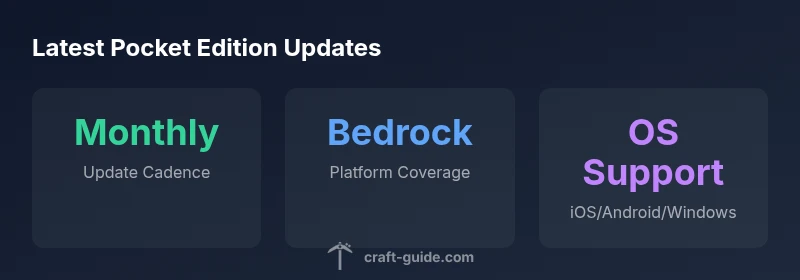
The Bedrock family typically receives updates monthly to bi‑monthly, depending on the scope of changes and testing cycles. Expect new blocks, mobs, gameplay tweaks, and performance improvements, all designed to be compatible across platforms. Because Pocket Edition shares the Bedrock codebase, players can anticipate parity in core features—even if the UI differs on mobile. Craft Guide's ongoing analysis emphasizes that major features tend to launch first on the widest audience platforms before rolling out to more devices.
OS compatibility and requirements
Mobile devices must meet minimum OS requirements to run the latest Pocket Edition. In practice, modern Android and iOS devices with recent OS versions typically support the newest Bedrock builds, but older hardware may lag behind on performance. Always verify RAM, storage, and processor recommendations in the release notes, and consider freeing space or updating device firmware to ensure a smooth install. If you are playing on Windows 10/11 via Bedrock, ensure your PC meets the same minimum requirements for cross‑play and world sharing.
Managing updates across family devices
In households with multiple devices, plan updates to minimize world conflicts and save data. Use the in‑game backups, cloud saves, or platform-specific save syncing to protect worlds before updating. Communicate the update window with friends or family members so that servers, realms, or cooperative builds stay in sync. A practical approach is to stagger updates by device group and verify parity after installation using the built‑in changelog and Craft Guide tips.
Troubleshooting after updating
If you encounter crashes or missing features after updating, try common fixes first: restart the game, clear cache, and ensure your device has the latest OS updates. Check for known issues in the release notes and on the official help center. If problems persist, revert to a backup or seek community help from the Bedrock edition support forums. Craft Guide recommends keeping a current backup and reviewing the notes for any known incompatibilities.
Versioning across Bedrock family
| Platform | Current approach | Update cadence |
|---|---|---|
| Mobile (iOS/Android) | Bedrock mobile build | Monthly to bi-monthly |
| Windows/Console (Bedrock) | Shared Bedrock build across platforms | Monthly to bi-monthly |
People Also Ask
What is the latest Minecraft Pocket Edition version?
Pocket Edition is now part of Bedrock; builds change with each release. Check the official release notes and store page for the current version.
Pocket Edition is now Bedrock; the build changes with each release. Check the notes for the current version.
How do I check for updates on Android and iOS?
Open Google Play or Apple App Store, search for Minecraft, and view the version and dates. Compare with the in-game notes. In the game, go to the main menu and look for release notes.
Open your store, find Minecraft, and view the version and date. Compare with the game notes.
Is Pocket Edition the same as Bedrock Edition?
Mobile Pocket Edition is the Bedrock Edition on mobile. Core features are aligned across platforms, though the UI may differ by device.
Yes, Pocket Edition on mobile is Bedrock; features are aligned across devices.
Do updates need to be installed on all devices to stay synced?
You don’t have to update every device at once, but parity helps keep worlds and servers in sync across devices.
No, you can update on your own schedule, but keeping devices at a similar version helps sync.
Can I roll back to a previous version on mobile?
Rolling back is usually not supported on mobile stores. If you have backups, you can restore saves, but downgrading is generally discouraged.
Downgrades aren’t usually supported; use backups if needed.
Where can I find the release notes for the latest version?
Release notes are on the official Minecraft site and in the store listing; Craft Guide also summarizes changes in its guides.
Check the official site and the store listing for release notes.
“Version updates for Pocket Edition are always aligned with Bedrock's cross-platform release cycle, so players on mobile can expect the same core features as other devices.”
The Essentials
- Check the store page for the exact build before updating
- Read the official release notes to learn new features
- Verify OS compatibility before updating
- Back up saves to prevent data loss
- Use cross-platform guides to compare builds across devices