What Minecraft Does Xbox Have: A Practical Guide
Discover which Minecraft edition runs on Xbox, how Bedrock Edition on Xbox interacts with cross‑play, and tips to optimize your experience on Xbox consoles in 2026.


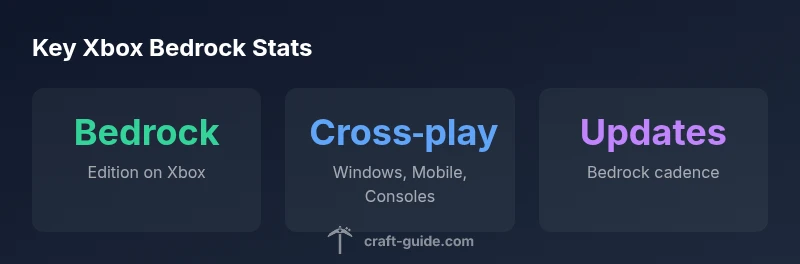
For players asking what minecraft does xbox have, the short answer is: Xbox consoles run Bedrock Edition. Java Edition isn’t available on consoles. Xbox Bedrock supports cross-play with Windows 10/11, mobile, and other Bedrock devices. Updates roll out with other Bedrock platforms, and you’ll sign in using a Microsoft account. If you’re coming from Java, you’ll play Minecraft on Xbox using Bedrock and won’t run Java natively.
Bedrock Edition on Xbox: Core features
For readers curious about what minecraft does xbox have, the short answer is: Xbox consoles run Bedrock Edition, not Java. This edition unifies the game across Windows, mobile, and consoles, enabling cross‑play with friends on other devices. On Xbox you’ll access the Marketplace for skins and worlds, and you can host or join Realms to play with friends without managing a private server. According to Craft Guide, Bedrock’s engine is shared across platforms, helping maintain feature parity and reduce platform fragmentation. Practical tips: keep the game updated, sign in with a Microsoft account to access saved worlds and purchases, and tailor your controller settings for comfortable Xbox play. If you’re moving from Java, expect differences in world format and item management, but you’ll still enjoy multiplayer and the same core gameplay loop.
Bedrock Edition on Xbox: Core features continued
Beyond multiplayer, Bedrock Edition on Xbox supports the Marketplace, which houses skins, texture packs, and community-made worlds. You can join Realms to play with friends without hosting your own server, and you can save progress to the cloud via your Microsoft account. This section covers how to switch to Bedrock and what to expect in terms of inventory, blocks, and commands across devices. Expect parity with other Bedrock platforms on gameplay mechanics, with platform-specific tweaks for controller navigation and on-screen menus.
Cross-play and cross-device play on Xbox
Bedrock Edition enables cross‑play across Windows, iOS, Android, and other consoles. On Xbox, you can play with friends on PC and mobile as long as they use Bedrock. This section explains how to enable cross‑play, what types of servers work across devices, and how to join friends’ worlds safely. You’ll also see how to migrate your identity (skins, purchases) through a linked Microsoft account to maintain a seamless multiplayer profile.
How updates and parity work for Xbox Bedrock
Updates come to Xbox Bedrock in cadence with other Bedrock platforms. This means new features, bug fixes, and content packs announced for Windows and mobile often appear on Xbox in the same general timeframe. This section details how patch notes are delivered, how to verify your version, and how parity is maintained for blocks, items, and mechanics across devices. It also covers potential temporary platform-specific issues and how to report them.
Performance, controls, and UX on Xbox
Xbox Series X|S improvements typically deliver smoother performance, faster load times, and more responsive controls. This section covers how to optimize graphical settings for comfort, how to map controls for a gamepad, and tips for navigating menus with a controller. We discuss accessibility options, such as text size and UI scaling, to ensure a solid, comfortable experience for players of all ages on Xbox.
Transitioning from Java to Bedrock on Xbox
For Java players moving to Bedrock on Xbox, expect differences in world format and item management. This section explains practical steps for starting anew, along with options to recreate essential builds, bring over exercise data via cloud saves, and adapt to Bedrock’s cross‑play ecosystem. You’ll also learn how to leverage Realms and cross‑platform servers to preserve your multiplayer communities.
Xbox Bedrock cross‑platform comparison
| Platform | Edition | Cross-Play | Notes |
|---|---|---|---|
| Xbox Console | Bedrock Edition | Yes | Cross‑play with Windows, mobile, and other Bedrock devices |
| Windows PC | Bedrock Edition | Yes | Same cross‑play ecosystem |
| Java Edition | Java on PC only | No | Different edition; not cross-play with Bedrock |
People Also Ask
Is Java Edition available on Xbox?
Java Edition is not supported on Xbox consoles. Xbox players should use Bedrock Edition to play with others on Windows, mobile, and consoles.
Java isn’t on Xbox; you’ll use Bedrock Edition to play with friends.
Can Xbox players play with players on other platforms?
Yes. Bedrock Edition supports cross‑play with Windows, iOS, Android, and other Bedrock devices.
Yes, cross‑play works with Windows and mobile devices.
Do you need a subscription to play online on Xbox?
Online multiplayer generally requires an active Xbox account and internet connection; some regions may require a subscription for full online features.
You need an active Xbox account and internet; subscription depends on local policy.
Which Xbox generations support Bedrock Edition?
Bedrock Edition runs on Xbox One and newer consoles, including Xbox Series X|S.
Bedrock works on Xbox One and Series X|S.
Can I migrate a Java world to Bedrock on Xbox?
Direct Java to Bedrock world transfers aren’t supported; you’ll likely need to recreate or use conversion tools with caution.
Direct transfers aren’t supported; you’ll need to recreate.
“Minecraft on Xbox uses Bedrock Edition, delivering cross‑play across platforms. The key is staying updated and using a Microsoft account to unlock multiplayer features.”
The Essentials
- Verify your Xbox edition is Bedrock before multiplayer.
- Enable cross‑play by signing in with a Microsoft account.
- Keep Bedrock updated to stay parity with other platforms.
- Play on Series X|S for smoother performance.
- Explore Realms and cross‑platform servers for larger communities.