Is Minecraft on Xbox? A Bedrock Cross-Play Guide for 2026
Explore whether Minecraft on Xbox supports cross-play, how Bedrock Edition on Xbox works with Windows, Switch, and mobile, and how to set up and troubleshoot cross-platform play.


Is Minecraft cross-play on Xbox? What you need to know
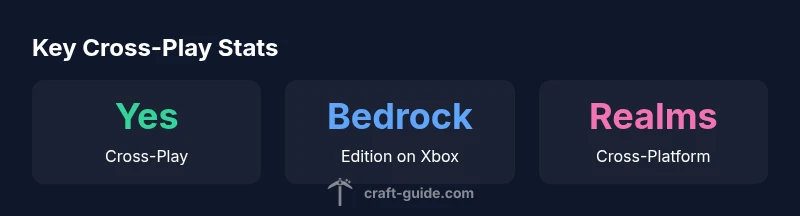
The short answer to the question is: yes, but only when you’re using the Bedrock Edition on Xbox. This edition is designed for cross-platform play, which means you can play with friends on Windows PC, mobile devices, and the Nintendo Switch. If you ever asked is minecraft and xbox truly compatible across platforms, the answer hinges on edition compatibility and the Microsoft account ecosystem. Craft Guide’s analysis for 2026 confirms Bedrock supports cross-play broadly, while Java Edition remains isolated. As an Xbox player, you’ll be engaging with Bedrock features like Realms, cross-platform servers, and shared world saves that synchronize across compatible devices. To start, verify that you and your friends are on the Bedrock Edition and logged into a Microsoft account, then pick a cross-play option like Realms or a compatible server. The emphasis here is that cross-play is a Bedrock-specific feature set, not a universal standard across all Minecraft editions.
Bedrock Edition on Xbox: scope and opportunities
On Xbox, Minecraft Bedrock Edition unlocks cross-play with Windows, iOS, Android, and Nintendo Switch. This means your creations, world progress, and inventory can travel with you when you switch devices or invite others to your world. Realms provide a simple, hosted way to maintain a world that anyone on Bedrock can join, regardless of their platform. You’ll also find a broad ecosystem of community servers that support cross-play, but always confirm edition compatibility and server rules before joining. The upshot: is minecraft and xbox alignment is most seamless within Bedrock, particularly when you want to play with friends who own different devices.
Getting started: accounts, editions, and sign-in
Begin by creating or linking a Microsoft account to your Xbox profile and your Minecraft game. Ensure all participants are on the Bedrock Edition and have the latest update installed. To invite friends on other platforms, share your World or Realm invite, or connect through a supported server. If you or a friend uses Windows 10/11, iOS, Android, or Switch, this same Bedrock routine applies. A quick tip: verify you’re signed in on each device with the same Microsoft account to avoid permission or friend-list sync issues. This is how a typical cross-play session is established across Xbox and other Bedrock devices.
Realms, servers, and cross-play etiquette
Realms is the easiest way to guarantee cross-play consistency on Xbox and beyond. A Realm is a hosted world that stays up online 24/7, allowing friends on multiple platforms to join without needing a hosted server admin. If you prefer public servers, choose those explicitly labeled as Bedrock-compatible and confirm that players from all platforms can join under the same game version. When playing with friends on Xbox, communicate play times and world settings to avoid desynchronization. A simple etiquette rule: keep version numbers aligned, avoid switching editions mid-session, and respect cross-platform restrictions your server or Realm imposes.
Troubleshooting common cross-play issues on Xbox
If you’re hitting roadblocks with cross-play, start by confirming you’re all on Bedrock and that the game is fully updated. Check that your Microsoft accounts are correctly linked and that your NAT type allows multiplayer connections. If friends can’t find your world, re-send invitation links and verify your privacy settings allow cross-platform participation. A common pitfall is trying to join a Java Edition world through Bedrock; these attempts will fail. Always double-check the edition and server compatibility before troubleshooting beyond basic connection steps.
Performance, updates, and best practices for Xbox players
Performance on Xbox is generally smooth with the Bedrock Edition, but it benefits from keeping the console and game updated to the latest patch. Allocate sufficient storage for worlds and Realms, and consider enabling optimization settings in-game for stable frames. When possible, connect to a reliable network to minimize latency in cross-platform play. Regularly back up worlds via Realms or local saves and stay informed about patches that affect cross-play features, as Mojang and Microsoft often adjust cross-device compatibility in regular updates.
Practical build ideas and optimization for Xbox players
For Xbox players aiming to maximize cross-play, focus on portable, scalable designs that adapt to various devices. Build smaller, modular worlds that can be loaded across platforms, then expand via Realms with friends on PC or Switch. Use redstone-powered automation to reduce manual effort when playing on different devices. Remember to document version changes with your team so transitions between platforms remain seamless and your community enjoys consistent gameplay across the Bedrock ecosystem.