How is Minecraft on Mobile: A Practical Review
Discover how Minecraft runs on mobile devices, covering performance, controls, cross-play, updates, and tips to optimize your Bedrock mobile experience on Android and iOS.


How is Minecraft on Mobile? In short, Minecraft on mobile runs the Bedrock edition, with cross-play across Windows, consoles, and other mobile devices. Performance and visuals depend on your device; newer phones run smoother with higher graphics, while older devices may have lower framerates. Portability is the biggest win, but touch controls and battery life are tradeoffs.
How Mobile Minecraft Differs from Desktop and Console
If you’re asking how is minecraft on mobile, the short answer is that mobile Minecraft runs the Bedrock edition, shared with Windows 10/11, Xbox, PlayStation, and other mobile devices. This cross-platform foundation means you can play with friends across ecosystems and access the same Marketplace and updates. However, mobile hardware, screen size, and touch inputs create noticeable differences in controls, UI layout, and performance. The world remains expansive, but loading times and texture resolution are influenced by memory, GPU power, and thermal conditions. In practice, this means a friend on a high-end phone may render a similar world to yours, yet your own device may fall behind in fast combat or large redstone farms. The Bedrock ecosystem aims for parity, but mobile constraints require adjusting expectations around device class, storage, and power draw. For most players, the mobile variant delivers the core Minecraft experience with portability and quick sessions, while introducing tradeoffs in precision and battery life.
Performance and Optimization on Mobile Devices
Performance on mobile isn’t uniform; high-end devices handle streaming textures and smoother frames, while mid-range phones may dip during biome exploration or crowd scenes. The game adapts texture detail and render distance to fit memory constraints, which can manifest as pop-in trees, delayed lighting, or choppier combat. To optimize, start with a baseline: set Graphics to fast, Render Distance to a moderate level, and disable Fancy Graphics if available. Reducing Particles and turning off motion blur can also improve responsiveness. Clearing background apps, ensuring sufficient storage, and keeping your device cool during long sessions helps avoid thermal throttling. In windy battle sequences or large redstone contraptions, you’ll notice more pronounced frame drops on older devices. If you’re serious about performance on mobile, consider a device with ample RAM and a modern GPU, but know that even then you’ll trade some visual fidelity for portability.
Controls and User Experience on Mobile
Touch controls are native to the mobile edition, optimized for quick building and exploration. The on-screen joystick, look controls, and action buttons are customizable, but long sessions can cause hand fatigue. For precision tasks like redstone wiring or accurate mining, many players pair a Bluetooth controller or use a supported external keyboard and mouse via adapters. The UI scales to portrait or landscape orientation, yet some menus still feel cramped on small devices. If you rely heavily on building, enable grid snapping, arrange hotbars for quick access, and consider reducing UI chrome to maximize view area. Accessibility features, such as larger text and high-contrast modes, can help players with vision differences. Overall, mobile controls work well for casual play and quick sessions, but for complex builds or fast-paced PvP you may prefer a larger screen and precise input methods.
Cross-Platform Play, Realms, and Marketplace on Mobile
Bedrock’s cross-platform design means mobile players can join friends on Windows, Xbox, PlayStation, or other mobile devices. Realms and Realms Plus provide persistent worlds that you can join across platforms, though they require a subscription and server access. The Marketplace is a central treasure trove for skins, texture packs, and mashups; items here often cost Minecoins, the in-game currency purchased with real money. While the core game remains the same, some community-made resources can push performance differently across devices due to texture resolution or shader packs (where supported). If you’re coordinating with friends who play on PC or consoles, verify your Microsoft account is linked and that cross-play permissions are enabled. For families and group servers, mobile can be a convenient gateway to shared adventures.
Graphics, Textures, and Shader Considerations on Mobile
Bedrock mobile supports a curated set of textures and packs; shaders are not officially supported on most mobile builds, which helps keep performance more consistent. Texture packs can enhance visuals while remaining mindful of RAM and storage. For players who want a crisper look, try modest texture tweaks and keeping render distance moderate to avoid stutter. If you’ve installed optional resource packs, monitor memory usage, as some packs can bloat assets and cause loading pauses. On devices with high refresh rates, enabling smoother visuals can feel nicer, but it also increases battery consumption. In short, mobile visuals are a balance between fidelity and performance; you can lean toward simpler textures for a consistently smooth experience.
Devices, Storage, and Version History on Mobile
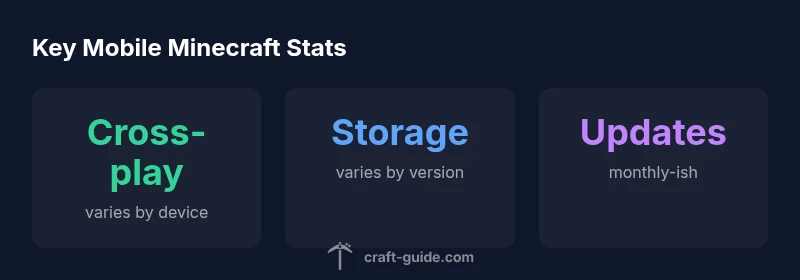
Mobile installations depend on device storage and OS compatibility. The base game is relatively compact, but texture packs, skins, and world data accumulate quickly, so regularly pruning unused worlds helps maintain performance. New updates often require free space for downloads and temporary extraction, which can momentarily affect device responsiveness. Older devices may not receive every feature at the same time due to hardware constraints or OS limitations. Keeping the game updated and managing in-app data through cloud saves can reduce data loss when upgrading to the latest Bedrock version.
Purchasing, Accounts, and Licensing on Mobile
Purchasing and accounts on mobile operate within the Bedrock ecosystem. The mobile edition is a separate purchase from Java or Windows platforms, and owning Minecraft on another device does not automatically grant access on mobile. A Microsoft account is used for sign-in, cross‑play, and Realms access. Minecoins are the in-game currency for Marketplace items and paid texture packs. If you use multiplayer servers, ensure you’re compliant with age restrictions and server rules. For families, you can manage access through Microsoft Family settings, linking multiple devices under one account.
Practical Tips for Long-Term Mobile Play
Plan short, focused sessions to minimize battery drain and heat buildup. Pair a gamepad or use a stable stand to improve comfort, especially for long builds or exploration runs. Maintain good device health by closing background apps, updating software, and keeping a charger handy during extended sessions. Back up worlds regularly to cloud storage or a computer to prevent data loss. Finally, tailor your in-game settings to balance visuals and performance, and rotate between Creative and Survival modes to match your current mobile comfort level.
Quick Scenario Guide: Survival, Creative, and Exploration on Mobile
In Survival on mobile, focus on resource gathering in shorter bursts, using your built inventory to maximize uptime in multiplayer worlds. In Creative, take advantage of mobile portability to sketch large builds across locations, using saved templates to speed design. For Exploration, zoom out to map biomes and use portable maps to chart your routes. In all cases, consider battery and storage constraints, and keep a backup of your favorite worlds.
Benefits
- Cross‑platform play and Realms access
- Portability enables on‑the‑go sessions
- Official updates and Marketplace integration
- Flexible input options (touch, controller, keyboard/mouse adapters)
- No need for a separate PC or console to play with friends
Negatives
- Performance varies widely by device
- Touch controls are less precise than keyboard/mouse
- Battery drain can be significant during long play
- Some textures and shaders may impact performance
- Separate purchase from other editions
Best for on-the-go play with friends across platforms
Mobile Minecraft delivers the core Bedrock experience with portability and cross‑play. Expect device-powered tradeoffs in input precision and visuals. For social play and quick sessions, mobile is a strong option; for deep, long builds you might prefer a larger screen.
People Also Ask
Is Minecraft on mobile the same edition as PC/console?
Yes, mobile uses the Bedrock edition, which matches many features with other Bedrock platforms. Performance and controls can differ due to device constraints.
Yes—it's the Bedrock edition across devices, with some differences in how it runs on mobile.
Can mobile players cross‑play with PC or console players?
Yes, Bedrock on mobile supports cross‑play with Windows and consoles as long as accounts are linked and cross‑play permissions are enabled.
Yes, mobile players can join friends on other Bedrock platforms when set up.
Do I need to buy Minecraft again if I already own it on another device?
Typically yes—the mobile Bedrock edition is a separate purchase from Java or Windows versions. Owning it on one device does not automatically grant access on mobile.
Usually you need to buy the mobile version separately.
Are there in-game purchases or marketplace content on mobile?
Yes, the Marketplace offers skins, texture packs, and mashups, often purchased with Minecoins bought with real money.
Marketplace items require Minecoins, which you buy with real money.
What control options are best on mobile?
Mobile supports touch controls by default, with the option to pair a Bluetooth controller or use keyboard/mouse adapters for better precision.
You can use touch controls, or pair a controller for more accuracy.
Which devices run Minecraft mobile well?
High-end phones provide the smoothest experience; mid-range devices can work well with careful settings. Ensure your OS is up to date and you have enough storage.
Newer devices run best, but mid-range can work with the right settings.
The Essentials
- Choose mobile for portability and cross-platform play
- Expect device-dependent performance and controls
- Use Realms and Marketplace to expand play sessions
- Balance visuals with battery and storage constraints