Do You Need to Download Java for Minecraft? A Practical Guide
Find out if you need to download Java for Minecraft, how the official launcher handles Java, and what to do for modded packs. Practical guidance from Craft Guide for players on Java Edition and Bedrock.


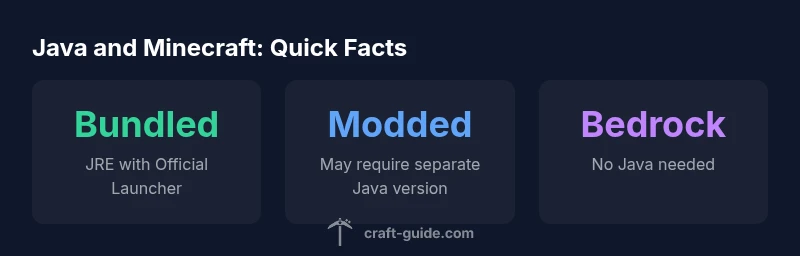
For Minecraft Java Edition, you typically don’t need to download Java separately. The official Minecraft Launcher includes a bundled Java Runtime Environment, so most players can start right away. If you’re using mod packs or non-default launchers, you may still need a compatible Java version or a separate Java installation.
Do you need to download Java for Minecraft?
The short answer is: usually not. If you use the official Minecraft Launcher for Java Edition, Java comes bundled with the launcher itself. This means you can install and run the game without a separate Java download in most cases. The question “do you need to download java for minecraft” is common, but modern Minecraft setup simplifies this to a single launcher workflow. Bedrock Edition, console, and mobile versions don’t rely on a separate Java runtime at all, so those players are even less likely to encounter Java download needs. The Craft Guide team has found that the majority of players can start playing without managing a Java installation, especially when sticking with the official launcher. However, there are scenarios where Java comes into play, particularly for modded experiences or non-default tools. For new players, understanding when Java matters helps prevent setup delays and confusion, especially if you plan to install mods or run custom packs that aren’t supported by the standard launcher.
How the Minecraft Launcher handles Java
The official launcher ships with a bundled Java Runtime Environment (JRE) tailored for running Java Edition. This design reduces friction by eliminating separate Java setup steps for most users. The launcher checks for updates to both the game and its Java component, ensuring compatibility with the current Minecraft version. If you run a vanilla, unmodded setup, you won’t need to install Java manually. In contrast, third‑party launchers or modding tools may require you to point to a particular Java installation path or install a compatible Java version, especially for Forge or Fabric mod loaders. The key takeaway is that for standard players, Java management is largely hidden from view, streamlining access to Minecraft.
When you still might need Java
While the official launcher handles Java automatically, some players will need Java in specific situations. Modded packs, Forge or Fabric environments, and certain launcher configurations can demand a compatible Java version that the launcher doesn’t override. If you’re using a launcher that does not ship a bundled JRE, or you’re running a custom instance of Minecraft with external mods, you may need to install a Java runtime separately and configure your launcher to use it. This is especially true for groups that manage multiple Java versions for different packs or servers. In those cases, you’ll want to verify the required Java version from the modpack’s documentation and ensure your system meets those requirements.
Common questions about Java versions in Minecraft
- Do I need 64‑bit Java? • For modern systems running current Minecraft Java Edition builds, 64‑bit Java is generally preferred for better performance and memory access. Some older setups may function with 32‑bit Java, but modern modding and large worlds benefit from 64‑bit.
- Which Java version is recommended for modded packs? • Modded environments often specify a particular Java version in their docs. Use that version if possible, and configure your launcher to point to it when launching the modded profile.
- Can I install multiple Java versions? • Yes. Some players keep separate Java versions for different packs and switch between them in their launcher settings. This requires careful management of paths and environment variables.
- How do I check which Java version Minecraft is using? • Open the launcher settings or view the game output/logs to see the Java version in use. If you’re on a modded setup, the mod loader’s documentation may also indicate the required Java version.
- Is Java required for Bedrock Edition? • No. Bedrock Edition runs independently of Java, so Java management isn’t part of its setup process.
Comparison of Minecraft launcher Java requirements
| Launcher Type | Java Requirement | Notes |
|---|---|---|
| Official Launcher (Java Edition) | Bundled JRE; no separate Java download normally required | Best for most players |
| Third-Party Launchers | Often require a separate Java installation | Check launcher docs for compatible Java version |
| Bedrock Edition | Java not required | Cross-platform edition on consoles/PC/mobile |
People Also Ask
Do I need to download Java for Minecraft Java Edition?
Not usually. The official launcher includes a bundled JRE, so most players don’t have to install Java separately. If you’re using mods or alternative launchers, you may need a compatible Java version.
Usually not required with the official launcher; mods or non-default launchers might need Java.
Can Bedrock Edition run without Java?
Yes. Bedrock Edition does not use Java, so there’s no Java download involved.
Bedrock runs without Java.
What if a modpack requires a specific Java version?
Follow the modpack’s instructions; you may need to install a compatible Java version or adjust launcher settings to use it.
Mod packs may need a certain Java version.
Is Java 64-bit required?
For most modern systems, 64-bit Java is preferred, but it’s not always mandatory depending on the setup.
64-bit Java is usually preferred.
Can I install multiple Java versions?
Yes, you can have more than one Java version; just manage the paths in your launcher.
You can use multiple Java versions with careful management.
How do I check which Java version Minecraft uses?
Check the launcher’s settings or the game logs; the active Java version is listed there.
Look in the launcher settings to see which Java version is active.
“Java management has become more seamless thanks to bundled runtimes in the official launcher, but modded setups still need careful Java version alignment.”
The Essentials
- Start with the official launcher; Java is bundled for most players.
- Modded packs may require a specific Java version—check modpack docs.
- Some third‑party launchers or mod loaders need a separate Java installation.
- Bedrock Edition does not depend on Java at all.
- If you encounter Java errors, verify launcher settings and Java paths.