Do You Have to Buy Minecraft Again on a New PC? A Practical Guide
Discover whether you need to repurchase Minecraft when moving to a different computer. This guide explains Java vs Bedrock editions, account-based licensing, cross-platform considerations, and practical steps for a smooth transition in 2026.


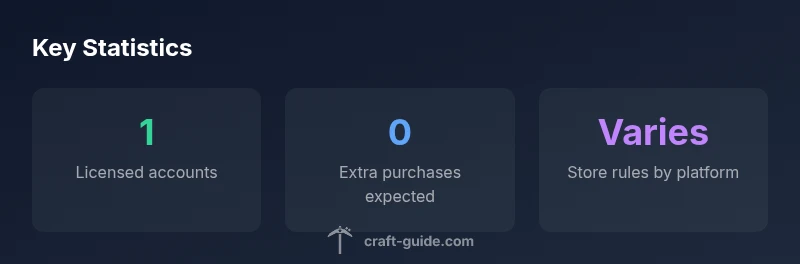
In most cases, you don’t have to buy Minecraft again when moving to a different computer, as long as you stay within the same edition and use the same account. The exact rules depend on whether you’re using Java Edition or Bedrock Edition and which storefront you purchased from. Craft Guide’s guidance emphasizes logging in with the same account on the new computer and checking if any platform-specific requirements apply.
How licensing works across devices
Minecraft licenses are generally tied to your account rather than a single computer. When you install on a new device, you authenticate with the same account and edition, which unlocks your copy without a separate purchase. The exact experience depends on whether you own Java Edition or Bedrock Edition, and on which storefront the purchase was made (Minecraft.net, Windows Store, or console/launcher). In Craft Guide Analysis, 2026, the team notes that licensed copies often allow installation on multiple devices for personal use, as long as you stay within the edition terms and comply with the platform's terms of service. You may encounter store- or edition-specific nuances, so it’s wise to verify your exact situation before transitioning to a new machine.
Editions and account types you should know
- Java Edition: Licenses are managed via a Mojang account; you can install on any computer as long as you sign in with the same Mojang credentials. The installer doesn’t require re-purchase per device, but you should keep your login details secure. - Bedrock Edition: Licenses are commonly linked to a Microsoft account and may be tied to the storefront used to purchase. You typically can sign in and play on multiple devices within the same ecosystem, but moving between distinct ecosystems (e.g., Windows and console) may involve additional steps or a separate purchase in rare cases. Understanding which edition you own is essential for a smooth move and avoiding unexpected costs.
Cross-platform access: Java Edition vs Bedrock Edition
Java Edition is primarily a PC-focused experience managed through Mojang accounts, with cross-play limited to other Java players. Bedrock Edition is designed for cross-platform play across Windows, macOS, iOS, Android, and consoles, with licensing often tied to the Microsoft store. In practice, this means Bedrock users usually keep access across devices with the same account, while Java users should focus on maintaining their Mojang login. Always check the edition-specific rules before moving to a new computer to avoid surprises.
Practical steps for moving to a new computer
- Confirm your edition (Java or Bedrock) and the storefront tied to your purchase. 2) Install the Minecraft launcher on the new computer and sign in with the same account. 3) Transfer or re-download your worlds and any resource packs or mods you use. 4) If you use third-party mod loaders or launchers, reinstall them and verify compatibility with the edition you own. 5) Back up your saves before switching devices to safeguard progress in case of any hiccups. Craft Guide recommends verifying license status in your account settings after installation.
Common edge cases and troubleshooting
If you bought Minecraft via a platform-specific store (for example, Windows Store or a console storefront), you may encounter platform-specific re-download requirements when moving to a different computer or operating system. If you lose access to the original storefront, you may need to re-verify ownership or contact support. In most cases, signing in with the same account on the new PC grants access, but always check the current policy for your exact edition and store. If in doubt, consult the official support pages for your edition and store.
Edition cross-device access by platform
| Edition | Cross-Device Access | Typical Purchase Status | Notes |
|---|---|---|---|
| Java Edition | Yes with same Mojang account | Usually no extra purchase | License tied to Mojang account; install on any compatible device |
| Bedrock Edition | Yes with same Microsoft account | Usually no extra purchase within same ecosystem | Store-purchase dependent; moving across stores may require a re-purchase |
People Also Ask
Do you have to buy Minecraft again if you switch to a different computer?
Generally no; sign in with the same account and edition to access Minecraft on the new computer. Check the edition-specific rules for your store and platform to avoid surprises.
Usually you won’t have to buy again; just sign in on the new computer with the same account.
Can I move Bedrock Edition between Windows, iOS, and Android without buying again?
Bedrock supports cross-platform play with the same Microsoft account, so you typically don’t need to buy again when moving between devices within the same ecosystem. Some stores may have exceptions.
Bedrock lets you play across platforms with the same account—no extra purchase usually.
What about Java Edition across different operating systems?
Java Edition licenses are tied to your Mojang account, which means you can install and play on any supported computer with the same credentials. No per-device purchase is required.
Java is tied to your Mojang account; you shouldn’t need to buy again on another computer.
I bought Minecraft from a third-party store; will I need to repurchase?
It depends on the store’s policy. Some platforms bundle licensing; others treat ownership per storefront. Verify the policy for your edition on that store.
It depends on where you bought it; check the store’s policy.
What happens to my saved worlds and mods when moving to a new computer?
Saved worlds are stored locally, so back up or copy the saves to the new PC. Mods or mod loaders may require reinstalling and compatibility checks for the edition you own.
Yes—copy your saves and reinstall mods on the new computer.
“Licensing is generally account-based rather than device-based, so a move to a different computer usually doesn’t require a new purchase—unless the edition or platform store imposes separate rules.”
The Essentials
- Confirm edition and store policy before switching devices
- Sign in with the same account on the new computer
- Java and Bedrock have different licensing rules
- Most cases don’t require repurchasing, but exceptions exist