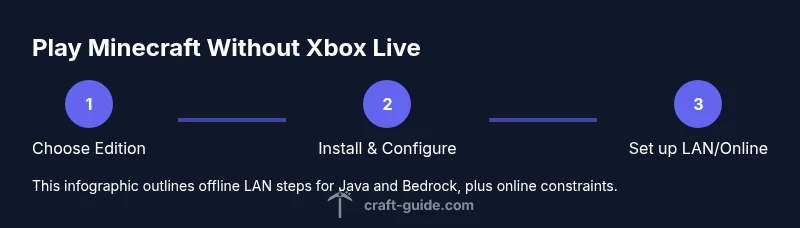
Play Minecraft Without Xbox Live: A Practical Guide
Learn how to play Minecraft without Xbox Live, including Java Edition offline options, LAN play, and Bedrock online constraints. This educational guide explains edition differences, setup steps, and practical tips for solo, LAN, and online play in 2026.


Yes. To play Minecraft without Xbox Live, pick the edition that fits offline play: Java Edition on PC does not require Xbox Live, and Bedrock can be used for LAN/offline play on Windows 10/11 with a local network. Online multiplayer typically needs a Microsoft account (Xbox Live) on Bedrock, while Java Edition online works through community servers without Xbox Live.
Understanding the Xbox Live question
According to Craft Guide, the Xbox Live requirement is primarily tied to Bedrock's online features, not to Minecraft as a game. Java Edition has never required Xbox Live, and LAN play can bypass online authentication entirely. If your goal is solo play or local multiplayer on a single device or local network, you can definitely play without Xbox Live. This section clarifies why the two editions behave differently online and what this means for you as a player in 2026. Craft Guide's research into cross‑ edition compatibility shows that offline options remain robust, with clear paths for both Java and Bedrock users. By understanding these paths, you can pick the right edition and setup for your play style, whether on PC, console, or mobile.
In short, offline play is feasible and straightforward when you align your edition with your setup. The Craft Guide team found that most players who want to avoid Xbox Live focus on Java Edition for PC or on Bedrock with LAN on Windows. The rest is about how you connect (LAN) and what online constraints you’re willing to accept.
Java Edition vs Bedrock: The Xbox Live distinction
The two main editions of Minecraft address Xbox Live differently. Java Edition runs on PC and never required Xbox Live to function, including online server access or direct IP connections. Bedrock Edition, which spans Windows, consoles, and mobile, centers online features around a Microsoft/Xbox Live account, and this account is typically required for multiplayer matchmaking and Realms. Offline LAN play exists for both editions but with different setup steps: Java uses a LAN world that others on the same network can join, while Bedrock uses a "Play with LAN" or similar option depending on platform. Understanding these distinctions helps you choose the edition that aligns with your offline vs online goals and your device ecosystem.
Offline LAN play: Java Edition setup
Java Edition users can host a world and open it to LAN so friends on the same local network can join without online accounts. Steps include launching Minecraft Java, loading a world, selecting Open to LAN, setting game mode and permissions, and sharing the LAN IP address with other players. On other PCs on the same network, start Minecraft, go to Multiplayer, and look for the host world or use Direct Connect with the host’s LAN IP. Be mindful of firewall prompts and ensure both machines run the same Minecraft version. A wired Ethernet connection improves stability and reduces latency, especially for multiplayer sessions across rooms or floors.
Offline LAN play: Bedrock Edition setup
Bedrock's offline LAN options mirror the intent of Java but with platform-specific menus. Start a World, ensure it is saved, then choose the option to Play with Friends or LAN (the label may vary between Windows, Xbox, or mobile builds). On another device on the same network, open Minecraft Bedrock, go to Play, and look under Friends or LAN Games to join. If the host device is using a different Bedrock build, update both devices to the latest compatible version. For best results, keep devices on the same subnetwork and use a wired connection where possible.
Online play options and constraints
Online multiplayer on Bedrock typically requires a Microsoft account, which is effectively Xbox Live in the Bedrock ecosystem. This account enables cross‑platform play across Windows, consoles, and mobile and is needed for Realms and most public servers. Java Edition supports online multiplayer via community servers and direct connections without Xbox Live. If your goal is pure offline gaming, you can avoid Xbox Live entirely by choosing Java Edition or Bedrock LAN play. Remember that cross‑edition play is not supported between Java and Bedrock; choose the edition that best fits your devices and online goals.
Troubleshooting and best practices
If you run into issues connecting over LAN, verify that both devices use the same Minecraft version, check firewall settings to allow the game, and confirm both devices are on the same local network. For Bedrock, ensure you’re logged into the correct Microsoft account if you plan online play, and note that some routers assign dynamic IPs which can complicate Direct Connect. If a host world doesn’t appear on the second device, try restarting the game, rechecking the LAN options, or temporarily disabling VPNs. For persistent problems, consult the official support resources and community forums for version‑specific advice.
Authoritative sources and further reading
For deeper understanding and official guidance, consult these sources: PC Gamer (https://www.pcgamer.com), BBC (https://www.bbc.com), and The Verge (https://www.theverge.com). These publications offer practical explanations of edition differences, cross‑play limits, and online vs offline play in the current Minecraft landscape. Craft Guide also synthesizes official and community insights to help players decide whether to pursue Java offline play or Bedrock LAN networking.
Tools & Materials
- Minecraft Java Edition(PC/Linux/Mac license; ensure the latest Java version is installed)
- Minecraft Bedrock Edition (Windows 10/11)(Optional if you plan Bedrock LAN/offline play)
- Compatible device(PC, console, or mobile that meets the game’s minimum specs)
- Stable local network (LAN)(Wired Ethernet preferred for lowest latency)
- Microsoft/Xbox Live or Microsoft account (Bedrock online)(Needed for online features on Bedrock; not required for Java offline)
Steps
Estimated time: 30-60 minutes
- 1
Choose the edition
Decide between Java Edition and Bedrock Edition based on your device and offline vs online goals. Java supports offline LAN without Xbox Live, while Bedrock online features tie into a Microsoft account.
Tip: If you want widespread cross‑platform online play, Bedrock is the choice; for pure offline LAN on PC, Java is simpler. - 2
Install the edition
Download and install the selected edition from official sources. Verify you’re running the latest version and that all players plan to use the same build for LAN sessions.
Tip: Use official installers and keep Java up to date for Java Edition to avoid version conflicts. - 3
Set up LAN or Open to LAN
In Java, load your world and choose Open to LAN, selecting the game mode and permissions. In Bedrock, start the world and enable Play with Friends / LAN as available on your platform.
Tip: For consistency, use a wired LAN and static IPs if you’ll host LAN games regularly. - 4
Join from other devices
Other PCs or devices on the same network should join via Multiplayer (Java) or Friends/LAN (Bedrock). If the world doesn’t appear, use Direct Connect with the host’s IP (Java) or check the LAN tab (Bedrock).
Tip: Restart the game on the joining device if the host isn’t detected. - 5
Understand online constraints
If you plan online play, be aware Bedrock requires a Microsoft account/Xbox Live. Java online uses servers and direct connections without Xbox Live, but cross‑play is not supported between editions.
Tip: For consistent online play, set expectations and use servers that match your edition and account setup.
People Also Ask
Is Xbox Live required for online play?
Online play on Bedrock typically requires a Microsoft account (Xbox Live). Java Edition online uses community servers and does not require Xbox Live. If offline play is your goal, you can avoid Xbox Live by choosing Java or Bedrock LAN.
For online play on Bedrock, you’ll usually need a Microsoft account. Java Edition online uses servers and doesn’t require Xbox Live.
Can Bedrock be played offline?
Yes. Bedrock supports offline LAN play on many platforms. You can host a world and have others on the same network join without signing into Xbox Live, though online features will require an account.
Bedrock can be played offline on a LAN with friends on the same network.
Can Java Edition skip Xbox Live entirely?
Yes. Java Edition does not use Xbox Live at all, including online multiplayer via community servers or direct IP connections.
Java Edition doesn’t require Xbox Live for any feature, including multiplayer.
What about Realms without Xbox Live?
Realms on Bedrock require a Microsoft account and ongoing subscription. Java Realms don’t exist; Java users connect to third‑party servers instead.
Bedrock Realms need a Microsoft account; Java uses community servers instead.
How do I play LAN with Bedrock across devices?
Start a world on one device, enable LAN play, and join from other devices under Friends or LAN Games on the same network.
Bedrock LAN is possible on the same network by inviting the other devices.
Can I play with friends on PC without internet?
Yes, local multiplayer on the same LAN works without internet by hosting a LAN game. Online features require internet and accounts.
Yes, you can play locally without internet on LAN.
Watch Video
The Essentials
- Choose Java Edition for offline play without Xbox Live.
- Bedrock LAN is possible offline but online play usually requires Microsoft/Xbox Live.
- Java online works via servers without Xbox Live; cross‑edition play is not supported.
- For smooth LAN, use wired connections and matching game versions.