Can You Get Minecraft Java on Xbox? A Practical Guide
Discover whether Minecraft Java Edition can run on Xbox, why Bedrock Edition is the console baseline, and how to play with friends across platforms.


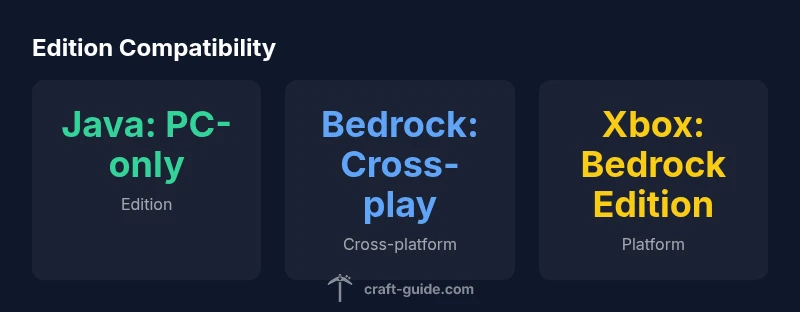
No. Minecraft Java Edition cannot be played on Xbox consoles. Xbox devices run Minecraft Bedrock Edition, which is the cross‑play version designed for consoles, Windows, mobile, and some other platforms. Java Edition remains PC‑only and uses a different launcher and modding system. If you want to play with friends on Xbox, you’ll use Bedrock Edition.
What Xbox players should know about Minecraft editions
If you're wondering whether you can play Minecraft Java on Xbox, the short answer is no. According to Craft Guide, Xbox consoles run Minecraft Bedrock Edition, while Java Edition is designed for PC. This distinction matters for features like redstone quirks, command blocks, and mods. Bedrock and Java share a common core but run on different code bases, making cross‑compatibility intentionally limited. For players primarily on Xbox, Bedrock is the edition you'll use, and you can still invite friends on Windows 10/11, iOS, Android, and Nintendo Switch via cross‑play. The key takeaway: choose the edition based on your platform, your modding expectations, and your desire for cross‑play with friends.
Java vs Bedrock: Core differences
Java Edition and Bedrock Edition share the same core goals—survival, exploration, and creativity—but they are built on different engines and ecosystems. Java runs on the Java Runtime, emphasizes a robust modding scene with voxel-focused tweaks, and often retains classic legacy behaviors like certain redstone mechanics. Bedrock is written in C++, designed for cross‑platform performance, and tends to standardize features to accommodate consoles, mobile devices, and cross‑play. For Xbox players, these differences matter in practice: Java worlds and mods won’t transfer to Bedrock, while Bedrock worlds can be shared across Windows, mobile, and console platforms. If you want deep customization via Java mods, you’ll need a PC; if you want smooth cross‑play and marketplace content on Xbox, Bedrock is the path.
Platform compatibility: Xbox vs PC
On Xbox, Minecraft runs Bedrock Edition by default, while Java Edition remains a PC exclusive. Bedrock is designed for cross‑device compatibility and uses the Xbox store for add‑ons and the Marketplace. PC users can still join Bedrock sessions on Windows 10/11, but Java players cannot join those sessions; similarly, console-only players cannot access server mods that are exclusive to Java. If your group is cross‑platform, Bedrock offers a common ground for multiplayer between Xbox, Windows, iOS, Android, and Switch. However, if you strongly prefer Java’s modding ecosystem, you’ll need a PC. Craft Guide’s experience shows that most players who want to play with a broader circle on a console choose Bedrock to maximize cross‑platform access.
Cross‑play and multiplayer reality
Cross‑play in Minecraft today is primarily a Bedrock feature. Bedrock Edition supports cross‑play across Xbox, Windows 10/11, iOS, Android, and Switch. Java Edition does not cross‑play with Bedrock, and there is no official bridge between the two. This separation is intentional to maintain performance goals and content guidelines across platforms. If you want to play with friends who own different devices, you should all switch to Bedrock Edition. The Bedrock ecosystem provides a straightforward multiplayer experience across devices, albeit with some feature differences compared to Java. Craft Guide emphasizes that this cross‑play availability is a major factor for teams forming a multiplayer group; plan accordingly to ensure everyone has the same edition.
The Bedrock edition on Xbox: features and limitations
Bedrock Edition on Xbox brings cross‑play, access to Realms, and a modern marketplace for skins and maps. It supports official servers and marketplaces, and it uses conservative, console‑friendly modding through add-ons rather than full code changes. Some Bedrock features differ from Java: certain blocks behave differently, commands can work differently, and many popular Java mods aren’t available. Realms is available in Bedrock for Xbox, offering a private, persistent world that friends can join without hosting a dedicated server. You can also explore public Bedrock servers, but performance and content restrictions may vary. Overall, Bedrock on Xbox prioritizes accessibility and safety, while trading depth of customization for a smoother cross‑platform experience.
How to join friends on Bedrock from Xbox
To play with friends on Xbox, you’ll use Bedrock Edition. Ensure everyone has a Microsoft account and is added to your friends list. Start a Realms or join a cross‑platform server from the Bedrock in‑game menu. You can join sessions hosted by Windows, mobile, or Switch players if they’re on Bedrock. If you’re hosting, consider Realms Plus for a recurring world. The process is straightforward: open Minecraft, select Friends or Realms, enter your friend’s Xbox/Windows/Mobile name, and accept the join. Keeping your game updated and using a stable internet connection helps avoid cross‑platform issues.
Alternatives to get Java‑like features on Xbox
While you can’t run Java Edition on Xbox, you can approximate Java‑style play by using Bedrock add‑ons that emulate simple Java features, or by coordinating with your group to use a PC for Java while console players stay on Bedrock for cross‑play. You can host a Java world on PC and allow Bedrock players to join through a cross‑play setup, but this won’t mirror Java’s modding depth. The key is to align expectations: Bedrock’s ecosystem is designed for cross‑platform play and curated content, which makes multiplayer approachable even if it doesn’t replicate every Java feature. Craft Guide advises focusing on Bedrock’s strengths for a shared multiplayer experience.
Practical steps to set up Bedrock and Realms with friends
- Update the game on your Xbox to the latest Bedrock version. 2) Add friends via Microsoft accounts and verify your friends list. 3) Create or join a Bedrock Realm or server that supports cross‑play. 4) If you want Java‑like mods, use Bedrock add‑ons and Marketplace content rather than traditional Java mods. 5) For Java fans, consider using a PC to run Java Edition and use cross‑play with Bedrock only if you’re coordinating a PC host with console players on Bedrock. The goal is seamless cross‑platform play without surprises in features or performance.
Common myths debunked
- Myth: Java Edition can run on Xbox. Reality: Not supported officially. - Myth: Bedrock cannot mod as freely as Java. Reality: Bedrock supports add‑ons and Marketplace content, which offer a curated modding path. - Myth: You cannot play with friends on different devices. Reality: Bedrock Edition enables cross‑play across Xbox, Windows, mobile, and Switch.
Edition cross-compatibility table
| Edition | Cross-Play with Bedrock | Primary Platform |
|---|---|---|
| Java Edition | No cross-play with Bedrock on consoles | PC (Windows, macOS, Linux) |
| Bedrock Edition | Yes cross-play across Xbox, Windows, mobile, Switch | Xbox, Windows 10/11, iOS, Android, Switch |
People Also Ask
Can you play Minecraft Java Edition on Xbox consoles?
No. Java Edition is not supported on Xbox consoles. Bedrock Edition is the version available for Xbox, with cross‑platform play among Bedrock devices.
No. Java Edition doesn’t run on Xbox; use Bedrock Edition for console play and cross‑platform features.
Is there any cross‑play between Java and Bedrock?
Java and Bedrock editions do not cross‑play with each other. The Bedrock edition supports cross‑play across multiple platforms, but Java remains PC‑only.
Java cannot cross‑play with Bedrock. Use Bedrock if you want cross‑platform multiplayer.
What edition should I choose on Xbox to play with friends?
Choose Bedrock Edition on Xbox to play with friends on Windows, mobile, and Switch through cross‑play.
Go with Bedrock on Xbox to play with friends on other devices.
Are mods available on Bedrock Edition?
Bedrock uses Add-ons and Marketplace content rather than traditional Java mods. This limits some Java customization but keeps it console-safe.
Bedrock has add-ons and Marketplace content instead of Java mods.
Can Windows players with Java Edition play with Xbox players?
Only if all players are on Bedrock Edition. Java Edition cannot join Bedrock sessions on Xbox.
Only Bedrock players across devices can play together.
What about Realms on Xbox?
Realms is available for Bedrock Edition on Xbox, providing a private, persistent world for cross‑platform friends.
Realms works with Bedrock on Xbox for shared worlds.
Do I need a Microsoft account to play Bedrock on Xbox?
Yes. A Microsoft account is required to access Bedrock features, cross‑play, and Realms from Xbox.
Yes, you need a Microsoft account for Bedrock multiplayer.
“Java and Bedrock are separate ecosystems; on Xbox, Bedrock is the supported path for multiplayer. The Craft Guide Team recommends using Bedrock for cross‑platform play on consoles.”
The Essentials
- Know edition boundaries: Java is PC-only; Bedrock powers Xbox.
- Choose Bedrock for cross-platform multiplayer with friends.
- Mods differ: Bedrock uses add-ons; Java uses traditional mods.
- Join Bedrock servers or Realms to play with others.
- If you want Java features, use a PC and accept Bedrock cross-play limits.