Minecraft to Color: A Practical Color Guide
Learn practical, step-by-step methods to color blocks and items in Minecraft using dyes, banners, and pigments. Build vibrant palettes, test colors, and apply cohesive color schemes to wool, terracotta, glass, and banners.


You will learn how to color blocks and items in Minecraft using dyes, banners, and patterns. This guide covers natural dye sources, color-mixing basics, and practical steps for coloring wool, terracotta, glass, banners, and concrete. Essential tools include a crafting table, an assortment of dyes, and colorable blocks like wool and glass.
Why color matters in Minecraft
For builders aiming at clear communication, minecraft to color is a practical technique that goes beyond aesthetics. Color helps organize spaces, guide players, and convey themes at a glance. Whether you're crafting a cozy village, a pixel art mural, or a redstone display, thoughtful color choices impact readability and mood. This guide from Craft Guide explains how to color blocks and items with dyes, banners, and patterns. You'll learn where colors come from, how to mix them, and how to apply them to common building materials. The strategies here are approachable for beginners and effective for advanced builders, helping you transform plain blocks into coherent, vibrant scenes. By the end, you'll have a practical workflow for selecting palettes, testing color combinations, and maintaining consistency across large builds. We'll cover natural dye sources, color-mixing basics, and step-by-step methods to color wool, terracotta, glass, banners, and concrete. The aim is to give you actionable techniques you can apply in your next project. Color in Minecraft also communicates status and function: red accents signal danger, blue hints at water, and green tones emphasize nature. When you reuse a palette across builds, your design language becomes instantly recognizable.
This section sets the stage for practical coloring workflows, including how to test colors in different lighting and how to plan color families that scale from small details to large structures.
The Color System in Minecraft
Minecraft uses dyes as the primary means to color blocks and items. Dyes come in many colors and can be combined to produce new hues. You can apply dyes to wool, carpet, terracotta, concrete, glass, and banners, among other blocks. Patterns on banners can add complex color designs; banners are colorable using combinations of base colors and shapes. In survival mode you’ll collect dyes from flowers, ink sacs, cocoa beans, lapis lazuli, and other resources. In creative mode you can obtain dyes directly from the inventory. For a cohesive look, plan a palette with 3-5 core colors and 1-2 accent colors. Keep in mind lighting can alter perceived color, so test colors in different lighting conditions within your world. Consistency is easier when you color larger areas in the same family of hues rather than randomly mixing colors.
For simple tasks, start with primary colors and then add neutral tones to balance your scene. Remember that dye colors transfer to multiple blocks in the same way, so choosing a few key hues at the outset makes later decisions easier.
Sources for Dyes and Creating Your Palette
Dyes derive from a variety of in-game sources, including flowers, plant-based materials, and crafted items. Red dye can be obtained from poppies or rose bushes, yellow from sunflowers or dandelions, blue from lapis lazuli, and black from ink sacs. White dye comes from bone meal, while brown is yielded by cocoa beans. Green dye is typically created by combining blue and yellow dyes or by other plant-based recipes in some versions. To build a versatile palette, start with 4-5 core colors that cover warm, cool, and neutral groups, then add 1-2 accent hues for highlights. When assembling your palette, consider how colors interact under different light levels, since shadows can mute brightness and alter perceived saturation.
Dyeing Common Blocks and Items
You can apply dyes to wool, carpet, terracotta, concrete, glass, and banners through the crafting table or appropriate patterns. Wool and carpet take dye readily: place the block with the dye in the crafting grid to recolor. Terracotta and concrete follow similar rules, though some blocks require smelting or transformation steps for final coloring. Glass becomes stained glass when combined with dye, and stained glass panes share the same color family. Banners are dyed to form base colors that can then be embellished with patterns using additional dyes. For consistent results, color one material family at a time and test a small sample before committing to a large area.
Banner Art: Patterns and Color Systems
Banners offer rich color opportunities through layered patterns. Start by dyeing a base banner color, then apply patterns using additional dyes. Each pattern adds contrast and texture, so plan a simple motif for large builds and reserve more complex details for focal points. When working with banners, keep a reference palette handy and document which colors pair best with your architectural style. Banner designs can carry a narrative or theme across a build, helping players recognize districts or roles at a glance.
Color Palettes and Build Planning
A cohesive color scheme unifies your project. Begin with a dominant color family (for example, warm earth tones like reds, oranges, and browns) and complement it with cool accents (blues and greens) for balance. Create swatches on a test block rack—this could be a linear wall or a dedicated corner—then compare how colors read in daylight, torchlight, and redstone glow. Maintain consistency by applying a limited set of core hues across similar structures (houses, markets, farms) and reserving bright accents for details. Use lighter shades to imply depth and darker shades to imply shadow, helping three-dimensional form pop in your builds.
Troubleshooting Color Issues and Testing
If colors appear off, adjust your palette by pulling colors toward the neutral family or increasing contrast with darker shades. Lighting changes can dramatically affect color perception; verify your choices at different times of day and under artificial light. If dye application seems patchy, ensure you use exact crafting placements and that you’re working with the correct block type (wool vs. wool carpet, for example). Saving a small sample panel lets you trial several hues quickly before committing to a full build. Finally, document your results so you can reproduce your preferred palette in future projects.
Tools & Materials
- Dye assortment(Collect primary colors from flowers, plants, ink sacs, cocoa beans, and other sources.)
- Blocks to color(Wool, carpet, terracotta, concrete, glass, banners for patterns.)
- Crafting table(Needed to mix dyes and apply patterns.)
- Optional accessories(A 2x2 or larger test area to preview colors before applying widely.)
Steps
Estimated time: 60-90 minutes
- 1
Gather dyes and colorable blocks
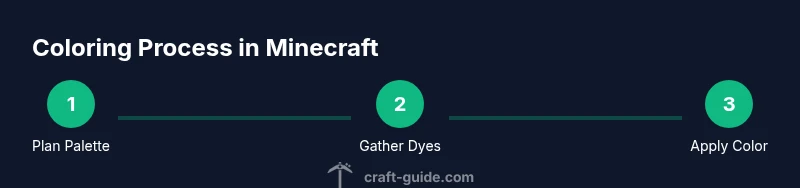
Collect a core set of dyes and the blocks you plan to color. Decide on a primary palette (3-5 core colors) and keep a small set of accents for highlights. This initial collection prevents mid-work searches and keeps your workflow steady.
Tip: Create a small color board to reference while crafting. - 2
Set up a test area
Reserve a blank wall or panel to test dye applications on each block type. Document how each color looks under daylight and under torches. This saves time and prevents mismatched colors between sections of your build.
Tip: Place a light source behind your test blocks to see true color value. - 3
Color wool and carpet
Place dye in the crafting grid with wool or carpet blocks to recolor. Start with your dominant hue on the largest surface and fill in secondary areas with supporting colors.
Tip: Dye lighter colors first to avoid staining darker blocks when re-dyeing. - 4
Color terracotta and concrete
Terracotta and concrete color well when dyed in crafting grids. For terracotta, consider how the color will appear on curved surfaces; plan gradients rather than flat blocks for depth.
Tip: Test color saturation on a small sample before scaling up. - 5
Create banners and apply patterns
Dye banners to create base colors, then add patterns with additional dyes. Keep patterns simple for large builds and reserve intricate designs for focal points.
Tip: Document pattern sequences so you can reproduce them later. - 6
Apply color palettes to the build
Use your palette consistently across rooms or zones. Group related structures by hue family and reserve contrasting accents for key landmarks.
Tip: Walk through the build at different times of day to verify color legibility. - 7
Document and archive your palette
Save a reference sheet detailing which colors were used where. This makes future builds faster and ensures color language remains coherent across projects.
Tip: Create a quick cheat sheet or signage to remind you of palette rules.
People Also Ask
What blocks can you color in Minecraft?
Wool, carpet, terracotta, concrete, glass, and banners are the primary colorable blocks. Many other blocks can be tinted using dyes or patterns, so experiment with your palette across surfaces.
You can color wool, carpet, terracotta, concrete, glass, and banners, among others, using dyes and patterns.
How do you make purple dye in Minecraft?
Purple dye is created by combining red dye and blue dye in the crafting grid. This simple mix expands your palette for banners, wool, and other colorable blocks.
Purple dye comes from mixing red and blue dyes in the crafting table.
Can you color in survival without accessing creative mode?
Yes. You can collect dyes from flowers, ink sacs, cocoa beans, and other resources in survival mode, then apply them to blocks like wool or banners.
You can color items in survival by gathering dyes from natural resources and applying them to blocks.
Do colors fade or change over time?
Colors do not inherently fade over time, but lighting conditions can alter how vibrant they appear. Reassess a palette under different light to maintain consistency.
Colors don’t fade, but lighting can make colors look different.
Are banners the best way to introduce complex color designs?
Banners are excellent for intricate color patterns because you can layer base colors with multiple dye applications to create detailed motifs.
Banners let you layer colors to create detailed patterns.
What’s the fastest way to test colors before a big build?
Use a dedicated test area with sample blocks to compare several color options side by side before committing to the full build.
Test colors on a small panel to compare options quickly.
Watch Video
The Essentials
- Choose a focused color palette before painting.
- Test colors on sample blocks under different lighting.
- Use banners for complex patterns to add texture.
- Keep color language consistent across builds.
- Document palettes for future projects.