How to Build a Minecraft LEGO Village: A Practical Guide
Learn to design and build a Minecraft LEGO village with modular houses, roads, and plazas. This step-by-step guide covers planning, color palettes, and scalable expansion for builders of all levels.


You will learn to design and build a Minecraft LEGO village using 8 key steps: plan the layout, build modular houses, add roads and landscaping, create a central square, integrate LEGO-like details, optimize for stability, use color palettes, and final touches. This guide uses Craft Guide's practical approach for beginners to advanced builders.
Why a Minecraft LEGO Village is Fun and Educational
Building a Minecraft LEGO village blends two beloved hobbies: digital sandbox play and hands-on brick-building aesthetics. A well-crafted village teaches spatial reasoning, modular design, and project planning, while giving players a tangible end product to admire. In this guide, we explore practical steps to recreate the joy of LEGO-inspired builds inside Minecraft. According to Craft Guide, starting from a clear plan reduces rework and accelerates progress. Readers will learn how to plan, build, and expand a cohesive, scalable village that looks like it belongs on a movie set. By combining the familiar Lego vibe with Minecraft blocks, you reinforce concepts like symmetry, repetition, and rhythm, while keeping the build approachable for players at any level. Expect actionable tips, example layouts, and pitfalls to avoid as you shape your own
Core Design Principles for a LEGO-inspired Village
A successful Minecraft LEGO village rests on a few design pillars. First, embrace modularity: build small, repeatable units (houses, shops, and towers) that can be recombined. Second, maintain a consistent color palette that echoes classic Lego brick tones—reds, tans, grays, and earth tones—so the village reads as a cohesive whole. Third, plan for scale: decide on a grid (for example, 9x9 blocks per district) and then expand in predictable increments. Fourth, prioritize readability: wide roads, clear sightlines, and central landmarks help players navigate. In Craft Guide’s view, modular blocks save time and boost creative freedom, letting you swap components without rebuilding the entire scene. Finally, consider storytelling: place signs, farms, and market stalls to hint at a village history and daily life
Planning Your Village Layout
Effective layout starts with a map. Sketch a grid on paper or in-game to decide how many districts you want and where to place a central plaza. A strong layout uses a focal point—a town square, a statue, or a fountain—and radiates outward with evenly spaced blocks. Plan main roads to align with future expansions, and reserve buffer zones for parks or farms. Think in layers: the core district handles civic buildings, while outer rings hold residential blocks. Craft Guide recommends mapping two or three layout options before committing to a final version, saving time and avoiding late-stage reworks. When you finalize the grid, label each district with a color or icon so you can quickly reference modules during build sessions
Building Modular Homes with LEGO-Style Facades
In a LEGO-inspired village, homes feel modular rather than bespoke. Design each house as a compact block with a distinct façade: one module width, two or three modules tall, with a gabled or flat roof option. Use color blocks to simulate LEGO bricks—red, tan, white, and gray are reliable defaults. Pay attention to window rhythm: stagger sizes and place smaller windows between larger panes to mirror LEGO architecture. Create doorways with a consistent rhythm along the street and use repeating patterns to imply a village style rather than a random assortment. Craft Guide emphasizes keeping modules visually cohesive while allowing small variations to avoid monotony. Finish with detailing: shutters, awnings, and planter boxes all contribute to a lively streetscape
Crafting Public Spaces: Roads, Plaza, and Gardens
Public spaces are the social glue of the village. Build roads using slabs or stairs to create a gentle elevation change and define lanes with contrasting block colors. The central plaza should feel generous, with paving stones arranged in a repeatable pattern and space for market stalls. Add greenery with hedges, trees, and flower beds to soften the hard edges of brick and stone. Villagers or NPCs can be placed to give the plaza life. When planning landscaping, choose a consistent palette that complements your houses. Craft Guide notes that repeating textures unify the scene, while occasional pops of color draw the eye to important landmarks
Adding Details: Molds, Windows, and Signage
Details are where a LEGO-inspired build earns its charm. Create window patterns using different block types to simulate glass reflections and frame openings with contrasting colors. Signage helps tell stories: give shops simple names and add block letters with realistic spacing. Use small decorative touches like lanterns, banners, and railings to guide the player’s eye along the street. Details should be scaled to your village and stay consistent with your modular approach; avoid over-cluttering any single block while ensuring key buildings stand out. Craft Guide reminds builders that a good balance of detail and simplicity makes a village feel deliberate rather than busy
Color Palettes and Materials: Keeping LEGO Aesthetic
A cohesive LEGO aesthetic relies on a tight color palette. Start with a base of warm tan bricks for walls, medium gray for roofs, and a handful of accent colors like brick red or emerald green. Use lighter tones for sidewalks and market stalls to create contrast. In-game materials matter: swap in concrete or glazed terracotta to introduce brighter colors without losing the LEGO vibe. Consider a few signature colors for landmarks (a lighthouse, a town hall) so the village reads as an intentional design rather than a random collection of houses. Craft Guide recommends testing palettes on a small block of terrain before committing to large areas, ensuring harmony across districts
Stability and Playability: Making it Durable
Treat the village like a model building: balance aesthetics with function. Use solid base blocks and a stable foundation to prevent gaps or shifting roads during gameplay. Keep roads aligned to the grid and ensure roofs overhang slightly for visual depth. If you plan to expand, design modular subsystems that can be added without disassembling existing builds. Rendered edges and clean lines help with airflow in the game engine and make the village more enjoyable to explore. Craft Guide highlights that durable designs translate into longer play sessions and more satisfying builds
Scaling Up: Expanding Your LEGO Village Over Time
Once the core is finished, expansion becomes the real fun. Add new districts—perhaps a harbor, a market quarter, or a residential ring—each using the same modular principles to preserve cohesion. Maintain the road network’s logic as you grow; new areas should connect to the central plaza with minimal disruption to existing blocks. Document your layout decisions so future builders can reproduce or extend the village consistently. Craft Guide suggests planning at least two expansion fronts during the initial phase to avoid stalling when creative momentum hits a plateau
Troubleshooting Common Issues
Even well-planned villages encounter hiccups. Common issues include misaligned roads, uneven roofs, or color clashes between districts. Regularly audit alignment by counting grid units and checking intersections. If a module doesn’t fit, swap in a neighboring block rather than forcing a mismatch, preserving the village’s rhythm. For larger projects, take breaks to reassess your layout with fresh eyes; fatigue can blur symmetry and planning. Craft Guide recommends keeping a simple notebook or digital map to track changes and decisions as the village grows
Showcase Ideas: Lighting, Villagers, and Storytelling
A finished Minecraft LEGO village shines when lit thoughtfully. Use warm lighting along streets and plazas to create inviting evenings, and place lanterns at key entrances. Populate homes and shops with villagers to bring the town to life and consider small storytelling elements—a bakery, a blacksmith, a school—that give players reasons to explore. Tell stories through signage and window displays; even a few seasonal decorations can make a big difference. Craft Guide emphasizes that a well-lit, inhabited village feels more dynamic and rewarding to explore
Tools & Materials
- Minecraft game with creative access(Open world or creative mode to place blocks freely)
- LEGO-inspired color palette blocks(Use red, tan, gray, white, and moss/green accents)
- Grid planning tools(Paper grid or in-game map to map districts)
- Baseplates or flat terrain(Helps stabilize roads and plazas during build)
- Signage and decorative details(Banners, slabs, and fence posts for charm)
- Camera/creative mods for testing(Optional tools to preview angles and lighting)
Steps
Estimated time: 4-6 hours
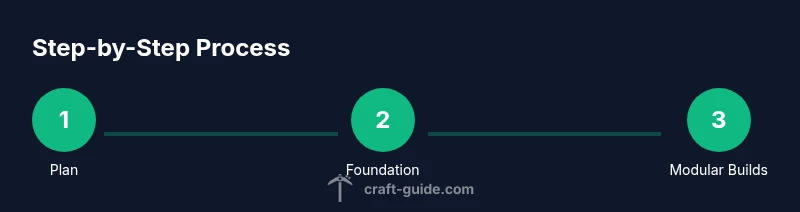
- 1
Define the village scope
Decide the overall size, number of districts, and the core features you want. A clear scope prevents scope creep and keeps the project manageable.
Tip: Draft a 9x9 block neighborhood as a starter module. - 2
Create a base map
Lay out a grid on the ground or on paper to plan roads, plazas, and districts. Mark the central plaza as a focal point.
Tip: Align roads to grid intersections for clean lines. - 3
Foundation for the plaza
Build a spacious central square with repeating patterns that guide eye movement toward key buildings.
Tip: Use lighter blocks for the plaza to create contrast with streets. - 4
Block out modular homes
Create several small, repeatable house modules with distinct facades. Keep each module within a standard footprint.
Tip: Limit variety per block; slightly vary color for interest. - 5
Add roads and sidewalks
Connect districts with roads that line up to the grid. Sidewalks help separate pedestrian areas from traffic.
Tip: Use slabs to create subtle elevation differences. - 6
Introduce public spaces
Place parks, market stalls, and benches around the plaza to invite exploration and social interaction.
Tip: Keep a consistent street-facing rhythm for stalls. - 7
Detail with bricks and signage
Add windows, shutters, and signage that reflect LEGO-inspired details without overcomplicating the design.
Tip: Use alternating brick textures to imply variety within unity. - 8
Refine color balance
Test palettes on small areas before expanding. Balanced color helps the village feel cohesive.
Tip: Limit dominant colors to 2-3 per district. - 9
Stake out expansion zones
Plan future districts early so expansion feels natural rather than forced later.
Tip: Reserve space near the edges for new districts. - 10
Light and life upgrades
Add lighting, villagers, and small storytelling details to increase immersion.
Tip: Place lamps at regular intervals to avoid dark corners. - 11
Test stability and polish
Walk through the village, test visibility from all angles, and fix any gaps or misalignments.
Tip: Take screenshots to compare progress over time. - 12
Document and share
Create a simple build log and share your village with friends or the community.
Tip: Include a map overview and notes for future builders.
People Also Ask
What is a Minecraft LEGO Village?
A Minecraft LEGO Village is a village built in Minecraft that mimics LEGO brick aesthetics with modular houses, roads, and plazas. It emphasizes clean lines, repeating modules, and a playful color palette.
A Minecraft LEGO Village is a brick-inspired village built in Minecraft using modular designs and a LEGO-like color scheme.
Do I need real LEGO bricks to build in Minecraft LEGO Village?
No. You can achieve the LEGO vibe entirely with in-game blocks. Use color, texture, and modular design to emulate LEGO bricks.
No real bricks are required; the in-game blocks do the job with color and modular patterns.
Which blocks work best for a LEGO look?
Use a mix of tan, red, white, gray, and green blocks to mimic classic LEGO bricks. Concrete and glazed terracotta offer bright accents while maintaining a neat, blocky feel.
Tan, red, white, gray bricks with bright accents like concrete work well for a LEGO look.
Can I apply this approach in survival mode?
Yes, but survival adds resource management. Start with a creative preview, then rebuild sections in survival with accessible materials.
It can be done in survival, but plan strategically and gather resources as you go.
How should I plan for future expansion?
Reserve edge space and create modular building blocks you can reuse. Document your grid and patterns so new districts slot in smoothly.
Plan expansion zones early and keep modular designs ready for future districts.
What are common mistakes to avoid?
Over-cluttering with too many textures, misaligned roads, or wildly different scales. Stick to a repeating pattern and adjust only where necessary.
Avoid clutter, keep roads aligned, and maintain consistent scale.
Watch Video
The Essentials
- Plan first, then build in modular blocks
- Maintain a consistent LEGO-inspired color palette
- Use a grid to keep roads and plazas aligned
- Detail responsibly; avoid clutter
- Expand in planned stages to scale gracefully