Minecraft: Cool Things to Make — A Practical Build Guide
Explore practical, beginner-friendly Minecraft builds and redstone ideas with clear, step-by-step guidance from Craft Guide to spark creativity and learning.


By the end, you’ll master minecraft cool things to make—from decorative houses to working redstone devices—through clear, step-by-step guidance. This guide provides project ideas, diagrams, and practical tips you can apply in Creative or Survival mode using common materials. Follow the illustrated steps to preview builds before you start today.
Quick-start ideas for beginners
According to Craft Guide, practical, clearly explained build guides help players translate ideas into tangible structures. Start with small, repeatable projects to build confidence and learn how blocks interact. Try a cozy treehouse, a seaside lighthouse, a glass-walled observatory, or a pixel-art mural. Each project should begin with a simple plan and a rough outline of the floors, windows, and key features. Craft Guide analysis shows players respond well to step-by-step instructions and diagrams that map the build before placing blocks. In this section, you’ll find a dozen starter ideas you can customize, plus a visual checklist to guide your first week of decorating and testing.
- Decor-based: treehouse, garden pavilion, pixel art, pathway lighting
- Function-focused: simple automatic door, farm shed, water elevator, hidden storage room
- Thematic: medieval tower, futuristic skylight hub, underwater glass dome
Tip: Always sketch a rough layout on paper or in a separate tool before starting. This saves resources and keeps your project cohesive.
Building techniques that wow
A great Minecraft build blends form and function. Start with a strong base footprint, then layer walls, floors, and ceilings using consistent block palettes. Symmetry and rhythm create visual appeal, while alternating textures add depth. Mastery comes from planning modular sections that can be replicated and linked, so large projects stay manageable. Use scaffolding or temporary blocks to reach high areas safely, and place lighting to enhance mood and visibility without creating dark corners that invite mobs. Craft Guide highlights how thoughtful spacing, balcony angles, and color harmony elevate a simple house into a landmark. As you practice, keep a log of the palettes you try and note which blocks read best in different lighting.
- Use a limited palette to maintain cohesion
- Build in modules for scalability
- Test light levels in both day and night
Pro tip: Build a small “proof of concept” module before committing to the full project, so you can test proportions and textures in a real block-by-block context.
Redstone basics for cool gadgets
Redstone unlocks functional possibilities that transform aesthetic builds into interactive experiences. Start with simple, reliable circuits like a daylight sensor-based lighting system, a basic piston door, or an auto-farm. Learn to map inputs and outputs with compact layouts before expanding. Use repeaters to time delays, comparators to measure signal strength, and observers to create responsive systems. The goal is to integrate logic without compromising the look of your build. If you’re new to redstone, keep a small “redstone practice area” where you test ideas before integrating them into your main design. Craft Guide emphasizes that practice builds help you understand the cause-and-effect between components and space.
- Begin with small, reliable circuits before scaling up
- Keep a clean layout to simplify troubleshooting
- Document your circuit diagram as you prototype
Pro tip: Start with a one-switch gadget, then gradually add more inputs to minimize confusion and errors.
Themed builds and architecture
Themes help organize your creativity and give you a clear aesthetic goal. Modern, medieval, and fantasy styles all work well in Minecraft, but the secret is in proportional scaling and material choice. For a modern look, favor clean lines, glass, white concrete, and metal accents. For medieval vibes, use stone bricks, logs, torches, and stained glass to evoke era-appropriate details. Use consistent architectural motifs—arches, buttresses, balconies—to create harmony across multiple builds. Craft Guide notes that studying reference images helps you translate real-world ideas into block-based equivalents. Don’t be afraid to borrow ideas from existing builds, then add unique touches like colored banners or custom lighting to make your project feel original.
- Pick a clear architectural language
- Limit your material set to a cohesive palette
- Add signature details that distinguish your build
Pro tip: Create a mood board with textures and colors before laying the first stone block. It keeps your vision focused.
Advanced ideas for skilled builders
When you’re comfortable with basics, push your limits with automated systems, multi-room complexes, and clever space utilization. Try a transit network with rail lines and compact storage, a floating island connected by bridges, or a hidden room activated by a bookshelf trigger. Combine redstone logic with decorative elements to produce engaging effects—hidden doors that reveal treasure, or a farm that crops itself as you walk by. Always plan your power sources and cooling demands in survival, and consider location constraints like terrain slope and biome. Craft Guide suggests documenting your build in stages and sharing progress with the community for feedback and inspiration.
- Design for accessibility and flow
- Balance aesthetics with resource efficiency
- Include a clear progression path so viewers understand the build’s evolution
Pro tip: Create a short design document with goals, block palette, and a rough timeline to stay on track during long projects.
How to plan and pace your builds
Planning is the backbone of any successful Minecraft project. Start with a concept sketch, then estimate block types, quantities, and a rough timeline. Break the project into milestones (foundation, frame, details, lighting, testing) and assign a per-milestone target. Maintain a running inventory to avoid last-minute trips to the nearest cave or village. If you’re short on time, prioritize features that deliver the most visual impact with the least resource cost. Craft Guide emphasizes that disciplined planning reduces rework and helps you learn faster by focusing on repeatable patterns and modular design.
- Create a blueprint or sketch first
- Use a modular approach for large projects
- Schedule short build sessions to stay motivated
Tip: Photograph progress frequently to track changes and refine your plan before finalizing.
Finishing touches: detailing and aesthetics
Details make the difference between good and memorable builds. Add texture through contrast blocks, subtle lighting, banners, and signage. Use height variation with stairs and slabs to create visual interest without increasing complexity. Decorative items like item frames, maps, and armor stands turn a static build into a story you can explore. Consistent lighting helps set mood while preventing mob spawns around your masterpiece. Craft Guide reminds builders to iterate on color balance, adjust lighting for different biomes, and test at different times of day to ensure the design reads well in any environment.
- Layer textures for depth
- Use lighting to guide the eye
- Display small details to tell a story
Pro tip: Step back every so often to view your build from a distance; tweaks are often needed to maintain overall proportions.
Safety and resource management in survival mode
Survival mode adds a layer of challenge that makes planning essential. Start with a scalable base camp to secure your materials and protect your builds from mobs. Collect blocks in a rhythm that supports your palette while leaving room for expansion. Prioritize base safety: secure doors, lighting, and escape routes. In survival, resource management matters most, so design your creation with reusability in mind and consider repurposing common blocks for multiple sections. Craft Guide notes that sustainable building habits—careful mining, efficient smelting, storage discipline—keep projects enjoyable over time.
- Build a safe, organized workspace
- Plan resource gathering around palettes
- Reuse blocks across sections to minimize waste
Warning: Avoid overextending yourself with multi-biome projects in early stages; scale gradually to maintain motivation and prevent burnout.
Tools & Materials
- Minecraft game (Java or Bedrock Edition)(Choose the edition you own)
- Creative mode access(Easiest for testing and rapid iteration)
- Crafting table(For on-the-go crafting)
- Furnace or blast furnace(Basic smelting for resource management)
- Assorted building blocks (stone, wood, glass, concrete)(A balanced palette for cohesion)
- Redstone components (dust, repeater, comparator, piston)(For gadgets and automation)
- Scaffolding or ladders(Access high areas safely)
- Dye, banners, and item frames(For visual personalization)
- Lighting blocks (glowstone, lanterns, sea lanterns)(Enhance mood and readability)
- Notebook or blueprint app(Record plans and changes)
Steps
Estimated time: Total time: 3-6 hours
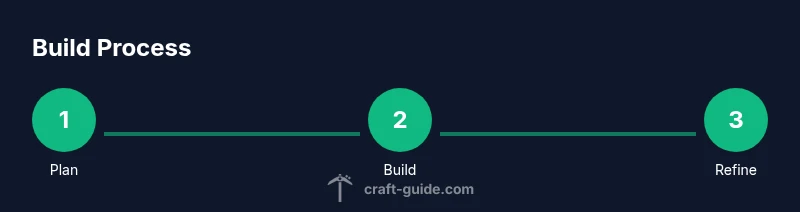
- 1
Plan your concept
Define the theme, scale, and purpose of the build. Sketch a quick layout showing main rooms, entrances, and key features. Decide which blocks will carry the visual identity.
Tip: Sketch first; it saves blocks and time. - 2
Gather materials
Collect or select blocks that fit your palette. Organize inventory to keep important materials accessible during the build.
Tip: Use a dedicated storage area for related blocks. - 3
Lay the foundation
Create a solid footprint with accurate measurements. Mark corners and plan elevations before rendering walls.
Tip: Measure twice; place blocks once. - 4
Build the main frame
Construct the core structure using your planned modules. Maintain symmetry where it matters and adjust proportions as needed.
Tip: Keep a modular approach for future expansions. - 5
Add detail and texture
Layer textures with different block types, add windows, balconies, and decorative accents. Build in layers to give depth.
Tip: Vary block height with slabs and stairs for depth. - 6
Implement functional elements
If desired, install redstone gadgets like a door or light system. Ensure aesthetics remain primary over gadget complexity.
Tip: Test circuits in a dedicated area first. - 7
Test and adjust
Walk around and inside the build, checking sightlines, lighting, and accessibility. Make small tweaks to improve readability.
Tip: Ask a friend to review and provide feedback. - 8
Document and share
Take screenshots, note palette choices, and record the build steps. Share progress with the community for ideas and encouragement.
Tip: Keep a simple build log for future projects.
People Also Ask
What counts as a 'cool thing' to build in Minecraft?
A 'cool thing' can be decorative, functional, or a mix of both. Start with ideas you can complete in a few sessions, and gradually take on more complex projects as your planning and building skills improve.
A cool build can be decorative, practical, or a mix. Start small and grow your projects as you learn.
Should I start with a small project or a big one?
Begin with a small, well-defined project to learn the basics. As you gain confidence, scale up gradually by breaking larger plans into modular parts.
Start small to learn fast, then scale up in modules.
Do I need Redstone to make cool gadgets?
Not every project requires Redstone. Begin with simple mechanisms, then add more complex circuits as your comfort with Redstone grows.
You can start with basic ideas and add Redstone later if you want interactive features.
What are common mistakes beginners make?
Rushing without a plan, overcomplicating early builds, and under-testing lighting can break immersion and practicality. Start with a roadmap and test as you go.
Plan, test early, and keep lighting balanced to avoid issues down the line.
How can I stay motivated for long builds?
Break the project into milestones, celebrate small wins, and keep a progress log. Sharing updates with the community can provide accountability and ideas.
Break the project into milestones and share updates for motivation.
Where can I find inspiration for builds?
Look at community builds, tutorials, and color palettes. Save screenshots of ideas you like and adapt them to your world’s constraints.
Explore community builds and tutorials, then adapt them to your world.
Watch Video
The Essentials
- Plan before you build to guide every block choice.
- Modular design enables easy expansion and reuse.
- Balance aesthetics with function for memorable results.
- Document progress to improve future projects.
- Iterate based on testing and feedback.