Cupcakes Minecraft: A Sweet Build Guide
Learn to create a cupcake-themed bakery in Minecraft using vanilla blocks. This guide covers design, materials, step-by-step building, tips, and ideas to integrate cupcakes Minecraft aesthetics into any world.


Goal: Create a cupcake-themed bakery in Minecraft using vanilla blocks and simple builds. You’ll craft a cupcake statue, a cozy display area, and a mini display case for colorful cupcakes. This quick guide outlines the essential materials, a clear step-by-step plan, and practical tips to ensure your sweet build fits any world, from survival starter bases to creative plots. According to Craft Guide, sweet aesthetics boost vibe as well as function.
Concept and Goals for cupcakes minecraft
When players think about cupcakes minecraft, they often imagine a charming, edible-inspired display that brightens a base. This block explores the concept of a cupcake-themed bakery built with vanilla blocks, focusing on approachable design, color harmony, and practical gameplay. In Craft Guide's experience, the sweetest builds blend form and function—a bakery facade that invites, an interior that is organized, and shelves that feel tasty without breaking game mechanics. The cupcakes minecraft idea is not about adding a new item; it's about using texture, color, and space to suggest pastries within the constraints of survival or creative worlds. Start from a compact footprint: a small shop with a front counter, a bake-off corner, and a display area for decorative cupcakes. The aim is to create something that looks delicious from a distance and feels playable up close. Color psychology matters: pinks, whites, and pastels signal sweetness, while browns and tans hint at cake bases and chocolate toppings. Planning this concept on paper or a tablet helps you map stairs, display cases, and lighting before laying a single block. According to Craft Guide, a clear plan saves time and yields a more cohesive cupcakes minecraft build.
Layout and Zoning
A well-organized cupcakes minecraft bakery uses three zones: the storefront, the display area, and the back kitchen. In vanilla, keep the footprint compact (roughly 6x8 blocks) and ensure you have clear sightlines from the door to the display. The storefront should feature a welcoming entrance and a counter where players can imagine taking orders. The display zone uses shelves or low fences to create tiered levels for “cupcakes” made from cake slices or banner-topped blocks. The kitchen zone, though compact, should include a drop-off point for ingredients—think a small chest and a crafting table. Planning these zones helps preserve inventory space and keeps the build singable with the cupcakes minecraft theme. Craft Guide’s analysis shows that thoughtful zoning improves both aesthetics and usability in small builds.
Materials and Block Palette
Choosing the right palette is crucial for the cupcakes minecraft vibe. Use white and pink concretes to mimic frosting, brown concretes for cake bases, and pastel accents to highlight sprinkles. For the display, clear glass panes create a clean, edible look, while slabs and stairs offer curved frosting silhouettes. Item frames let you display mini cupcake textures (cake slices or dyed blocks) without adding new items. Lighting matters: warm lanterns or redstone lamps softly illuminate the shelves. A coherent palette keeps the build readable from a distance and delightful up close. Craft Guide recommends planning a palette of 3-4 main colors to keep the cupcakes minecraft aesthetic visually cohesive.
Color Schemes and Frosting Shapes
When designing frosting shapes for cupcakes minecraft, aim for simple silhouettes that read well at a distance. Build rounded frosting using half-slabs and stairs to imply curves, and add sprinkles with tiny blocks or banners. For larger cupcakes, stack blocks in small pyramids and cap with a flat tile to mimic a frosting swirl. If you want a striped look, alternate colors in a checker-like pattern on the frosting surface. Keep the frosting colors light and airy—pink, white, pale yellow, and light blue—while reserving a chocolate-brown base to anchor the treat. Craft Guide notes that consistent frosting shapes help viewers instantly recognize cupcakes minecraft across different builds.
Step-by-step Build Plan (Overview)
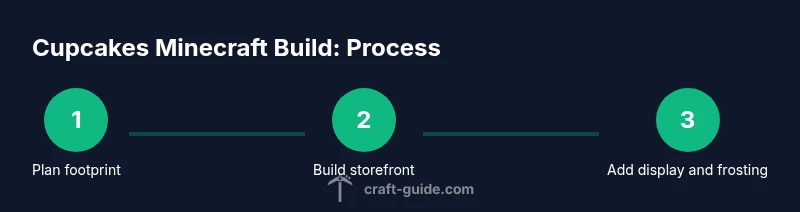
This section outlines a high-level plan you can follow in any order, tailored to cupcakes minecraft. Start with the storefront and counter, then build the display shelves, followed by the cupcake statue centerpiece, and finish with frosting shapes and signage. Use the step-by-step guide in the dedicated block to execute actions precisely, and reference this overview to stay aligned with the cupcakes minecraft theme. Attention to rhythm and repetition keeps the bakery feeling polished and believable.
Decoration and Details
Details matter for cupcakes minecraft. Add tiny touches like banner signs with cute text (“Fresh Cupcakes” or “Daily Bakes”), small flower pots on window sills, and a checkered floor to evoke a bakery vibe. Use item frames to present cake slices that represent cupcakes without introducing new items. Sprinkles can be simulated with dyed carpet or miniature blocks. Lighting should be warm and inviting—avoid harsh blue lights that clash with the pastel palette. These details elevate the cupcakes minecraft build from a simple shelter to a charming, story-rich bakery.
Vanilla Alternatives and Cookbook Ideas
If you’re playing vanilla Minecraft, you can still realize a convincing cupcakes minecraft aesthetic by combining cake slices, candles, banners, and color blocks. Although there is no cupcake item in base game, the display can imply cupcakes by arranging cake slices on plates (blocks) with frosting colors using concrete and wool. This approach preserves the vanilla experience while delivering a recognizable cupcakes minecraft spectacle. Craft Guide reminds builders to stay flexible and reuse familiar blocks to convey the concept without mods.
World Integration and Playability
To ensure cupcakes minecraft fits into any world, design around common gameplay loops. In survival, place the bakery near your starter base for easy building materials and a community touch. In creative, you can push the scale and experiment with branching bakery concepts. Keep navigation simple: door, counter, display, cake plate wall, and a cozy seating corner. The cupcakes minecraft bakery should invite exploration, not overwhelm the player with complex requirements. Craft Guide’s guidelines emphasize readability, accessibility, and delightful, bite-sized creativity.
Next-Level Expansions and Community Sharing
Once you’ve built a basic cupcakes minecraft bakery, you can expand with seasonal decorations, modular shelves, or a tiny café area. Consider adding a recipe signboard that shows the implied steps to “bake” cupcakes in your world, or a micro-game like a pastry scavenger hunt using colored banners. Share screenshots and blueprint sketches with friends or online communities to inspire others. Craft Guide suggests documenting your palette, block choices, and spacing so others can recreate your cupcakes minecraft bakery with fidelity.
Tools & Materials
- White concrete(Frosting base for cupcakes)
- Pink concrete(Secondary frosting color)
- Brown concrete(Cake base color)
- Yellow concrete(Golden highlight or vanilla base)
- Light blue concrete(Pastel accents)
- Glass panes(Display cases and windows)
- Slabs(Create curved frosting silhouettes)
- Stairs(Elevate cupcakes on display)
- Item frames(Display mini cupcake textures)
- Banner(Signs and decorative text)
- Lanterns or glowstone(Warm lighting)
- Cake block(Cupcake stand-in or display sprite)
- Wool (various pastels)(Frosting color accents)
- Scaffolding(Working height and access)
Steps
Estimated time: 2-4 hours
- 1
Plan the footprint
Mark a compact 6x8 block area for the cupcakes minecraft bakery. Decide where the storefront, display zone, and back area will sit. Draft a quick sketch or map to guide block placement and ensure good sightlines.
Tip: Use a parchment-like map or a drawing app to avoid guesswork. - 2
Build the storefront
Construct a welcoming entrance with a small canopy using slabs and stairs. Install a front counter using white and pink blocks, leaving space for pretend orders. Keep doorway width comfortable for easy navigation.
Tip: Test player pathing by walking from door to counter to ensure smooth flow. - 3
Create cupcake statues
Stack brown blocks for the base, then add frosting using white and pink layers. Use stairs to round the top and place a cake block or plate as a display base. Place an item frame nearby to imply a visual cupcake.
Tip: Keep the statue within 2-3 blocks height to maintain proportion. - 4
Design the display shelves
Arrange glass panes as glass-front shelves. Use slabs to create multiple tiers for pastel cupcakes and place item frames with cake textures on each tier.
Tip: Vary heights by alternating slabs and full blocks for depth. - 5
Add frosting shapes
Mimic frosting with curved shapes using pink and white concrete on top of the cupcakes. Use light blue accents for sprinkles and subtle highlight shading along the edge.
Tip: Keep frosting arcs gentle; sharp angles reduce readability. - 6
Install lighting and signage
Position warm lanterns at varying heights to create inviting glow. Add a small banner above the door with a tasty message like 'Cupcakes'.
Tip: Avoid harsh overhead lighting that washes out pastel colors. - 7
Add seating and ambiance
Place a tiny seating corner with pastel-colored wool cushions and a checkered floor. Include a tiny table with cake slices as decorative blocks to reinforce the cupcakes minecraft theme.
Tip: Keep seating consistent with palette for cohesive vibe. - 8
Save, photos, and iterate
Take in-game screenshots for future improvements. Tweak color balance, spacing, and lighting based on how the cupcakes minecraft build reads in different lighting.
Tip: Document your palette choices to help others replicate the look.
People Also Ask
Can I make cupcakes in vanilla Minecraft?
Minecraft vanilla does not include a cupcake item. You can simulate cupcakes by arranging cake slices and decorative blocks to evoke a cupcake appearance while keeping the display cohesive with cupcakes minecraft aesthetics.
Vanilla Minecraft doesn’t have real cupcakes, but you can simulate them with cake slices and decorative blocks to keep the cupcakes minecraft vibe.
What blocks work best for cupcake frosting?
White and pink concrete or wool work great for frosting due to their solid color. Use light pastel tones and keep frosting shapes rounded with slabs and stairs to convey a smooth, tasty look in cupcakes minecraft.
White and pink concrete or wool are ideal frosting colors for cupcakes minecraft; round shapes read best.
How tall should a cupcake statue be?
A 2-3 block tall statue fits nicely in most 6x8 footprint bakeries. This keeps the cupcake centerpiece visible without overwhelming the display in cupcakes minecraft.
A two to three block tall cupcake statue works well for cupcakes minecraft.
Can I display cupcakes in survival?
Yes. Build with readily available blocks and plan resource gathering around your bakery. In cupcakes minecraft, the display can be functional and decorative, blending practicality with style.
Cupcakes minecraft displays can be built in survival if you plan resource gathering and keep the design simple.
Are there mods that add cupcakes?
There are mods that add edible items or dessert-themed blocks. This article focuses on a vanilla-oriented cupcakes minecraft aesthetic, but mods can expand your options if you want to go beyond base game.
Mods exist for dessert items, but this guide centers on vanilla cupcakes minecraft aesthetics.
Watch Video
The Essentials
- Define a compact bakery footprint and zones.
- Choose a cohesive frosting palette for cupcakes minecraft.
- Use item frames and cake textures to display cupcakes.
- Iterate with lighting and signage for a welcoming scene.