Minecraft OR Gate Tutorial: Build a Redstone Logic Gate
Learn how to design and implement a Minecraft OR gate with redstone. This educational guide covers two-input builds, wiring diagrams, testing steps, and practical expansions for your redstone projects.


You can build a Minecraft OR gate using redstone to combine two on signals into a single output. This quick answer outlines the concept and the essential steps to create a simple two-input OR gate, plan wiring, test with lamps, and expand later. Additionally, you'll learn how to adapt it for extra inputs and how to troubleshoot common issues.
What is a Redstone OR Gate?
In Minecraft, a Redstone OR gate is a simple circuit that lights an output when at least one of its inputs is powered. The concept mirrors basic digital logic, where OR returns true if any input is true. Understanding this gate helps you build more complex machines, from item sorters to automated farms, without needing to memorize long wiring diagrams. According to Craft Guide, the OR gate is a foundational redstone circuit for teaching basic logic in Minecraft. In community guides, you’ll often see it referred to as minecraft or gate.
The Core Idea: How OR Gate Works in Minecraft
An OR gate takes multiple input signals and produces a single output. The basic principle is straightforward: if any input line carries power, the output line becomes powered as well. In Minecraft terms, redstone dust carries the signal from inputs (like levers or pressure plates) to the output device (such as a lamp or piston). The elegance of an OR gate is that you do not need to invert or combine signals with extra components; you simply allow any powered input to reach the output. This simplicity makes it an ideal first redstone logic project for learners and seasoned builders alike.
Two-Input OR Gate: Step-by-Step Layout
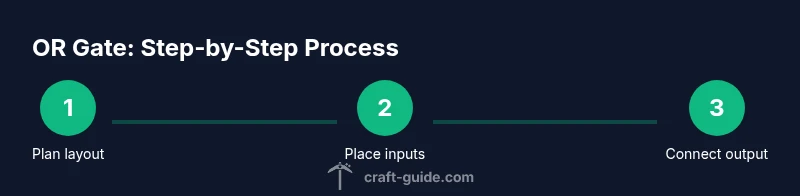
For a two-input OR gate, plan a layout where two input paths converge onto a single output line. Each input path can run along separate rows of redstone dust or through simple blocks that guarantee a clean signal. The goal is that powering either input should illuminate the output device. Keep the paths relatively short and avoid crossing lines that might cause short circuits. The two-input design is the foundational building block for more complex logic networks in Minecraft.
Building a Simple Two-Input OR Gate (Visual Wiring)
- Place a base block and set two input blocks (e.g., levers) on opposite sides. 2) Run separate redstone dust lines from each input toward a central junction. 3) Connect the central junction to the output line that powers your lamp or block. 4) Place the output lamp at the end of the output line to clearly visualize the gate’s state. 5) Add a small buffer block if you need to separate input lines from the output to prevent unintended backflow. 6) Test each input individually and then together to confirm the output lights when either input is on. Pro tip: label inputs to avoid confusion during expansion.
Testing Your OR Gate: Lamps, Redstone, and Signals
Testing is essential to confirm the gate behaves as expected. Start with one input powered and observe the output. Then power the second input and check that the output remains lit. Finally, power both inputs to verify the output remains on. If the lamp does not illuminate on a single input, inspect wiring for gaps, ensure dust lines are continuous, and verify the input device is actually delivering power. If needed, extend the line with repeaters to preserve signal strength over longer distances.
Extending to More Inputs: Multi-Input OR Gate Variants
Once the two-input version works reliably, you can expand to three or more inputs by duplicating the input branch and merging all lines into the same output path. A common approach is to create parallel input rails that join at a central output, ensuring no loops back into inputs. For many inputs, consider using a compact, stacked layout or modular blocks that snap together neatly. Remember: keep signal strength high enough so the output remains powered across the entire gate.
Common Pitfalls and Troubleshooting
The biggest issues are broken dust lines, unintended cross-wiring, and short-circuits where inputs touch output lines. Always test each input separately before combining them. Use clean, labeled paths and avoid placing two powered blocks directly adjacent unless intended. If the gate behaves erratically, try simplifying the layout first, then reintroduce inputs one at a time. A small buffer block or repeater can help stabilize longer runs of dust.
Practical Use Cases in Redstone Projects
A valid Minecraft OR gate unlocks a range of automation possibilities. Use it to toggle minecart stations, activate farms when any sensor is triggered, or power door mechanisms when multiple levers are engaged. As you grow more comfortable, you can combine OR gates with AND and NOT gates to build complex logic trees, timers, and more advanced automation. Integrating a basic OR gate into your build is a solid stepping stone toward more ambitious redstone engineering.
Tools & Materials
- Redstone dust(Enough to connect inputs to output (start with 20+ blocks))
- Lever(s) or pressure plates(At least two input devices)
- Solid building blocks(For base and wiring paths)
- Redstone torch(Optional for inverter variants)
- Repeater(s)(Optional to extend signal or separate inputs)
- Lamp or opaque block to display output(Output indicator)
Steps
Estimated time: 20-40 minutes
- 1
Plan your layout
Choose a layout that fits two inputs and one output. Mark the positions for levers, the central junction, and the lamp.
Tip: Sketch or lay down blocks first to avoid rework - 2
Place inputs and output
Set up two input blocks (levers or plates) on opposite sides of the base; place the lamp at the intended output end.
Tip: Keep inputs visually separated to reduce mistakes - 3
Lay down input wires
Run separate redstone dust lines from each input block toward a shared central area.
Tip: Split lines early to avoid crossing signals - 4
Create the central junction
Merge the two input paths into a single output line using a junction block and continuous dust leading to the lamp.
Tip: Ensure there is no direct short between inputs - 5
Connect to the output
Link the central junction to the output line powering the lamp; add a repeater if signal strength fades.
Tip: Test both single-input cases before final testing - 6
Test each input
Power input A alone; verify output lights. Power input B alone; verify output lights. Then power both.
Tip: Document results to track behavior - 7
Tidy and label
Clear redundant dust and label inputs to prepare for expansion.
Tip: A clean build reduces future errors - 8
Consider expansion
Plan where extra inputs would join the output line without creating loops.
Tip: Modularize the design for easy scaling
People Also Ask
What is a Minecraft OR gate and why should I learn it?
An OR gate outputs power if any input is powered. Learning it helps you build reliable, scalable redstone circuits and forms the basis for more complex logic in your builds.
An OR gate outputs power whenever any input is powered, and it's a great first step toward bigger redstone projects.
Do I need special materials to build an OR gate?
You mainly need redstone dust, input devices like levers or pressure plates, blocks for wiring, and a display output such as a lamp. Optional repeaters can improve signal range.
Redstone dust, levers, and a lamp are the core components; repeaters help if your wires are long.
Can I extend an OR gate to more inputs?
Yes. You can add additional input lines that join the main output path, keeping the layout modular and avoiding loops. Test each addition incrementally to ensure reliability.
Absolutely—add more input lines one by one and test as you go.
How is an OR gate different from an AND gate in Minecraft?
An OR gate outputs power if any input is on, while an AND gate only outputs power when all inputs are on. This distinction is essential for designing precise automation.
OR is on if any input is on; AND is on only if all inputs are on.
What are common issues with OR gates and how do I fix them?
Most issues come from broken wiring, misaligned dust lines, or short circuits. Double-check connections, ensure dust is continuous, and simplify the layout if problems persist.
Check the wiring, ensure dust lines are continuous, and keep the layout simple.
Watch Video
The Essentials
- Learn the basic OR gate concept
- Build a reliable two-input design first
- Test the gate with a lamp to confirm output
- Plan for future input expansions
- Keep redstone wiring organized