How to Use /replace in Minecraft: A Practical Guide
Learn how to use the /replaceitem command in Minecraft to swap items in inventories, containers, and armor. Step-by-step instructions, real-world examples, tips, and troubleshooting for beginners to advanced players.


In Minecraft, the /replaceitem command swaps items in inventories, containers, or armor. This guide covers syntax, targets, and safe examples. You’ll learn how to replace a player’s held item, a chest’s contents, and how to handle common mistakes. No mods required; designed for beginners to advanced players.
What you can achieve with the /replaceitem command
The /replaceitem command is a powerful tool for inventory management, equipment swapping, and automated setups in Minecraft. It lets you substitute a specific item in a given slot for a target, such as replacing the item in a chest, swapping a player’s held item, or updating armor slots. This capability is especially useful for adventure maps, servers, or redstone systems that require precise item control. According to Craft Guide, understanding this command can save you time and prevent inventory chaos during large builds or speedruns. Craft Guide analysis shows that users who learn exact slot naming tend to set up reliable automated tasks more quickly. By following a structured approach, you minimize mistakes and create repeatable setups that teammates can trust. The Craft Guide team recommends practicing in a safe test world before applying changes to live builds.
Syntax essentials
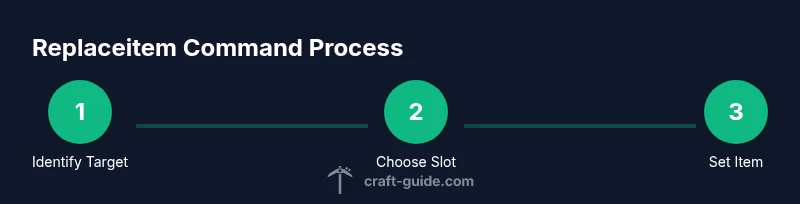
The core idea is simple: you specify a target, a slot, and the item you want to place there. The general forms are /replaceitem entity <targets> slot.<slot> <item> and /replaceitem block <pos> slot.<slot> <item>, with an optional count and NBT data. Slot naming is important: common options include mainhand, offhand, armor.head, container.slots.0, and container.slots.x for inventory slots inside a chest or dispenser. The item must be identified by its resource location, e.g., minecraft:diamond_sword. You can set the number of items by adding a count (default is 1) and even attach NBT data to customize the item. This flexibility makes /replaceitem valuable for custom maps and server automation.
Quick tips
- Always verify the exact slot name for your target before running the command.
- Use a test world to confirm behavior before deploying in a production save.
- If a slot is invalid or empty, the command will fail; check error messages for guidance.
Replacing a player's held item
To swap the item in a player's main hand, you target the player entity and specify slot.mainhand. Example: /replaceitem entity @p slot.mainhand minecraft:netherite_sword 1 {Enchantments:[{id:"minecraft:sharpness",lvl:5}]} . This replaces the held item with a netherite sword enchanted to sharpness V. If you want to swap the entire inventory, you can apply to specific slots or iterate with repeated commands in a script. Remember to consider combat balance if you’re playing on a server. Craft Guide emphasizes testing melee balance when replacing gear in multiplayer contexts.
Replacing items in containers like chests
Container slots use container.slots.X notation, where X is the zero-based index. A chest has 27 slots, so you can target any one of those. For example, /replaceitem block ~ ~ ~ chest 0 minecraft:apple 5 would place five apples in chest slot 0. You can also replace an entire row in a large storage system by scripting a series of commands. InDatapacks and command blocks, you might automate replacements based on conditions, such as time of day or player proximity.
Replacing armor and equipment
Armor and equipment slots follow the armor.* naming: armor.head, armor.chest, armor.legs, armor.feet. Example: /replaceitem entity @a slot.armor.head minecraft:iron_helmet. This substitutes everyone’s helmet with an iron helmet, useful for consistent outfits in a map or event. For more controlled changes, target a subset of players or entities, and use the count parameter to limit how many items you place. Craft Guide notes that precise targeting reduces unintended world changes.
Using with command blocks and automation
Command blocks can execute /replaceitem automatically as part of a larger logic sequence. Use redstone or conditional chains to trigger replacements when certain criteria are met (e.g., a player steps on a pressure plate). For reliability, test in a controlled space and log each action. Data packs can extend the command’s capabilities, such as replacing items based on custom conditions or inventory states. Craft Guide recommends documenting each automation step for future edits.
Practical examples you can copy
- Replace held item for the nearest player: /replaceitem entity @p slot.mainhand minecraft:diamond_sword 1 {Damage:0}
- Put five apples into chest slot 0: /replaceitem block ~ ~ ~ chest 0 minecraft:apple 5
- Replace headgear for all players with leather helmet: /replaceitem entity @a slot.armor.head minecraft:leather_helmet
- Clear a chest slot by replacing with air (air acts as an empty item): /replaceitem block ~ ~ ~ container.0 minecraft:air 1
- Update a command-block-controlled inventory in a loop by referencing container.slots.* values; this enables advanced automation with predictable results.
Troubleshooting common mistakes
Common errors include using the wrong target type (entity vs. block), incorrect slot names, or missing item IDs. If the command returns an error, double-check the syntax and spelling of the item name. Ensure you’re in the correct game mode and have permission to run commands. If a replacement doesn’t take effect, verify the exact coordinates or the targeted entity. Craft Guide suggests clearing and reapplying the command in a taut, repeatable test to isolate the issue.
Safety, ethics, and best practices
Always test in a dedicated test world first. Keep a backup of your world before applying changes to prevent data loss. When operating on public servers, communicate changes with admins and players, and avoid disruptive modifications without consent. The Craft Guide team emphasizes documenting every command and its purpose to help teammates understand the changes and rollback if necessary.
Tools & Materials
- Minecraft Java Edition with cheats enabled(World must allow command execution)
- Understanding of /replaceitem syntax(Know the entity/block forms and slot naming)
- Target selector knowledge(Use @p, @a, @r, or coordinates)
- Item IDs (e.g., minecraft:diamond_sword)(Include namespace)
- Chat or command block access(Used to input commands)
Steps
Estimated time: 30-45 minutes
- 1
Enable cheats and access the command interface
Open your world in creative or ensure cheats are enabled. Access the chat window or a command block to input commands. This initial setup is essential for any /replaceitem operation.
Tip: Always test in a safe environment before applying to a live world. - 2
Decide the target and the slot you will replace
Choose whether you’ll target a player, entity, or block. Identify the correct slot name (e.g., slot.mainhand, container.0, armor.head). The exact slot determines where the item will appear.
Tip: Use a single, clear target at first to validate the command works. - 3
Pick the replacement item and set quantity
Select the item you want to place (e.g., minecraft:diamond_sword) and set the count if you want more than one. You can add basic NBT data to customize enchantments or properties.
Tip: If you’re unsure about NBT, start without it and add later. - 4
Construct the command in full form
Assemble the command in the correct form, either /replaceitem entity <targets> or /replaceitem block <pos>. Include the slot and the item, then test.
Tip: Copy-paste from a trusted example to avoid syntax errors. - 5
Execute and observe the result
Run the command and watch the targeted slot change. If it doesn’t apply, re-check slot naming and target accuracy.
Tip: Use a visible container or item to confirm changes quickly. - 6
Verify in-game visibility and behavior
Open the inventory or container to confirm the replacement. If in a server, confirm with other players that the change is visible and behaves as expected.
Tip: Take screenshots for future reference. - 7
Repeat for other slots or targets
If you need more replacements, step through additional steps with new slots or new targets. Maintain a change log for consistency.
Tip: Avoid running multiple changes simultaneously on a live world. - 8
Integrate with command blocks or datapacks
In command blocks, chain /replaceitem commands to run under certain conditions. In datapacks, script multiple replacements for automation.
Tip: Test chain logic on a mock world. - 9
Handle mistakes and rollbacks
If you replace the wrong item, revert by running a new /replaceitem with the original item. Keep backups to ease rollback.
Tip: Maintain a changelog and backup schedule. - 10
Document and share your setup
Record the exact commands used, including slots, targets, and conditions. Share your setup with teammates to improve collaboration.
Tip: Include notes about expected outcomes and any caveats.
People Also Ask
What is the /replaceitem command used for in Minecraft?
The /replaceitem command swaps items in inventories, containers, or armor slots. It’s useful for inventory management, map customization, and automated setups. You can target players, entities, or blocks and specify exact slots and items.
The /replaceitem command swaps items in inventories, containers, or armor slots. It’s handy for maps, servers, and automation.
Can I replace items in a chest or other container?
Yes. Use the block form and specify the chest coordinates and the slot you want to replace. For example, /replaceitem block ~ ~ ~ chest 0 minecraft:apple 4 places four apples in the first slot.
Yes, you can replace items in containers like chests using the block form and specific slots.
Is /replaceitem available on all Minecraft editions?
The /replaceitem command is available in Java Edition and may differ in Bedrock Edition. Always check your edition’s command syntax, as some forms can vary between the two platforms.
It exists in Java Edition with some variations in Bedrock Edition.
What happens if I specify an invalid slot?
If you specify an invalid slot, the command will fail with an error message. Double-check the slot name and the target type to ensure it matches your intended action.
An invalid slot makes the command fail; verify slot names and targets.
How can I revert a mistaken replacement quickly?
Revert by running another /replaceitem with the original item or by replacing the slot with air to clear it. Keeping a backup of your world makes reversions easier.
Run another replaceitem to restore the original item or clear with air.
Watch Video
The Essentials
- Master the two main forms: entity and block replacements.
- Always verify slot names before executing a command.
- Test in a safe environment and back up your world.
- Use command blocks or datapacks for automation when needed.
- Document commands for teammates and future changes.