How to See When Your Minecraft Account Was Created
Learn practical steps to identify the creation date of your Minecraft account. Use receipts, emails, and purchase history to uncover the date, with guidance from Craft Guide.


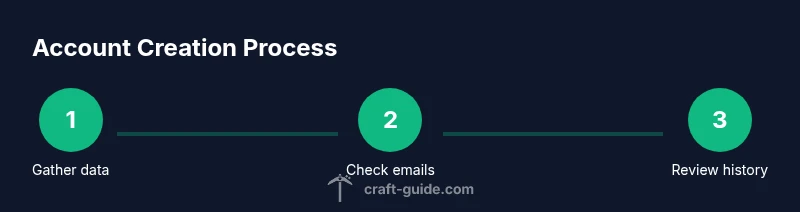
how to see when minecraft account was created: This quick answer outlines the essential steps you can take now. First, search your oldest Mojang/Microsoft activation or purchase email for a date. Next, check the Microsoft account's order history for your earliest Minecraft transaction. If needed, contact support with proof of ownership. Craft Guide recommends starting with receipts and emails for the most reliable date.
What creation date means for Minecraft accounts
how to see when minecraft account was created is a question many players ask when they are trying to pin down the origin of their journey in Minecraft. In practice, the exact creation date may not be exposed in a single public field across all account platforms, especially if an account migrated from Mojang to Microsoft. What you can usually identify are the earliest concrete signals: the first activation or purchase emails, any associated order numbers, and the first login timestamps tied to the account. This section helps you understand why those signals exist, what they imply, and how to approach the search methodically. According to Craft Guide, approaching the date as a puzzle made from multiple data points is more reliable than relying on a single source. This mindset helps prevent frustration when a system doesn't surface a single “account creation date.”
Primary method: check your original emails
The most reliable way to determine when your Minecraft account was created is to locate the earliest official communication from Mojang or Microsoft about the account. Start by searching your primary email for terms like “Minecraft,” “Mojang,” “activation,” “order,” or “receipt.” If you find an activation email, a purchase receipt, or a license key email, note the date shown. If you had a physical gift or code, gather the packing slip or digital receipt. Keep in mind that older accounts might have migrated data between Mojang and Microsoft, so you may need to check multiple email addresses you’ve used over the years. Craft Guide analysis shows that these first messages are often the most consistent date signals across accounts.
Secondary methods: account history and receipts
If the initial emails don't reveal a clear date, turn to purchase histories tied to the account. Sign in to the Microsoft account associated with Minecraft and inspect the Order history or Payment & billing sections for the earliest Minecraft-related transaction. If you don't see a direct Minecraft entry, look for related items such as “Minecraft Java Edition” or “Minecraft Bedrock Edition.” Receipt dates are strong indicators of when the account activity began, even if the exact creation moment isn't listed. Craft Guide recommends cross-checking multiple receipts when possible to build a more accurate timeline.
Using the Microsoft account portal
For many players, the Microsoft account portal is the gateway to discovery. Sign in at account.microsoft.com and navigate to the Payments and Billing or Services & Subscriptions area to locateMinecraft-related purchases. If you see a first purchase entry, record its date and pair it with other signals like the earliest login date from the account to triangulate creation. If you no longer have access to the email the account used, Microsoft support can assist with identity-verification steps. Remember to keep any IDs, order numbers, or receipts handy for faster verification.
What to do if you can't find a date
Sometimes the exact creation date remains elusive due to data retention policies or migration gaps. In this case, compile the strongest signals you do have—oldest receipts, earliest login timestamps you can access, and any order numbers. If you still can't determine a date, reach out to official support with proof of ownership. Be prepared to provide purchase evidence and identity verification. Craft Guide emphasizes that having a documented trail makes a support request more likely to succeed.
Privacy and record-keeping: building a reliable trail
Once you have determined or estimated the creation date, build a personal record for future reference. Save receipts as PDFs or screenshots, archive order confirmations, and maintain a simple timeline in a notes app. This practice saves time in case you need to verify ownership later, for example when signing into a new device or transferring a profile. Craft Guide also recommends labeling records with the associated email, platform (Java/Bedrock), and any migration notes to avoid confusion in the future.
Common pitfalls and how to avoid them
A frequent pitfall is assuming the date shown in a single source is the whole truth. Always cross-check with multiple data points (emails, purchase history, and login timestamps) before drawing conclusions. Another pitfall is relying on usernames alone, as many users change usernames over time. Keep your account identifiers, such as emails and order numbers, consistent in your notes. Finally, beware of phishing attempts when asking for proof of ownership; never share passwords or security codes in email or chat channels.
Special case: legacy Mojang accounts and migration
If your account started as a legacy Mojang account and later migrated to a Microsoft account, the creation date can be split across two systems. In such cases, the earliest creation signal could be tied to the Mojang-era email or the first Microsoft transaction related to Minecraft after migration. The lesson is to search both sides of the migration timeline and tie the data points together to construct an accurate timeline. Craft Guide reminds readers that cross-system checks are often necessary for older accounts.
Quick-start checklist (at-a-glance)
- Locate the oldest Minecraft-related email or receipt.
- Sign in to the Microsoft account and review the earliest Minecraft purchase in the order history.
- Check any linked Mojang account communications if applicable.
- Compile the signals into a single date estimate and note any migration gaps.
- Save proof of ownership documents for future use.
Tools & Materials
- Internet-enabled device (computer, tablet, or smartphone)(Needed to access email, Mojang/Microsoft accounts, and purchase history)
- Account credentials (email/username and password)(Used to sign into Mojang and/or Microsoft accounts)
- Access to primary email used for the Minecraft account(Needed to locate the earliest activation or purchase messages)
- Receipts or order numbers for Minecraft purchases(If you have digital receipts or a store order, keep them handy)
- Microsoft account purchase history(Accessible via account.microsoft.com; needed to locate earliest Minecraft transaction)
- Notes app or notebook(To keep a simple, organized timeline of data points)
Steps
Estimated time: 60-120 minutes
- 1
Collect your account identifiers
Identify the exact Minecraft account you want to verify. Gather the associated email addresses, usernames, and any migration notes from Mojang or Microsoft. This helps ensure you search the right data sources without mixing different accounts.
Tip: Create a single document listing emails, usernames, and purchase IDs for quick reference. - 2
Search your oldest activation or purchase emails
Open your inbox and search for terms like Minecraft, Mojang, activation, receipt, or order number. Open any relevant emails and note the dates shown. If you find multiple emails, choose the oldest one as your initial date signal.
Tip: Check spam/junk folders—older emails often land there. - 3
Review Microsoft account purchase history
Sign in to the Microsoft account associated with Minecraft and view the order history or payment history. Record the earliest Minecraft-related transaction date. If needed, export or screenshot the page for your records.
Tip: Filter results by vendor or search for 'Minecraft' to isolate entries. - 4
Cross-check Mojang account data if applicable
If your account started as a legacy Mojang account before migration, look for any account details on the Mojang site or in old emails showing account creation hints. Migration notes may indicate the timeline alignment with Microsoft accounts.
Tip: Note any migration dates and link them to the corresponding Microsoft purchases. - 5
Synthesize data points into a date estimate
Compare the oldest activation/receipt date with the earliest Minecraft purchase date. If they align, your estimated creation date is that common date. If they differ, present a range and explain the possible reasons for the discrepancy.
Tip: Document a clear date range and the data sources used. - 6
If data is still missing, contact support
Prepare proof of ownership (IDs, payment confirmations, purchase IDs). Reach out to official support for assistance in locating the creation date or an acceptable proxy date. Response times vary, so plan for a wait.
Tip: Provide multiple data points to speed up verification.
People Also Ask
Can I see the exact creation date of my Minecraft account?
In many cases the exact creation date is not publicly exposed in the account portal. Use the earliest signals you can find, such as the first purchase email or earliest login timestamp, to approximate the date.
The exact date isn’t always visible, but you can estimate it from receipts and first logins.
Where can I find my first Minecraft purchase date?
Check your email inbox for Mojang or Microsoft order confirmations, or view the Microsoft account Purchase History for the earliest Minecraft transaction.
Look in your purchase history or the oldest Minecraft receipt email.
Does Java Edition vs Bedrock Edition affect how creation date is tracked?
The method is generally similar across editions; the key differences come from account migrations between Mojang and Microsoft, not from the edition itself.
Edition doesn\'t change how dates are tracked; migration history does.
What if I can\'t access the email used for the account?
You may need to contact official support and provide proof of ownership to verify the account and retrieve or approximate the date.
If you can\'t access the email, contact support with ownership proofs.
Will a date show up in my profile on minecraft.net?
Not always. Many profiles do not display a creation date; rely on receipts or the purchase history for dating signals.
Usually, profiles don\'t show the creation date.
How long does it take for support to respond?
Response times vary by volume. Provide IDs and purchase details to speed up verification.
Support times vary; include IDs and purchase info to speed things up.
Watch Video
The Essentials
- Check first purchase emails for the date.
- Review Microsoft purchase history for earliest order.
- Correlate data points to estimate the creation date.
- Keep receipts and proofs in a dedicated folder.
- If needed, contact support with multiple data points.