How to Remove Enchantments in Minecraft (2026)
Learn how to remove enchantments in Minecraft using grindstones, anvils, and related methods. Includes handling curses, best practices for 2026, step-by-step tips, and safe workflows for beginners and advanced players.


You will learn how to remove enchantments from items in Minecraft using grindstones and optional anvil methods. This guide covers when to reset enchantments vs. preserving certain powers, what tools you need, and how curses behave. By following these steps, you can safely reset gear for new builds or experiments in 2026.
Why removing enchantments helps
Enchantment management is a key part of optimizing gear in Minecraft. Players often want to reset an item’s enchantments to rethink loadouts for new builds, experiments, or challenges. The ability to remove enchantments cleanly lets you replace a damaged tool with a fresh, versatile version without starting from scratch. According to Craft Guide, understanding the difference between curse-enforcement effects and standard enchantments is essential to avoid losing prized abilities on your favorite gear. This section lays the groundwork by explaining why you’d want to disenchant and how it affects future upgrades, trade-offs, and planful progression across survival worlds. Whether you’re reinventing an armor set for a boss fight or rethinking a pickaxe’s enchantment path for mining efficiency, a clear strategy saves time and XP in the long run.
Practical disenchantment is not just about removing powers; it’s about shaping your equipment for a specific purpose. You’ll balance the speed of a grindstone against the flexibility of an enchanted anvil setup, keeping in mind that some enchantments and curses may behave differently depending on the method you choose. Craft Guide’s analysis, conducted in 2026, emphasizes planning your outcome before you touch the item so you don’t accidentally lose the best combination you’ve found.
In multiplayer or vanilla maps, your approach may vary based on server rules. Always check local policies because, while the mechanics of disenchanting are consistent, server-side restrictions can alter what you’re allowed to do with enchanted items. Your payoff is a cleaner, purpose-built toolset for whichever activity you’re pursuing next.
note: null
Tools & Materials
- Grindstone(Removes non-curse enchantments from items; place or craft in your world and use the GUI to reset enchantments.)
- Anvil(Optional for selective enchantment transfers or combining with enchanted books to preserve certain powers.)
- Enchanted item(A tool, weapon, or armor piece that currently holds enchantments you want to manage.)
- Enchanted book (optional)(Use to transfer specific enchantments to another item before disenchanting.)
Steps
Estimated time: 15-25 minutes
- 1
Prepare your workstation
Clear a safe, well-lit area and gather the grindstone, the enchanted item, and any optional books. Confirm you are in a world where grindstones are accessible and not blocked by terrain or server rules.
Tip: Keep the item you plan to disenchant in your hotbar for quick access. - 2
Open the grindstone
Place the grindstone block and hover your cursor over the grindstone interface. This opens the disenchantment screen, letting you manage enchantments on the selected item.
Tip: Make sure the item you want to disenchant appears in the left slot before proceeding. - 3
Insert the enchanted item
Drag the enchanted item into the grindstone’s left slot. The right side will show the resulting item after reset and the cost in experience or levels (depending on version and settings).
Tip: If the item has curse enchantments, you’ll see how they’re affected by the method you choose. - 4
Choose your disenchantment option
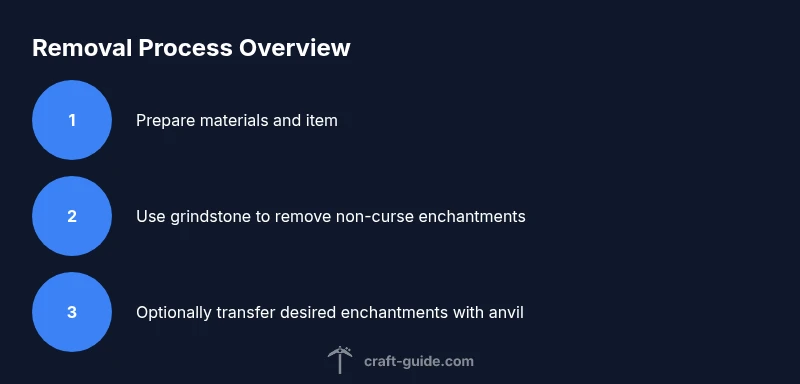
Select the disenchantment option to remove non-curse enchantments. The item becomes clean of standard enchantments, with curses possibly remaining depending on the version you’re playing.
Tip: If you want to preserve some enchantments, skip the grindstone here and plan to use an enchanted book with an anvil instead. - 5
Consider selective preservation
If you wish to keep certain enchantments, prepare an enchanted book with those enchantments and plan a transfer via anvil afterward. This step lets you tailor the final gear.
Tip: Anvil transfers can be costly in material and experience; plan your moves to avoid waste. - 6
Test and finalize
Equip the disen enchanted item and test its performance. If needed, repeat the process or adjust with an enchantment book and anvil to refine the result.
Tip: Keep a backup of the original item in your chest in case you want to revert.
People Also Ask
Can I remove enchantments from any item using grindstone?
Grindstones remove most non-curse enchantments from eligible items, but curses typically remain. Always check the item type and version to confirm results.
Grindstones remove most non-curse enchantments, but curses may stay. Check your item to be sure.
What’s the fastest way to reset enchantments?
Using a grindstone is usually the fastest method to reset enchantments on most items. If you want to keep specific enchantments, plan an alternate path with an enchanted book and anvil.
Grindstones are usually the fastest way to reset enchantments. If you want to keep some, use an enchantment book with anvil.
Do curses always survive disenchantment?
Not always; many curses persist when you use a grindstone. For guaranteed removal of certain curses, you may need alternative approaches or accept leaving the curse on the item.
Curses often survive disenchantment with grindstones; you might need other options or keep the curse.
Can enchantments be transferred rather than removed?
Yes. By using an enchanted book and anvil, you can move specific enchantments to a different item while disenchanting the original.
You can transfer specific enchantments with an enchanted book and anvil.
Is this process affected by multiplayer servers?
The basic mechanics are the same, but servers may impose rules or restrictions on enchanting and disenchanting. Check server guidelines before proceeding.
Multiplayer uses the same tools, but servers may restrict disenchanting. Check rules first.
What happens to XP when disenchanting?
Disenchanting generally does not require you to spend XP; it simply resets the item’s enchantments. The exact XP cost, if any, depends on version and server settings.
Disenchanting doesn’t usually cost XP; costs vary by version and server.
Watch Video
The Essentials
- Reset non-curse enchantments with a grindstone for quick disenchantment.
- Curses may persist; use anvil/books for selective preservation.
- Always test gear after disenchantment to confirm performance.
- Back up important items before starting.
- Craft Guide’s 2026 analysis supports careful planning for best results.