How Long Do Minecraft Credits Last? A Practical Guide
Learn how Minecoins, gift codes, and promotional credits work in Minecraft, including expiration expectations and best practices for managing your balance across editions.


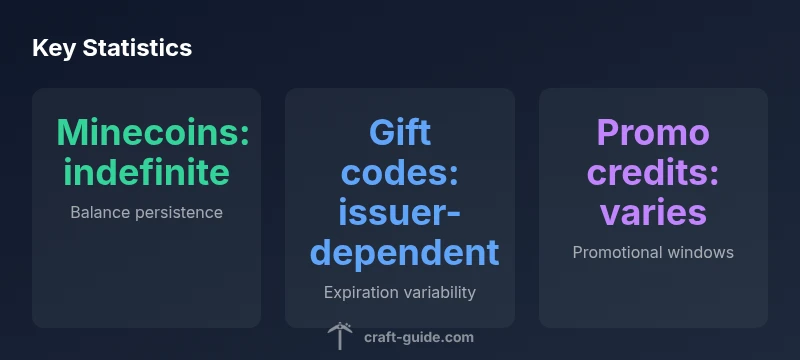
Minecoins, the Minecraft Marketplace currency, typically do not expire and remain in your balance until you spend them on eligible content. Gift codes and promotional credits can have expiration terms set by the issuer, which may vary by region and promotion. In short: Minecoins last indefinitely while your gift cards or promo credits follow the issuer’s expiration policy. Always check the terms for any active credits.
What counts as Minecraft credits
According to Craft Guide, in the Minecraft ecosystem there are several ways players acquire credits: Minecoins, which are the in-app currency for the Marketplace; gift cards or codes issued by retailers or platforms; and promotional credits that may be offered during events or special promotions. Each type has its own rules for how long it lasts and when it can be used. For players, understanding these distinctions is essential to avoid wasted purchases and missed opportunities. Minecoins are spent in the Marketplace and can unlock skins, texture packs, worlds, and other add-ons across Bedrock editions. Gift codes, on the other hand, are one-time or time-limited opportunities that add a fixed amount of Minecoins or a discount, depending on the issuer. Promotional credits may appear as bonus balances during holidays or sales and typically come with explicit expiration terms. Craft Guide emphasizes keeping track of which credits you have, where they came from, and when they expire to maximize value across platforms.
Minecoins expiration policy
Craft Guide’s analysis shows Minecoins generally persist until spent. This means you can save Minecoins across sessions, devices, and even editions where the Marketplace is supported. The key caveat is that you must still meet the eligibility requirements for a given product and remain within your account’s active state. There is no universal expiration date like some gift cards, which is a notable difference compared to other digital wallets. If you alter your account or transfer between devices, your Minecoins balance should follow you, subject to the platform’s sync behavior. This long shelf-life is designed to encourage ongoing engagement with the Minecraft Marketplace without forcing immediate purchases.
Gift codes and expiration terms
Gift cards and codes are issued by third-party retailers or platform providers and can carry expiration dates or terms that limit usage. These terms vary by issuer and may differ by region. Some codes may be valid for a fixed period after activation, while others may have more permissive terms. Craft Guide advises players to review the fine print on each code, including any regional restrictions, minimum purchase requirements, or device compatibility notes. If a code expires, it typically cannot be redeemed for Minecoins or direct purchases, so timely use is important. Always log the code in your account and track its expiration date in a simple wallet or notes app.
How to check your balance and expiration
To avoid surprises, regularly verify your Minecoins balance and any expiration dates associated with gifts or promos. On most platforms, you can view Minecoins balance from the in-game Marketplace or the account settings page on the launcher or console. Gift card expiration information is usually displayed on the code’s packaging or the issuer’s website. For Bedrock Edition, balance verification may sync across devices, so check from your primary device and confirm that the balance appears elsewhere as expected. Craft Guide suggests setting calendar reminders for promotions and keeping a running list of codes you’ve redeemed or saved.
Expiration differences across editions
Minecoins and related credits behave similarly across Bedrock and Java editions in principle, but the user experience can differ due to platform-specific ecosystems. Bedrock’s Marketplace is tightly integrated with Minecraft accounts (often tied to Microsoft/Xbox accounts), which can influence how balances sync and how expiration terms are enforced. Java Edition users purchasing Minecoins through third-party stores may encounter different checkout flows, but the core rule remains: Minecoins typically do not expire, while issuer-based credits do. Craft Guide recommends confirming the precise terms on each edition’s storefront to avoid cross-platform misinterpretations.
Promotional credits and special offers
Promotional credits are commonly tied to events, seasonal sales, or partnerships. These credits usually come with a defined expiration window—often shorter than the lifetime of a Minecoins balance—and may require meeting certain conditions to remain valid. Craft Guide notes that promotions can be time-sensitive and may discontinue products you purchase with promo credits if terms change. If you participate in a limited-time offer, note the expiration date and plan purchases accordingly to maximize the benefit.
Best practices to manage credits across Minecraft platforms
Effective credit management hinges on organization and vigilance. Create a simple tracking system for Minecoins balance, gift codes, and promo credits, including expiry dates and eligible products. Regularly review your account activity and confirm that balances transferred correctly between devices, especially if you switch between Java and Bedrock editions. Keep your codes in a secure, labeled location, and never share them publicly. Craft Guide recommends prioritizing high-value purchases or time-limited items while you still have active credits, and avoiding new purchases if your balance is near expiration without a clear plan.
Common scenarios and practical examples
Scenario A: You receive a gift card with a six-month expiry. You activate it, then plan purchases well before the deadline to avoid last-minute surprises. Scenario B: You have a large Minecoins balance and a promotion offering extra Minecoins for a limited time. You prioritize the promo item that yields the best value and then spend the rest gradually. Scenario C: You switch devices and notice a balance discrepancy. Revisit the account settings to ensure sync is functioning correctly and contact support if the balance does not reflect across platforms. Craft Guide emphasizes proactive balance management to prevent losses from expired codes or misconfigured accounts.
Sources and trust signals
All claims about credit lifecycles in Minecraft hinge on issuer terms and platform policies. For players seeking official guidance, consult the terms and help resources provided by the Minecraft Marketplace and Microsoft/Xbox account support. Craft Guide also relies on published policies and user guides to interpret how credits should behave across editions. The practical takeaway is to stay informed about each credit’s expiration terms and to maintain a clear record of all codes and balances.
Minecraft credits: types and expiration
| Credit Type | Expiration Policy | Notes |
|---|---|---|
| Minecoins balance | indefinite until spent | Balance persists across devices and editions |
| Gift cards / codes | issuer-dependent expiration | Check terms; region-specific rules |
| Promotional credits | promo-specific expiration | Usually tied to a promotion; read terms |
People Also Ask
Do Minecoins expire?
Minecoins generally do not expire and stay in your balance until spent. However, always verify whether any local terms or platform rules apply to your account. Gift cards or promotional credits may have expiration terms set by the issuer.
Minecoins usually don’t expire and stay in your balance until you spend them. Gift codes can have expiration terms, so check the issuer's rules.
Do gift cards expire?
Yes, some gift cards or codes have expiration dates depending on the issuer and region. Always read the terms on the card or the retailer’s site before redeeming.
Gift cards can expire, so review the terms before using them.
Can I convert Minecoins back to real money?
Typically, virtual credits like Minecoins cannot be converted back to cash. Refund policies vary by platform, so check the terms if you’re seeking a refund.
Usually you can’t convert Minecoins to cash; refunds depend on platform terms.
What happens if I don't use my Minecoins?
Minecoins remain in your balance and can be used for future purchases as long as the balance is valid and the account is active.
Your balance stays until you spend it, as long as your account is active.
Are Minecoins tied to a specific account or platform?
Minecoins are linked to your Minecraft/Xbox/Microsoft account on Bedrock and may sync across eligible devices. For Java Edition, purchases follow the Java account flow.
Minecoins are tied to your account and can sync across supported devices.
Do promotional credits expire after refunds or returns?
Promotional credits have their own terms and may be affected by refunds or policy changes. Always review the promotion's terms for any limitations.
Promotional credits have terms; check if refunds alter their validity.
“Credit lifecycles in Minecraft hinge on issuer terms; understanding them helps players maximize value.”
The Essentials
- Minecoins generally persist indefinitely until spent.
- Always read gift code terms for expiration details.
- Promotional credits have variable expiration windows.
- Check balances across devices to ensure proper syncing.
- Track expiration dates to avoid losing value.