How to Reload Chunks in Minecraft: A Step-by-Step Guide
Learn how do you reload chunks in minecraft with clear, step-by-step methods for both vanilla play and server environments. Discover distance-based reloads, forceload commands, and best practices to keep your world smooth.


Reloading chunks in Minecraft refreshes the loaded terrain so you see up-to-date blocks, entities, and lighting. You can trigger this by briefly moving far away and returning, or by using in-game commands to reload or force-load chunks. This guide covers practical methods for both vanilla play and server setups.
Why reloading chunks matters
In Minecraft, the world is divided into chunks—manageable 16 by 16 block areas that the game loads and unloads as you move. When chunks lag, render poorly, or show outdated lighting or mobs, reloading them can restore accuracy and smoothness. In tutorials from Craft Guide, understanding when and how to refresh chunks helps players avoid unnecessary restarts while keeping their worlds responsive during builds and exploration. The Craft Guide team found that desynchronization between client and server data is a common cause of chunk glitches, especially after long mining sessions or rapid terraforming. Reloading chunks forces the game to re-fetch data from memory or disk, reapply light calculations, and re-sync entity states, which often resolves invisible blocks, misrendered textures, and odd mob behavior.
There are two broad categories of reload methods: vanilla in-game actions that trigger a refresh, and command-based or server-side techniques that override the normal loading rules. The choice depends on your play mode: solo worlds can safely experiment with distance reloads, while servers may require controlled force-load commands to minimize performance impact. With the right approach, chunk reloads become a routine maintenance task rather than a source of frustration during big builds or fast-moving exploration.
This article walks you through practical, tested methods suitable for both single-player worlds and multiplayer servers. You’ll learn safe practices, expected results, and how to verify that reloading chunks actually refreshed the data in question. You'll also find quick tips to avoid common missteps and preserve your world’s stability while refreshing chunks on demand. Craft Guide's experience shows that a disciplined approach to chunk reloads yields a more reliable gaming experience for players of all skill levels.
How the chunk system works in Minecraft
Minecraft loads the world in discrete units called chunks. Each chunk contains blocks, entities, and tile entities, and the game keeps track of which chunks are currently active based on player position. When you move, nearby chunks are loaded or kept in memory, while distant chunks are unloaded to save resources. Lighting, mob spawns, and terrain data are computed per chunk and can be affected by recent changes elsewhere in the world. If the client’s view of the world gets out of sync with the server (or the game logic in a single-player world), you may see flickering blocks, missing textures, or mobs that don’t respond to you as expected. Reloading chunks reinitiates data fetches and recalculations, aligning what you see with the actual state of the world. For players, this means fewer graphical glitches and more accurate builds. For server admins, it translates into smoother gameplay and fewer complaints about desynchronization.
Chunk loading interacts with several systems: the client rendering engine, the server’s chunk data management, and the World Save/Load process. When you perform edits in a large build, the newly generated blocks must be integrated into the correct chunk, which may trigger a cascade of updates across neighboring chunks. A solid understanding of how chunks are managed helps you choose the right reload method and avoid unnecessary work. This section sets the foundation for practical reload techniques in later steps.
Manual distance-based chunk reloads
Manual reloads rely on a simple principle: move far enough away that the client unloads the chunks around you, then return to force a fresh load. The mechanics are inherently part of vanilla Minecraft and do not require any third-party tools. Practically, you can pick a spot several thousand blocks away from your current position, travel there, and then back. In many cases, this is sufficient to refresh nearby terrain, lighting, and entity states without touching server configurations. If you are playing on a server with strict anti-tlood policies, keep the distance moderate to avoid triggering lag spikes during traversal. While traveling, pay attention to chunk borders (you can enable them with F3+G on Java Edition) to visually confirm which chunks should refresh when you come back. For best results, perform this method after making sizable changes to terrain or structures, or after loading a new biome where chunk data may still be cached.
As you experiment, remember that the exact result can vary based on hardware, world size, and whether other players are nearby. The approach is safe, reversible, and quickly repeatable, making it a favorite first step for many explorers who want to ensure the world responds promptly after alterations. Craft Guide emphasizes consistency; if you perform this technique regularly, you’ll notice fewer long-loading gaps and a more cohesive environment as you move around your world.
Command-based approaches to force-load/unload chunks
For players on servers or who want more control, command-based methods offer precise chunk management without needing to physically travel. The most common vanilla approach is the forceload command, which marks specific chunks or regions to stay loaded (or be released) regardless of player proximity. The general syntax is forceload add <x> <z> [radius] to force-load a block of chunks around a given chunk coordinate and forceload remove <x> <z> [radius] to release them. This method is powerful for builders who need consistent access to a large area or for farms that require reliable mob spawn conditions. Always test commands in a safe area first and monitor server performance after applying a larger radius, as forcing many chunks can put a strain on CPU and memory.
In practice, you could load a 3x3 chunk region around your current location to stabilize lighting and entity paths while you work on an expansion. If you want to target a distant area, use the known chunk coordinates and appropriate radius to limit the load footprint. Some server setups also support plugins or datapacks that extend forceloard capabilities, but vanilla users can achieve a lot with the built-in command. After running commands, gently verify results by moving around the area and watching for chunk borders, entity updates, and new block states. This verification step helps confirm that the intended chunks have refreshed as expected and that no unintended data remains stale.
Best practices for vanilla vs. server environments
In vanilla play, chunk reloads are typically quick and low-risk. The main constraint is client hardware and the size of the area you’re refreshing. For most players, distance-based reloads and small forceload adjustments provide the sweet spot between speed and reliability. In server environments, reloads require more discipline. Forceload can protect critical builds, farms, or redstone networks from lag caused by continually unloading and reloading assets. However, forcing large regions can increase CPU load and memory usage, so it’s wise to plan reloads during off-peak times or apply segmented loads instead of sweeping the entire map. Always keep recent backups in case a force-load operation triggers unexpected behavior after an update or a mod interaction.
Craft Guide recommends pairing reload actions with routine world maintenance: keep backups, document the chunks you refresh, and run performance checks after heavy operations. In both modes, validating the result by exploring the refreshed area—checking lighting, block states, entity behavior, and mob spawns—helps you gauge whether the reload achieved your goals. By combining distance-based reloads with targeted forceload commands, you can optimize chunk refresh cycles for long builds, large exploration runs, or weekly maintenance.
The bottom line is to stay observant and measured. Chunk reloads are a normal part of Minecraft’s dynamic world, not a disruption to your play. With the right approach—careful targeting, cautious use of force-loads, and proper verification—you can keep your world consistent and enjoyable across sessions, regardless of whether you’re playing solo or with friends.
AUTHORITY SOURCES
At-a-glance references for further reading
- Nature: https://www.nature.com
- Britannica: https://www.britannica.com
- Science: https://www.science.org
These sources provide general guidance on computing concepts, cache management, and performance optimization. While they do not cover Minecraft chunk mechanics in depth, they offer authoritative context on how data loading and caching can impact game performance and stability. For Minecraft-specific guidance, consult community resources and the official Minecraft documentation in combination with in-game testing. Craft Guide recommends cross-referencing in-game behavior with reputable technical references to build a robustReloadChunks practice.
FAQ-SECTION
Tools & Materials
- Minecraft (Java Edition)(Any world (single-player or server) you intend to refresh.)
- Access to a world or server(Needed to run commands or modify chunk loading behavior.)
- Knowledge of chunk coordinates(Familiarity with chunkX and chunkZ or chunk borders (F3+G) helps precision.)
- Backup of your world(Always back up before large force-load changes.)
Steps
Estimated time: 5-15 minutes
- 1
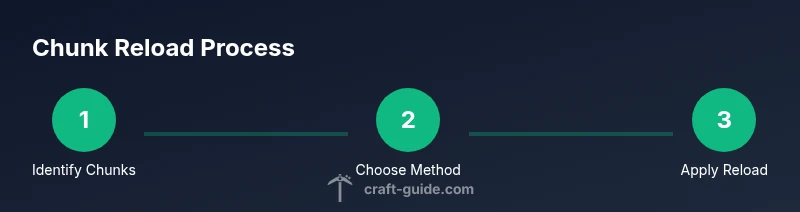
Identify target chunks
Open the debug screen (F3) to locate the chunk coordinates (chunkX, chunkZ). Use F3+G to display chunk borders so you can visually confirm the area you plan to refresh.
Tip: Visualize the target area before moving, to avoid unintended chunks being refreshed. - 2
Choose reload method
Decide whether you’ll perform a distance-based reload or use forceload commands for precision. For solo worlds, distance-based reloads are quick and safe; on servers, forceloader gives exact control.
Tip: If unsure, start with distance-based reloads and move to commands once you verify the effect. - 3
Trigger a distance-based reload
Travel to a location several thousand blocks away and return to trigger unloading and reloading of the surrounding chunks. Observe whether lighting, textures, and entities update smoothly.
Tip: If you have a long build, time the travel for when server load is lower to minimize lag. - 4
Apply forceload commands (server)
On a server, enter forceload add <x> <z> [radius] to load a region around the target chunks. Use radius to limit the scope; for example radius 2 covers a 5x5 chunk area around the given coordinates.
Tip: Start with a small radius to test, then expand if needed while monitoring performance. - 5
Remove forced loads if needed
If you need to reduce load, use forceload remove <x> <z> [radius] to release chunks. This helps minimize server stress after testing or long sessions.
Tip: Document which chunks you force-loaded to avoid forgetting to remove them later. - 6
Verify results
Return to the area and walk through it. Check chunk borders, lighting, block placement, and mob behavior to confirm the reload took effect as intended. Consider repeating after major builds.
Tip: If anomalies persist, restart the world or re-run the steps with adjusted coordinates.
People Also Ask
Do I need to reload chunks when playing in single-player versus on a server?
Yes. In both modes, reloading chunks can fix visual glitches and stale data. On servers, use forceload commands for targeted reloads and to minimize performance impact.
Yes, you can reload chunks in both modes. On servers, use targeted commands to control the load and keep performance steady.
Will forcing many chunks load slow down my game or server?
Loading large regions increases CPU and memory usage. Start with small radii and gradually increase, watching for performance changes.
Loading large regions can slow things down, so start small and observe performance.
What’s the difference between distance-based reloads and forceload?
Distance-based reloads rely on player movement to refresh nearby chunks, while forceload uses explicit commands to load specific chunks or regions. For servers, forceload provides precise control.
Distance reloads refresh nearby chunks when you move; forceload directly loads chosen chunks.
Can I reload chunks in Bedrock Edition the same way as Java?
Bedrock behaves differently; the specific forceload commands and chunk management may differ. Refer to Bedrock-specific guides and test in-game.
Bedrock handles chunk loading differently, so check Bedrock guides for exact steps.
What should I do after a major build to ensure everything refreshed correctly?
Perform a light distance-based reload, verify chunk borders, then run a small forceload if needed. Revisit the area after a short play session to confirm stability.
After a big build, refresh nearby chunks, check visuals, and verify stability by revisiting the area.
Watch Video
The Essentials
- Reload chunks to refresh data without restarting.
- Distance-based reloads and forceload commands are the two main methods.
- Always backup before making large changes.
- Verify results by inspecting chunk borders and lighting.